XCP-ng
    • Categories
    • Recent
    • Tags
    • Popular
    • Users
    • Groups
    • Register
    • Login
    1. Home
    2. GregBinSD
    G Offline
    • Profile
    • Following 0
    • Followers 0
    • Topics 0
    • Posts 14
    • Groups 0

    GregBinSD

    @GregBinSD

    1
    Reputation
    2
    Profile views
    14
    Posts
    0
    Followers
    0
    Following
    Joined
    Last Online

    GregBinSD Unfollow Follow
    • RE: Backup fails with "Body Timeout Error", "all targets have failed, step: writer.run()"

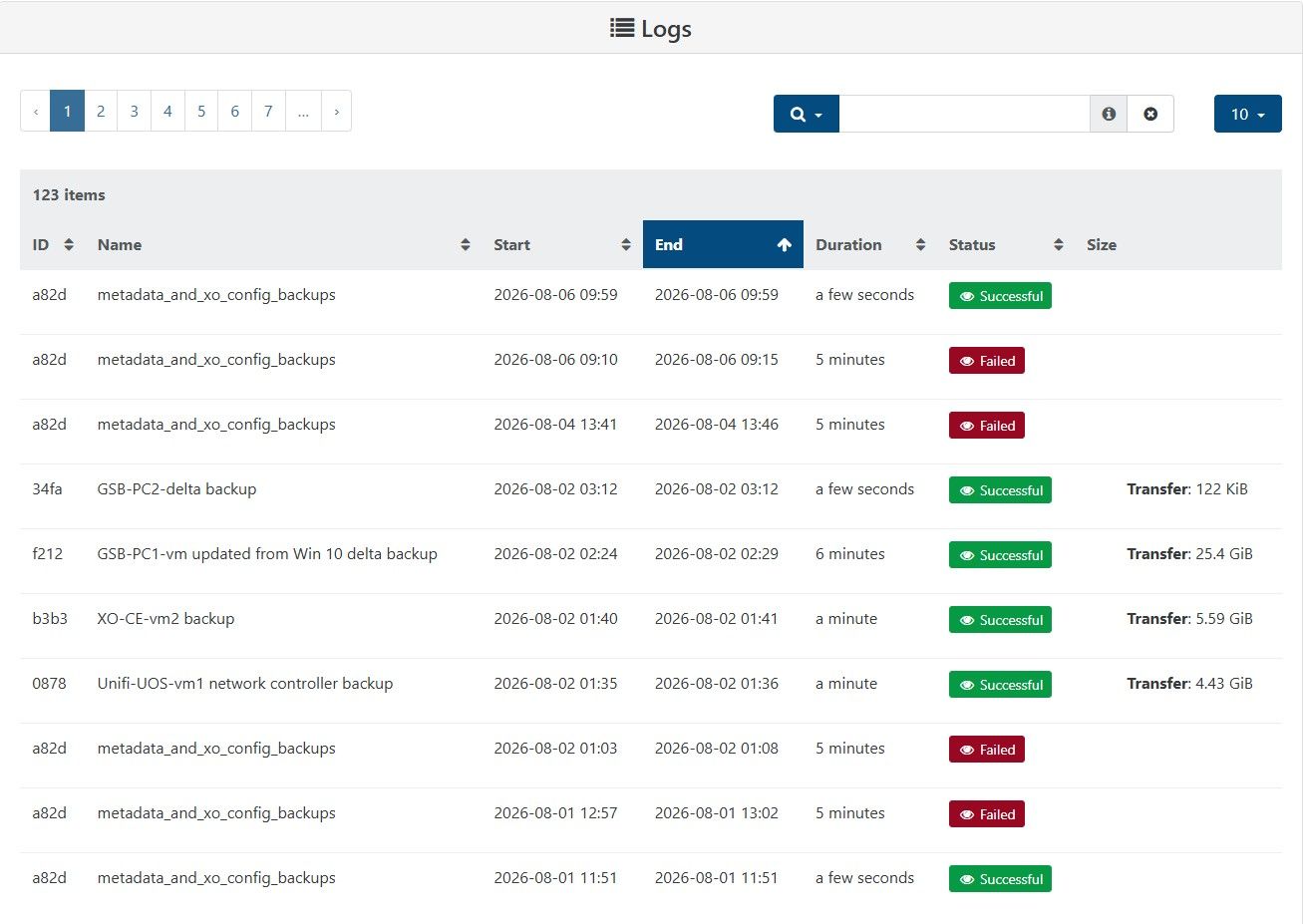
      Here is the log for the GUI Backup function:

      1dab5aec-6f9a-4338-bf7d-dab065e17e43-image.jpeg

      posted in Backup
      G
      GregBinSD
    • RE: Backup fails with "Body Timeout Error", "all targets have failed, step: writer.run()"

      Here is my story:
      I responded to the notice regarding the latest update of the main branch, Master, commit 9cdaf, by updating the XO-CE vm, rebooting the XO-CE vm, bringing all 3 XCP-ng hosts on line, and then running the XO-CE GUI and selecting Pool Rolling Update.
      The rolling update cycled through all 3 hosts in the pool.
      I then attempted to run a pool metadata and xo_config backup.
      It failed by timing out at 5 minutes.
      I decided to shutdown the pool master, so I transferred all VMs to the other 2 hosts and shutdown the master for 15 seconds. I powered on the master, and transferred the VMs back to the master.
      I shutdown the other 2 hosts, and then powered them back on. All hosts are indicating "green" status.
      At this point I attempted to run the pool metadata and xo_config backup, and it ran successfully.
      I waited 2 minutes and ran it again, with success again!
      Lastly, I powered down the other 2 hosts, and with the VMs all running on the master, I ran the pool metadata and xo_config backup again, with apparent success.
      If someone can tell me the location of the logs that recorded this operation, I will look at them closely to confirm that the pool metadata and xo_config backups actually took place.
      Thank you.

      posted in Backup
      G
      GregBinSD
    • RE: Backup fails with "Body Timeout Error", "all targets have failed, step: writer.run()"

      @christopher-petzel
      Great news!
      I will test and report after it is available in a global update.
      Thank you Christopher.

      posted in Backup
      G
      GregBinSD
    • RE: Backup fails with "Body Timeout Error", "all targets have failed, step: writer.run()"

      @jb
      @olivierlambert
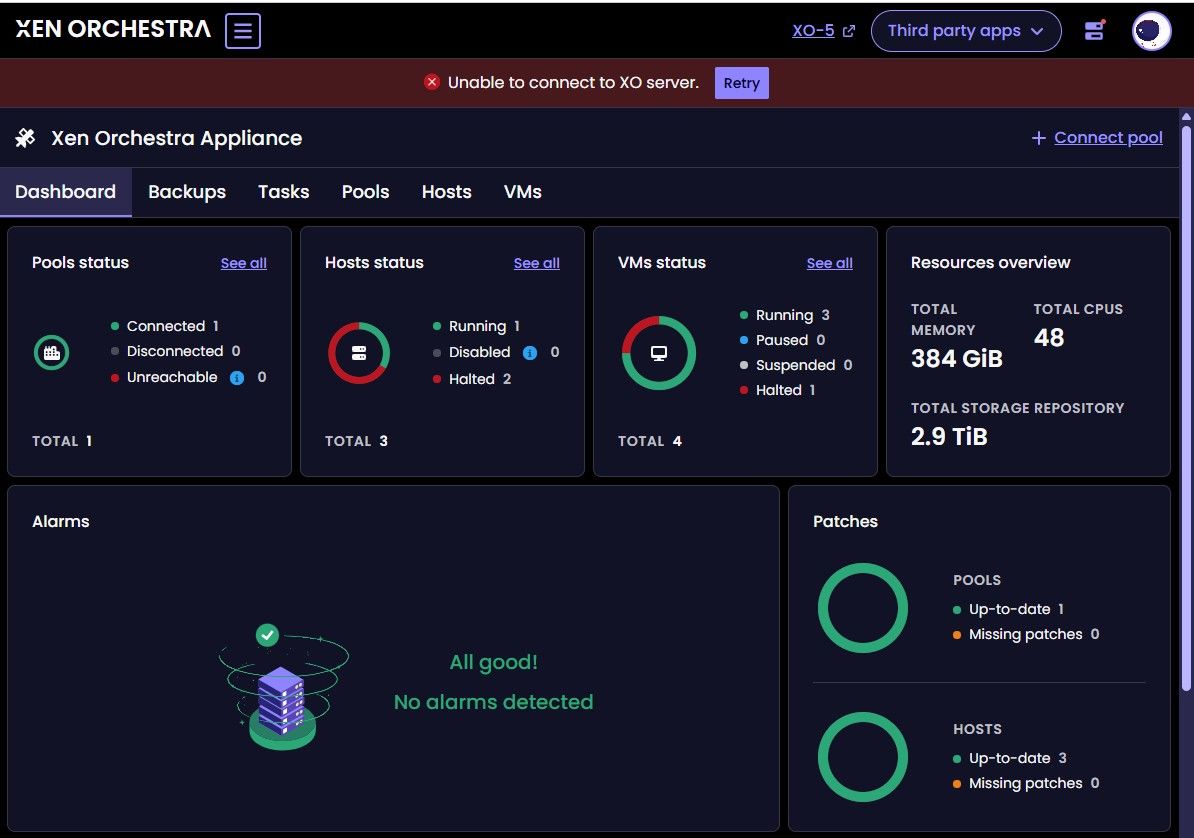
      Oliver, you may be right, wondering whether they really worked. How can I prove that the metadata and xo-config backups were truly successful?

      Below, I pasted in the GUI backup log from XO5.

      425ae32e-ada6-4498-af93-eff3c5bb451a-image.jpeg

      posted in Backup
      G
      GregBinSD
    • RE: Backup fails with "Body Timeout Error", "all targets have failed, step: writer.run()"

      @jb
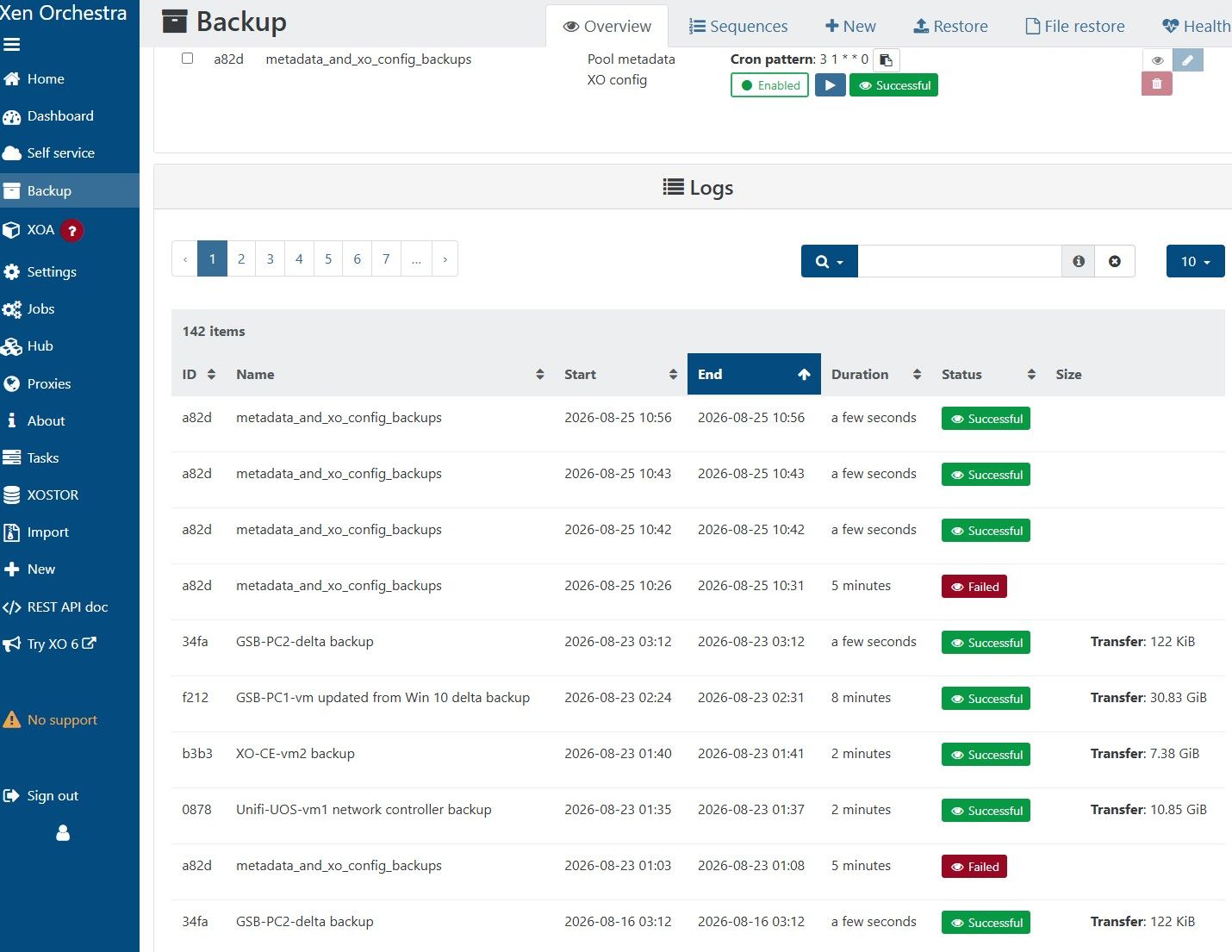
      You have hit on something that ties into what I have discovered. Since July 1, on my XCP-ng / XO-CE cluster, the metadata and xo-config backup job only runs successfully when I have all 3 hosts in my cluster active, and after I have reset the tool stack on the Master host.

      Because I am running the XCP-ng and XO-CE on an off-grid solar/battery system, independent of my electric bill, I try to limit total power to 250 watts for all devices (network switches, iSCSI NAS, XCP-ng hosts, etc). Consequently, I run only one host on a regular basis. When it is necessary to update XCP-ng, I turn on all hosts and do a rolling pool update. If I manually perform a metadata and xo-config backup while all of the hosts are on, only then will the backup be successful.

      Before July 1, the metadata and xo-config back was always successful, whether it was scheduled or manual.

      Hopefully, this will turn on a light bulb in the head of a Vates engineer, and he or she will solve this issue!
      posted in Backup
      G
      GregBinSD
    • RE: Backup fails with "Body Timeout Error", "all targets have failed, step: writer.run()"

      A little more information about my post...
      5 minutes ago, I deleted the metadata and xo-config backup job.
      Next, I deleted the xo-config-backups directory on the remote NFS.
      I also deleted the xo-pool-metadata-backups directory on the remote NFS.
      I then created a new "metadata_and_xo_config_backup" job and then ran it.
      The new job created both a xo-config-backups directory with sub dirs, as well as a xo-pool-metadata-backups directory under the /Backups NFS share on the NAS.
      The xo-config-backups directory has a subdir and it holds a data.json (size 22.55KB), and a metadata.json (size 233 Bytes).
      The xo-pool-metadata-backups directory has a subdirectory structure that has no saved data, no files.
      The job failed after waiting a 5-minute period.

      posted in Backup
      G
      GregBinSD
    • RE: Backup fails with "Body Timeout Error", "all targets have failed, step: writer.run()"

      Also seeing the "Body timeout error" only on the metadata and XO-config backups for the past 2 weeks. All the VMs are backing up just fine.
      The Remote is NFS on a share called Backups:
      NFS Backups \192.168.191.8:Port:/Backups Click to edit
      2 TiB / 4.84 TiB 105.4 MiB/s / 1.8 GiB/s None

      I recently needed to restore from the metadata and xo-config backs and was able to find an old one, but can't make any new ones, so it is a source of concern.

      posted in Backup
      G
      GregBinSD
    • RE: Lates commit breaks install

      @acebmxer
      I appreciate your help with this issue of mine.

      From my own unpriviliged account, I have always run 'sudo' followed by whatever command was needed. This has worked for more than a year without issue, but last week it all fell apart!

      Trying to remove and reinstall nodejs and nvm using sudo from my account did not work.

      However, I did find a way to get nodejs updated to version 24 and ronivay's update xo-install.sh script worked just fine. Instead of using sudo followed by the xo-update.sh command, I typed sudo -i

      That brought me to the root prompt in the /root directory. I then installed nvm, sourced it, and installed nodejs version 24.

      Still as root, I changed directory to the location of the xo-install.sh script and ran it without error, and it updated the the latest version of XO.

      I logged out as root and then logged back in using my unpriviliged account. I am now able to run ronivay's xo-install.sh script by using sudo ./xo-install.sh with my own account. I hope it continues to work fine.

      In the meantime, I'll experiment using your install_xen_orchestra script on a new VM and let you know how it goes.

      Thank you.

      posted in Management
      G
      GregBinSD
    • RE: Lates commit breaks install

      @acebmxer
      As you can deduce, I already have a VM that is running XO-CE.
      I'm guessing that my first move should be to shutdown that VM and create a new VM to use as the Xen Orchestra controller. That will be my next move. If I run into trouble, I can always turn off the new VM and power on the one I had been using.

      posted in Management
      G
      GregBinSD
    • RE: Lates commit breaks install

      @acebmxer
      I am using ronivay's script, and didn't know about yours, but I will be happy to use it and see if it works at this point.

      I will attempt to follow the instructions that I see on your github page and get back to you soon.

      Thank you for responding to my post.

      posted in Management
      G
      GregBinSD