Backup fails with "Body Timeout Error", "all targets have failed, step: writer.run()"
-
Hi! Can you try to replicate on the latest commit?
Hello!
Yes I was able to replicate this issue after updating my Xen Orchestra.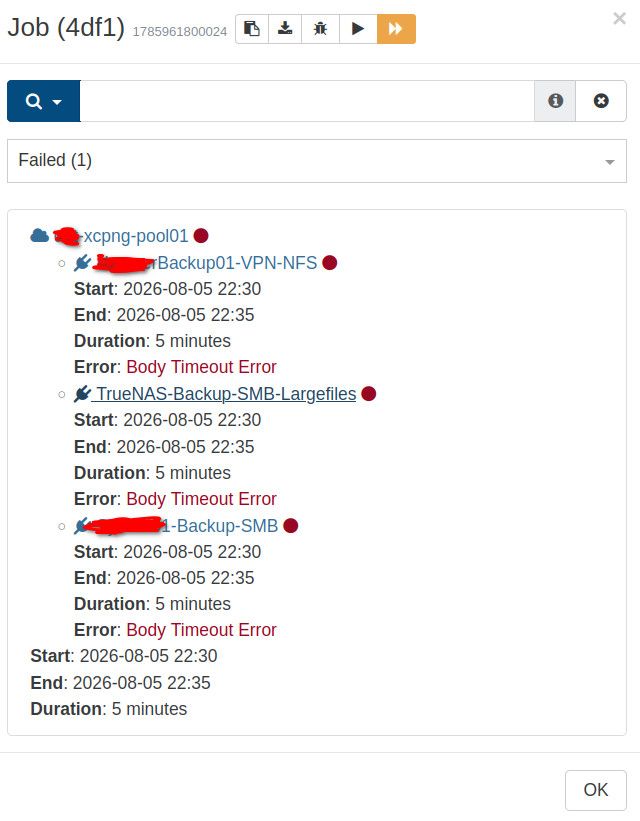
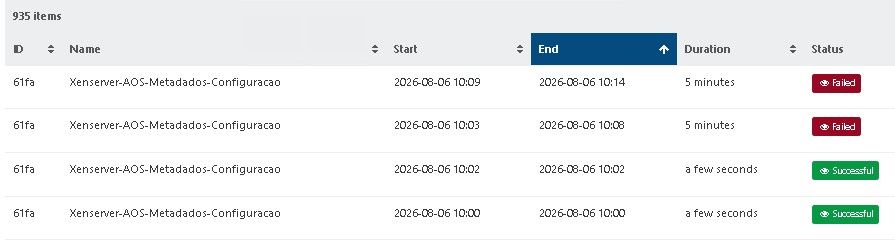
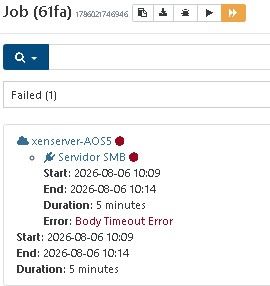
The thing is that the "XO-config-and-pool-metadata" does not always fail.
It fails from time to time then it looks exactly like shown in the screenshot.
Attached logs please find above in my earlier post.This exact job has been working for a long time before.
After some Xen Orchestra commit this issue got introduced.I use the same backup remotes for multiple backup jobs.
Only the "XO-config-and-pool-metadata" job is failing with this body timeout error.Best regards
-
@MajorP93 Hi,
Thank you, thank you! I think you found it! It seems to be SMB, @acebmxer can you confirm that you also use smb please?
If this is the case, the bad news is I think we will need to update our docs to not advise SMB at all: it was already said for delta but maybe we will have to extend this to all kind of BR
-
@pierrebrunet Hello, thank you for working on this issue.
Are you completely sure that this isn't something that got introduced within Xen Orchestra code?
Since I started using XCP-ng / Xen Orchestra I have been using these backup repositories via SMB.
All backup jobs (including this one) have been working fine for almost a year.This repeated body timeout error is a rather new issue which is why I was wondering if this could have been introduced by XO code changes?
I did not switch to a different linux kernel major version or similar. So the SMB client kernel module is at the same version number.
Best regards
-
I use nfs for my remotes and still get the error occasionally.
Edit - Note i am only seeing this error in my work production environment. I am not seeing this issue in my home lab. Both use NFS for remote storage and vm storage.
-
@pierrebrunet Oh one more thing that I just remembered.
If I recall correctly the first time I saw this issue was right after I patched my XCP-ng hosts without updating Xen Orchestra.
So maybe this is caused by XAPI code changes? -
commit 20bed
SMB
-
-
No worries,
Mine seems to be intermittent and restarting that pools tool stack resolves the issue for now. -
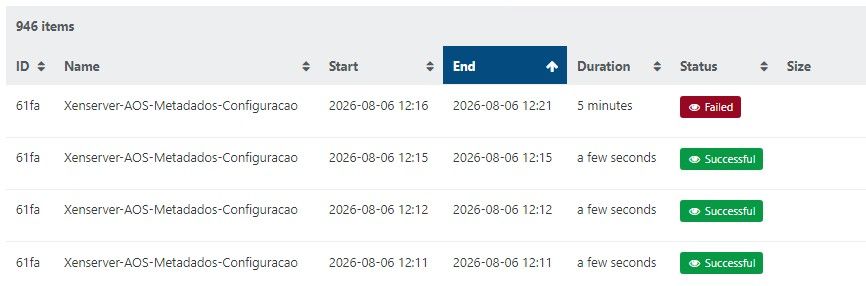
Exactly! I restarted the pools tool stack and made 3 backups. If I restart it again, I'll be able to make more backups.
-
@jb
You have hit on something that ties into what I have discovered. Since July 1, on my XCP-ng / XO-CE cluster, the metadata and xo-config backup job only runs successfully when I have all 3 hosts in my cluster active, and after I have reset the tool stack on the Master host.Because I am running the XCP-ng and XO-CE on an off-grid solar/battery system, independent of my electric bill, I try to limit total power to 250 watts for all devices (network switches, iSCSI NAS, XCP-ng hosts, etc). Consequently, I run only one host on a regular basis. When it is necessary to update XCP-ng, I turn on all hosts and do a rolling pool update. If I manually perform a metadata and xo-config backup while all of the hosts are on, only then will the backup be successful.
Before July 1, the metadata and xo-config back was always successful, whether it was scheduled or manual.
Hopefully, this will turn on a light bulb in the head of a Vates engineer, and he or she will solve this issue!
-
Are you sure it really worked? Because we fixed something that swallowed the error before. Maybe it was successful while in fact not working. When you have some hosts down in a pool, you cannot safely export metadata because XAPI can't tell if the other hosts are dead, disconnected or simply stopped.
-
@JB @gregbinsd @olivierlambert
Yes restarting the tool stack works for me. I currently do not have any host offline at least not intentionally. If there is a network glitch that i am not aware of that might cause the issue if that is the actual cause.
As @olivierlambert stated maybe we were having issues all along and they just changed something that is making the issue visible now. The support tunnel should still be open on my environment if you or the team want to look at logs.
-
@jb
@olivierlambert
Oliver, you may be right, wondering whether they really worked. How can I prove that the metadata and xo-config backups were truly successful?Below, I pasted in the GUI backup log from XO5.
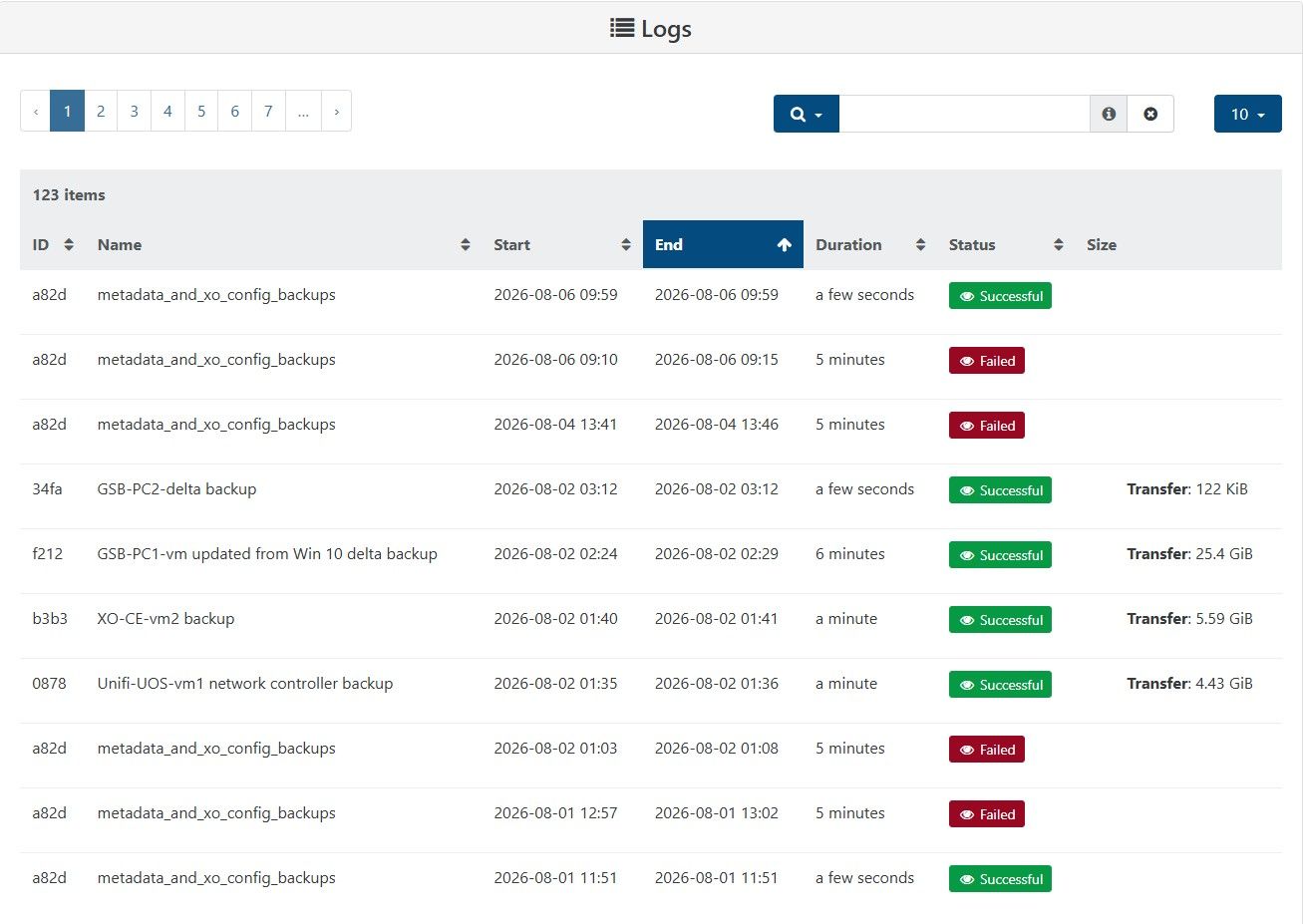
-
All my hosts are online, yet the error still occurs. However, if I restart, the backup works for two or three runs.
-
The problem is that my VM backups don't run either, because I still get a timeout. This morning out of 11 VM backups, 2 failed, on Tuesday 1 failed, 20 were good.
-
5 minutes is clearly an HTTP timeout, the question is way we are reaching this timeout in the first place.
-
@bogikornel are you talking about another issue? We are on an issue specifically on "pool metadata backups". It seems you are talking about VM backups. If yes, can you send the backup log please?
-
@pierrebrunet This is the same error, but it occurs more often when saving metadata. I'm attaching the logfile. xo-backup-error-log.txt
-
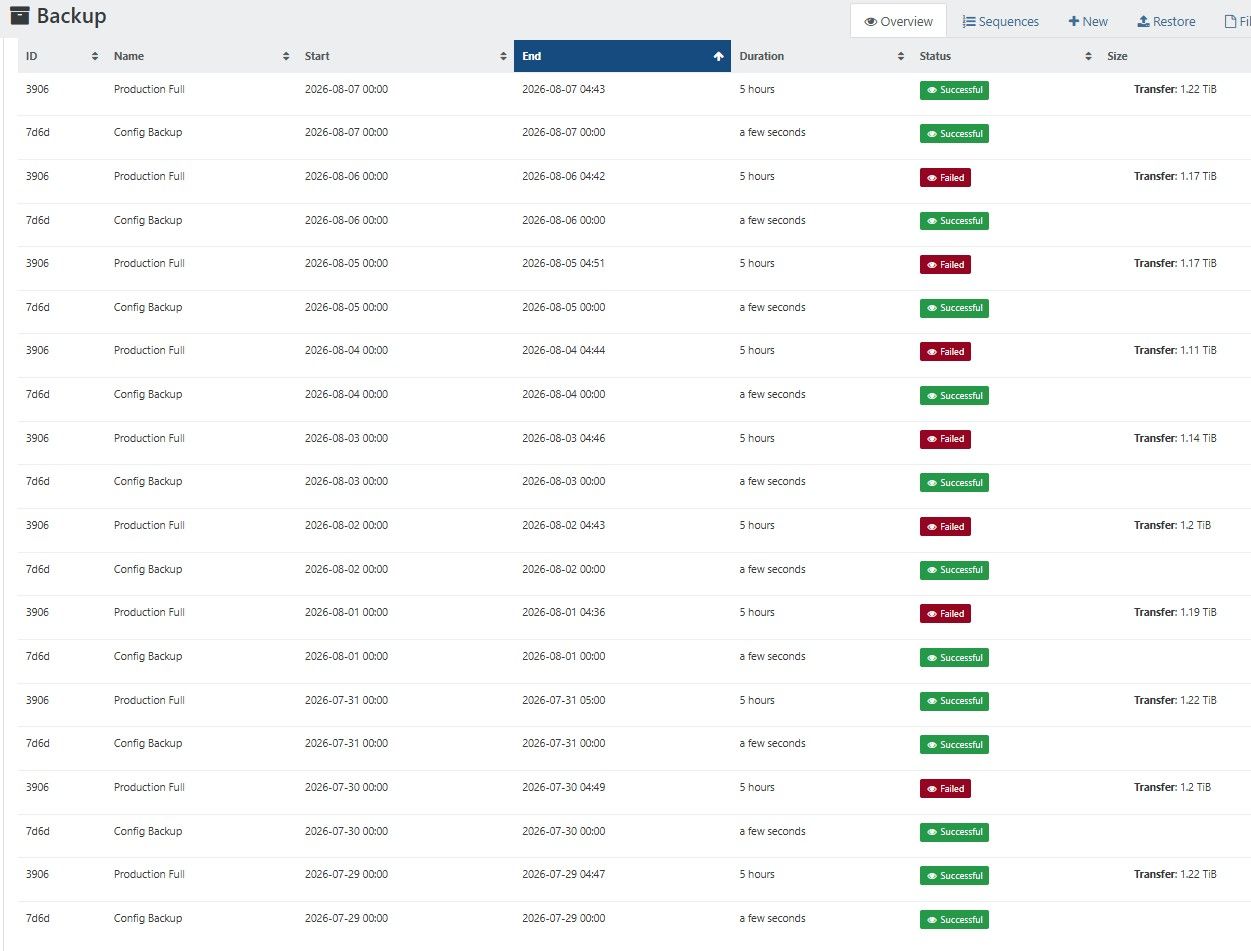
This happens to me mostly with non-config backups but occasionally a config backup will fail. The VM that fails the backup with the body timeout changes around every day, then once a week or so, every VM will get backed up. It only happens on this XO instance and only with the full backups. It doesn't happen on another XO instance that performs delta backups of the same VMs a couple hours later.
-
@olivierlambert I feel like the cause of the timeout is what I posted here: https://xcp-ng.org/forum/post/107454
The incidents of the errors in syslog correspond by matching pool, date and time to the incidents of errors in XO backup. I've traced through several of these incidents in the syslog and matched them to the errors in the XO metadata backup and matched these to missing metadata backup files in the directory on the storage server (ex. 20260807T041000Z) which is created even if the backup fails.
I would look in older logs to see if maybe this has been happening for a long time, possibly before an XO update now shows the error, but my syslog data only goes back 30 days. The XO metadata backup errors started over 30 days.




Hello! It looks like you're interested in this conversation, but you don't have an account yet.
Getting fed up of having to scroll through the same posts each visit? When you register for an account, you'll always come back to exactly where you were before, and choose to be notified of new replies (either via email, or push notification). You'll also be able to save bookmarks and upvote posts to show your appreciation to other community members.
With your input, this post could be even better 💗
Register Login