Prioritization of VM startup AND shutdown sequencing! PLEASE - in the GUI (XO). So - without code - I can finally shutdown my servers accessing DB's prior to shutting down the DB server vm's themselves thereby saving myself from table corruption. 
 C
Offline
C
Offline
-
RE: DevOps Megathread: what you need and how we can help!
-
RE: Pre-Setup for Migration of 75+ VM's from Proxmox VE to XCP-ng
@nikade thanks for your question!
Just out of curiosity, why are you migrating from proxmox to xcp-ng? Are you ex. vmware?
We used both vmware and xcp-ng for a long time and xcp-ng is was the obvious alternative for us for workloads that we didn't want in our vmware environment, mostly because of using shared storage and the general similarities.So, in short, yes. Ex-VMWare. Though, we are still running VMW on core infrastructure - no way to escape this. I am investigating XCP-ng because I'm primarily looking for cost effective 'edge' and/or 'ai' hypervisor infra solutions. Initially, I used Harvester (by SUSE) for its flexible composability and Kubevirt integration -- we were orchestrating Windows clients for scalable (400+ simul users) viz app. Unfortunately Harvester's UI AND CLI lack a lot of base and common functionality required in our use case. So, I leaned in on Proxmox. After about a year, I've started to realize that although LXC containers are a major convenience, they run directly on dom0, which is absolutely nuts. In addition, ZFS volumes were eating 50% of the system's RAM, etc. Great for a "homelab" not necessarily for production.
This brings us to how I wound up with XCP-ng. There are certainly functional eccentricities: the XO UI leaves A LOT to be desired. However, outside of this and as I become more comfortable with the way it operates, it is the closest thing to ESXi/vSphere I've used thus far. This in conjunction with my honed K8S && Swarm skills have me thinking I may have just found THE solution I've been looking for!
I do have a minor gripe, @olivierlambert : currently I am testing this for scaled deployment across the org. BUT, there are no pricing options in the sub $1k range that allow me to test enterprise/production features long-term prior to deploying. We never jump into launching solutions without testing for 9-12 months, at least. So, to spend $4k+ just to POC an edge cluster is nearly impossible to justify as an expense. I am currently using XO Community but have already run into the paywall with certain features I want to test 'long-term' - prior to deployment.
Thanks for your assistance! It looks like I'll be pretty active here until I iron everything out and gradually start diving in a littler deeper and migrate VM's off of Proxmox and into XCP-ng.
-
RE: Pre-Setup for Migration of 75+ VM's from Proxmox VE to XCP-ng
OMG!
 I can't believe I had not tried this. I guess I was avoiding using a template period. Now I understand, it's just a base point. Thank you so much!
-
RE: DevOps Megathread: what you need and how we can help!
Prioritization of VM startup AND shutdown sequencing! PLEASE - in the GUI (XO). So - without code - I can finally shutdown my servers accessing DB's prior to shutting down the DB server vm's themselves thereby saving myself from table corruption.
-
RE: VM qcow2 --> vhd Drive Migration Failures
@AtaxyaNetwork I appreciate the sentiment. I think this one is all on me as pointed out by @Danp ..
My VDI's would not register without this step. I'm unsure as to why because the error logs were completely blank within XO. Your post in conjunction with the docs were extremely helpful though! -
RE: VM qcow2 --> vhd Drive Migration Failures
Okay. I have cracked this nut!
Answered all my questions by muddling my way through things.
Will document my steps after I finish the next batch of VM's/VDI's. I will say though, after having figured this out and looking for ways to automate and streamline the process, this is hella labour intensive! Honestly, for many of these VM's it is less work re-creating from scratch. I wish there were a way that were as easy as VMWare.

In short, I re-read the docs over and over. Then I followed the advice of a "staging/buffer" environment to carry out all of the
rsyncandqemu-img converttasks. The tricky part (for me) was locating theuuidinfo etc for the disk images -- I copied converted viarsyncto the local datastor. I booted my first vm and all checked out. Though, I am not able to migrate the VDI off of the localsr-mountrepo and onto my NAS NFS volume. It fails every time. -
RE: VM qcow2 --> vhd Drive Migration Failures
@olivierlambert literally in the midst of replying! Yes, got it.
After reading over the reference post I realized
sr-mount(ie Storage Repo) was where all my *.vhd's are. Duh. So, now only one question remains for me ..Do I copy the
qcow2to my "buffer" machine (as noted in docs), perform the conversion tovhdthere and thenrsyncthe resulting output to the NFS share dir that is identified undersr-mountor to the XCP-ng host directly? There shouldn't be any difference here as they are the same NFS mount.Sorry, one additional follow up: do name the
vhdimage exactly the same as the existing 'dummy'vhdthat was created with the VDI? Following this, do I then import disconnect the drive from the VDI and re-import?Perhaps my confusion is around the fact that I have already created a VDI for the drive I am migrating. As the docs say not to do this until after the image has been converted.
-
RE: VM qcow2 --> vhd Drive Migration Failures
Also, where does XCP-ng mount NFS volumes? Not in
/mntor/mediaand I cannot seem to find anything in/deveither. If I am going torsyncthe image to the host for repair I need to be able to access the files on the NFS mount. -
RE: VM qcow2 --> vhd Drive Migration Failures
@Danp right, this:
- Use rsync to copy the converted files (VHD) to your XCP-ng host.
- After the rsync operation, the VHD are not valid for the XAPI, so repair them
But
rsyncto where? @AtaxyaNetwork mentions/run/sr-mount/uuid-of-vmbut I don't see a folder for the UUID of the VM I created there. Likely because it resides on an NFS mount?? Or does the *.vhd just need to exist somewhere on the XCP-ng host?Confused.
I want the *.vhd's to be on the NFS mount/share. Though, I could rsync to a local folder, then migrate once added?
-
VM qcow2 --> vhd Drive Migration Failures
Hello again ..
I have batched transferred and exported a series of *.qcow2 VHD's from Proxmox to remote NFS storage:
qemu-img convert -O qcow2 /dev/zvol/zpool1/name-of-vm-plus-id /mnt/pve/nfs-share/dump/name-of-vm-plus-id.qcow2I then converted those exported images to *.vhd using the
qemu-imgcommand:qemu-img convert -O vpc /mnt/pve/nfs-share/dump/name-of-vm-plus-id.qcow2 /mnt/pve/nfs-share/dump/'uuid-target-vdi-xcp-ng'.vhdFinally, I attempted to "IMPORT" the
'uuid-target-vdi-xcp-ng'.vhdimages into XCP-ng and they fail, every single time. When I attempt to comb the log for errors from within XO there is nothing (see screenshot). Which is very, very weird.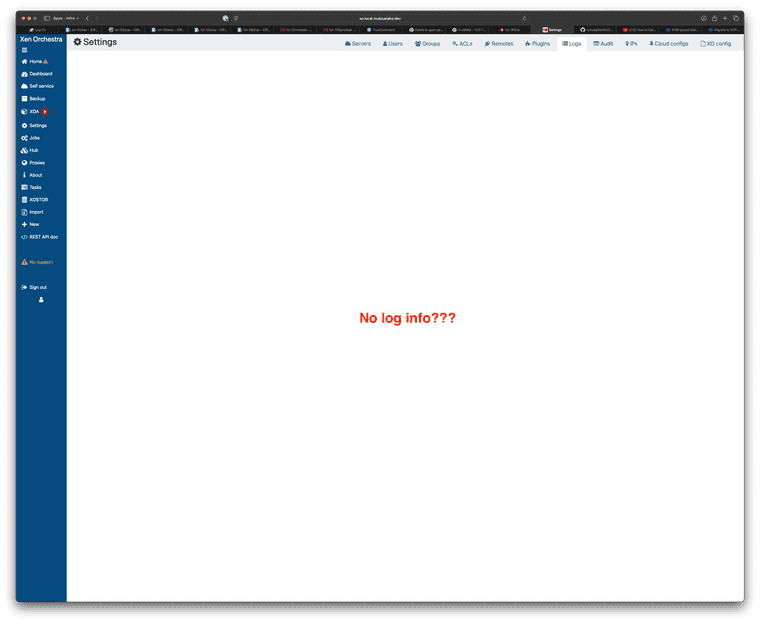
I originally was referencing this post when searching for a means to convert Proxmox VHD's to XCP-ng. Prior to finding the forum post, I did persuse and review the official docs here.
Hopefully there's a simple way for me to view the logs and understand why XCP-ng is failing to import the converted *.vhd's.
Thanks in advance for your help!
-
RE: VM Boot Order via XO?
@sid thanks for this! Not what I was looking for, as you stated, but useful nonetheless.
-
RE: VM Boot Order via XO?
@Greg_E exactly! I'm thinking of my junior/int sys-admins who are very comfortable with VMWare process (vCenter). It's dead simple, yet, even vCenter doesn't have a facility that can scan for app/service feedback as a health check. So, this would be a first.