Subcategories

  • VMs, hosts, pools, networks and all other usual management tasks.

    429 Topics
    3k Posts
    F
    Thank you guys! Problem temporarily fixed by Vates support,
  • ACLs, Self-service, Cloud-init, Load balancing...

    97 Topics
    818 Posts
    olivierlambertO
    October release fixed it
  • All XO backup features: full and incremental, replication, mirrors...

    442 Topics
    4k Posts
    T
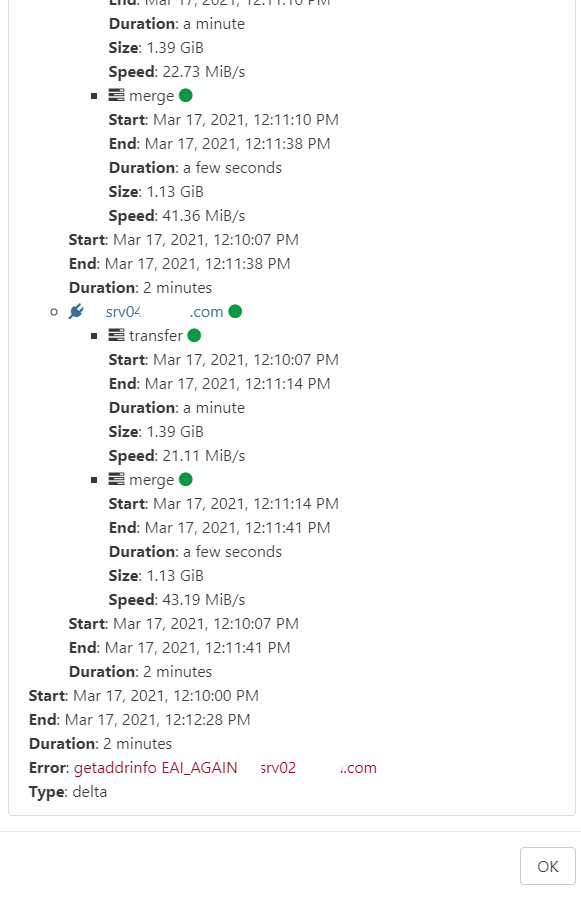
    Good afternoon, I am currently working in a lab environment using XO from sources. I am running into an issue with XOA when it comes to backups, I have tried this with S3 backend to a local S3 with seaweedfs. All my other backups are working on other platforms but, this one for XOA is not working. I have tried delta backups and just regular full backups. If I do one full backup, it works for just the one iteration and then after, I get the same error in the photo posted. I have to delete the backup, delete the job and remake everything. If I need to provide more, please let me know. Current XO: commit 69080 Backend Storage: seaweedfs S3 4.03 How many host effected: 1 When did this start: 12/18/2025 V/r A loyal user. [image: 1766442906758-8010d6b2-8116-407d-a6e0-75791259b203-image.png]
  • Everything related to Xen Orchestra's REST API

    75 Topics
    571 Posts
    F
    @MathieuRA Thank you, perfect Br,
  • Terraform, Packer or any tool to do IaC

    45 Topics
    427 Posts
    CyrilleC
    Terraform provider release v0.37.0 Enables the secure boot parameter for the VM resource Terraform provider release: https://github.com/vatesfr/terraform-provider-xenorchestra/releases/tag/v0.37.0
  • Password less connection to Host

    4
    0 Votes
    4 Posts
    578 Views
    olivierlambertO
    Our documentation can be modified by anyone via a pull request (see the link on the bottom of each page). If you want to write a guide on that, we'd be happy to accept your input!
  • Cache problem

    1
    0 Votes
    1 Posts
    348 Views
    No one has replied
  • Cannot find module bluebird

    5
    0 Votes
    5 Posts
    1k Views
    J
    @olivierlambert No problem, to be honest I'd forgotten that the script I was using was not the official script...
  • Can't add NFS Remote

    Solved
    6
    1
    0 Votes
    6 Posts
    3k Views
    R
    @olivierlambert Thanks! I did that and now it is just works. Thanks for the help!
  • 0 Votes
    5 Posts
    2k Views
    A
    I am using a Thinclient for my XCP Servers. Real small and cheap (if it is used) HP T620 with a 64G M2 SSD and 4 GRam Quadcore AMD CPU. To backup some VM i use a external USB3 HDD. It is running very nice and smoth. Power is between 5Watt an 20Watt excluding the USB Harddrive. My coutumer had mostly two Servers and a Thin client. my own Thinclient is used as a server for FHEM Homeautmatisation
  • Metadata Backup to Backblaze S3 compatible will not work

    5
    0 Votes
    5 Posts
    1k Views
    I
    Having the same issue here with metadata backups, tried Backblaze bucket and Amazon. Also the vm backups to S3 are failing usually with VDI_IO_ERROR(Device I/O errors) or "Error calling AWS.S3.upload: socket hang up" (but working to NAS). Is there somebody who made backups to S3 to work somehow?
  • Location of Backups?

    3
    0 Votes
    3 Posts
    744 Views
    capeschoolsC
    @olivierlambert Thanks!
  • 0 Votes
    5 Posts
    840 Views
    capeschoolsC
    @olivierlambert Okay no problem!
  • Move VM to a host containing a CR vm

    6
    0 Votes
    6 Posts
    1k Views
    DanpD
    @shorian No worries. I just figured the full error log would be beneficial to @olivierlambert and team if they review this thread. Edit: This thread seems related
  • Kuberenets cluster recipe not happy

    49
    0 Votes
    49 Posts
    25k Views
    olivierlambertO
    Thanks for the feedback @mathiashedberg !
  • New install some people can't login

    1
    0 Votes
    1 Posts
    467 Views
    No one has replied
  • New install can't add remote NFS

    Solved
    3
    0 Votes
    3 Posts
    822 Views
    M
    That was it you're awesome. You can mark it as solved.
  • XOCE Yarn Start Error code 1

    Solved
    13
    0 Votes
    13 Posts
    2k Views
    M
    Again thanks everyone. you can mark this as solved. The step I was missing was the config step. $ cd packages/xo-server $ mkdir -p ~/.config/xo-server $ cp sample.config.toml ~/.config/xo-server/config.toml
  • XO Installation on an offline system

    17
    0 Votes
    17 Posts
    5k Views
    L
    @olivierlambert Thanks
  • 0 Votes
    5 Posts
    715 Views
    pdoniasP
    @duxepu Ok, this is weird, I'm not able to reproduce that and I don't see how it's possible. Could you check a few things? from an admin point of view, at the bottom of the VM's advanced tab, please check that the user has Admin ACLs on the VM from the user's point of view, when you're on the snapshots tab, open the browser console (press F12 > Console tab) and check if there are any errors do you have this issue with all the users of all your Self Service groups or is it more specific? Thanks!
  • Bizarre Error during backup process (from the sources, 20.04)

    12
    0 Votes
    12 Posts
    2k Views
    DanpD
    Yesterday I updated to the latest sources and my backup ran successfully, so it appears that this issue is resolved. @carlosfrederico You'll need to switch back to the master branch before your normal update routine will work.
  • Debian cloud template for XenServer Default Password

    6
    0 Votes
    6 Posts
    4k Views
    olivierlambertO
    There's no root password. Use sudo -s
  • Server can no longer connect after crash

    Solved pool server
    5
    0 Votes
    5 Posts
    1k Views
    grapesmcG
    @olivierlambert FYI turned out to be a networking issue that had nothing to do with the server itself. I'm still getting to the bottom of what exactly the cause was, and will update here once I do just in case someone else runs into this. Thanks again. And thanks for the awesome software. ! -Rob
  • Uncertain state of VM tools

    7
    0 Votes
    7 Posts
    1k Views
    olivierlambertO
    No, there's no need to upgrade VM tools when you upgrade the host. You can keep old tools, it will work fine.
  • VDI is not available Error

    4
    0 Votes
    4 Posts
    3k Views
    F
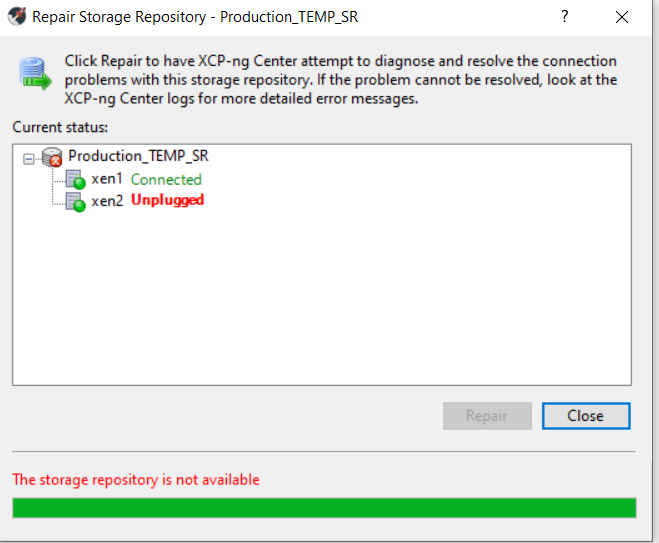
    @dan2462 Did you get a resolution to your VDI issue? I have a similar problem as it seems hosts are locking up the VDI's on my shared iscsi storage and if they are shutdown and I try to boot them on an alternate host, I get the VDI not available error.