Cannot create SMB ISO repository on new XOA
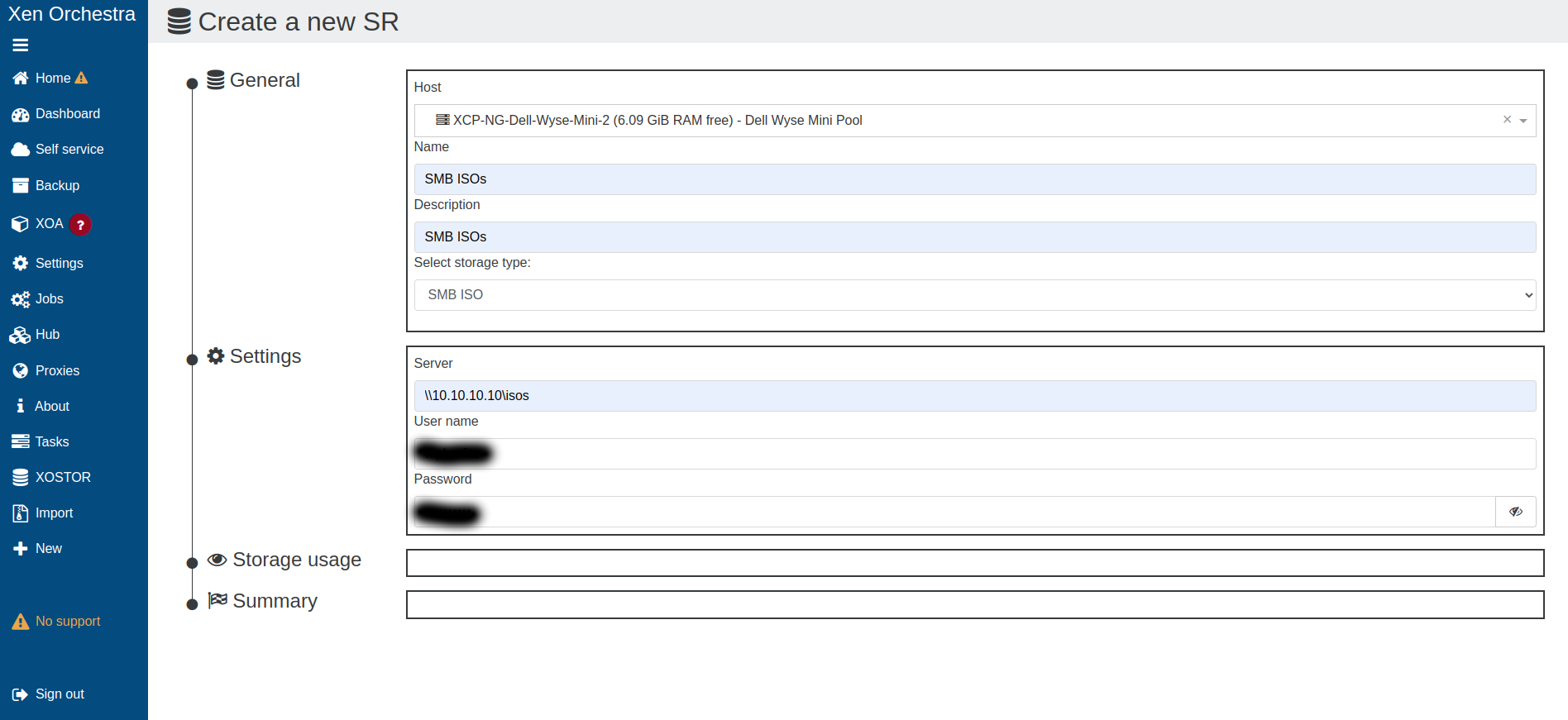
-
@CodeMercenary if nothing happens\button not appear, you can check for errors at browser dev tools. Or maybe anyone else will reproduce that.
-
I'm a bit embarrassed to say that I'm a software engineer and I do mostly web development, so I should have naturally checked that myself.
That server is at home at the moment as I test XCP-NG as a replacement for VMware at my office and it's in a room my nephew will be sleeping in for the next week or so, so I likely can't check this tonight. A bit too hot and too loud to be running while someone is sleeping in the room.
-
I'm seeing this same issue, there is no "Create" button appearing in the Summary pane.
What format is the SMB Server address expected to be in? Windows style as with the OP?
If I look at the browser dev tools, it seems to be spitting out formatting errors relating to the server string:
index.js:525 [React Intl] Error formatting the default message for: "newSrSmbAddressPlaceHolder" SyntaxError: Expected "\\#", "\\\\", "\\u", "\\{", "\\}", "{", [^{}\\\0-\x1F\x7f \t\n\r], end of input or whitespace but "\\" found. J @ index.js:525 -
@MathieuRA that's probably a good hint

-
As a workaround, I used the command line to create the store:
xe sr-create host-uuid=<your_host_uuid> content-type=iso type=iso shared=true name-label="SMB ISO SR" device-config:location="\\\\10.10.10.139\\share" device-config:type=cifs device-config:username=<username>Note the escaped backslash. And in my case I didn't need an SMB password but the command line insisted on me providing a username.
And as a side note, getting the command line wrong still seems to end up creating broken SR entries that need to be cleaned.
-
Hi
The issue for the SMB ISO should be fixed on the branch
fix-iso-smb.BTW, in your browser dev tools, you will see this error again as it's not related to the bug, at least for the creation button that doesn't appear.
index.js:525 [React Intl] Error formatting the default message for: "newSrSmbAddressPlaceHolder"
SyntaxError: Expected "\\#", "\\\\", "\\u", "\\{", "\\}", "{", [^{}\\\0-\x1F\x7f \t\n\r], end of input or whitespace but "\\" found.
J @ index.js:525
Thanks
-
@MathieuRA Thank you for your efforts to get this fixed in such a timely manor! Would you mind pointing me in the direction of any sort of help document that explains how to update my XOA to the branch for fix-iso-smb? This would be my first time doing so. Thank you in advance!
-
If you are using XO from source, you can follow this documentation.
Instead of
git checkout .usegit checkout fix-iso-smb -
The fix is now available on the
masterbranch. Commit:24a75ba -
@MathieuRA Hello. Many thanks for the fix. I updated to the latest commit (73ad9) and it fix indeed the SMB share creation button.
But it is still missing when trying to add a NFS SR or a NFS ISO SR.I also check with XOA (latest release), the issue is also there.
No biggies as we can add NFS share through xsconsole or xe-cli, but would be nice to be able to do that from XO as well.
Thanks !
-
@Mathieu still nobody confirmed problem with NFS. So, did you press the scan button?
-
@Tristis-Oris


I'm completely dumb, I missed the scan button...Once you scan it, it is working alright.
Sorry for the trouble.
-
this button indead not very visible. Maybe it's worth to make it more like usual button? Paint to blue, or move to other side.




Hello! It looks like you're interested in this conversation, but you don't have an account yet.
Getting fed up of having to scroll through the same posts each visit? When you register for an account, you'll always come back to exactly where you were before, and choose to be notified of new replies (either via email, or push notification). You'll also be able to save bookmarks and upvote posts to show your appreciation to other community members.
With your input, this post could be even better 💗
Register Login