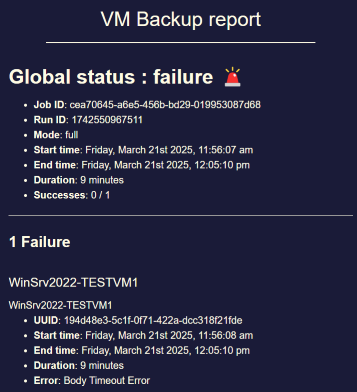
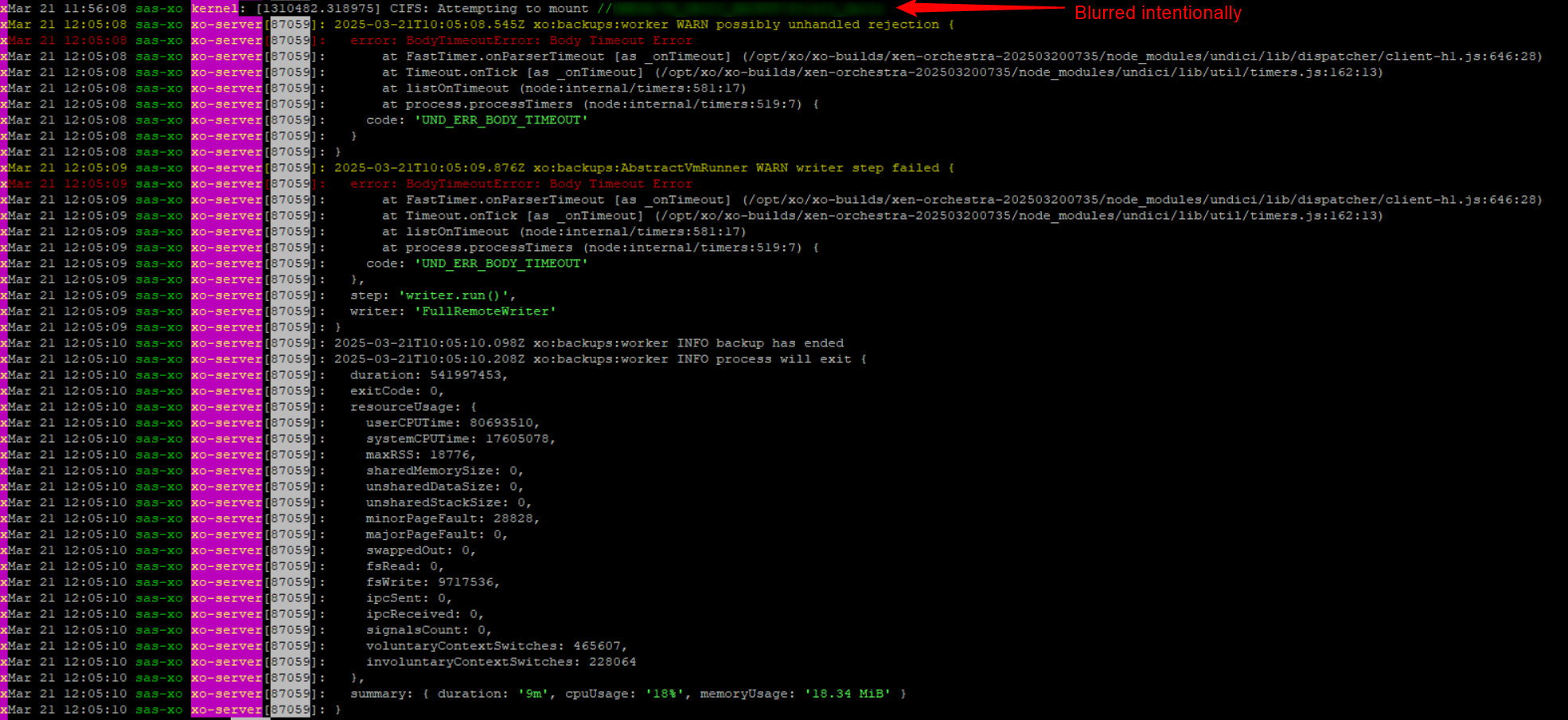
Potential bug with Windows VM backup: "Body Timeout Error"
-
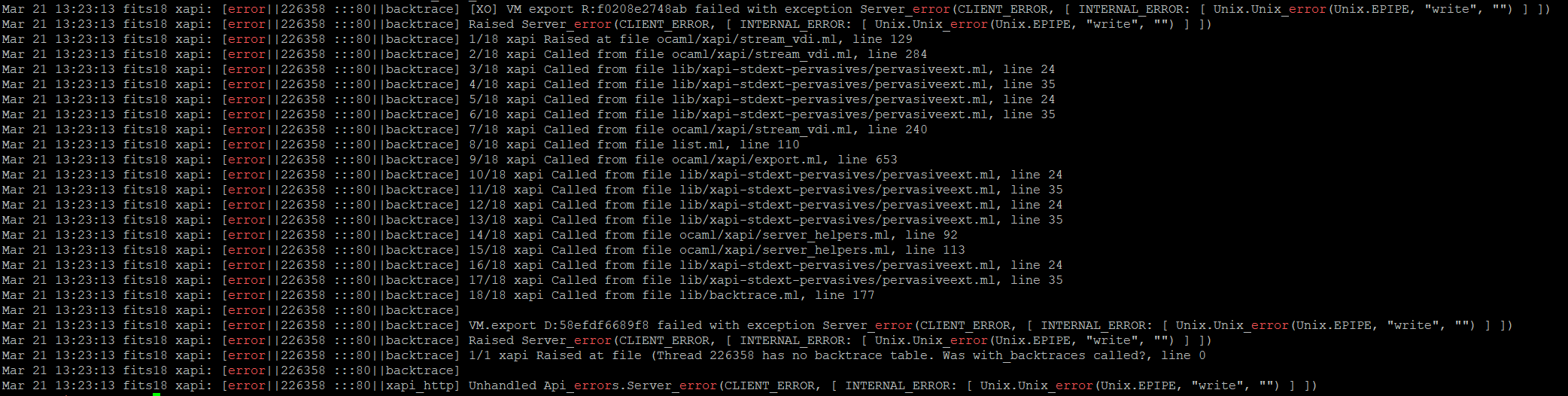
aaaand it happens again.
-
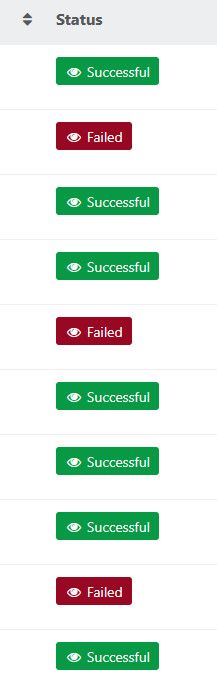
Sorry it's back.
Just to line things up for whoever picks this up: the original full-backup Body Timeout was tracked in https://github.com/xapi-project/xen-api/pull/6786 and shipped with the March 2026 8.3 updates, so what you're seeing on metadata backups might be a cousin rather than the same bug.
From Olivier's earlier note the error just means XO got nothing from the pool master for 5 minutes mid-transfer, so the useful question is what the master was doing during that silence.
The fact that a toolstack restart clears it for a while and then it returns is probably itself a clue.
Could you grab the complete logs from one failed metadata run (the ask pierrebrunet made earlier), plus a rough note of whether it lines up with the master being busy or briefly unreachable?
I'm out of my depth on the internals, but that's the piece the team will want.
-
Due to the fact that this is the second XO release in a row that broke backups I do wonder: are all backup job types being tested via automated unit tests? Are those tests being run multiple times in order to catch issues that do not occur during every single test run? There must be a reason for QA not catching these kind of issues…
-
@MajorP93 I am currently working on this issue but to answer you quickly, yes we have automatic tests, unit and integration tests (you can see them in *.integ.mjs and *.test.mjs files, and @xen-orchestra/qatest folder), a long QA to validate at each release. We add a regression test at every bug we encounter.
The issue is we could not reproduce your exact issue yet. -
I'm picking this one up alongside the other Body Timeout thread (9002), since they look (to me, at least) like the same underlying issue.

Pierre from the XO team is on it and has tested metadata backups on the XO side without hitting it, so the current thinking is it may be coming from the XCP-ng side rather than XO.
What would move it along fastest is a/var/log/xensource.logfrom the pool master covering one failed run's window, so if anyone here can reproduce and grab that slice, it'd really help line the timeout up against what xapi was doing.
I know it's especially frustrating when the thing that breaks is your backups, thanks for bearing with us while we chase it.
A mention to @Team-Storage might help route the storage-layer angle. -
Had a failed job this night (commit 3bc70)
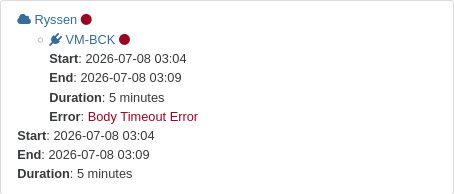
Logged in to my host and saw time was 30-40 sec's off.
The time in XOCE VM was OK
Had a few power outage yesterday.
after starting up the host again. I guess thecmos clockwas a little slow.
Could that be the culprit?
Adjusted time and ran a backup manually and it worked fine.As requested below
 here are the logs
https://paste.vates.tech/?314d454cd7c52552#4ocXwQksjayBbvUxxxddJRwAQ8YJ3KqvKspJGak8yHF4 -
This post is deleted! -
This post is deleted! -
This post is deleted! -
This post is deleted! -
This post is deleted! -
@ph7 As a suggestion: it would improve readibility if you paste your logs on Vates official pastebin tool: https://paste.vates.tech/ and share the links here instead of posting the logs in multiple messages.
-
@MajorP93
I'l do that, didn't know about it. -
Thirty to forty seconds of clock drift after a power outage, and then the backup goes through once you fix the time. That could be coincidence, but it might not be.
I don't know enough about how the XAPI client handles time skew to say whether it would surface as aBodyTimeoutErrorrather than an auth or TLS failure, so I could easily be wrong here.
If it fails again, could you look at what the host clock is doing before you correct it? @pierrebrunet from the XO team is already on this one, and a second data point either way would tell him whether it's worth pulling on. Thanks for putting the logs on the pastebin, much easier to read that way. -
I checked my hosts and the clocks all seem to be very close in time, certainly within a second of each other. The one difference is that the host that is often the target for the backups is set to UTC and the other two are set to MST. Clearly an oversight on my part, unless it is purely a display issue. When I ssh into dom0 and use date, those two show MST and the other shows UTC. If that has ever changed, it would most likely have been in the upgrade from 8.2 to 8.3, which I performed on Jan 28.
All that said, this body timeout issue happens to me every day on random VMs within my backup. Occasionally a backup will complete with none of these errors on any VM but that's uncommon. All of the failed backups are from VMs or configs on the two MST hosts and are stored on the UTC host. (To be clear, they are also stored elsewhere.) I also have an XO instance on one of the MST hosts that performs delta backups and those have never failed. I don't know if that's because they are delta or if it's because they don't touch the UTC host.
The recent failed backups started on 6/26 for my VM full backups and on 6/29 for the config backups. Prior to that the config backups had never had a problem and the full backups had been fine back into February. From February 21 to March 12, I had a smattering of backup failures due to
body timeout errorfor the full backups. -
Thanks for checking. That's useful, even if it points away from where I was looking.

Clocks within a second of each other means drift probably isn't your problem, and I'd guess the MST/UTC difference is just howdom0displays it, though I'm not sure.
What I keep coming back to is that your full backups fail while the delta jobs on the same hosts never do. That's the same split in https://github.com/vatesfr/xen-orchestra/issues/9181, where full backups hitBodyTimeoutErroron VMs with big disks or a lot of free space and the deltas are fine.
If your failing VMs look like that, your dates and the MST/UTC detail would do more good on that issue than buried in here. -
My three hosts are all EDT, drift on mine is pretty small because I have a local NTP server with GNSS.
So it could be a timezone issue and might be worth looking into.
-
Thanks Greg, that's a useful data point.

If your clocks are within a second across all three hosts and you're still seeing it, that makes me doubt the timezone angle as the root cause, even if the waydom0displays the time is confusing.
The thing I keep coming back to is the split you and I both see: full backups fail while the delta jobs on the same VMs never do. That's the same pattern in https://github.com/vatesfr/xen-orchestra/issues/9181, which points at large VMs or VMs with a lot of free disk space rather than anything clock-related.
I'm not sure that's your case, but it might be worth checking whether the VMs that fail are the ones carrying the most free space inside the guest. -
@poddingue These are VMs that have been doing full backups fine for a very long time. I have run into the too-much-free-space issue in the past with a different brand new VM but these have been around since I migrated them from VMware during the Broadcom fiasco years ago. It is also totally inconsistent which VMs fail with the body timeout. One day it'll be a single one, the next day it'll be three or four and won't include that one, then it'll be a couple other ones unrelated to any of the earlier ones, then I'll have no failures. It's all over the place. I'm just glad that over the course of several days I get good backups of everything.
Oh, a maybe useful data point is that my delta backups that all succeed are handled by a different instance of XO that runs on a different one of the hosts. I might be overly paranoid, but I run full backups and delta backups of the same VMs using different XO instances to different target remotes, at different non-overlapping times. This is part of the reason that I'm not hair-on-fire worried about the failing full backups.
A while back I stupidly let one of my Storage Repositories run out of space and it was the one hosting my main XO instance that handled all the backups. It took a while to get it back going again and I realized I wanted redundancy in what handled backups and moved the deltas over to another XO instance. Too many eggs in that one basket. I also wasn't able to restore the backup of that XO instance because that XO instance is what handled the backups. Thankfully it all worked out in the end, plus a number of extra gray hairs it gave me.
-
Thanks, that complicates the large-VM theory in a good way.
If these are long-established VMs that backed up fine for years, "too much free space on a new VM" probably isn't the whole story here.
Your deltas run from a completely different XO instance, on a different host, to different remotes, at non-overlapping times, so "deltas never fail, fulls do" might not be purely about job type, it could be tangled up with which instance or remote is doing the work.
If you ever get the chance to run a full from the XO instance that normally handles your deltas, that would help tell whether the timeout follows the job type or the instance.
I could easily be wrong, though, but that split feels worth isolating before we lean too hard on the free-space angle in https://github.com/vatesfr/xen-orchestra/issues/9181 .


Hello! It looks like you're interested in this conversation, but you don't have an account yet.
Getting fed up of having to scroll through the same posts each visit? When you register for an account, you'll always come back to exactly where you were before, and choose to be notified of new replies (either via email, or push notification). You'll also be able to save bookmarks and upvote posts to show your appreciation to other community members.
With your input, this post could be even better 💗
Register Login