🛰️ XO 6: dedicated thread for all your feedback!
-
-
Hello,
What are minimum requirements for XO6? I have XCP-ng 8.2 (will eventually upgrade, but planning the upgrade and testing it is extremely complex and time consuming) and in 8.2 XO6 doesn't work at all, it just shows everything empty
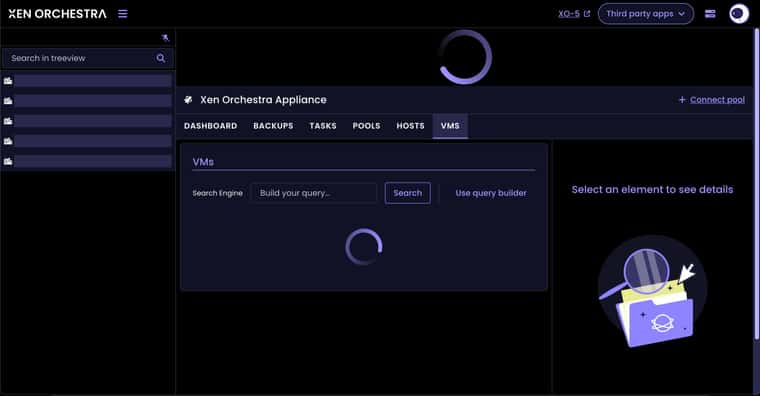
Just spinning wheels forever and showing nothing. XO5 view is working fine as expected. Is this a known limitation?
-
@benapetr Is your XO fully up to date? I remember that there was a bug that caused this spinning wheel / infinite loading on XO6 that got fixed already. Maybe the issue you faced is related to that. I do not know about compatibility with 8.2 but can imagine that it is not supported as it is EOL so probably no compatibility guaranteed by Vates.
-
@MajorP93 I built it yesterday from latest master version, it's maybe 3 commits behind today?
I am wondering what is working differently in XO6? Could it be problem that there is no direct access to hypervisors? Eg. I have access to XO (port 443) and then the VM where XO is running has access to hypervisors, but there is no direct access to hypervisors themselves from my browser. If it's working similarly to xolite, which just downloads some JS to browser and then connects to Xen servers directly from browser, then that would explain this, but that would mean XO6 has much less secure design than XO5, so I hope that's not the case.
-
@acebmxer Reproducing the focus issue, we'll fix that. Thanks for the report!
@shanenp SR management is coming to XO 6 soon!

@benapetr XO 6 works like XO 5: with a web server behind that handles connections to the hosts. Do you get any error messages in the console or in xo-server logs? Does XO 5 work for you?
-
@pdonias XO5 is working just fine except settings -> logs never loads anything, other features seems to work OK
I would send you logs but not sure where to look, in /var/log/orchestra.log there doesn't seem to be anything relevant, and in the UI, everything is just spinning
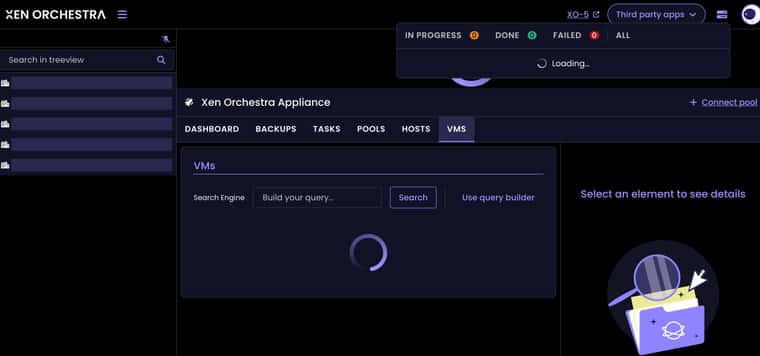
I didn't see anything relevant in browser either (I use firefox)
-
I just tried with XCP-ng 8.3 and it's exactly the same, just spinning wheels, nothing ever opens, same in Chrome.
I wonder how anyone even got this to work at all?
 or maybe I just chose some unlucky commit? I just built from latest master commit
 -
I just tried with XCP-ng 8.3 and it's exactly the same, just spinning wheels, nothing ever opens, same in Chrome.
I wonder how anyone even got this to work at all?
or maybe I just chose some unlucky commit? I just built from latest master commitYou would download the ISO to install XCP-ng to your hardware. Are you specifically talking about Xen Orchestra?
-
@DustinB yes I am talking about xen orchestra. I built it following https://docs.xen-orchestra.com/installation it works just fine, but only XO5 version (I use it like this - built from yarn for like 5 years already maybe more... pretty much since it came to existence)
-
@benapetr Hmmm I am also using XCP-ng 8.3 (all patches installed) and latest XO from sources... On my end XO6 is working fine. Maybe it is caused by something specific to your setup/configuration... Maybe start with a fresh XO configuration and check if it then works?
//EDIT: what is your underlying OS version and Node JS version used for building / running XO?
//EDIT2: Also are you running XO behind a reverse proxy? If so try disabling it as I saw issues like these being caused by reverse proxy setups. These kind of issues can be investigated by using dev tools of your browser and checking network / console tab while loading XO.
-
If you are still having issues you can try the script i created to install XO from sources. I would advise not running in production, But i have been using it for a few weeks in my home lab and havent ran into many issues.
-
@MajorP93 yes it's running behind a reverse proxy (nginx) maybe that's the reason I will test it without proxy later
-
@benapetr Check you have websocket support enabled. That's probably it.
-
XO6 is looking great so far.
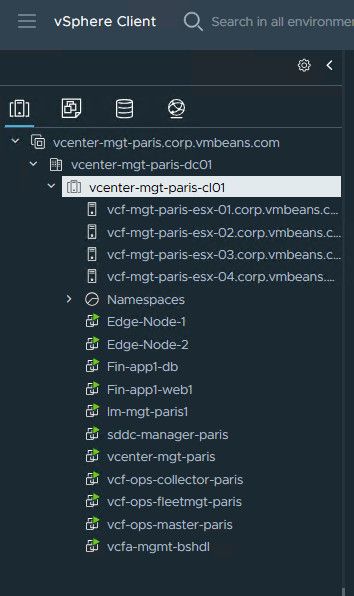
However, there is one thing I hope there may be an option to change in the future. Currently, in the tree view, VMs are shown under whichever host they are on. This works fine for a few nodes, but quickly becomes a pain with larger clusters (I operate clusters with 8+ nodes) because I have to check each host to find the VM. Is there any possibility of having an option to switch to a view similar to what VMware has, where the hosts are all at the top of the list, and then the VMs are all below it, regardless of which host they are on? I have attached a slightly modified version of an example vCenter screenshot to show better what I mean. I think this would make it much, much easier to find VMs in large clusters. Ideally, folders and/or resource groups with VMs nested under them could also be shown here, but that would require more work. Anyway, looking forward to how XO 6 progresses.
-
Hi @darthkitty8 !
Thanks for the feedback and idea, can you create it at https://feedback.vates.tech and use the "XO 6" tag? Thank you very much!
-
-
@olivierlambert https://feedback.vates.tech/posts/49/pool-view-rather-than-host-view
So you’re interested in having it a bit more like when using VMware vSphere while, regarding VMs, hosts and pools? That could work, but still need a hosts view for each member of the pool. In the host’s view it needs to be able to see, what VMs are running on it.
Also needs to be compatible with https://github.com/vatesfr/xen-orchestra/issues/9430. If not already synced with NetBox, the pool and hosts should be linked by UUID when synced. So in other words the structure needs to be pool is linked by UUID to host by its UUID and then the same for VMs. So the VMs are linked by UIID to the host UUID.
-
@olivierlambert https://feedback.vates.tech/posts/49/pool-view-rather-than-host-view
So you’re interested in having it a bit more like when using VMware vSphere while, regarding VMs, hosts and pools? That could work, but still need a hosts view for each member of the pool. In the host’s view it needs to be able to see, what VMs are running on it.
Also needs to be compatible with https://github.com/vatesfr/xen-orchestra/issues/9430. If not already synced with NetBox, the pool and hosts should be linked by UUID when synced. So in other words the structure needs to be pool is linked by UUID to host by its UUID and then the same for VMs. So the VMs are linked by UIID to the host UUID.
Nothing in my post would restrict the view to only seeing VMs within a specific Pool, the view should be flexible enough to shows VMs in a pool.
As it is now, you see all VMs that are running under a given host and then pool.
This in and of itself could become tedious to manage/dig through.
The potential remedy here would be to show all VMs in a pool, and on the given VM show the host where it's running.

-
@olivierlambert https://feedback.vates.tech/posts/49/pool-view-rather-than-host-view
So you’re interested in having it a bit more like when using VMware vSphere while, regarding VMs, hosts and pools? That could work, but still need a hosts view for each member of the pool. In the host’s view it needs to be able to see, what VMs are running on it.
Also needs to be compatible with https://github.com/vatesfr/xen-orchestra/issues/9430. If not already synced with NetBox, the pool and hosts should be linked by UUID when synced. So in other words the structure needs to be pool is linked by UUID to host by its UUID and then the same for VMs. So the VMs are linked by UIID to the host UUID.
Nothing in my post would restrict the view to only seeing VMs within a specific Pool, the view should be flexible enough to shows VMs in a pool.
As it is now, you see all VMs that are running under a given host and then pool.
This in and of itself could become tedious to manage/dig through.
The potential remedy here would be to show all VMs in a pool, and on the given VM show the host where it's running.
Even in VMware vSphere there’s a hosts view, that shows things specific to a particular host. This includes VMs running on it, or are currently halted or suspended on it. As well as patches missing from the host, etc. Though it more roundabout to get to it under VMware vSphere.
-
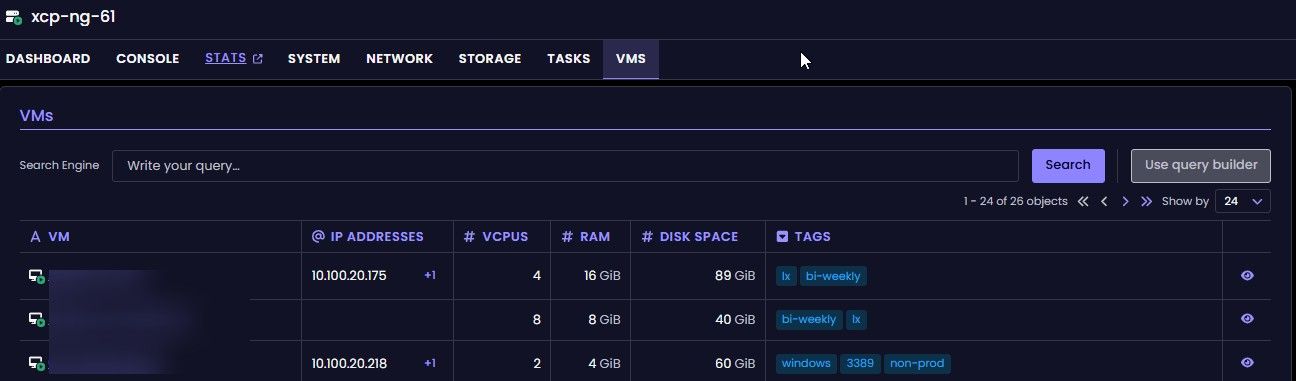
@john.c This is already viewable under each hosts in the pool.



Hello! It looks like you're interested in this conversation, but you don't have an account yet.
Getting fed up of having to scroll through the same posts each visit? When you register for an account, you'll always come back to exactly where you were before, and choose to be notified of new replies (either via email, or push notification). You'll also be able to save bookmarks and upvote posts to show your appreciation to other community members.
With your input, this post could be even better 💗
Register Login