🛰️ XO 6: dedicated thread for all your feedback!
-
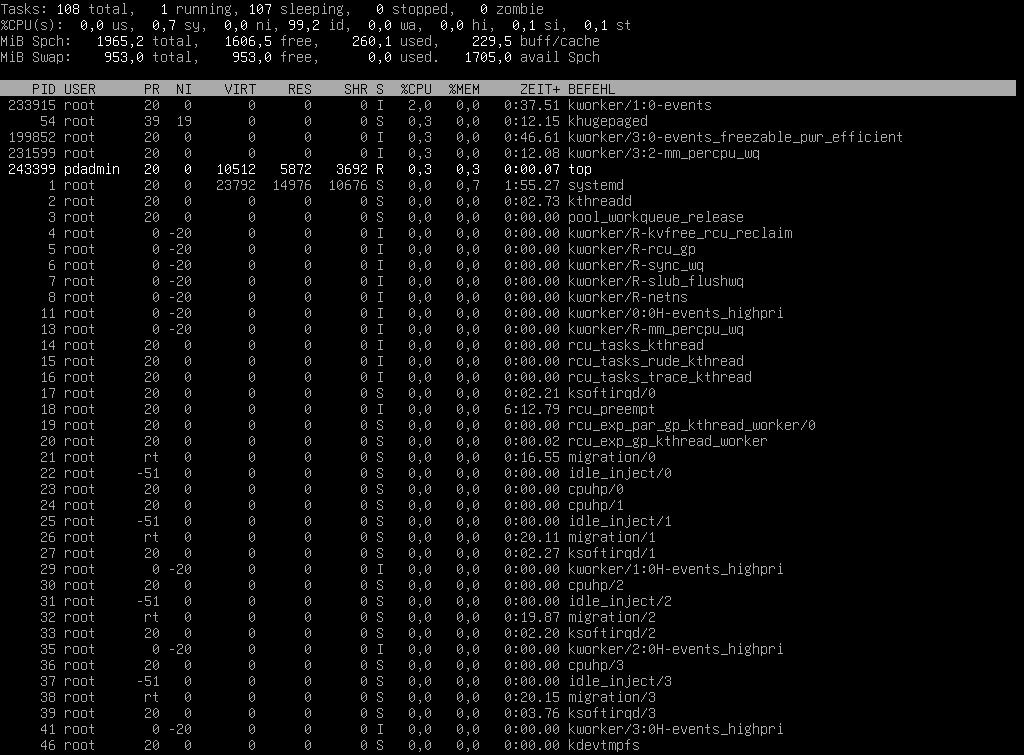
console view is unreadable even if fullscreen was selected. It was much more usable on XO5.
Iam missing a lot of configurations in XO6 which are available on XO5. New interfaces already feel weird, thats normal habbit, but iam very confused with this one.
Can i make /v5 the default interface on this version?
-
What do you mean by "unreadable"? Can you be more specific?
Also, more is coming to XO 6 progressively, we'll be on par this year. About /v5 by default, we documented it IIRC.
-
@olivierlambert I try to show it with some screenshots on same VM with the same screen
This is XO5:
This is XO6:
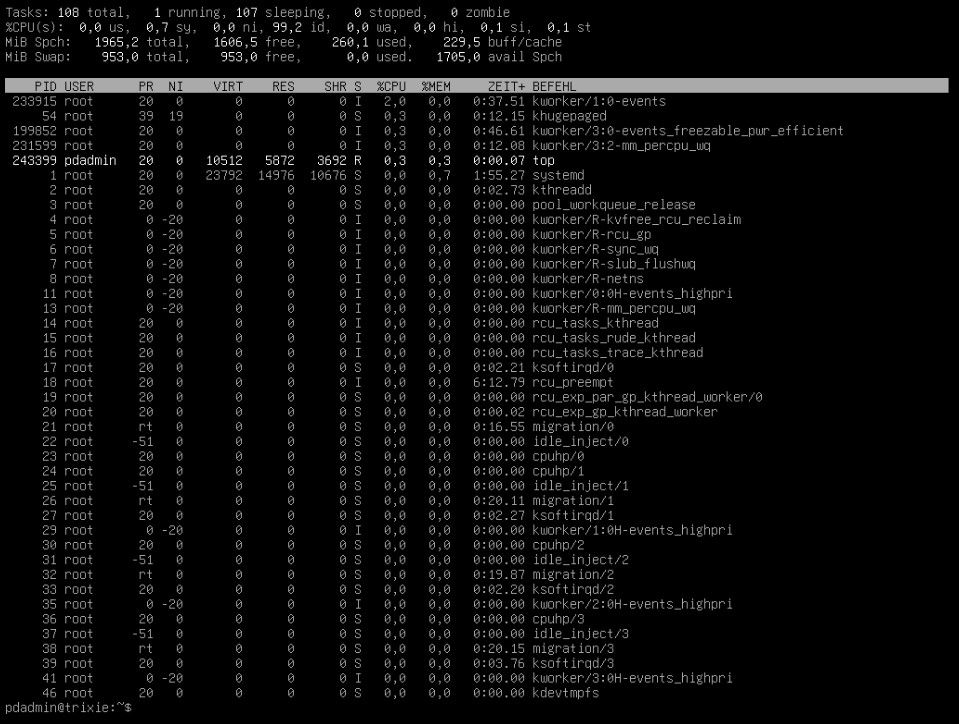
can you spot the difference? it seems some kind of scaling is happening here... it looks blurred. What do you think?
-
Let me ping @Team-XO-Frontend
-
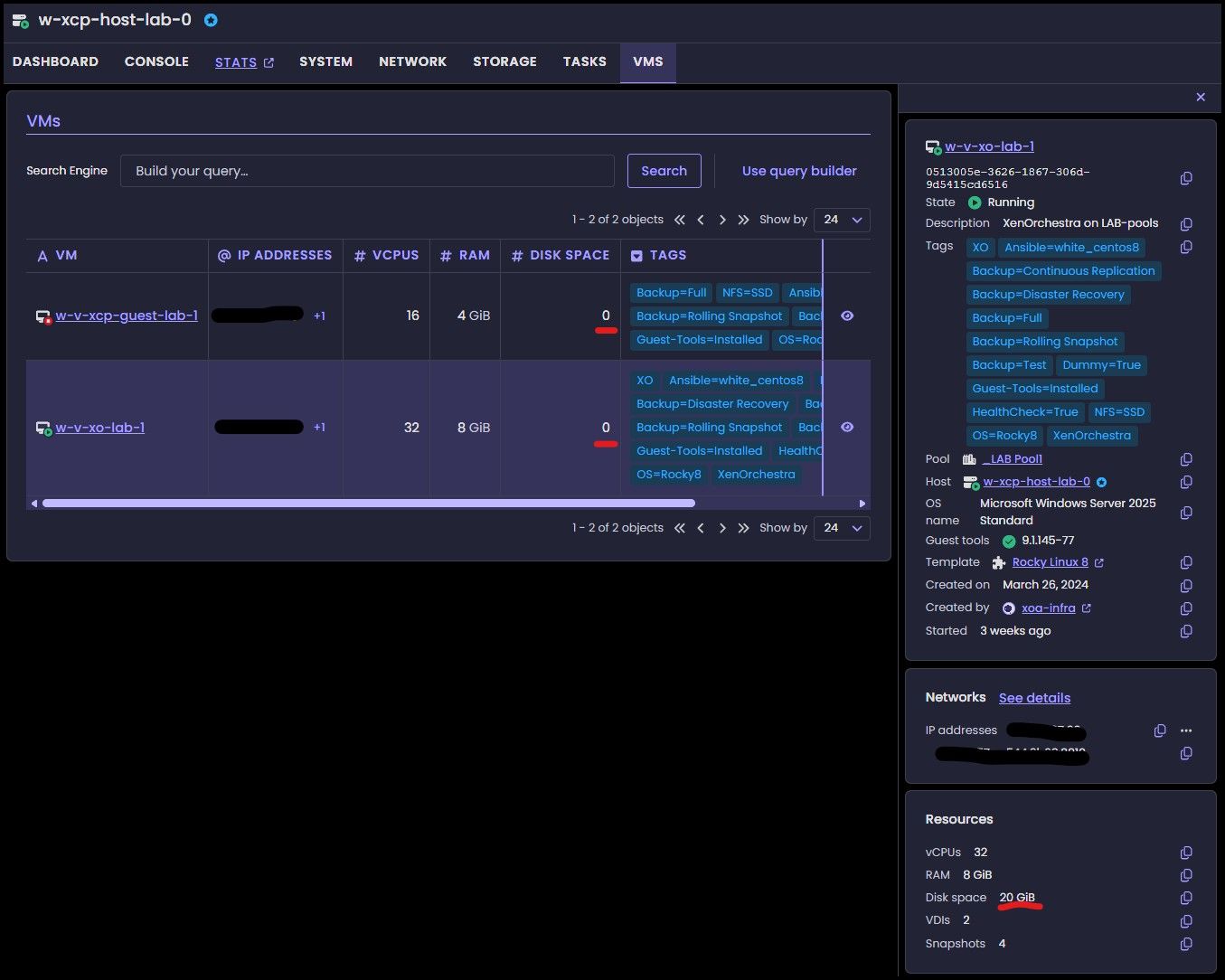
Sometimes "# Disk Space" for VMs reports 0 in the central pane. But the assigned space is shown in the details (right) pane.
This is the same under Pool and Host-level. Sometimes it is shown, but after a reload of the page, it resets back to 0.
Marked the examples in red.
-
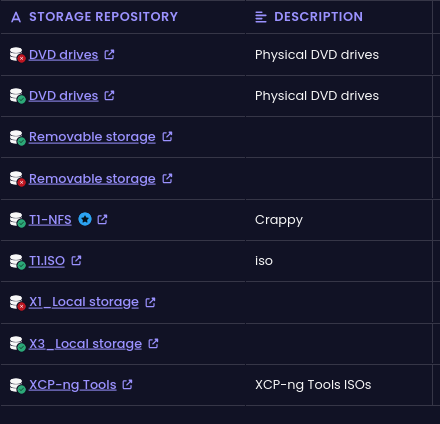
I removed 1 host from the pool and the local storage from that host didn't get purged
-
just found out that it's the same on XO5
-
Slow booting on Debian 13 VM created from a template
I recently tried cloning a VM from a template (created from a full install of Debian 13). What was noticed was that the system takes forever to boot when the VM is created from XO-6. The issue does not happen in XO-5. The VM seems to hang at the TianoCore boot screen
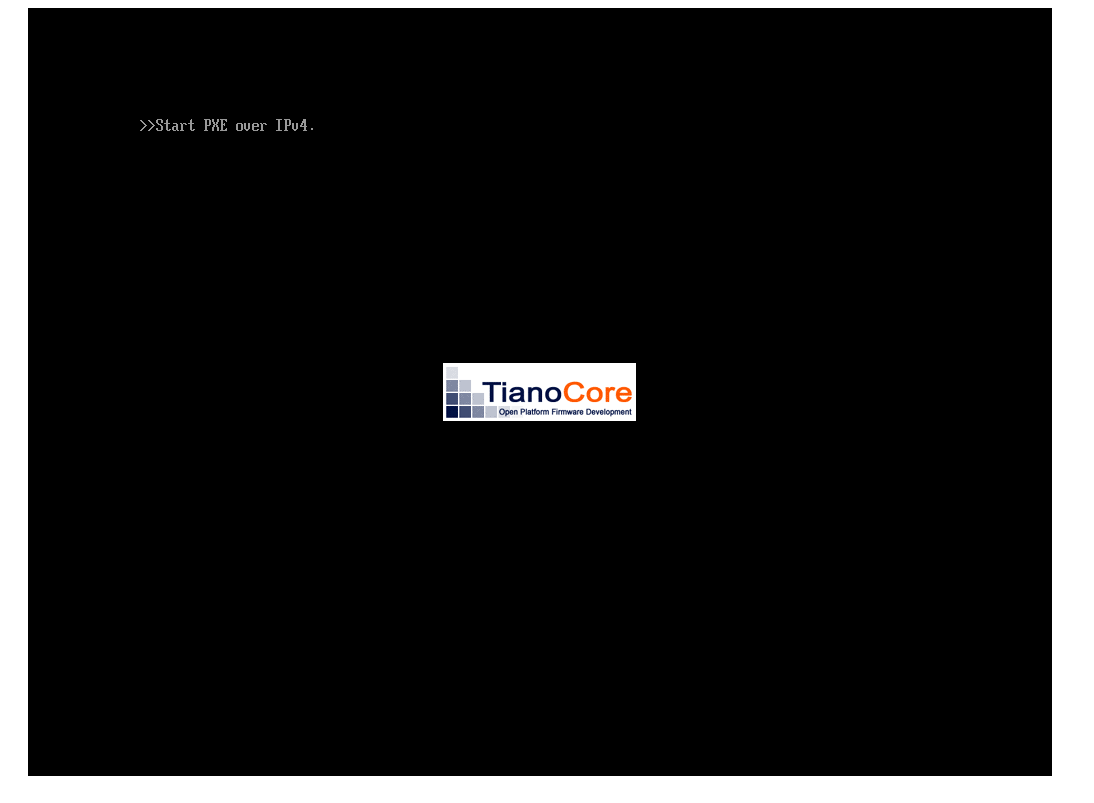 .
.What I noticed is that when the VM is cloned with XO-6 the boot order somehow changes to Network boot as the first option

This does not happen (change of boot order) if the VM is cloned from XO-5 and there is no boot delay. The boot process seems to wait for more than 2 minutes before it fails network boot and then proceeds normally to boot from the Hard drive
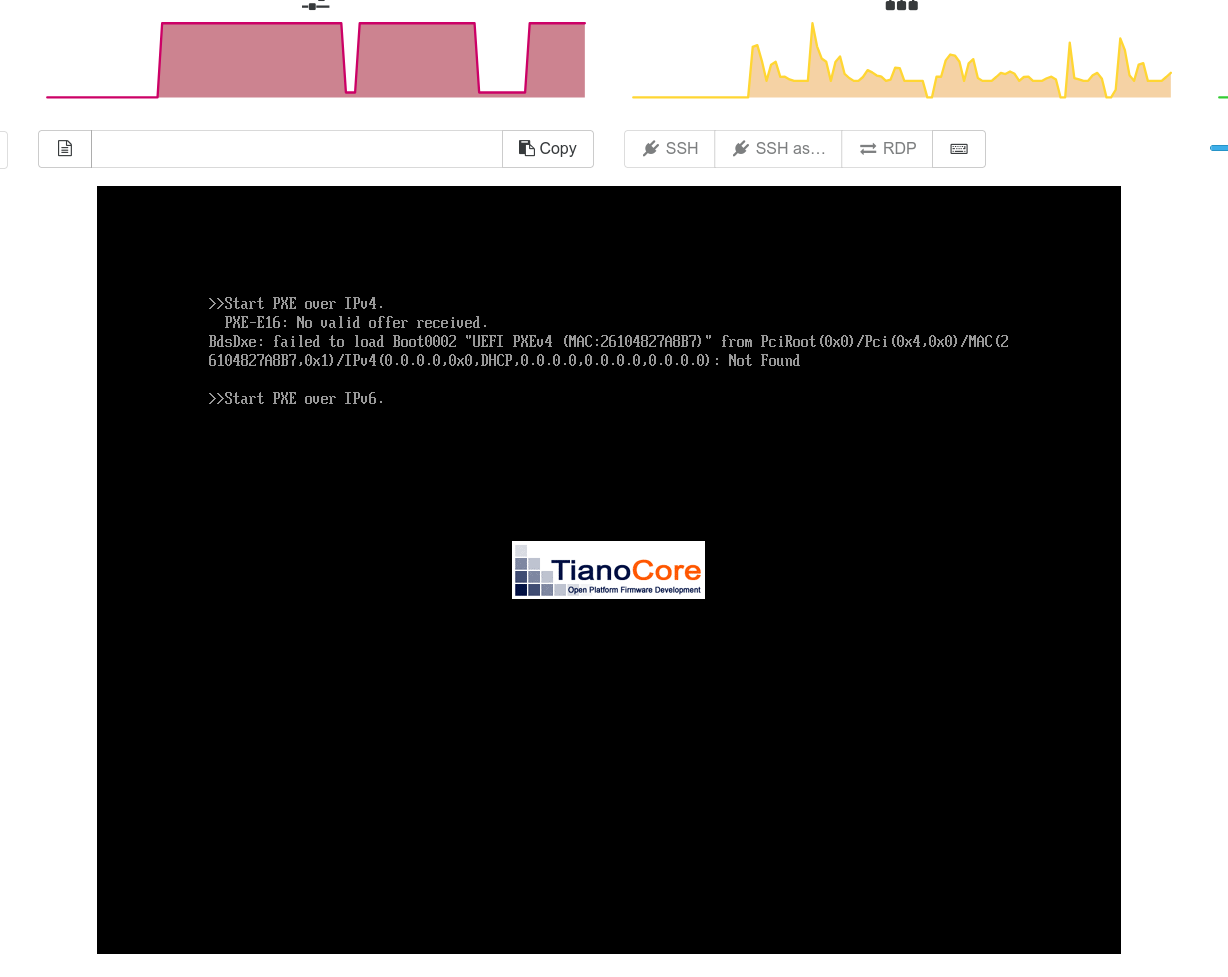
Thanks
-
Thank you for the great feedback @escape222
Likely a bug indeed

-
I assume you made it UEFI? I had the same problem with XO-lite about a year ago. If I created it as bios boot it worked as expected.
-
@Greg_E Yes it is UEFI
-
Maybe try again as a BIOS boot VM, but the times for BIOS boot are nearing an end, so many things have climbed on UEFI only these days that a problem like this is going to be hard to ignore.
-
I noticed the same: for VMs that use UEFI the boot time is greatly increased compared to BIOS mode.
I noticed that VMs that have UEFI enabled show some "installing xen timer" and "spinlock" events in kernel log:
Apr 27 11:35:06 xo01 kernel: Xen: using vcpuop timer interface
Apr 27 11:35:06 xo01 kernel: installing Xen timer for CPU 0
Apr 27 11:35:06 xo01 kernel: smpboot: CPU0: AMD EPYC 7702P 64-Core Processor (family: 0x17, model: 0x31, stepping: 0x0)
Apr 27 11:35:06 xo01 kernel: cpu 0 spinlock event irq 52
Apr 27 11:35:06 xo01 kernel: Performance Events: PMU not available due to virtualization, using software events only.
Apr 27 11:35:06 xo01 kernel: signal: max sigframe size: 1776
Apr 27 11:35:06 xo01 kernel: rcu: Hierarchical SRCU implementation.
Apr 27 11:35:06 xo01 kernel: rcu:         Max phase no-delay instances is 1000.
Apr 27 11:35:06 xo01 kernel: Timer migration: 1 hierarchy levels; 8 children per group; 1 crossnode level
Apr 27 11:35:06 xo01 kernel: NMI watchdog: Perf NMI watchdog permanently disabled
Apr 27 11:35:06 xo01 kernel: smp: Bringing up secondary CPUs ...
Apr 27 11:35:06 xo01 kernel: installing Xen timer for CPU 1
Apr 27 11:35:06 xo01 kernel: smpboot: x86: Booting SMP configuration:
Apr 27 11:35:06 xo01 kernel: .... node  #0, CPUs:      #1
Apr 27 11:35:06 xo01 kernel: installing Xen timer for CPU 2
Apr 27 11:35:06 xo01 kernel:  #2
Apr 27 11:35:06 xo01 kernel: installing Xen timer for CPU 3
Apr 27 11:35:06 xo01 kernel:  #3
Apr 27 11:35:06 xo01 kernel: installing Xen timer for CPU 4
Apr 27 11:35:06 xo01 kernel:  #4
Apr 27 11:35:06 xo01 kernel: installing Xen timer for CPU 5
Apr 27 11:35:06 xo01 kernel:  #5
Apr 27 11:35:06 xo01 kernel: installing Xen timer for CPU 6
Apr 27 11:35:06 xo01 kernel:  #6
Apr 27 11:35:06 xo01 kernel: installing Xen timer for CPU 7
Apr 27 11:35:06 xo01 kernel:  #7
Apr 27 11:35:06 xo01 kernel: cpu 1 spinlock event irq 81
Apr 27 11:35:06 xo01 kernel: cpu 2 spinlock event irq 82
Apr 27 11:35:06 xo01 kernel: cpu 3 spinlock event irq 83
Apr 27 11:35:06 xo01 kernel: cpu 4 spinlock event irq 84
Apr 27 11:35:06 xo01 kernel: cpu 5 spinlock event irq 85
Apr 27 11:35:06 xo01 kernel: cpu 6 spinlock event irq 86
Apr 27 11:35:06 xo01 kernel: cpu 7 spinlock event irq 87
Those events seem to be what is slowing down boot.
Ever since I started using XCP-ng I was able to observe this behavior.
Once the VM is fully booted performance seems to be normal.
Maybe worth investigating at some point.Best regards
-
Before the LTS release UEFI worked extremely well, something kind of went sideways when it hit release. I only have a single UEFI VM, it was created under version 8.2 and does not give me trouble.
I guess I need to get my lab back up, had a UPS fail and shut everything off a few days ago. Then I need to test UEFI VMs and see what I can see. But back when it went LTS I reinstalled from scratch and tried to do everything through XO-lite to get the first VM running and found that Debian 13 or Windows Server 2022 would not boot if I created them with UEFI. Since then I haven't tested this again.
I'm also tempted to just move my whole lab to version 9, waiting for the next ISO to land and I may do this. I can run real testing workloads on Harvester for the time being and maybe play around migrating back and forth between both systems.
-
probain said:
Unfortunately, commit https://github.com/vatesfr/xen-orchestra/pull/9727 doesn't fix this issue of the VM-console reloading constantly. With loss of focus as a result. At least not on XO6..
-
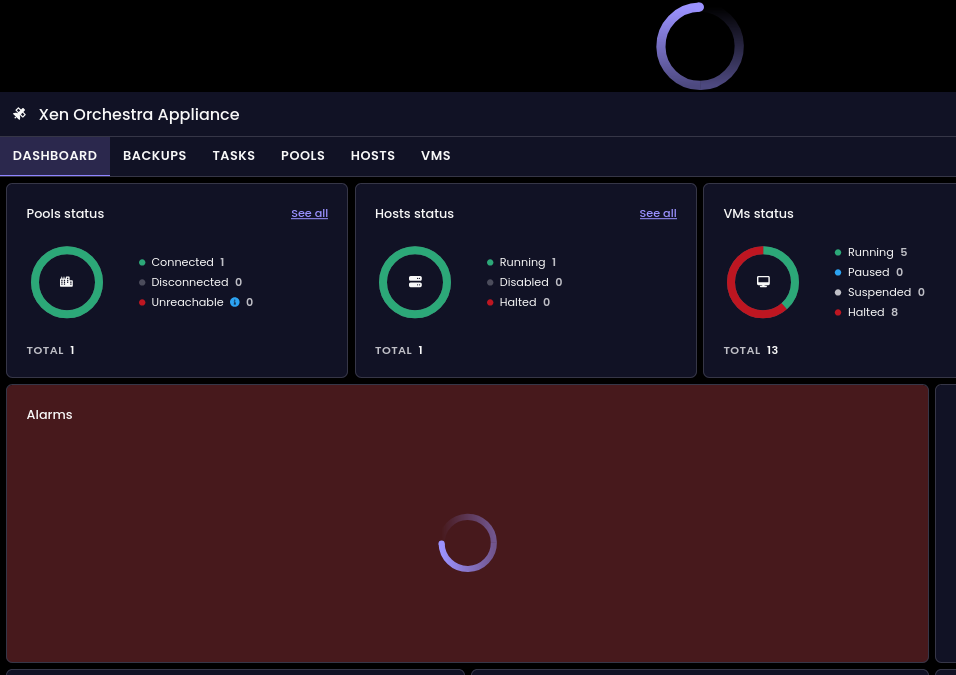
After upgrading from 6.3.3 to the new 6.4.0 release, the dashboard page for xoa 6 is just spinning. v5 seem unaffected after the update. I have restarted the xoa vm. The xoa-updated show all up to date and xoa check shows healthy.
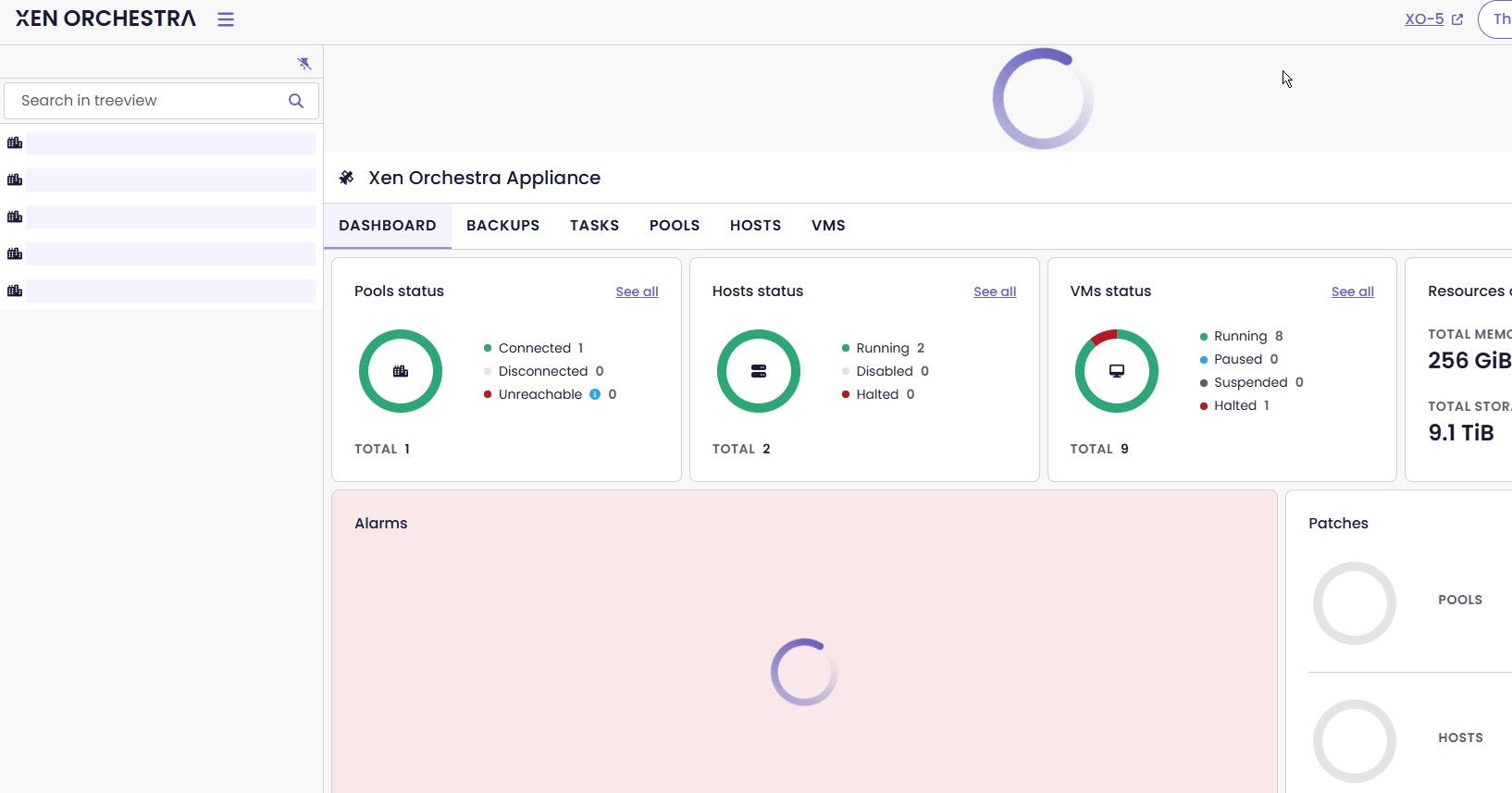
-
@Baronvaile
Have You tested witCTRL-F5to update Your browser -
@ph7 I have. Also same condition in Chrome and Edge.
-
Just to confirm this is with actual XOA and not XO from sources? Have you rebooted XO? Check logs?
sudo journalctl -u xo-server -n 50Edit - Just updated my home lab XOA
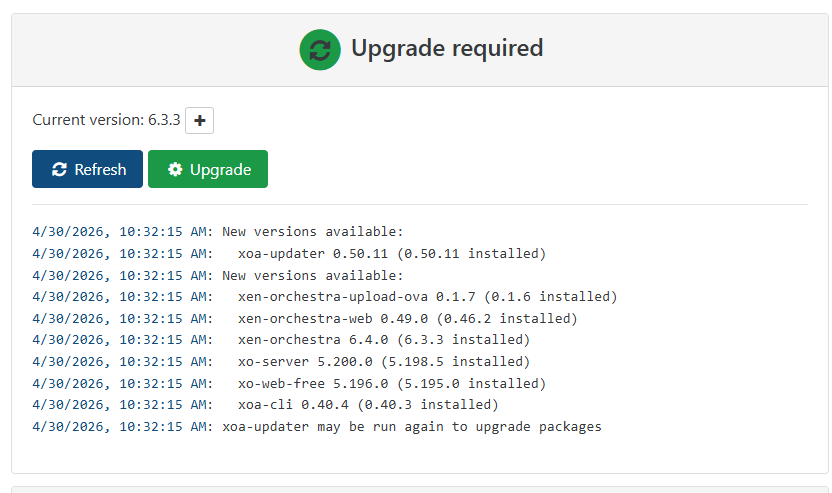
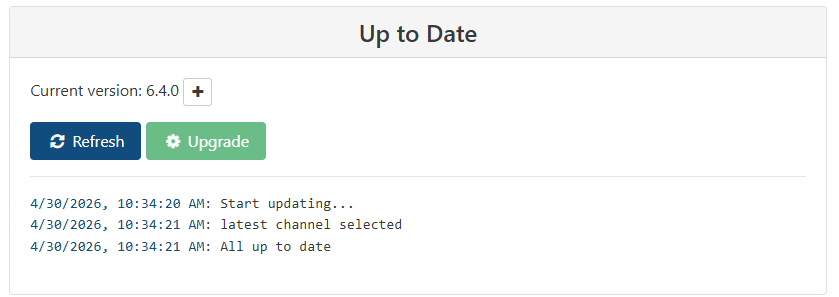
I see same thing... XO from sources no issues. Work XOA no issues...
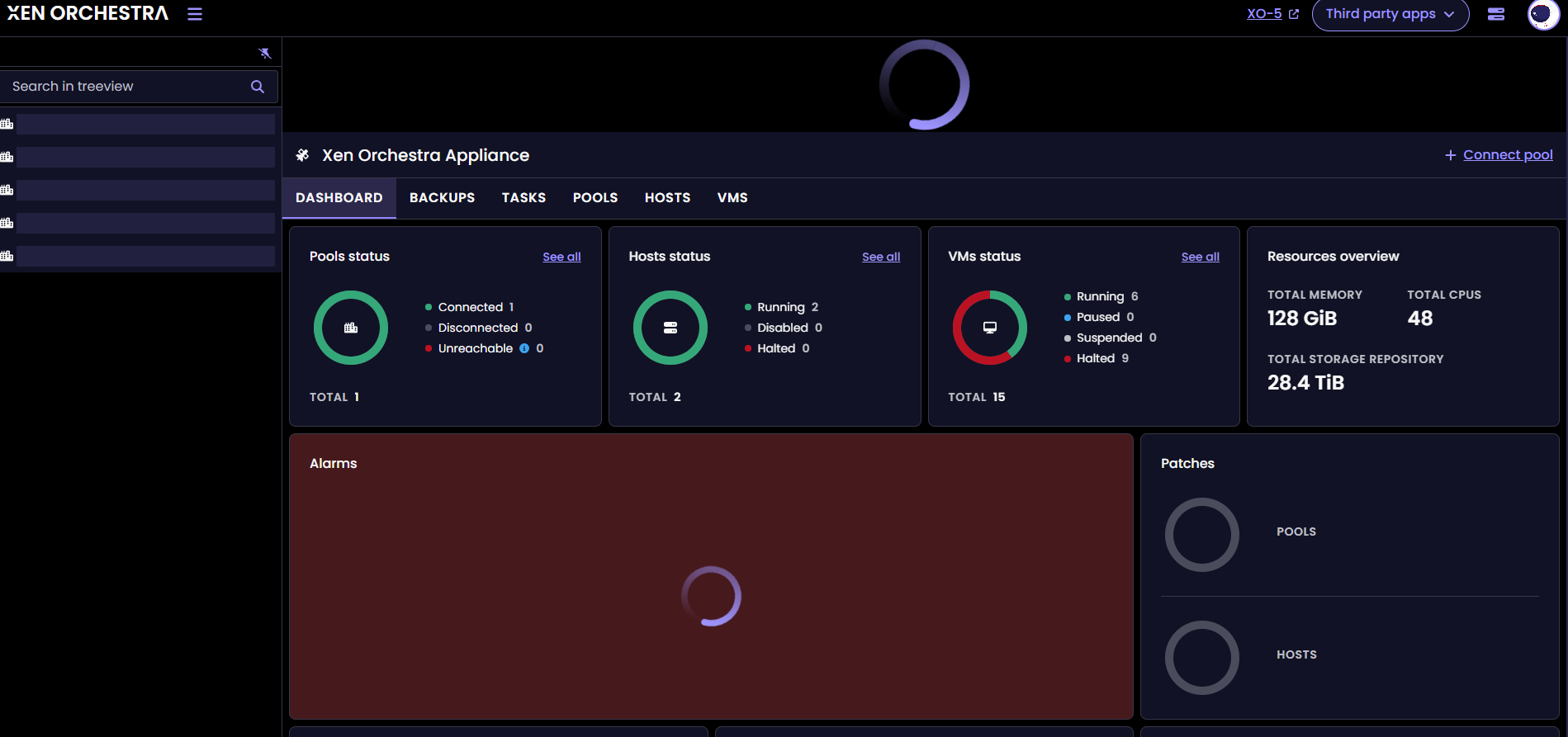
-
@Baronvaile
Started my 6.4.0 test VM and got the same






Hello! It looks like you're interested in this conversation, but you don't have an account yet.
Getting fed up of having to scroll through the same posts each visit? When you register for an account, you'll always come back to exactly where you were before, and choose to be notified of new replies (either via email, or push notification). You'll also be able to save bookmarks and upvote posts to show your appreciation to other community members.
With your input, this post could be even better 💗
Register Login