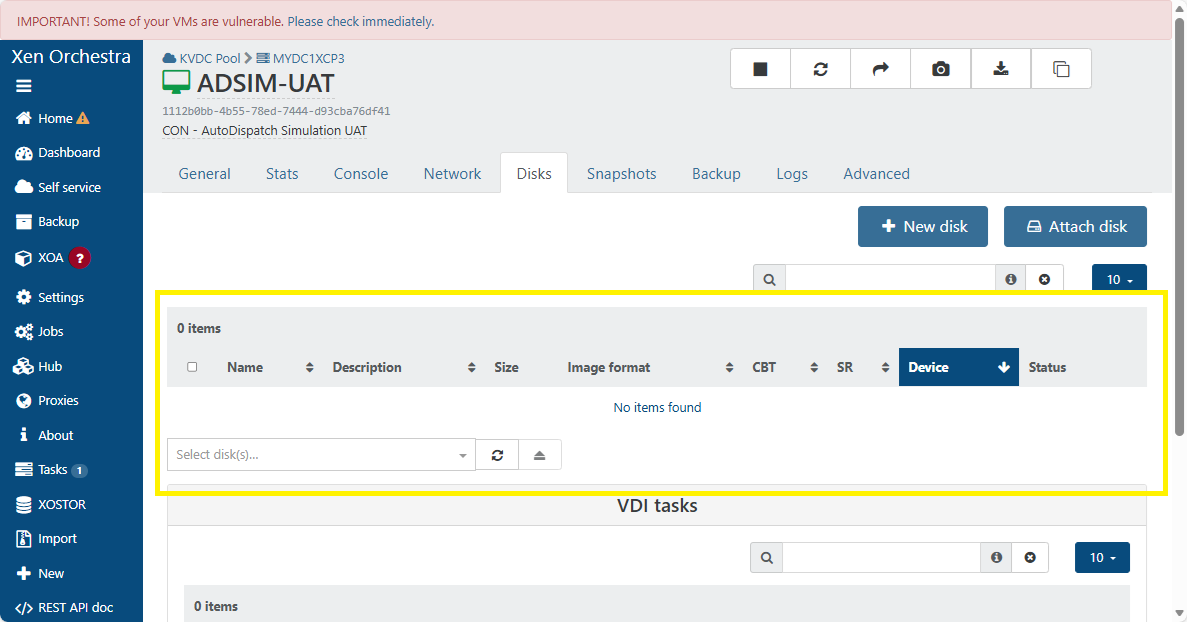
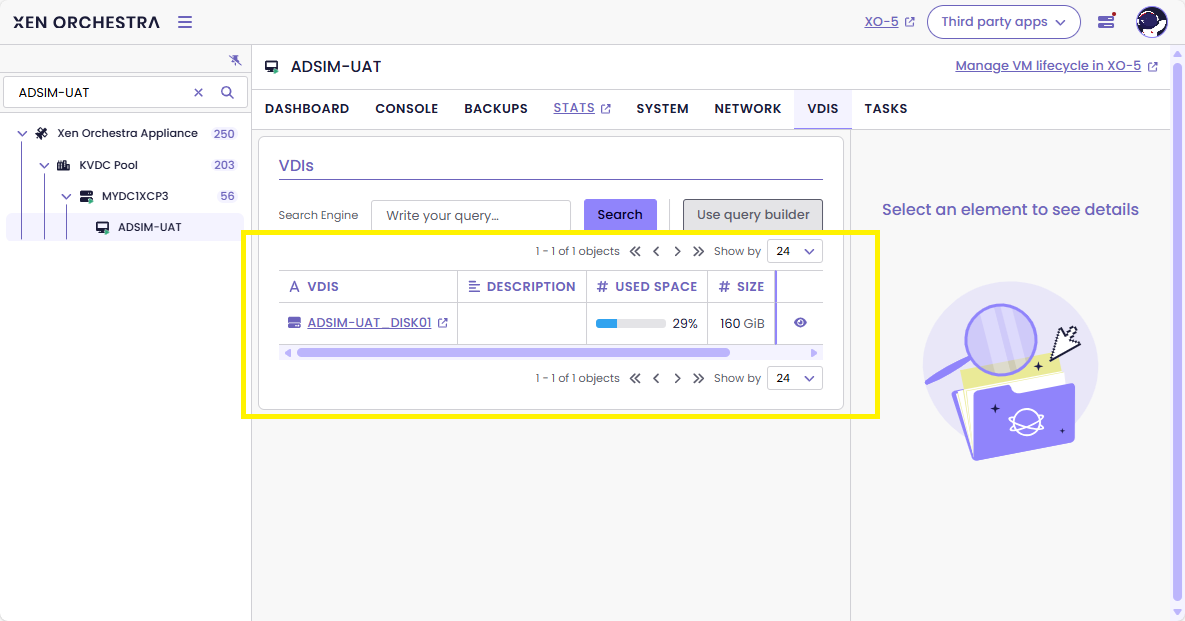
VDI not showing in XO 5 from Source.
-
@wilsonqanda strangely my ISOs were not impacted, except for the default XCP TOOLS iso that seems gone
the "base copy" regroup bug on homepage of the SR, and the orphan base copies in the DASHBOARD/HEALTH seems to be linked to same problem
we have much fast clones VMs depending on those base copies seen as orphan
we are narrowing on the problem, just need the dev to level it, have faith

-
@Pilow Check the iso does it have a snapshot icon in the drive?
Next it show up fine until u want to create a vm in the new vm pg it think they are snapshots and you cant select the ISOs. This is when the problem arise.
Yep the dev here are super reaponsive. Have been a long term user and here and love their support
 . I mostly just been playing with things and learn so much by tinkering
 -
@wilsonqanda it's an SMB iso SR on my end, I think this is why it is not impacted
can't snapshot a file on Microsoft SMB share
-
@Pilow my is SMB too but it saw the issue. I use windows to login and drag all iso into a new created folder in the iso folder and drag it back out delete the newly created folder and all my iso is back to normal. It was a quick thing.
-
@wilsonqanda HAHA. problem resolved instantly for me on last SR I had the troubles
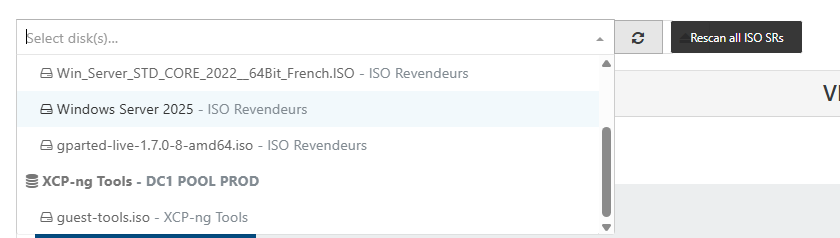
playing with the "rescan all ISO SRs" made the guest tools iso reappear
AND ALL MY OTHER VDIs ON THIS SR/HOST that were invisible
donnnnn't ask me HOW...


but this trick didn't work on other local RAID5 SR that have the problem

-
I have the same problem with 2 servers.
The solution for me was to:- migrate the VM between servers with different SR or to a 3rd one.
- export-import, virtual machines that are not that important and may have downtime.
-
@Gheppy if you can have downtime snapshot/revert works
-
I'm seeing this same problem in my lab, and I've found a symptom that I'm calling "VDI super-parents"
There is a VDI metadata field called "snapshots:" if your VM has snapshots, this field will be populated with a list of the snapshot VDI UUIDs.
If your VM has no snapshots, this field will be empty.
If your VM is a super-parent, it will have a list of VDI UUIDs that are actually the primary disk for other, unrelated VMs. In this case, XO5 will hide those VDIs from the list of disks because they've been determined to be snapshots.As far as I can tell, XO5 has two methods for figuring out which VDI are snapshots:
- It looks at the "is-a-snapshot:" field
- It builds a map of parents and children from the "snapshot-of:" and "snapshots:" metadata fields (as @pilow found)
XO6 seems to only look at the "is-a-snapshot:" metadata field.
Now here's the question: why is this happening? I only started seeing this behavior after installing XO6 preview.
Maybe it was due to an incomplete backup operation?
I have a bunch of VMs which are clones of a template.
I use iSCSI SRs.Doing a xe vdi-copy to a new SR collapses the snapshot chain and makes new VDI metadata, and then I did a vbd unplug and destroy, then connected the copied VDI to a new VBD. This fixed the problem for the first test VM that I messed with.
-
@anthoineb have we found a possible explanation?
-
Hello All,
This issue seem to completely go away on a older branch/tag if i build it from below for XO:
xo-lite-v0.17.0So the issue I would think is coming from the newer version of XO. Not sure best way to test this. So I am going back to an older commit.
If anyone has any suggestion I can try helping as its an annoying issue.
-
We have been quietly suffering without the time to try and resolve it for the past couple of months.
I have now spent the day trying to resolve it in our environment, as we have one SR having this problem with some hundreds! of vdi.
I am having the same problem whether running the docker container version of XO CE or the local install on a VM we've been using for ages.
It seems that the api call from the VDIs tab in v6 (Disks in v5) may be triggering a call to the wrong url, without the /rest/v0 prefix:
sudo journalctl -u xo-server -n 300 --no-pager
2026-02-26T06:01:57.169Z xo:rest-api:error-handler INFO [GET] /vms/[[UUID]]/vdis (404)
I had the same experience as some others for a while, a couple of months ago, where it would not show up in the v5 UI but was showing in v6, but very quickly after that it stopped working in either.
I know that these are VDIs with a snapshot in the chain, for example a parent VDI that may have two snapshots from it.
I had thought the issue may have something to do with https://github.com/vatesfr/xen-orchestra/pull/9381, as it was around this time that I saw the problem in v6 - but I see that this topic was started just before Christmas so there must have been something else too, perhaps that is when it emerged in v5 and this later patch then surfaced it in v6.
If I run curl with the /rest/v0 prefix to the url I don't get the 404.
I hope this helps to track it down!
-
@andrewperry hi this is an identified issue on xapi / storage side
this commit is making it visible .Pinging @anthoineb here for more info
-
@florent Thanks, if there is something I need to do to coalesce the vdis to avoid disaster, that would be good to understand. I had been thinking it was just an XO issue that would not affect running vms and their vdis.
-
 D Danp referenced this topic on
-
@florent The following error occurred:
Mar 16 18:38:10 XOA xo-server[4001]: 2026-03-16T17:38:10. 246Z xo:rest-api:error-handler INFO [GET] /vms/0691be81-7ce9-7dba-9387-5620f8e0c52f/vdis (404)
XO version: Master, commit 15917
xcp-ng version: 8.3 with the latest updates.What’s interesting is that there are two xcp-ng servers, and the problem only occurs on one of them.
-
@andrewperry Hi, we are working on 2 things:
- a proper fix under development to avoid new issue where
snapshot-offield is garbage. - a script to fix the wrongly set
snapshot-ofalready present on affected pools.
Both are necessary and we hope we can release the script soon to at least workaround if the issue happen again before we release the fix.
- a proper fix under development to avoid new issue where
-
@anthoineb wow great news ! still impacted by this issue
-
@anthoineb thanks very much! Definitely has us sharpening our cli skills in the meantime….
-
Just ran the update on Xen today and still have the same problem. "no itens found" when I go to see the disks tab.
-
@wgomes yup thanks for bumping this topic, still having the problem too
-
@anthoinebThe problem still persists; when can we expect it to be resolved?
-
P Pilow referenced this topic on






Hello! It looks like you're interested in this conversation, but you don't have an account yet.
Getting fed up of having to scroll through the same posts each visit? When you register for an account, you'll always come back to exactly where you were before, and choose to be notified of new replies (either via email, or push notification). You'll also be able to save bookmarks and upvote posts to show your appreciation to other community members.
With your input, this post could be even better 💗
Register Login