14 VMs Running: After Pool patch update - message states I need to restart to take effect?
-
Question, will XCP-ng save the state of the running VMs and restart all of them (some I have Auto power on enabled) or do I have to stop them manually?
-
Hi,
So it seems you are in a case you don't have a pool to avoid a VM reboot with your host reboot.
In that case, you need to have auto power on enabled to make sure after host reboot, they all start.
-
@olivierlambert Sorry it I did not explain it well, what I wanted to know is, after a patch update, I get the message:
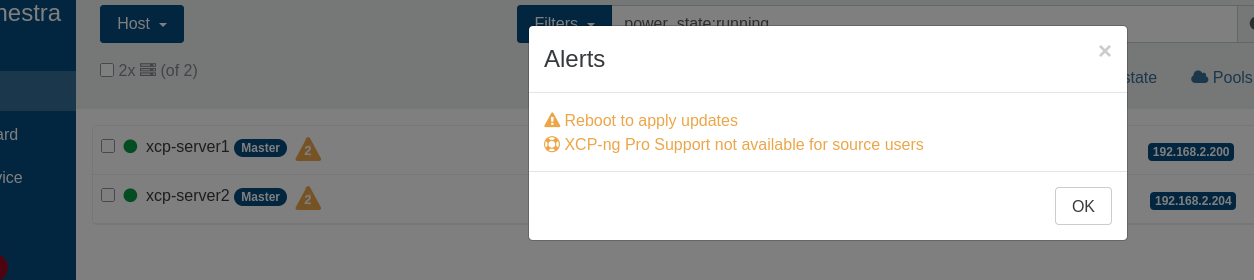
and I have 14 VMs running:
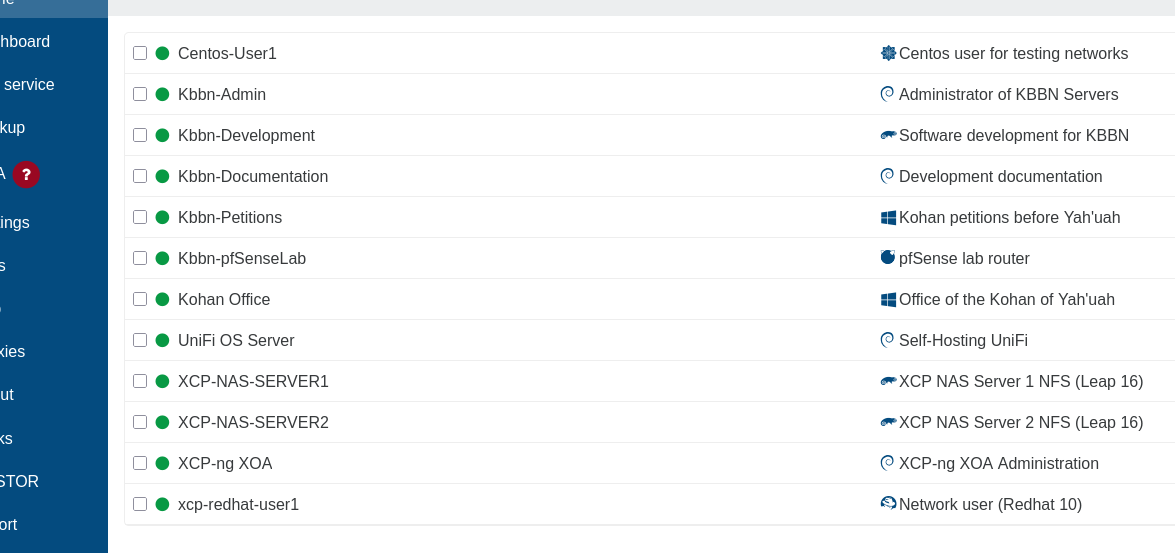
If I do the reboot, will XCP-ng save the State and Restore or Shutdown the VMs? I was hoping it would save the State and Restore like you can with KVM.
-
There is this option under pool - patches for rolling pool update. This will migrate all vms off first host apply patches reboot host and migrate all vms to host 1 and apply patches to host 2 and reboot.

Since you have too host put host 1 into maintenance mode to put all vms on host 2 and reboot host 1 and then repeat.
-
@acebmxer the two hosts are Masters, probably each in a pool.
If I do the reboot, will XCP-ng save the State and Restore or Shutdown the VMs? I was hoping it would save the State and Restore like you can with KVM.All VMs with AUTO START enabled will start. even if you have some manually shutdown. the host do not care of previous running type, when rebooting and going online, it will start VMs qith autostart enabled (and pool enabled)
-
I overlooked the Master tag on both host.
-
Those without Autostart enabled will after host restart, if not migrated, be in a shutdown state requiring manual startup again.
-
IIUC, the Smart Reboot option found on the host's Advanced tab does what you are asking.

-





Hello! It looks like you're interested in this conversation, but you don't have an account yet.
Getting fed up of having to scroll through the same posts each visit? When you register for an account, you'll always come back to exactly where you were before, and choose to be notified of new replies (either via email, or push notification). You'll also be able to save bookmarks and upvote posts to show your appreciation to other community members.
With your input, this post could be even better 💗
Register Login