Hard reboot sorted itself out 
M
Offline
-
RE: Can't Reboot VMs (or Force Reboot) or Start VMs - Getting Blocked by SR.Scan - But Running VMs are fine?
-
RE: Ubuntu 24.04 VMs not reporting IP addresses to XCP-NG 8.2.1
Commenting for my future self and others as I just came across this issue too and it's not overly well documented and comments on the forums are often missing a a full story for how to debug and get this working......
When using Ubuntu 24.04, the usual apt method of installing XE Guest Utilities via the command;
apt-install xe-guest-utilitiesWorks, but doesn't. It successfully brings through the Memory information through to XO/XOA/XCP-ng Server, but not the IP Address, which is a tad strange.
When checking the version of xe-guest-utilities that is contained within the APT Repository that comes configured out of the box with Ubuntu 24.04 using the following command;
apt info xe-guest-utilitiesYou can see the response is that it is running version "7.20.2-0" (as at the time of writing, which is before running an apt update command.
Even when after running an update command;
sudo apt updateThen checking what packages are available to be updated using the following command;
apt list --upgradablexe-guest-utilities wasn't available for an update past this point unfortunately.
So to uninstall xe-guest-utilities installed via APT, simply run the following command;
sudo apt remove xe-guest-utilitiesThen install via XO/XOA/XCP-ng Guest-Tools.iso Mount + Command Line by following these steps. Firstly, Select the guest-utilities.iso from the Disk within the XO/XOA/XCP-ng Platform for the VM. Then SSH into the box/console view and run the following commands;
sudo mount /dev/cdrom /mnt
sudo bash /mnt/Linux/install.sh
sudo umount /dev/cdrom
What you will notice when you run the second command is that gets installed here is "xe-guest-utilities_7.30.0.12_amd64.deb" - So is further ahead.
Then you'll need to use the following commands to start the service on boot and also start the service.
systemctl enable xe-linux-distribution.service
systemctl start xe-linux-distribution.service
And that now results in the IP Address of the virtual machine flowing through to XO/XOA/XCP-ng, which ever you are using.
-
RE: How Citrix dropped the ball on Xen ... according to Citrix
Lot of assumptions in that The Register write up.
Hobbyists not wanting to pay for licences, running on old hardware, supporting charities, etc. (Paraphrased)
The reality is that any "hobbyist" playing with this kind of tech, it's really a hobbyist. I'm not sure I would class anyone playing with this kind of technology a hobbyist, this suggests a lack of professionalism towards these technologies.
Let's be honest, 95% of people playing with this tech are going to be in some fairly high end jobs and/or high end IT consultancy. No-one has a hobby to use Type 1 Hypervisors, server grade hardware (brand new OR second hand) and commercial grade networking infrastructure required as a baseline to get this set up.
Many people in the IT world have probably never even heard of the concept of a Type 1 Hypervisor, let alone want to get into this well-known "Hobby".
The majority of the community contribute to progress their own understanding from a professional perspective and to pay it forward to support those who are chomping at their heels.
The reality is that for most big corporate enterprise companies (Citrix and many others) is that they often go down the route of providing £x,xxx training courses to learn their tech and expecting organisations to pay for this. Many organisations don't invest heavily in their staff through corporate training programmes. So people are left to find these things out on their own time in many cases.
No individual outside of the corporate working world is going to pay this level of investment for a course that, in my experience (not related to Citrix specifically), often provides little added value beyond a few Google searches, a ton of questions in the community and a watching a few YouTube videos.
There is a big difference in a community of professionals and a community of hobbyists.
If anything, that write up just shows how little they still understand about the community.
-
RE: How to Install XCP-ng Guest Tools to VM?
Good old Windows automatic upgrade/reboot/annoying-as-hell-feature has kicked-in.
I've just re-tested this since the above has happened (causing the endless disruptions across everything running on Windows). But anyhow.
Seems to be magically fine now from an XO perspective (I've not done a single thing since this post VS this annoying auto Windows reboot/upgrade);
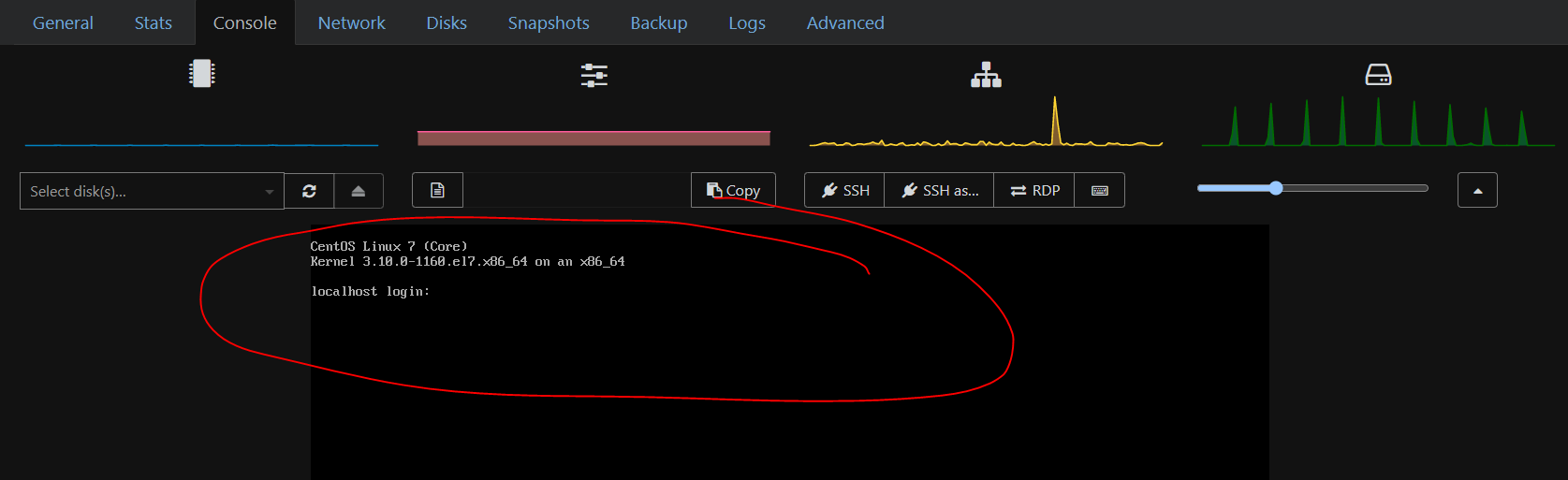
No idea what this issue could have been caused by, highly likely a weird compatibility issue with a specific Google Chrome version is what I would come to the conclusion of.
Seems like the age old solution in IT has worked again..... Turn it off and back on again

I've had a few issues over recent years (other technology stacks, nothing related to XCP-ng stuff) where Google Chrome Version X,xx has broken something that should "just work", so I'd add this to the list of items that fall into that category based on this not working then magically working again after a forced reboot + general upgrade etc.
It certainly does explain why I was confused along the way
 Anyhow looks like this is solved.
What a weird issue, nothing related to XO in the end after all. The joys of working in IT/Technology/Software, so many layers inside and outside of control etc.
-
RE: XOA Create VM and Delete VM Struggling..... Tasks Getting Stuck.....?
@Greg_E Looks like I'm still on XOA 5 as I can see the "Try XOA 6" in the side menu.
Just tried to create a VM via XCP-ng Centre, getting the same issues.
Can't create or Delete VMs.
I've SSH'd into the HostOS, and I can successfully ping the Storage Repository.
Then just tried removing the existing Storage Repository where the ISOs are hosted, and it wouldn't disconnect, just hanging again.
Tried to create a new Storage Repository (same as the old ones for the ISOs) and that wouldn't connect.
Certainly feels like something SR related.
Just noticed too that one of the backup jobs that sends the backups to a different SR on the same machine where the ISOs live also failed.
Something has happened yesterday which is making the HostOS now no longer able to connect to the SR.
I've just tried disabling Norton Firewall on the machine where the SR live, as that has got in the way historically, but that made no difference.
Also just checked the Windows CIFS / SMB Settings and noticed that one of the three options was unchecked (previously all three where checked and I know that has not been disabled manually) - So will give a reboot a go to see if that solve things.
Bit baffled what else to try to get the SR re-connected as literally nothing manually has changed, so it has to be some Windows or Norton janky auto update that has kicked in and screwed things up.
Hmmm.....
-
RE: Can't Reboot VMs (or Force Reboot) or Start VMs - Getting Blocked by SR.Scan - But Running VMs are fine?
Hard reboot sorted itself out
-
RE: Can't Reboot VMs (or Force Reboot) or Start VMs - Getting Blocked by SR.Scan - But Running VMs are fine?
Thanks for that command, I had a similar command I found but it didn't display the timestamp fully so I couldn't pinpoint the time of the message, but I had a feeling this was there the issue was.
[Fri Aug 7 16:26:44 2026] CIFS VFS: Server 192.168.x.x has not responded in 120 seconds. Reconnecting...Lots of these types of messages since yesterday.
And df -h does hang as that's something I was testing yesterday when debugging to see if some disk had got full that I hadn't spotted.
There has definitely been a few network disconnects over the past 24 hours as I was testing various things which requires a bit of fiddling with the cables and jumping between networks, and it's quite possible that this happened during the backup window but I can't recall for sure.
The Storage Repositories are all reporting as working correctly in XO, XOA, XCP-ng Centre.
What's the next steps to fix this?
I assume there is a way without deleting the Storage Repository in either XO/XOA/XCP-ng Centre and re-attaching it?
-
Can't Reboot VMs (or Force Reboot) or Start VMs - Getting Blocked by SR.Scan - But Running VMs are fine?
Same behaviour across XO, XOA + XCP-ng Centre.
Not had this before, I'm struggling to restart VMs. I first noticed that some of the backup tasks yesterday were running way longer than they normally do, and then still running into today which is when I started investigating the issue.
The biggest clue at the moment is when running the command;
xe task-list

uuid ( RO)                : 92b59f22-15ae-2551-8839-f0f938a07af7
          name-label ( RO): SR.scan
    name-description ( RO):
              status ( RO): pending
            progress ( RO): 0.000


uuid ( RO)                : 880f0f4a-8e84-0954-2521-81831d559dd3
          name-label ( RO): Async.VM.hard_shutdown
    name-description ( RO):
              status ( RO): pending
            progress ( RO): 0.273
Tried;
xe-toolstack-restartMade no difference.
Just seeing if there is any more debugging I can do to try and get this working without doing a full host power off/on.
It's all strange though as the running VMs are all working fine.
The Storage Repository it appears to be getting stuck on is the one storing the ISOs for the VMs. Yet nothing has changed at all.
The Host can ping the Storage Repository fine too.
Any ideas what to test to get this back working without a full Host reboot?
I've been round the loop many times of killing the stuck tasks and then trying to Start/Stop VMs and same issue each time, just goes back to the same hung state.
Storage Repository is on a Windows machine, so the only thing that is jumping to mind is some janky automatic Windows update that has kicked in and broken something. But it's strange the running VMs are still working with their ISOs sitting in that same Storage Repository (I'm not 100% clear off the top of my head if running VMs still require access to the ISO Storage Repository to be running post-boot)
-
RE: Ubuntu 24.04 VMs not reporting IP addresses to XCP-NG 8.2.1
Commenting for my future self and others as I just came across this issue too and it's not overly well documented and comments on the forums are often missing a a full story for how to debug and get this working......
When using Ubuntu 24.04, the usual apt method of installing XE Guest Utilities via the command;
apt-install xe-guest-utilitiesWorks, but doesn't. It successfully brings through the Memory information through to XO/XOA/XCP-ng Server, but not the IP Address, which is a tad strange.
When checking the version of xe-guest-utilities that is contained within the APT Repository that comes configured out of the box with Ubuntu 24.04 using the following command;
apt info xe-guest-utilitiesYou can see the response is that it is running version "7.20.2-0" (as at the time of writing, which is before running an apt update command.
Even when after running an update command;
sudo apt updateThen checking what packages are available to be updated using the following command;
apt list --upgradablexe-guest-utilities wasn't available for an update past this point unfortunately.
So to uninstall xe-guest-utilities installed via APT, simply run the following command;
sudo apt remove xe-guest-utilitiesThen install via XO/XOA/XCP-ng Guest-Tools.iso Mount + Command Line by following these steps. Firstly, Select the guest-utilities.iso from the Disk within the XO/XOA/XCP-ng Platform for the VM. Then SSH into the box/console view and run the following commands;
sudo mount /dev/cdrom /mnt
sudo bash /mnt/Linux/install.sh
sudo umount /dev/cdrom
What you will notice when you run the second command is that gets installed here is "xe-guest-utilities_7.30.0.12_amd64.deb" - So is further ahead.
Then you'll need to use the following commands to start the service on boot and also start the service.
systemctl enable xe-linux-distribution.service
systemctl start xe-linux-distribution.service
And that now results in the IP Address of the virtual machine flowing through to XO/XOA/XCP-ng, which ever you are using.
-
RE: XOA Create VM and Delete VM Struggling..... Tasks Getting Stuck.....?
@Greg_E Interesting, I've not had a play with RPUs yet, sounds pretty handy though.
I can see how that could work when using Truenas as the HostOS on the Bare Metal, whereas I've got XCP-ng on the Bare Metal so I'd need to get some more machines to give that a go in due course.
-
RE: XOA Create VM and Delete VM Struggling..... Tasks Getting Stuck.....?
@Greg_E Looks like you were writing a reply as I was...
But yeah, Truenas is on the roadmap at some point in the future, once I've had the time to dig into the details and understand where this fits in the overall system architecture.
Out of interest though, where would you see Truenas fitting in with this setup outlined below?
My initial thoughts are that Truenas in this context would be either;
- A glorified USB Stick storing ISOs
- A glorified (RAID Redundant) of an External HDD running as the Backup platform
- Or both of the above
Have I understood that context correctly?
Current setup is essentially.....
- Bare Metal
-
- HBA Raid Controllers for Storage
-
-
- Primary Raid Array
-
-
-
- Backup Raid Array
-
-
- Dom0
-
-
- XCP-ng Server
-
-
- DomU
-
-
- XOA VM
-
-
-
-
- Backups; Primary Raid Array -> Backup Raid Array
-
-
-
-
-
- Backups; Primary Raid Array -> Remote PC
-
-
-
-
-
- Backups; Primary Raid Array -> Dom0
-
-
- Remote PC
-
- ISOs via SMB Share
Truenas in the above context would simply be an additional backup to either;
- A Truenas VM on the Base Metal as a VM
- A physically separate Bare Metal running Truenas (aka. a glorified RAID'ed External USB Disk).
Is that where you would see things fitting into the overall system architecture?
Curious to get your thoughts on that.....
-
RE: XOA Create VM and Delete VM Struggling..... Tasks Getting Stuck.....?
Solved.....
Turns out that everything above was basically a red herring.....
After a lot of playing around with the carrot and stick, noticed a lot of Tasks in XOA just getting stuck at 0%, the kinds of Tasks that usually just appear and disappear in no-time, to the point that you just don't even notice they are happening really. Something just felt off.
Multiple restarts of the following command when SSH'ing into the XCP-ng Server
xe-toolstack-restartIt cleared the Task list in XOA, but things just started to back up again with no obvious insights into what was really going on. I did notice the Progress % Bar wasn't showing up though, that was odd....
Anyhow, after all this "fun" I decided to give the server a physical kick, aka. a Manual Hard Power-Off and Power-On.
Low and behold, the age-old IT solution of turning it off and back on again has solved everything magically
 #FFS
#FFS 
Hopefully the above self-documenting debugging process helps future readers (myself included, more than likely)
Anyhow, just a thought @olivierlambert @greg_e - I've clearly no idea what fell over under the hood here, you guys probably have much more of an insight into this than I do - So the question is.....
-
What went on here? (gut feel)
-
What insights could be surfaced to the user of XOA/XO to help debug these things?
-
What friendly error messages could be added to help with #2 etc.
Kind of rhetorical questions really, so just adding some thoughts for future product development.
Personally, my gut feel here is that it's probably some low level Linux service/package/driver/etc. that fell over and didn't auto-recover - and XOA/XO had no way of detecting what had happened and hence was just a bit blind so seemed to go a bit wacky.
If it helps to improve the platform, happy to have a private DM or in this thread re. any kinds of commands I can run on said server to see if it can help pinpoint what failed (if logs persisted after a hard reboot) - it'll mean more to you than me the outputs of said commands.
-
-
RE: XOA Create VM and Delete VM Struggling..... Tasks Getting Stuck.....?
SMB v2 + 3 are also turned on;
Get-SmbServerConfiguration | Select EnableSMB2ProtocolWhich outputs
EnableSMB2Protocol ------------------ True -
RE: XOA Create VM and Delete VM Struggling..... Tasks Getting Stuck.....?
Bit more info.....
The issue reading up on this appears to be related to SMB v1, which is commonly referred to as "Insecure" (More like Less Secure if we're being accurate.....)
I've just run the following on the Windows machine where the SMB Shares live via Powershell (as an Admin)
Get-WindowsOptionalFeature -Online -FeatureName SMB1ProtocolWhich has clarified that this is currently running, which throws a spanner in the works as I was expecting that to be Disabled, which would back up the theory in the previous comment.
FeatureName : SMB1Protocol DisplayName : SMB 1.0/CIFS File Sharing Support Description : Support for the SMB 1.0/CIFS file sharing protocol and the Computer Browser protocol. RestartRequired : Possible State : Enabled CustomProperties : ServerComponent\Description : Support for the SMB 1.0/CIFS file sharing protocol and the Computer Browser protocol. ServerComponent\DisplayName : SMB 1.0/CIFS File Sharing Support ServerComponent\Id : 487 ServerComponent\Type : Feature ServerComponent\UniqueName : FS-SMB1 ServerComponent\Deploys\Update\Name : SMB1Protocol -
RE: XOA Create VM and Delete VM Struggling..... Tasks Getting Stuck.....?
Various similar issues I've spotted on Reddit re. Windows updates breaking SMB Mounts over the last 12-18 months with updates. Impossible to track down the specifics so not even going to bother.
Then found this issue too, https://xcp-ng.org/forum/topic/10545/long-delays-at-46-when-creating-or-starting-a-new-vm
Which was solved by moving from SMB Mount to NFS Mount.
That isn't going to work with my infrastructure setup as the Windows machine is on a Home Edition, and NFS is only supported on Business or Enterprise edition.
As it stands right now, and given nothing I've tried to get the SMB Mount to work again, feels like I'm at a dead end to get this fixed. Looking like I'll need to re-address the architecture for storing the ISOs and one of the backup routes (thankfully there are many types of backups in place for redundancy)
Not the end of the world, but a tad annoying which feels like it's probably a Windows update that broke this with one of the almost daily automated updates/shutdowns/restarts that kicks in. Only started happening yesterday, all previous backups via the SR were working fine until then. That's the only thing I can put this down to really.