Subcategories

  • VMs, hosts, pools, networks and all other usual management tasks.

    495 Topics
    4k Posts
    C
    Well, after a little more digging...I find that this is still not a 'clean' solution imo. I mean, if you're big into APIs....I guess. But, I'd like to see something intuitive in the webUI. Would like to see @julienxovates and @olivierlambert make this a UI feature, instead of a CLI function..or separate URL(swagger) function Thanks!
  • ACLs, Self-service, Cloud-init, Load balancing...

    107 Topics
    877 Posts
    Bastien NolletB
    Hello @ludalm13, Thanks for your contribution and sorry for not giving an answer earlier. We initially planned to review your PR while doing some additional work on the audit plugin, but our planning evolved and that work was postponed. We'll review your PR in the following days.
  • All XO backup features: full and incremental, replication, mirrors...

    547 Topics
    6k Posts
    poddingueP
    Thanks, that helps. Some VMs fail to the Synology but pass to S3, and some the other way round. So I think the backups on Ark are probably fine (they pass health checks, as you said at the start) and it has more to do with what each target already holds, but I could be wrong. I'd also flag the several delta jobs with different retentions all feeding Ark, I just don't know the mirror code well enough to say whether that matters. @Team-XO-Backend, posts 6 and 10 have the log and the pattern if someone gets to this one.
  • Everything related to Xen Orchestra's REST API

    89 Topics
    656 Posts
    P
    Hi, This was fixed in Latest. But if you need to stay on Stable, you can open a ticket to have a patch.
  • Terraform, Packer or any tool to do IaC

    54 Topics
    507 Posts
    D
    For anyone else who steps through this, I've also installed the latest xen-guest-agent with the below process. Repeat for each host in the environment, 1 at a time from your Helper VM. ### ssh into your helper ### oc debug node/fedora-cmp-1/2/3 chroot /host cd /var/tmp curl -LO https://gitlab.com/xen-project/xen-guest-agent/-/jobs/6041686376/artifacts/raw/RPMS/x86_64/xen-guest-agent-0.4.0-0.fc37.x86_64.rpm sudo rpm-ostree install /var/tmp/xen-guest-agent-0.4.0-0.fc37.x86_64.rpm mkdir /var/tmp/xga && cd /var/tmp/xga rpm2cpio ../xen-guest-agent-0.4.0-0.fc37.x86_64.rpm | cpio -idmv ### From your helper... DRAIN YOUR WORKERS ### oc adm drain fedora-cmp-1/2/3 --ignore-daemonsets --delete-emptydir-data ### log back into fedora-cmp-1/2/3... ### sudo systemctl reboot ### from helper ### oc adm uncordon fedora-cmp-1/2/3 ### login to fedora-cmp-1/2/3 ### chroot /host sudo systemctl enable --now xen-guest-agent And then from XO this is what your VMs will look like. [image: image.jpeg]
  • cloud-init disk not created when cloning a cloud-init ready template

    7
    0 Votes
    7 Posts
    1k Views
    olivierlambertO
    Oh okay, so it's not a NAT issue then (thought XOA and the host were not together). Might be this issue then, please comment in the GH issue you posted to report you have the same problem edit: with your log too!
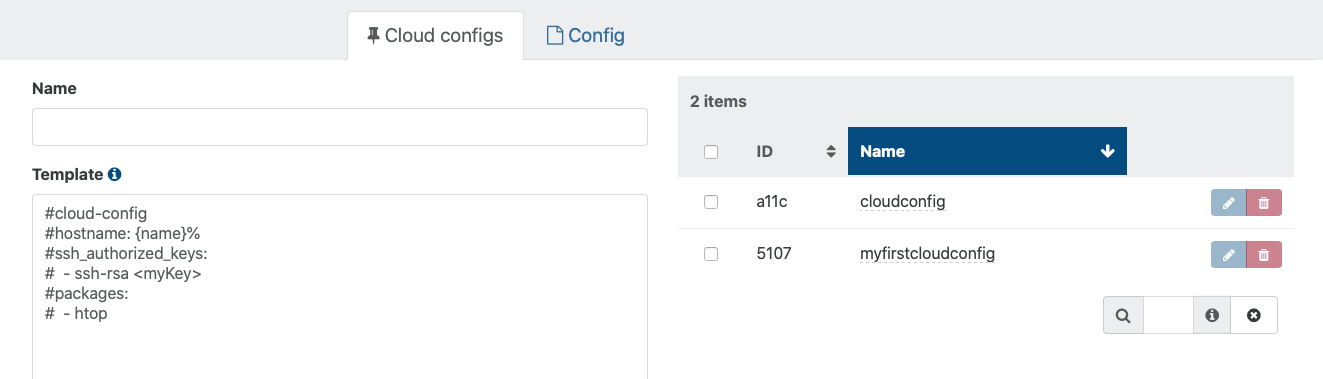
  • Created cloud config, but can't select it when creating a new VM.

    36
    3
    0 Votes
    36 Posts
    24k Views
    fohdeeshaF
    @dr4s1l-0 @Dr4s1l-0 you will not see the config drive mounted in your system, cloud-init only mounts it temporarily very early on in the boot process, copies the found config files off of it, and unmounts it. Mounting it manually will just cause more issues. You can probably see it being mounted early on in the logs in /var/log/cloud-init.log Cloud-init has introduced a ton of bugs this year and has no documentation regarding them, it has been a nightmare to try and track down these issues - I have a support customer with the same issue on recent versions of ubuntu and I've gotten nowhere. At this point I think it's best to take it up with the upstream project, cloud-init - from the XOA/XCP perspective we're doing everything we can, resulting in presenting a properly configured config drive - any issue after that is the cloud-init package
  • Talk to xo-server with PHP?

    5
    0 Votes
    5 Posts
    2k Views
    olivierlambertO
    See also https://xcp-ng.org/forum/topic/4538/xoa-json-rpc-call-basic-exemple
  • NO_HOSTS_AVAILABLE vs Not Enough memory Available

    Solved
    6
    0 Votes
    6 Posts
    3k Views
    olivierlambertO
    Short answer: yes.
  • Thousands of tasks Xapi#getResource /rrd_updates (on xcp-ng-01) 0%

    Solved community
    9
    1
    0 Votes
    9 Posts
    4k Views
    M
    @olivierlambert Thanks. As always you guys are great. Thanks for this opensource project! Tasks have cleared up.
  • 0 Votes
    6 Posts
    2k Views
    julien-fJ
    @marcungeschikts Yes, it's the third point of the GitHub issue
  • xoa-updater service appears to be down

    10
    0 Votes
    10 Posts
    3k Views
    kdmK
    Cancel that. CTRL-F5 fixed it! Thanks again.
  • VM Hangs at 86% when starting

    4
    0 Votes
    4 Posts
    2k Views
    DanpD
    @jp13232 That wasn't what I asked. You mentioned Xenserver, so I wanted to know what version.
  • Backup NG

    4
    0 Votes
    4 Posts
    2k Views
    M
    @darkbeldin Thanks it was his channel & what great info he provides! It was a 2018 "VM Backups, Disaster Recovery and Continuous Replication with Xen Orchestra Backup NG" Thanks very much Darkbeldin
  • 0 Votes
    7 Posts
    3k Views
    planedropP
    @olivierlambert Sounds good, thank you!
  • Some VMs are shutting down autmatically

    6
    0 Votes
    6 Posts
    2k Views
    ronivayR
    What does the memory min/max settings look like in the advanced tab of those VM's? You could try to set the dynamic min/max to same values. Could very well be that your guest OS doesn't handle it properly when host is trying to dynamically adjust the available VM memory. Although this shouldn't happen (afaik) if there's plenty of memory available on the host, but worth a try at least.
  • Stats tab throwing error in logs

    2
    0 Votes
    2 Posts
    484 Views
    olivierlambertO
    Hi, The Docker container isn't coming from us, so there's no way to know where is the problem. Please contact the 3rd party provider for this Docker repo.
  • Accidental Shutdown Protection Does Not Seem to Work

    Solved
    4
    0 Votes
    4 Posts
    1k Views
    C
    Yes, totally makes sense. Thanks! Consequently, best to accomplish the intended behavior from within the Windows VMs.
  • VDI Won't Coalesce (shows orphaned but isn't)

    14
    0 Votes
    14 Posts
    8k Views
    planedropP
    So another odd thing I'm seeing with this VDI, it's showing the size incorrectly. It shows 180GB of 180GB used up (on thin provisioned SR, both the old and new are), however the VM is only using 140GB of that 180GB. Something definitely went wrong with this VDI during transfer, just not sure what. I will say that I increased the VDI size again and now it displays more accurately, showing 180GB of 185GB used (both in XOA and with vhd-util). Almost behaving as if this was at one point on a thick provisioned SR or something. Just to avoid issues I'm maybe tempted to create a fresh VHD, copy data to that, then delete this one.
  • S3 Immutable and Delta Backups (how does this work)

    7
    0 Votes
    7 Posts
    3k Views
    planedropP
    @olivierlambert OK perfect, thank you! I've got a S3 Delta test going, will come back and post my results for others to reference once my testing is done.
  • xoa does not show all vms

    Solved
    4
    1
    0 Votes
    4 Posts
    2k Views
    akurzawaA
    @ronivay that was it
  • GPU perf graph

    5
    0 Votes
    5 Posts
    1k Views
    R
    @olivierlambert thanks for info I can wait for XO 6 version
  • vm.migrate operation failed SR_BACKEND_FAILURE_79

    8
    0 Votes
    8 Posts
    3k Views
    olivierlambertO
    It's not only this code. But in general, a good way to manage that is: "every message in CAPS is coming from the lower layer" (ie not XO).
  • Restoring a downed host ISNT easy

    5
    8 Votes
    5 Posts
    5k Views
    ForzaF
    @xcprocks said in Restoring a downed host ISNT easy: So, we had a host go down (OS drive failure). No big deal right? According to instructions, just reinstall XCP on a new drive, jump over into XOA and do a metadata restore. Well, not quite. First during installation, you really really must not select any of the disks to create an SR as you could potentially wipe out an SR. Second, you have to do the sr-probe and sr-introduce and pbd-create and pbd-plug to get the SRs back. Third, you then have to use XOA to restore the metadata which according to the directions is pretty simple looking. According to: https://xen-orchestra.com/docs/metadata_backup.html#performing-a-restore "To restore one, simply click the blue restore arrow, choose a backup date to restore, and click OK:" But this isn't quite true. When we did it, the restore threw an error: "message": "no such object d7b6f090-cd68-9dec-2e00-803fc90c3593", "name": "XoError", Panic mode sets in... It can't find the metadata? We try an earlier backup. Same error. We check the backup NFS share--no its there alright. After a couple of hours scouring the internet and not finding anything, it dawns on us... The object XOA is looking for is the OLD server not a backup directory. It is looking for the server that died and no longer exists. The problem is, when you install the new server, it gets a new ID. But the restore program is looking for the ID of the dead server. But how do you tell XOA, to copy the metadata over to the new server? It assumes that you want to restore it over an existing server. It does not provide a drop down list to pick where to deploy it. In an act of desperation, we copied the backup directory to a new location and named it with the ID number of the newly recreated server. Now XOA could restore the metadata and we were able to recover the VMs in the SRs without issue. This long story is really just a way to highlight the need for better host backup in three ways: A) The first idea would be to create better instructions. It ain't nowhere as easy as the documentation says it is and it's easy to mess up the first step so bad that you can wipe out the contents of an SR. The documentation should spell this out. B) The second idea is to add to the metadata backup something that reads the states of SR to PBD mappings and provides/saves a script to restore them. This would ease a lot of the difficulty in the actual restoring of a failed OS after a new OS can be installed. C) The third idea is provide a dropdown during the restoration of the metadata that allows the user to target a particular machine for the restore operation instead of blindly assuming you want to restore it over a machine that is dead and gone. I hope this helps out the next person trying to bring a host back from the dead, and I hope it also helps make XOA a better product. Thanks for a good description of the restore process. I was wary of the metadata-backup option. It sounds simple and good to have, but as you said it is in no way a comprehensive restore of a pool. I'd like to add my own oppinion here. A full pool restore, including network, re-attaching SRs and everything else that is needed to quickly get back up and running. Also a restore pool backup should be available on the boot media. It could look for a NFS/CIFS mount or a USB disk with the backup files on. This would avoid things like issues with bonded networks not working.

  • Xen Orchestra Backups

    Solved
    5
    0 Votes
    5 Posts
    1k Views
    jbamfordJ
    @danp Okay that's great. I was just making sure. Thanks for your reply. Jack