Subcategories

  • VMs, hosts, pools, networks and all other usual management tasks.

    427 Topics
    3k Posts
    P
    @stormi I really appreciate the continued help. I'm not sure it works. On my single-host pool master—the one I want to join into my half-upgraded pool—I run the command: xe host-emergency-disable-tls-verification It returns with no errors. If I do xe host-param-list and look through the parameters for my host, I see: tls-verification-enabled ( RO): false This is the only thing I see documented that can turn off TLS verification. If some other command like pool-uninstall-ca-certificate would have the effect of disabling TLS verification, I can't see that documented anywhere. In fact, even though xe pool-uninstall-ca-certificate appears to be a valid command that my xe binary knows about, I can't find that particular command documented at all. Even after the emergency-disable-tls-verification, if I attempt to join that host to the half-upgraded pool (using xe pool-join...) I get: Error code: POOL_JOINING_HOST_TLS_VERIFICATION_MISMATCH It seems like even though the host has TLS verification off, the fact that its pool has verification enabled is blocking the action.
  • ACLs, Self-service, Cloud-init, Load balancing...

    97 Topics
    818 Posts
    olivierlambertO
    October release fixed it
  • All XO backup features: full and incremental, replication, mirrors...

    438 Topics
    4k Posts
    P
    Hi, Latest XOA, with fully patched XCP 8.3 here. I'm fiddling around again with NBD+CBT in backup jobs (was avoiding CBT for a time, to reliably control my backups and avoid unnecessary KEY points) in the context of THICK SRs to spare some space. I know that CBT is reset when migrating from one SR to another. But here is what I encounter : VM has no CBT enabled on its VDIs, it is on a SHARED SR in a pool of 3 hosts backup option changed for NBD+CBT, was only NBD before CBT is enabled on the next run by the backup job, I get a delta (was expecting a FULL ?) next run, delta, as expected i migrate this VM on another HOST, without changing its SR CBT is immediatly disabled ? why ?? next run of backup it tries a delta, but "fall back to a full" (normal as CBT has been disabled...), and do a KEY point on the remote next run is a delta as expected does this mean if I do a rolling pool update or host maintenance that will move the all VMs around, all CBT will be disabled and I should expect a FALL BACK TO FULL on all my NBD+CBT enabled backup jobs ??! why disabling CBT on a change of HOST and no move of SR ?
  • Everything related to Xen Orchestra's REST API

    74 Topics
    567 Posts
    olivierlambertO
    But giving your feedback on how you solved it might help many people in the future Thanks!
  • Terraform, Packer or any tool to do IaC

    45 Topics
    424 Posts
    olivierlambertO
    The roadmap depends a lot on the feedback we have on it More demand/popular, faster we'll implement stuff
  • Merging XO forum here

    5
    7 Votes
    5 Posts
    2k Views
    olivierlambertO
    There's no tool to "merge" old forum or fetch old message. So for few months we'll still have old XO forum then it will be automatically redirected to the XO category here.
  • XOA build number

    13
    1 Votes
    13 Posts
    2k Views
    olivierlambertO
    It's just a missing info in a config file of the appliance. Not a big deal, just surprising to see that now, despite the fact it was there before.
  • 0 Votes
    1 Posts
    301 Views
    No one has replied
  • XO Delta Backup Fails to Local Storage Mounted via NFS

    4
    2
    0 Votes
    4 Posts
    553 Views
    S
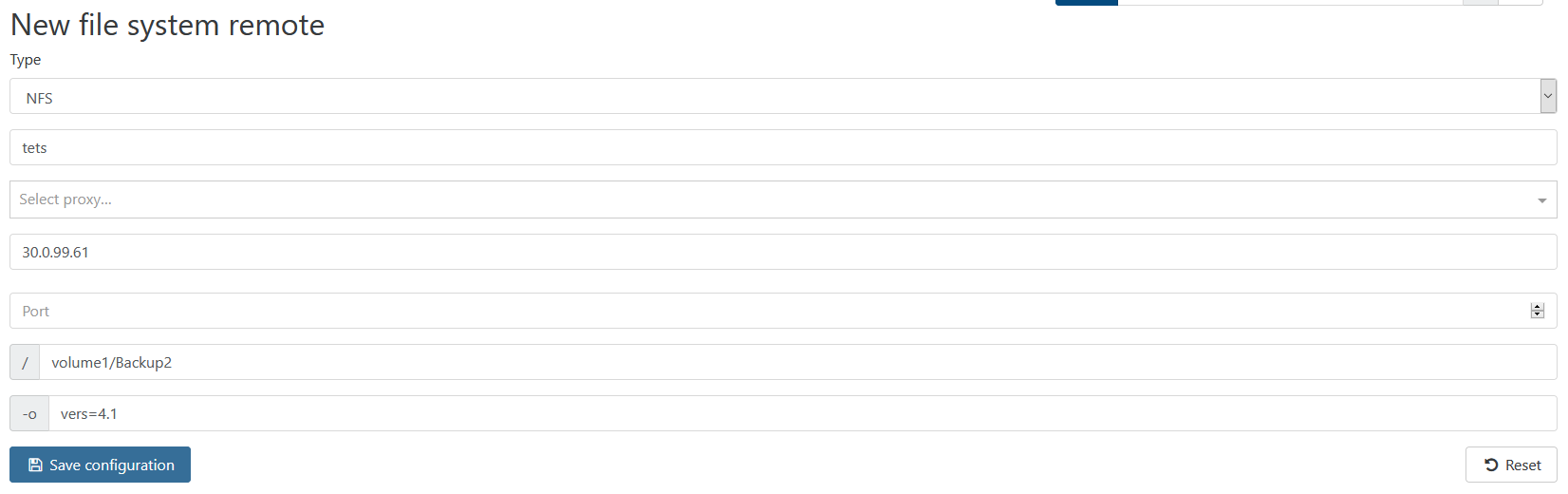
    Hi, So I tried using the NFS target remotes but the speed of transfer was very poor even though the connection from XO to the NFS server is over 10Gbe. XO is on the same XCP-ng host as the VMs being backed up. This XCP-ng server is connected to the NFS mount over 10Gbe network: [image: 1581002643082-56cc5a0a-e633-443b-9a50-6575ef5cddaf-image.png] Here is the NFS Remotes setting in XO to the backup server (FreeNAS) at IP 10.10.2.3:[image: 1581002745614-046fcdaa-8788-4d69-aa00-c1620a0afb46-image.png] The backup logs show extremely low transfer speed: [image: 1581001993532-b51d304d-2fb6-472f-8eb9-0dbec967d49c-image.png]
  • How to select network for migration in XOA

    3
    0 Votes
    3 Posts
    2k Views
    G
    Okay perfect I'll have a look Thanks!
  • VSS Backup/Application Consistent

    5
    0 Votes
    5 Posts
    685 Views
    stormiS
    Also note that Citrix guest tools version 9 removed VSS support already.
  • VM backup to local storage

    6
    0 Votes
    6 Posts
    2k Views
    D
    @olivierlambert Thanks again for the reply. I’m looking into it more. I think I need to add the storage directly to the VM running XO. I was trying to use a drive connected to a drive on my local network. Though it says it can talk to the drive, it does not reach it. I’m trying now to add an NFS to the XO server.
  • Back up only the OS disk

    2
    1 Votes
    2 Posts
    1k Views
    olivierlambertO
    You can avoid transferring some disk data with the [NOBAK] title in the VM disk. However, a VM snapshot isn't capable of ignoring a disk. This would require a change either in the way we do backup in XO (not using VM.snapshot, but VDI.snapshot instead) or modify XCP-ng API to support VM.snapshot with excluded disk. The first option will make quiesce snapshots impossible. The other one is a bit more complicated to realize, but not impossible. The issue already exists in our bug tracker: https://github.com/vatesfr/xen-orchestra/issues/2560 julien-f created this issue in vatesfr/xen-orchestra closed [Full backups] Supports `[NOBAK]` #2560
  • XOA guest tools error

    18
    0 Votes
    18 Posts
    5k Views
    stormiS
    This may be related to https://github.com/xcp-ng/xcp/issues/282 My guess is that the tools ISO was mounted into the XO VM, then updates were applied to the host that contained an update of the tools ISO, which led to the XO VM having an non-existing tools ISO still mounted. I have made a change in 8.1 to avoid that (eject all tools ISOs after updating the ISO, not just from shutdown VMs), and testing will tell us whether that's a good solution. To solve the situation, you usually just need to eject the ISO with xe vm-cd-eject, not xe vm-cd-remove, as @tuxen said. If you had a snapshot of the VM before removing the CD drive, I think restoring it should bring the CD drive back and then you can eject the CD with xe vm-cd-eject... Unless restoring the snapshot also fails. Else as tuxen said you need to recreate a CD/DVD device and attach it to the VM. iw0der created this issue in xcp-ng/xcp closed This operation cannot be performed because the specified virtual disk could not be found #282
  • Backup and Replication from HP 3Par (iSCSI) to HP MSA (iSCSI)?

    8
    0 Votes
    8 Posts
    1k Views
    olivierlambertO
    It's pretty simple: just replace "xva" in the image by VHD and that's it. Otherwise it's explained https://xen-orchestra.com/docs/delta_backups.html If you still have questions, let me know
  • How to improve backup performance, where's my bottleneck

    19
    1 Votes
    19 Posts
    6k Views
    S
    server has 10G DAC to dedicated 10G SW, Disk its writing to is a NAS iSCSI Target with a single 10GBe NIC. Network Traffic is low under 30Mb/s ![alt text]([image: 1580537059039-screenshot-from-2020-02-01-16-26-10.png] image url) png) [image: 1580537959635-pdd.png] first peek is memory read.
  • SSH keys in XO

    4
    0 Votes
    4 Posts
    2k Views
    A
    @olivierlambert Re: SSH keys in XO Great, thanks for your explanation!
  • Template list refresh

    3
    0 Votes
    3 Posts
    1k Views
    stormiS
    There's a bug report about it: https://github.com/vatesfr/xen-orchestra/issues/4610 pdonias created this issue in vatesfr/xen-orchestra open Duplicate VM templates #4610
  • 0 Votes
    4 Posts
    2k Views
    H
    ok, could remove the vm by using the command xe vm-reset-powerstate uuid=******* --force, then I could remove the host
  • Re: [Ubuntu 18.04 desktop graphics console not working.]

    5
    0 Votes
    5 Posts
    1k Views
    stormiS
    See also: https://xcp-ng.org/forum/post/21792
  • Ubuntu 18.04 desktop graphics console not working.

    10
    0 Votes
    10 Posts
    3k Views
    stormiS
    See also https://xcp-ng.org/forum/post/21792
  • xoa restrict access to web interface by ip

    6
    0 Votes
    6 Posts
    2k Views
    olivierlambertO
    Yes, I would try that
  • Create a Ubuntu 18.04 cloud init template

    18
    0 Votes
    18 Posts
    6k Views
    M
    @bcatubig [image: 1580232853539-776ddfa2-a97c-4ea6-adb5-2dd05943b421-image.png] I see this message on the console right after the VM is created. Could it be somehow helpful?
  • Spread the backup load across servers

    6
    0 Votes
    6 Posts
    564 Views
    M
    For the moment I've had to create several backup jobs instead of one big backup it's e.g. servers01-06, 07-12, 13-18. Which isn't ideal as it's harder to manage, but is what it is!
  • XOA additional network interface

    6
    0 Votes
    6 Posts
    2k Views
    olivierlambertO
    So please open a support ticket, that would be easier to assist