• External Hard Drive Show 0GB size in disk list

    1
    0 Votes
    1 Posts
    94 Views
    No one has replied
  • VM vCPU allocation

    8
    0 Votes
    8 Posts
    2k Views
    A
    @McHenry Yes, XCP sees and uses all threads (8 core + SMT x2 threads = 16 logical cores). So you can assign all of them to a VM as long as the VM can use them. XO shows 16 "cores" (total threads) and 1 socket. It also shows hyperthreading is enabled. XCP/XO does not differentiate between cores, threads, E-Cores or P-Cores.....a thread is an assignable core resource. You can assign 16 logical vCPU that includes real cores and SMT threads. Some programs do not work well with hyperthreading in a VM environment. So you may wish to disable SMT depending on the workload.
  • ISCSI mount - SR_BACKEND_FAILURE_432

    Solved
    14
    1
    0 Votes
    14 Posts
    1k Views
    J
    @m-mirzayev said in ISCSI mount - SR_BACKEND_FAILURE_432: @john-c Would you mind to post your custom.conf so i have a reference? @m-mirzayev I don’t use multipath personally however, though managed to get Microsoft Copilot to put what you gave above into a valid structure. I also remember people in the past having trouble with multipath, so Vates employees implemented this /etc/multipath/conf.d/custom.conf to fix these issues. # /etc/multipath/conf.d/custom.conf defaults { user_friendly_names yes } multipaths { multipath { wwid "your_device_wwid_here" alias "truenas_iscsi" path_selector "round-robin 0" path_grouping_policy multibus path_checker tur prio const failback immediate } } devices { device { vendor "TrueNAS" product "iSCSI" path_selector "round-robin 0" path_grouping_policy multibus hardware_handler "0" prio const failback immediate } } Please replace "your_device_wwid_here" with the WWID of the device on your network.
  • Can not start VM migration to other pool from XOA

    15
    1
    0 Votes
    15 Posts
    1k Views
    olivierlambertO
    The issue is there's a VDI that's not in the right map. It's hard to tell why without having a deeper look.
  • Pool Management

    5
    0 Votes
    5 Posts
    441 Views
    J
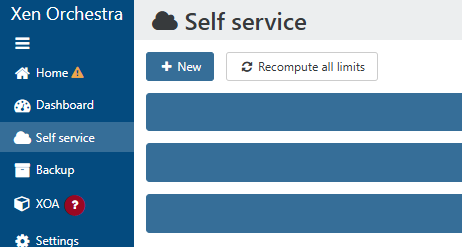
    @McHenry @nick-lloyd With todays release of Xen Orchestra (XOA) version 5.100 there's now support for custom ACLs based around tags. These will prove really useful when your setting up the XOA with its ACL for your clients to access self service, while ensuring that they can't access the other's pools and VMs etc.
  • Running xo-cli command returns Unhandled Error

    13
    0 Votes
    13 Posts
    1k Views
    nick.lloydN
    @Danp The file is getting removed every time, that's why I was questioning the behavior of the command (whether it is grabbing all records or cached records). We can do that, but if the user is deleted, that user entry would be gone.
  • How to pass MAC address to pfSense VM

    6
    0 Votes
    6 Posts
    712 Views
    F
    @nikade This is what is currently have: [16:39 xc-ng-hv1-fi ~]# sysctl net.ipv4.ip_forward net.ipv4.ip_forward = 0 Is setting the value to 1 all O need to do? net.ipv4.ip_forward = 1 in /etc/sysctl.conf
  • Update host name of the XO VM

    5
    0 Votes
    5 Posts
    549 Views
    A
    @Danp Thank you, trying now.
  • 0 Votes
    7 Posts
    543 Views
    rvreugdeR
    Since it was somewhat critical (urgent migration from other pool), I had to switch the pool masters and had to restart the xcp028. But I downloaded the system log. Maybe you find the cause of the problem there? BTW, before restarting the host, I was not able to download these logs (failed).
  • Error adding host to existing pool

    11
    0 Votes
    11 Posts
    1k Views
    olivierlambertO
    Yeah I think that's the best approach in your case
  • Migrating a single host to an existing pool

    Solved
    11
    0 Votes
    11 Posts
    3k Views
    M
    Just going to XO / Home / Pools / pool-1 and pressing "Add hosts" button, selecting host-2 worked OK this time. So no detaching host from a pool and attaching to new pool ... just a button
  • Installing xo-cli on new VM

    Solved
    3
    0 Votes
    3 Posts
    567 Views
    nick.lloydN
    That's what it was. For whatever reason, ubuntu defaults to installing these versions for node and npm respectively: v12.22.9 8.5.1 Following the steps here fixed it. As always, thanks!!
  • Live Migration Fails: MIRROR_FAILED

    7
    0 Votes
    7 Posts
    682 Views
    gthvn1G
    @stevewest15 Thx for SMlog. I don't see anything suspicious
  • List VMs set to autostart

    6
    0 Votes
    6 Posts
    436 Views
    DanpD
    @McHenry Check the contents of the VM's blocked-operations parameter. This is from one of my VMs -- # xe vm-param-get param-name=blocked-operations uuid=e764e6fb-5e18-35dd-cfb6-ddf83d32e1fd start_on: Start operation for this vm is blocked, clone it if you want to use it.; start: Start operation for this vm is blocked, clone it if you want to use it. Both the start and start_on operations should be blocked on CR created replicas.
  • Migration Failure

    Solved
    3
    0 Votes
    3 Posts
    361 Views
    Z
    @olivierlambert Ah! I didn't have any ISOs connected to the CD drive, but the VM did have quite a few snapshots. I deleted a majority of those (though not even all of them), and it migrated successfully. Thanks!
  • Proxy installer down?

    35
    0 Votes
    35 Posts
    10k Views
    A
    @McHenry https://xcp-ng.org/docs/api.html Restarting the API Sometimes, you might want to restart the toolstack (API and storage stack). You can do it with the following command from the host console (or directly with Xen Orchestra): xe-toolstack-restart TIP Restarting XAPI won't affect any running VMs. However, all backup/export tasks will be removed.
  • VM Autostart order

    14
    0 Votes
    14 Posts
    2k Views
    J
    @olivierlambert said in VM Autostart order: There's already the vApp support in XAPI since a while, so it's really only a XO Lite/XO matter. Is the AutoStart vApp along with the script already created? If not then like I said its both.
  • SR usage on multiple pools

    Solved
    12
    1
    0 Votes
    12 Posts
    816 Views
    olivierlambertO
    Yes, it's a "definition" question/problem: a SR is the exact place where you store your virtual disk images. On NFS, it's a folder named after the UUID of the SR. As Dan said, if you connect to the same NFS folder, it will create a new folder for each new SR inside. So even if it's the same physical device/NFS share, there's many SRs on it. For a block based SR, it's different: if you pass a LUN (in ISCSI for example), it will attach it and warn you: either you want to re-attach the previously existing SR (UUID etc) either you erase it completely to start from scratch. There's no "folders" on a block space like a LUN, so it's different.
  • Pool management

    Solved
    3
    0 Votes
    3 Posts
    409 Views
    M
    @olivierlambert Thanks Oliver, lots to learn. p.s. Congrats on the 8.3 launch.
  • Unlink fast-cloned VM from the parent.

    3
    0 Votes
    3 Posts
    355 Views
    henri9813H
    Thanks !