I'm not sure which one as I can see 2 config.tom file.
1st is under "/root/.config/xo-server/"
config.toml.txt
2nd is under "/opt/xo/xo-server/"
config.toml2.txt
Both config.toml attached.
Thank you.
Best regards,
Azren
I'm not sure which one as I can see 2 config.tom file.
1st is under "/root/.config/xo-server/"
config.toml.txt
2nd is under "/opt/xo/xo-server/"
config.toml2.txt
Both config.toml attached.
Thank you.
Best regards,
Azren
Hi All,
I'm using XO from source, and when trying to restore files or folders from backup, i'm getting "There was a problem proxying this request.". Any idea what's going on and how can I troubleshoot this?
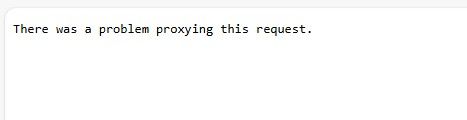
Restore works ok, only File Restore having issue.
I'm on the latest XO commits.
Thank you.
Best regards,
Azren
@Danp said in VDI not showing in XO 5 from Source.:
xe vdi-param-list uuid=
Hi Dan,
[18:52 mycsskvdcxcp03 ~]# xe vdi-param-list uuid=5f899e22-f3a7-4f0b-8de6-2b8058c0f575

uuid ( RO)                    : 5f899e22-f3a7-4f0b-8de6-2b8058c0f575
              name-label ( RW): ADSIM-UAT_DISK01
        name-description ( RW):
           is-a-snapshot ( RO): false
             snapshot-of ( RO): d31f2db0-be21-4794-b858-1bea357869c8
               snapshots ( RO):
           snapshot-time ( RO): 19700101T00:00:00Z
      allowed-operations (SRO): clone; snapshot
      current-operations (SRO):
                 sr-uuid ( RO): 5d22cba7-fbf6-a03b-bb73-9ffba3a3ee75
           sr-name-label ( RO): SR-HDD-DEV-2
               vbd-uuids (SRO): c6f4c7fa-4f6f-7999-d13c-3a29d887d828
         crashdump-uuids (SRO):
            virtual-size ( RO): 171798691840
    physical-utilisation ( RO): 50272698880
                location ( RO): 5f899e22-f3a7-4f0b-8de6-2b8058c0f575
                    type ( RO): User
                sharable ( RO): false
               read-only ( RO): false
            storage-lock ( RO): false
                 managed ( RO): true
     parent ( RO) [DEPRECATED]: <not in database>
                 missing ( RO): false
            is-tools-iso ( RO): false
            other-config (MRW):
           xenstore-data (MRO):
               sm-config (MRO): host_OpaqueRef:c3426081-ce96-507b-a219-8d2cb124c3ad: RW; read-caching-enabled-on-e1594701-28e9-4127-858e-74d4663669f8: true
                 on-boot ( RW): persist
           allow-caching ( RW): false
         metadata-latest ( RO): false
        metadata-of-pool ( RO): <not in database>
                    tags (SRW):
             cbt-enabled ( RO): false


[18:54 mycsskvdcxcp03 ~]#
Best regards,
Azren
Hi All,
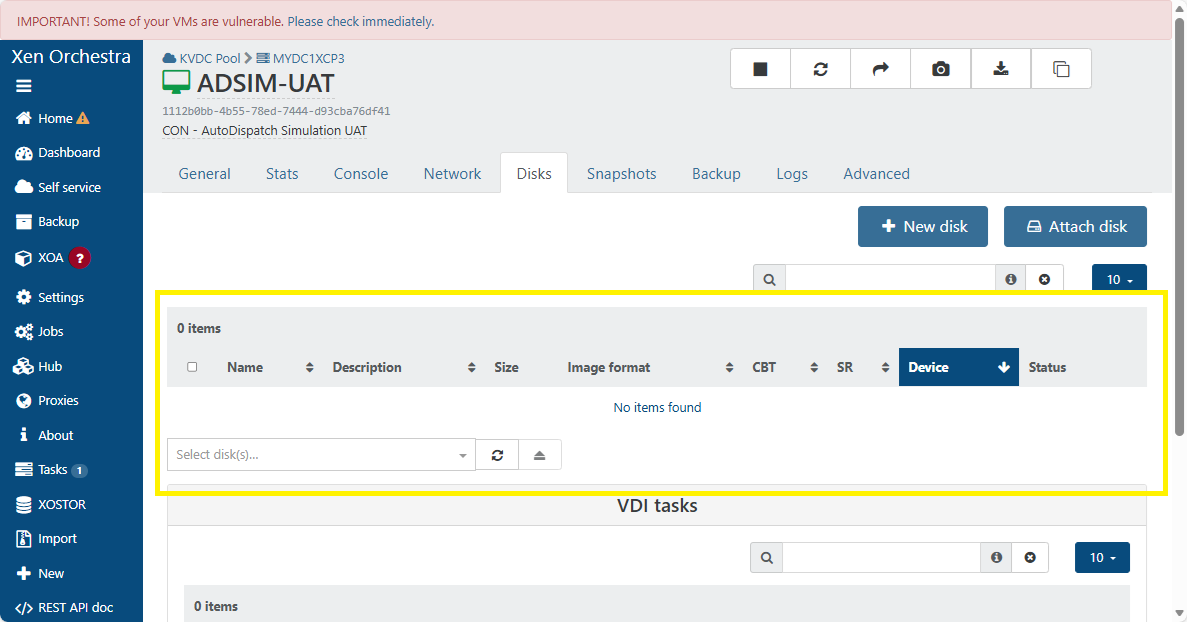
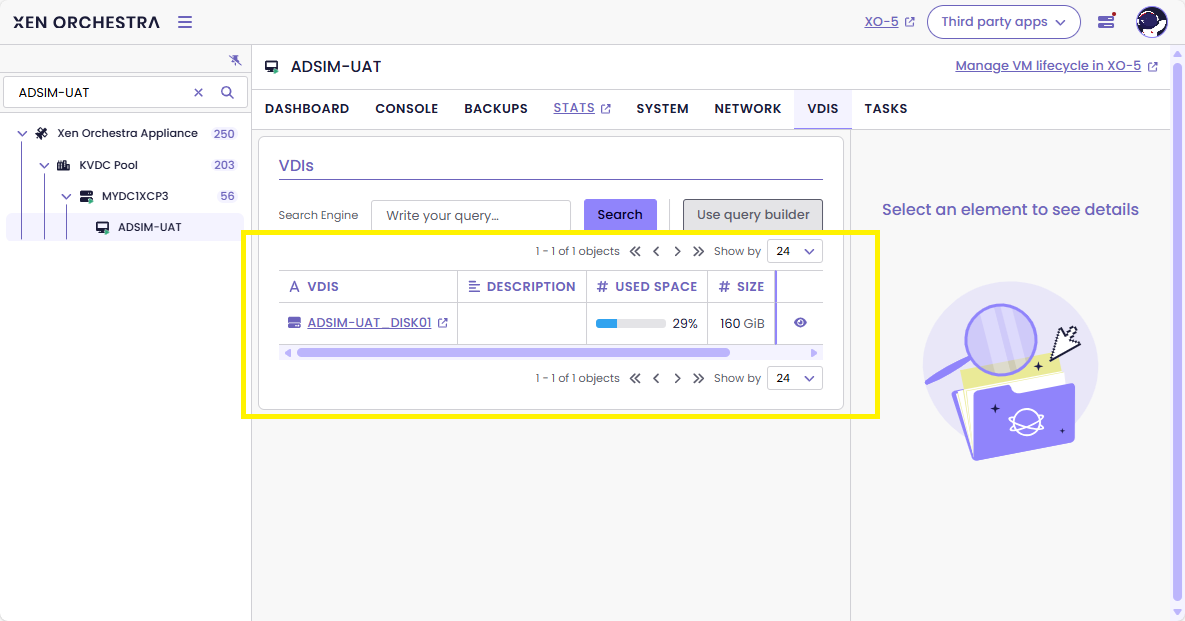
I just notice that when I select VM in XO 5 and click on the Disks tab, the VDI is not showing. But in XO 6 it is showing ok. I'm using XO from source latest version (commit: b89c2). Any idea?
Troubleshooting done so far:
XO 5 VDI not showing
XO 6 VDI showing ok
Best regards,
Azren
Hi,
I've always wanted a tool or script similar to RVTools that could export VM inventory and related data to CSV for reporting purposes. Since I couldn’t find one that met my needs, I decided to leverage AI and the Xen Orchestra (XO) API to build my own.
I'm sharing the script here in case anyone else finds it useful:
https://github.com/wmazren/xen-orchestra-inventory
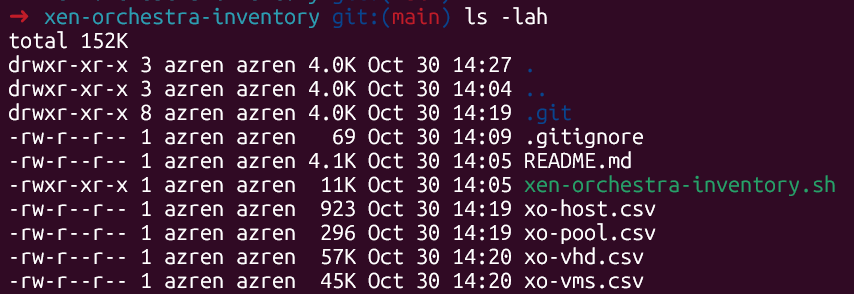
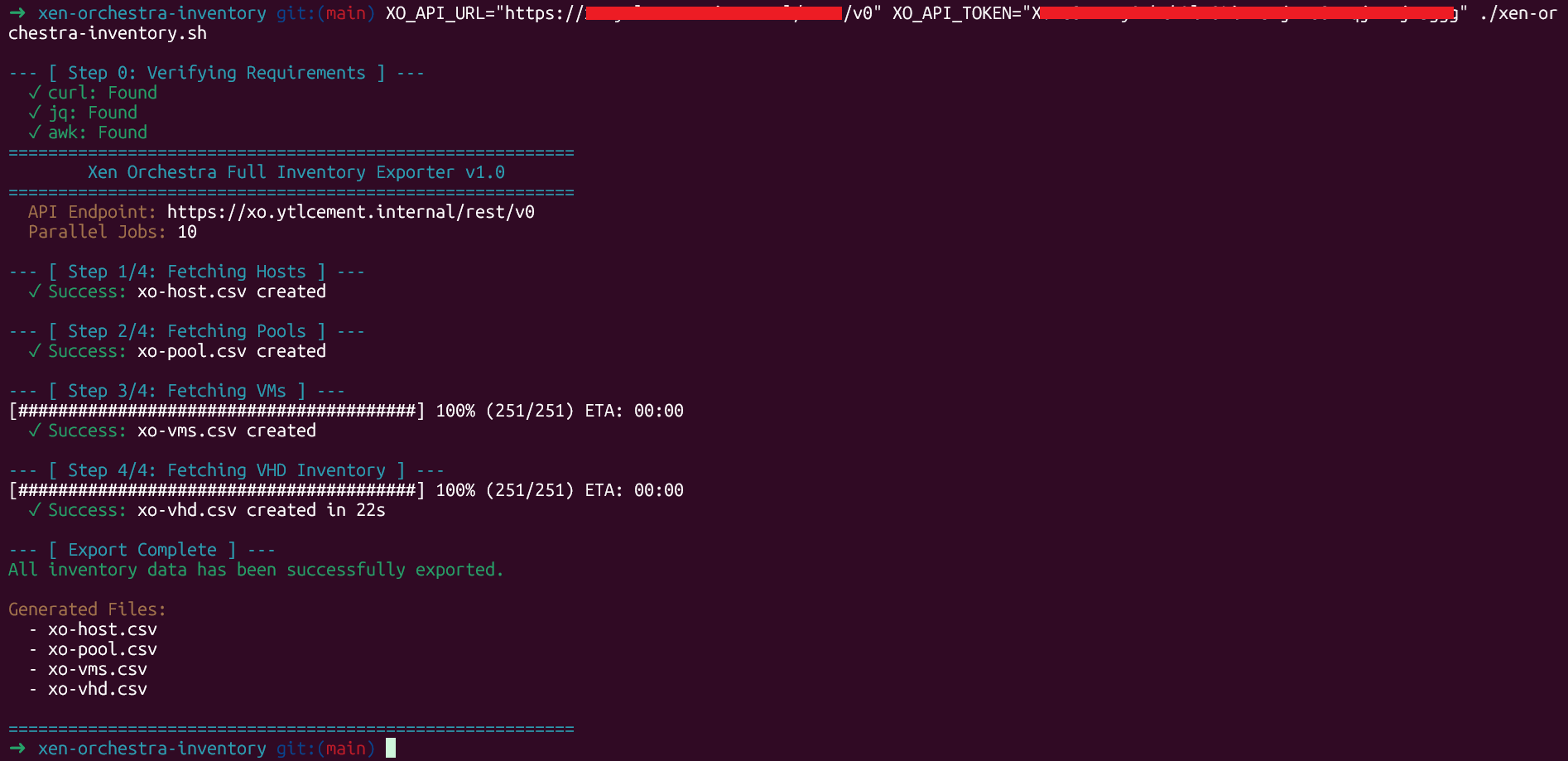
Thanks, and feel free to contribute or provide feedback!
Best regards,
Azren
Hi,
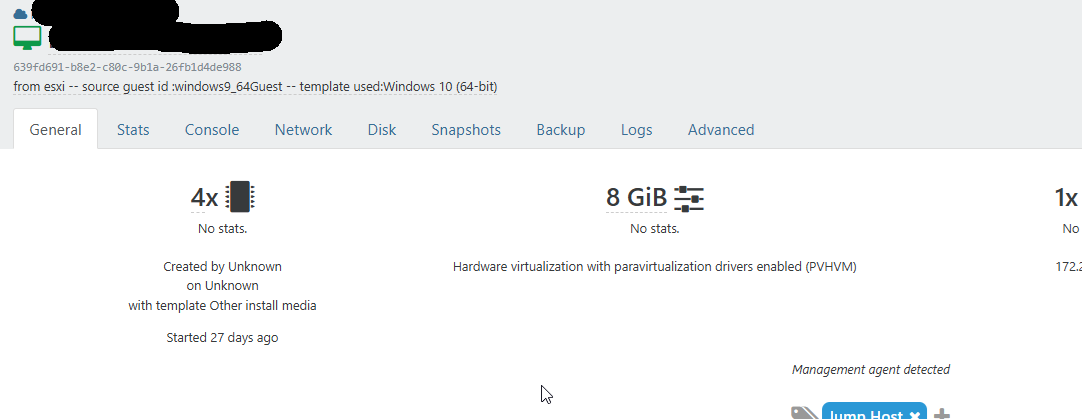
I've noticed an issue with live migration on VMs that were imported from VMware using XO. During migration, the VM hangs and loses network connectivity (ping fails), requiring a forced power-off and power-on to recover.
Here’s what I’ve found:
Please let me know if further investigation is needed or if there's a recommended fix for the template mismatch during import.
Best regards,
Azren
It appears that the issue is related to Host #1. Any migration into or out of Host #1 tends to cause problems. Occasionally, virtual machines (VMs) lose network connectivity during migration and become unresponsive — they cannot be shut down, powered off (even forcefully), or restarted, often getting stuck in the process.
I’ve added Host #3 to the pool. Migration between Host #2 and Host #3 works smoothly in both directions.
Any idea how can I kill the stuck VM?
xe vm-reset-powerstate force=true vm=MYVM03
This operation cannot be completed because the server is still live.
host: cb8311e8-d0fd-4d53-be99-fe3fea2c9351 (HOST01)
Best regards,
Azren
Both hosts are Dell PowerEdge R760 dual processor with 512GB of memory. Missing this month patches. I'm trying to live migrate VMs to 1 host so that I can start installing patches and reboot.
Host#1
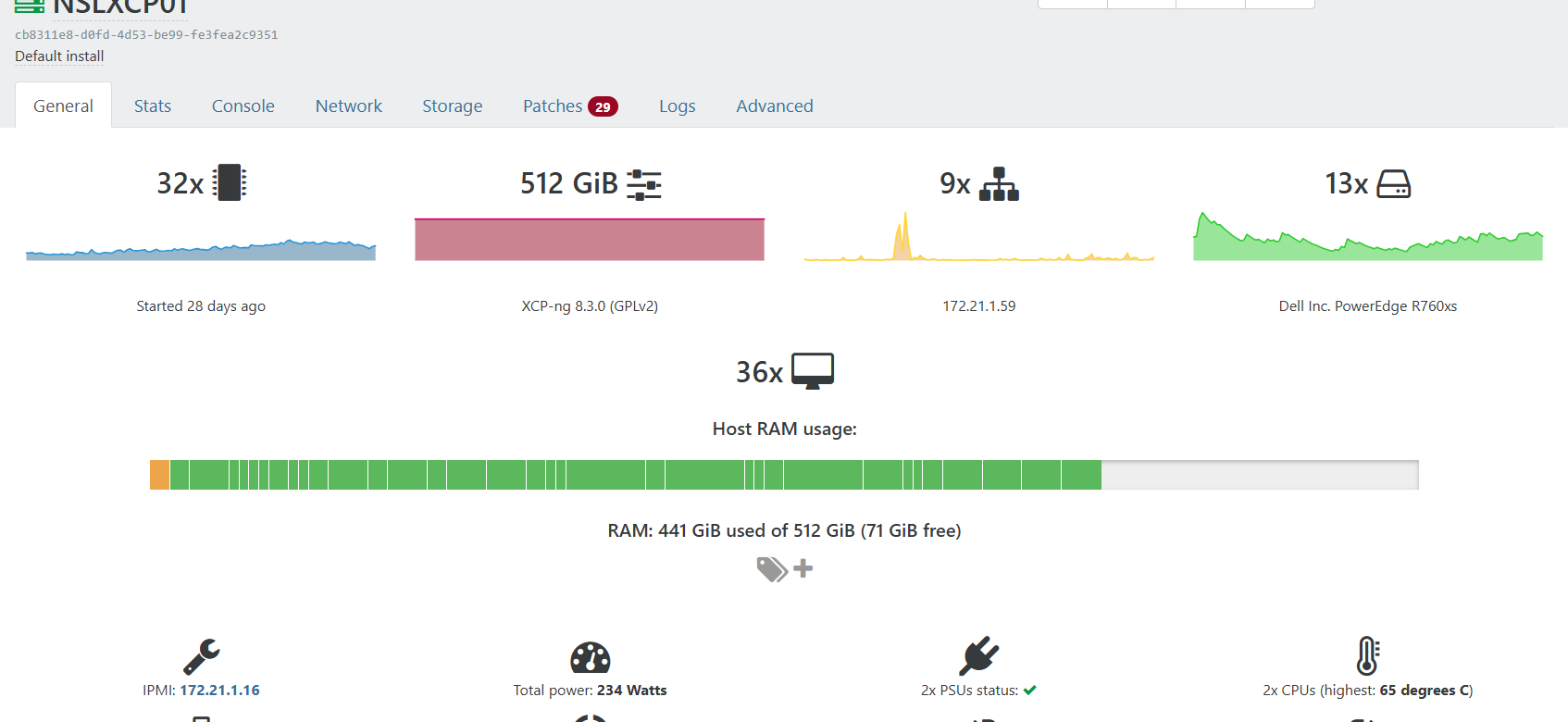
Host#2
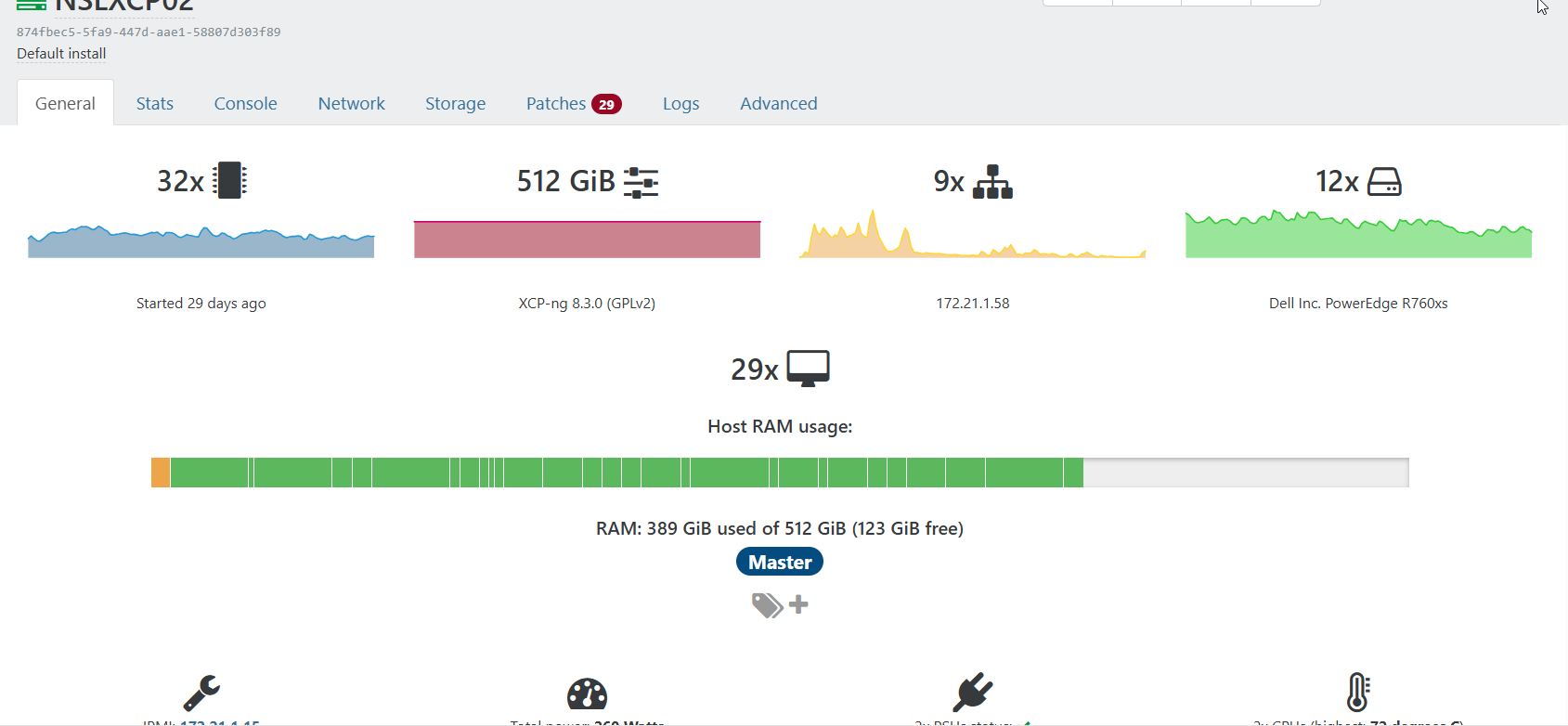
Host#1: dmesg
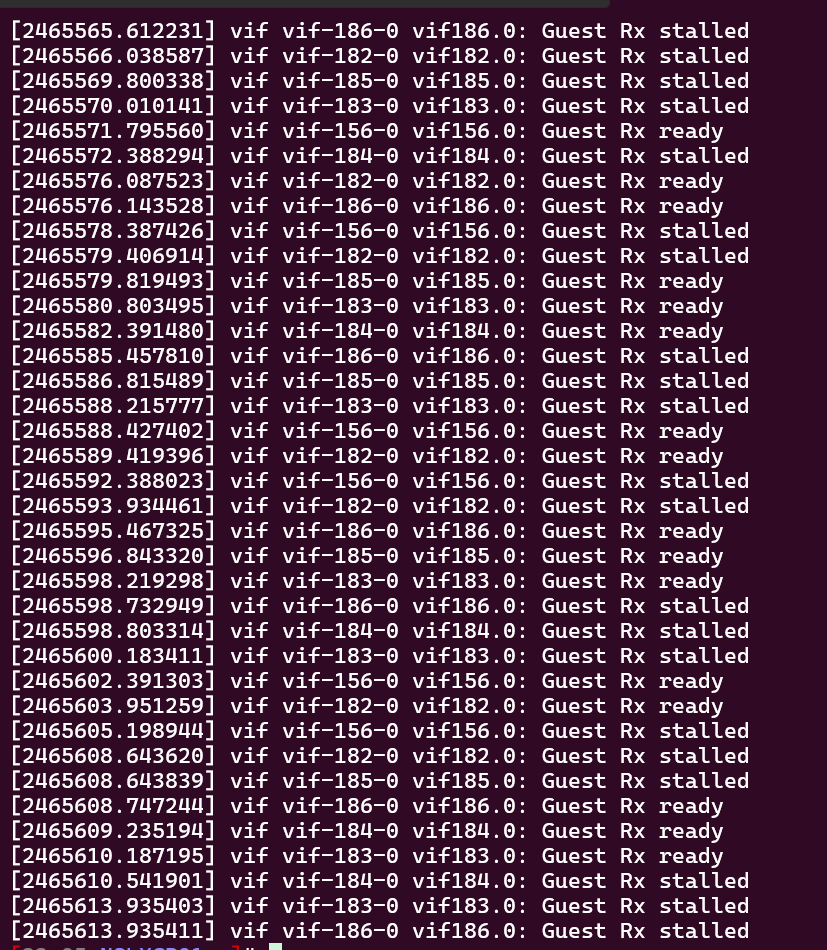
Host#2: dmesg
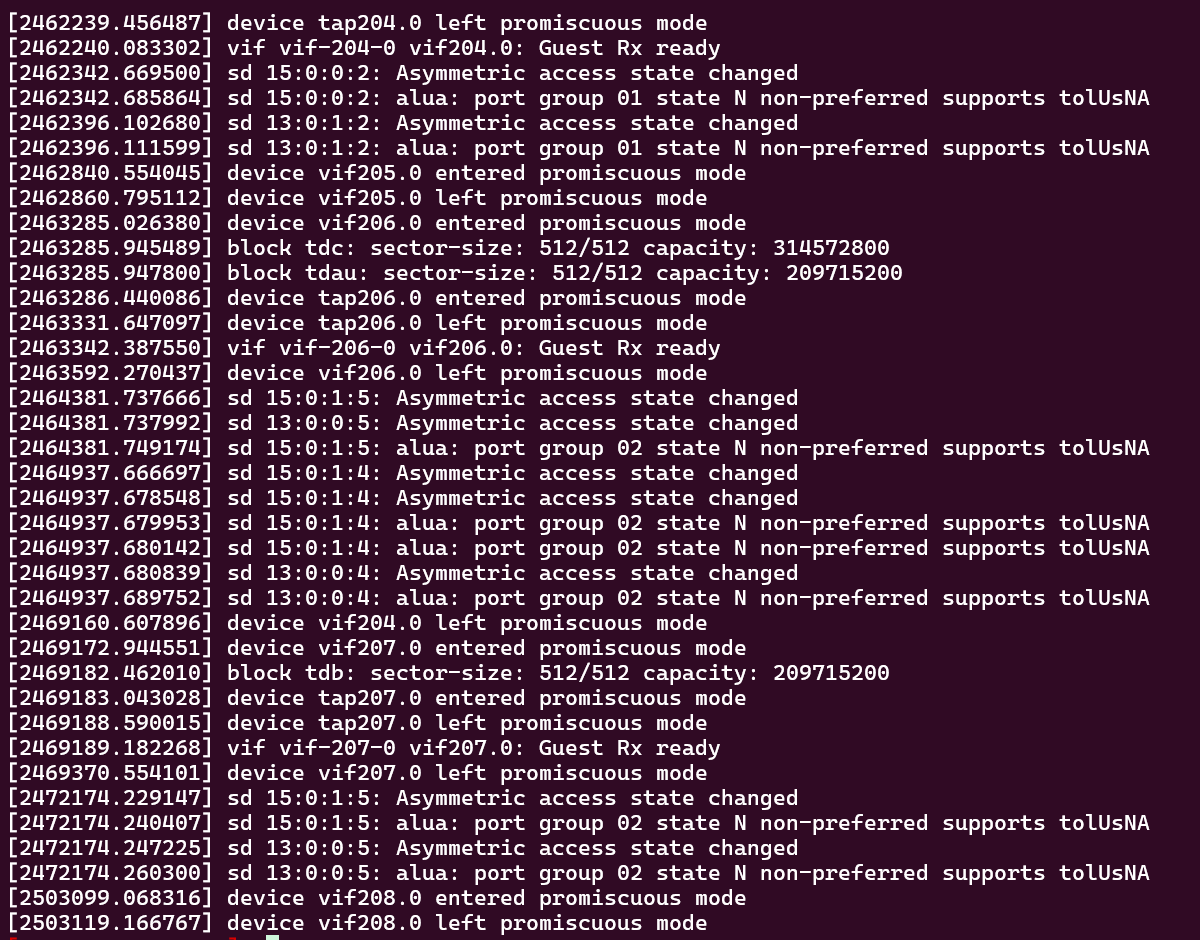
My dmesg...
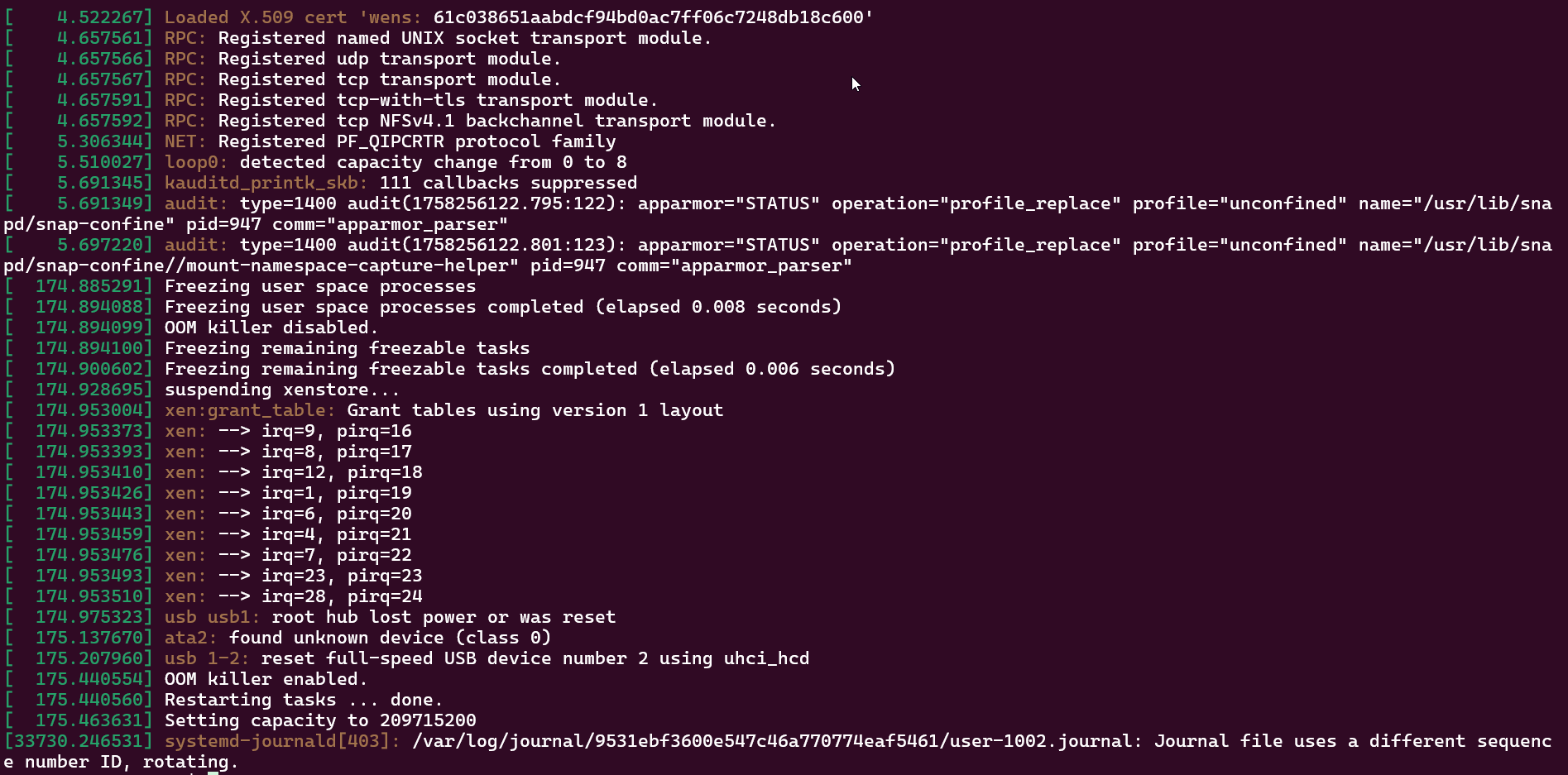
This is the XO VM that I try to migrate, but issue also happen to other VMs running MS WIndows.
Best regards,
Azren
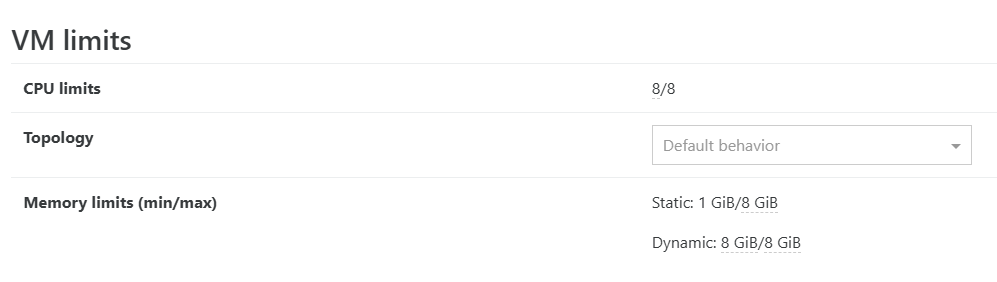
Check your OS is having static RAM settings and enough RAM
Yes
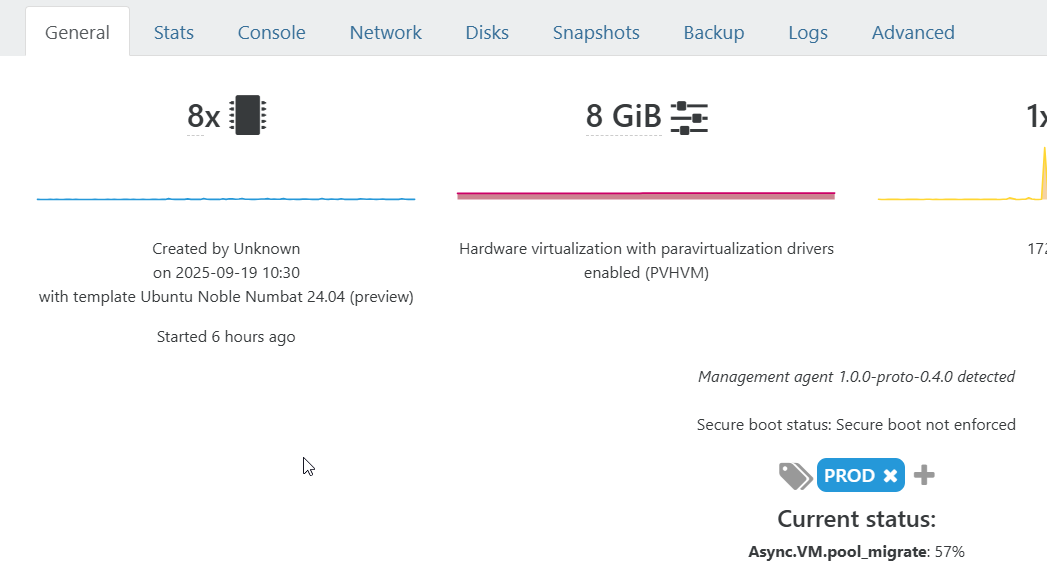
Do you have tools installed in your OS?
Yes
Time sync between the hosts?
Yes
Anything else I can check?
Best regards,
Azren
Hi,
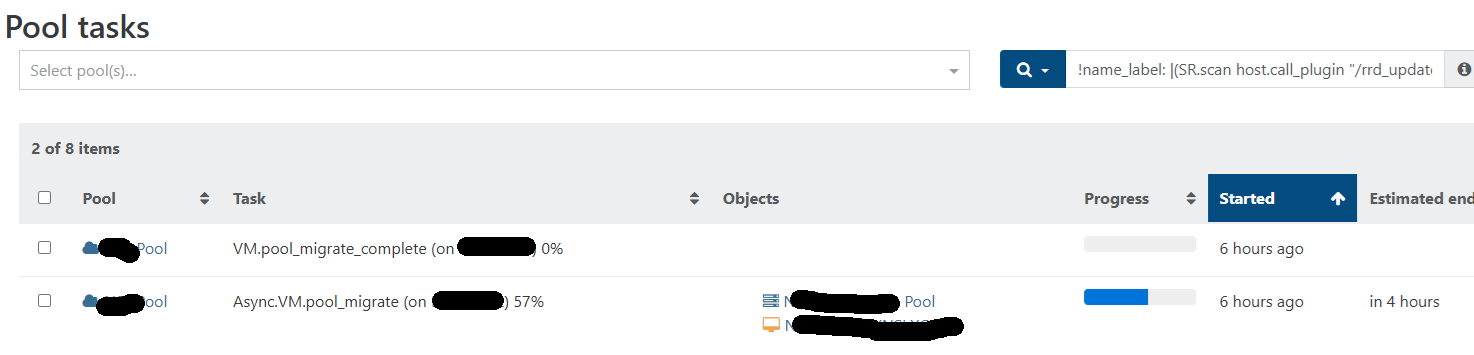
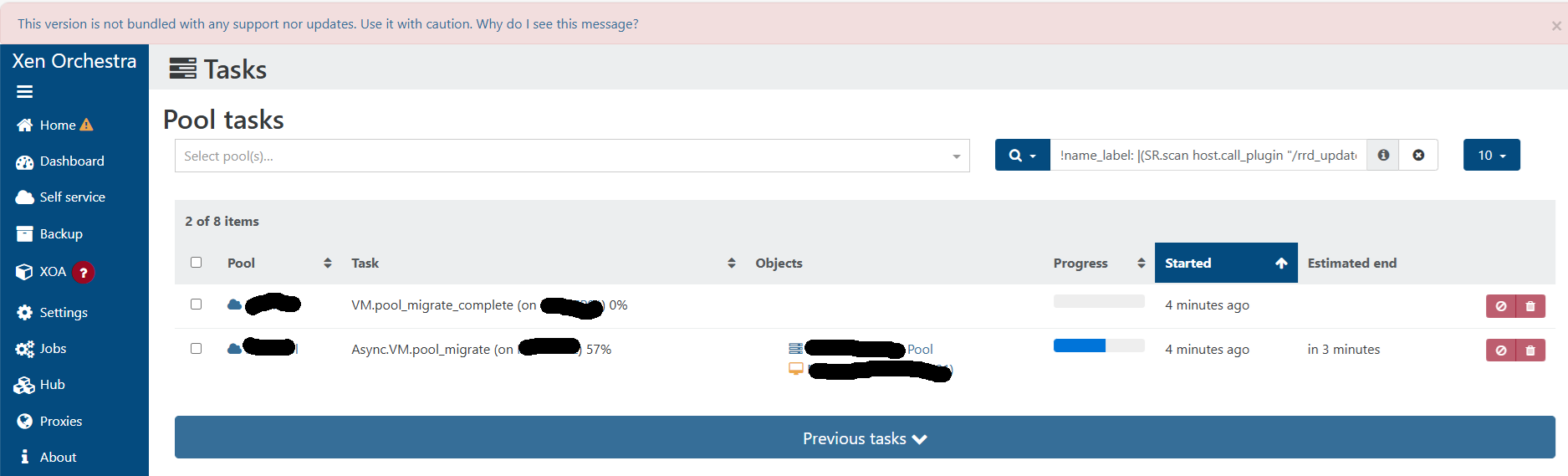
I'm having issue with live migration between xcp-ng host in a pool. The migration looks ok. The VM migrated to Host #1 from Host #2, but the task stuck at 57% (Async.VM.pool_migrate stuck at 57%). I have to restart the toolstack to make the tasks go away. Any idea?
I'm using XO from source and on the latest commit.
Thank you.
Best regards,
Azren
We use clonezilla method and migrate 100 over VMs with about 15TB of VDI in 2 weekends.
Best regards,
Azren