XOA - Memory Usage
-
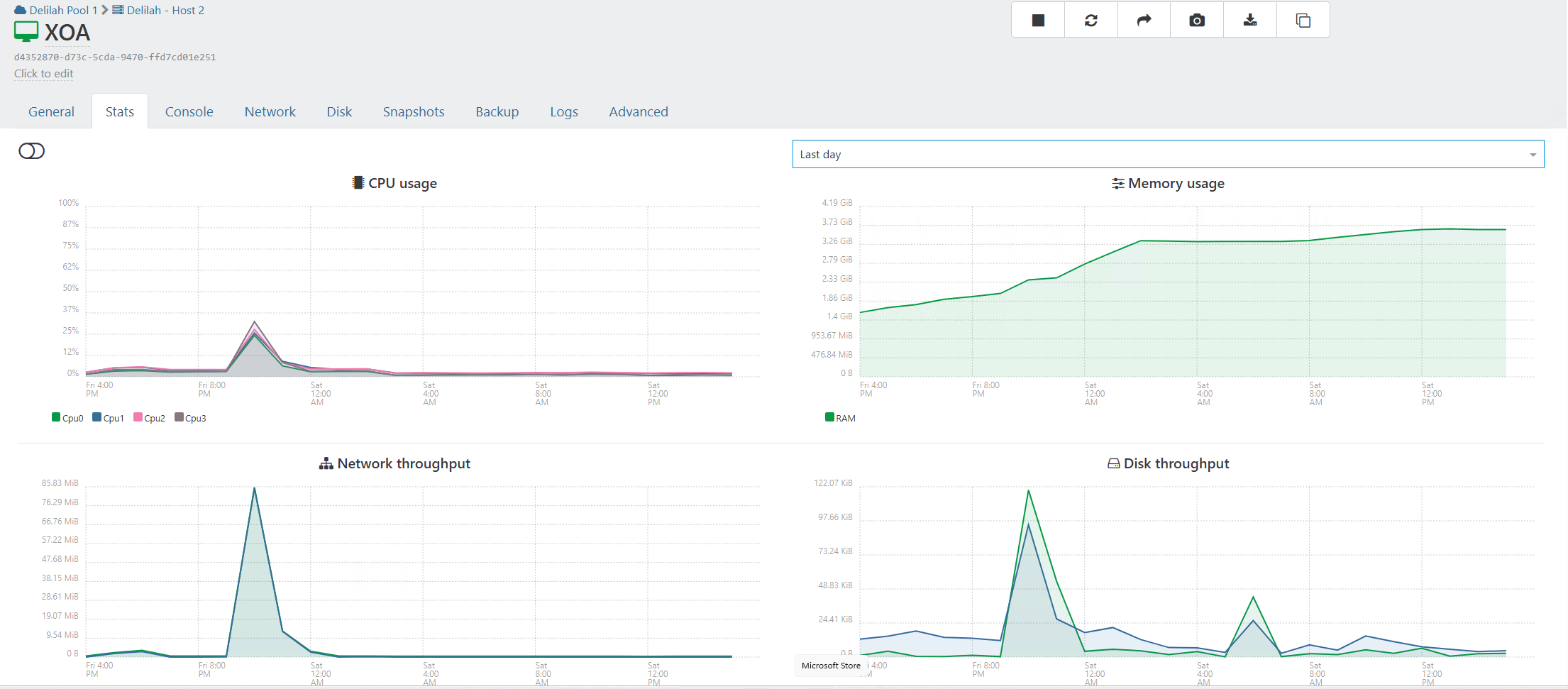
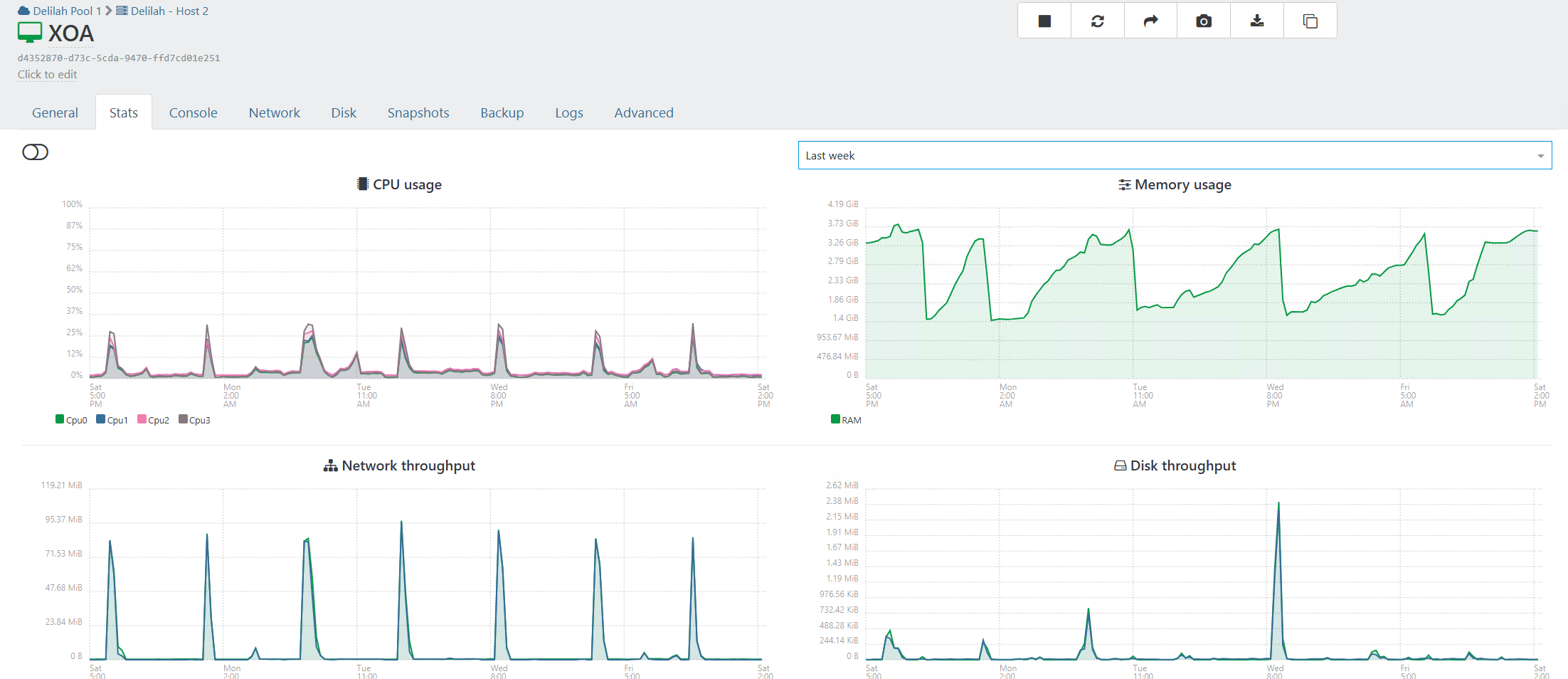
Just noticed alert today. Currently at default settings for XOA ram allocation 4gb 4vcpus. There is a recommendation for a set value based on pulls/hosts/ or vms?
Same questions for proxies is the proxies. What is the process for them same as xoa?
1/16 - Node version
?? 2/16 - Memory: less than 10% free memory on the XOA, check https://xen-orchestra.com/docs/troubleshooting.html#memory
? 3/16 - xo-server config syntax
? 4/16 - Disk space for /
? 5/16 - Disk space for /var
? 6/16 - Native SMB support
? 7/16 - Fetching VM UUID
? 8/16 - XOA version
? 9/16 - /var is writable
? 10/16 - Appliance registration
? 11/16 - npm version
? 12/16 - NTP synchronization
? 13/16 - local SSH server
? 14/16 - xoa-support user
? 15/16 - Internet connectivity
? 16/16 - XOA status
-
Hi,
Depends on the number of pools, hosts, VMs, number of backup jobs, size etc.
-
@olivierlambert said in XOA - Memory Usage:
Hi,
Depends on the number of pools, hosts, VMs, number of backup jobs, size etc.
Any issues with just jumping up to 8gb or 16? Has been fine untill today.
-
@acebmxer as per your screenshots, we can guess you have daily backup jobs operated by the XOA
and the memory graph is significant of a reguler OOM kill (out of memory)there is some kind of memory leak happening and the devs are investigating it in another thread in here
upgrading to 8GB or 16GB your XOA memory will take it more days before OOM happens, but it will happen
check this thread https://xcp-ng.org/forum/topic/11721/backup-mail-report-says-interrupted-but-it-s-not/48
-
@Pilow
Yeah I was following your post. At first I thought i was having random backup issues with backups via proxies with the occasional issue with backups via xoa. Then just yesturday see the error about memory.For now I just rebooted XOA and it down under 2gb currently. Will wait and see how long for it to build back up again or untill Dev team finds a solution to the problem.
-
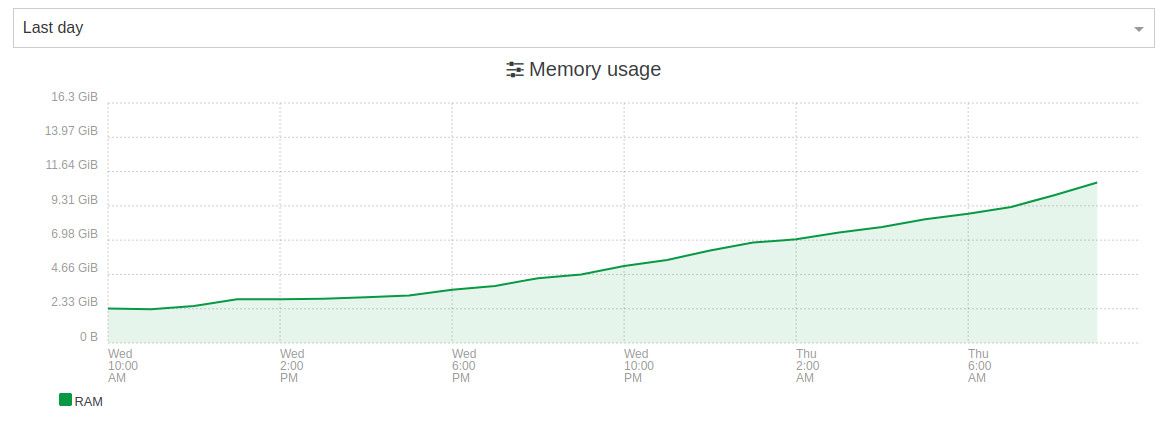
Looks like the issue still persists in 6.3.1?
Here is since installing the latest update yesterday:
-
@flakpyro yup still aggressive on memory consumption
I have a task that reboots XOA & XOPROXIES every two days to mitigate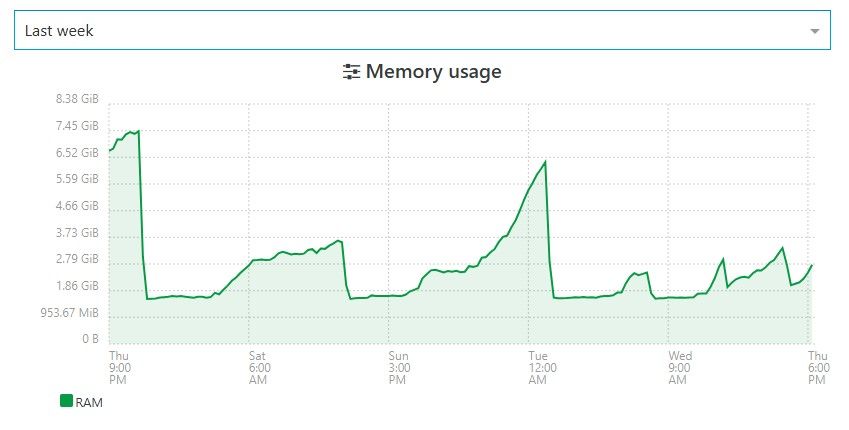
since 6.3 / 6.3.1 it seems more aggressive on the ramp up (I updated just yesterday... was still on 6.1.2)
-
Adding @Team-XO-Backend in the loop
-
@acebmxer
Hi, we've detected a memory leak at the REST API level.
We pushed a fix on the branch:mra-fix-rest-memory-leak
Can you test the branch? -
I have been busy at work. I will try to test this branch out when i get home tonight.
Looking back on this. This was related to XOA at work not XO from sources.
I have also changed up our back up process and this has no longer been an issues for me.
-
@acebmxer do you know what you did change on the backups ?
-
We have allways been a veeam customer since vwmare. I have moved over to the beta version of veeam for our windows servers.
XOA is only backing up our linux servers. So half the workload was removed from backups.
-
Well i guess i should not have said anything. Backups have been running fine until tonight. Well technically last night. Got email alter that a backup job failed because job already running. This is one of my remote pools. But took a look at the memory usage in XOA..
9 total vms across 3 pools/locations. 3 vms at the remote site get backed up.
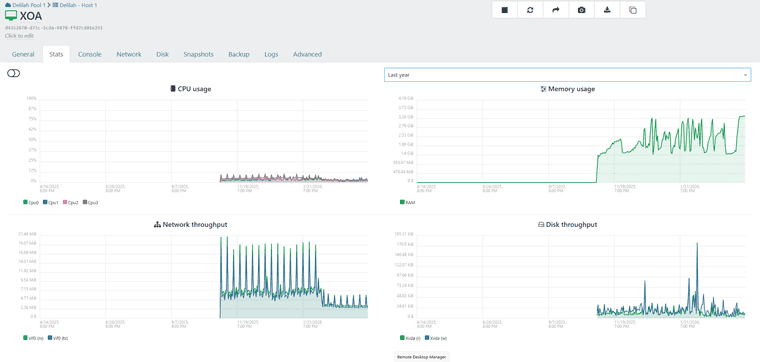
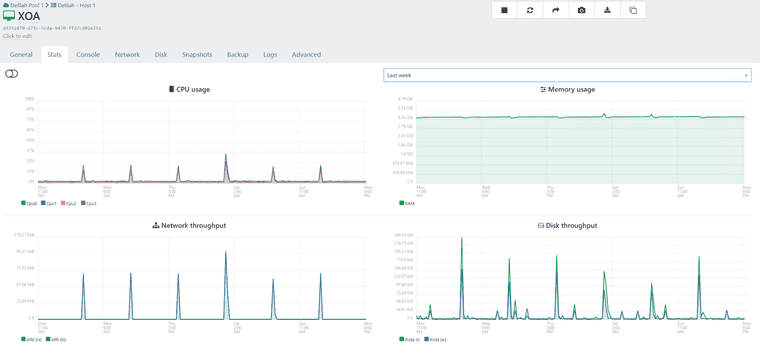
The proxy at the remote site.
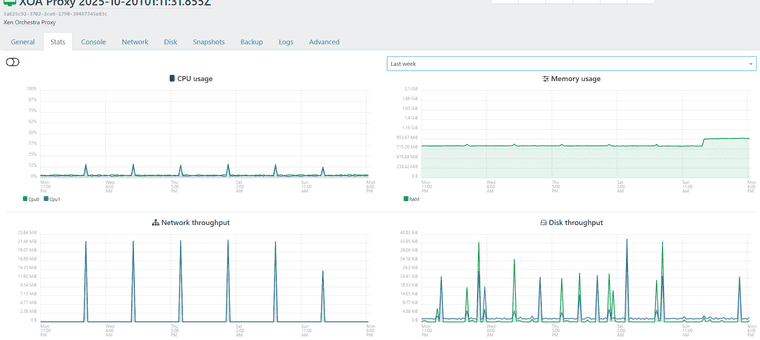
If you want i can create a support ticket.
-
@acebmxer yes please ping Mathieu R and me ( Florent B ) on the ticket so we can get it as fast as possible
Would it be ok to extract the memory of the xoa with this PR https://github.com/vatesfr/xen-orchestra/pull/9704 ?
it should gives us pointers -
@florent @mathieura Support ticket opened - Ticket#7756329
As noted in ticket Yes that is ok. Just note this is production systems.
-
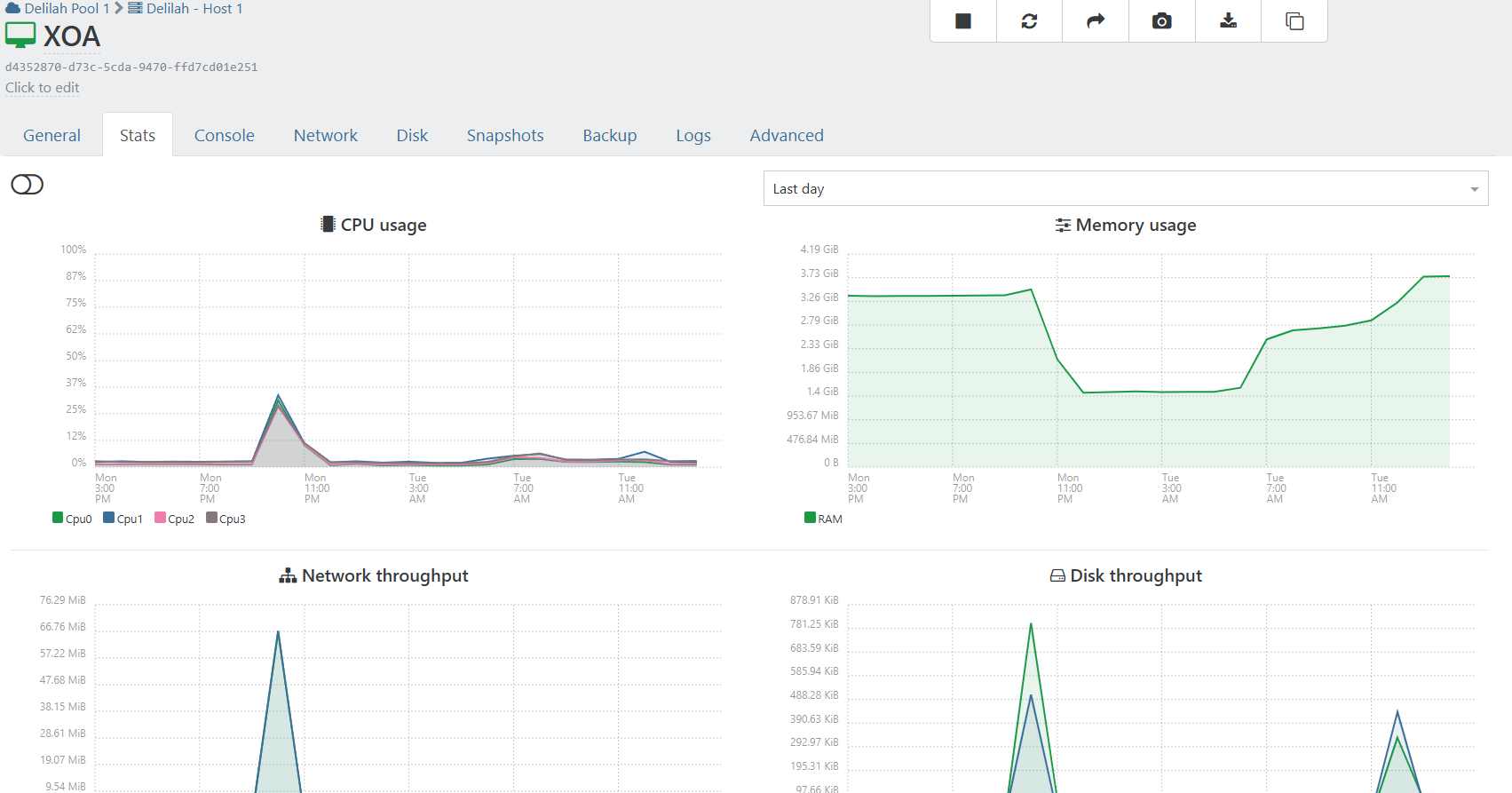
XOA is giving alart about Memory running low.... I have not rebooted xoa or aything since @florent applied patchs to xoa. Support tunnel still open.
-
@acebmxer thanks to you we have discove a new class of candidates for the fix : the TLS session that stayed behind each connection.
the branch is here https://github.com/vatesfr/xen-orchestra/pull/9725 , as soon as we are done on a QA we will patch your xoa
-
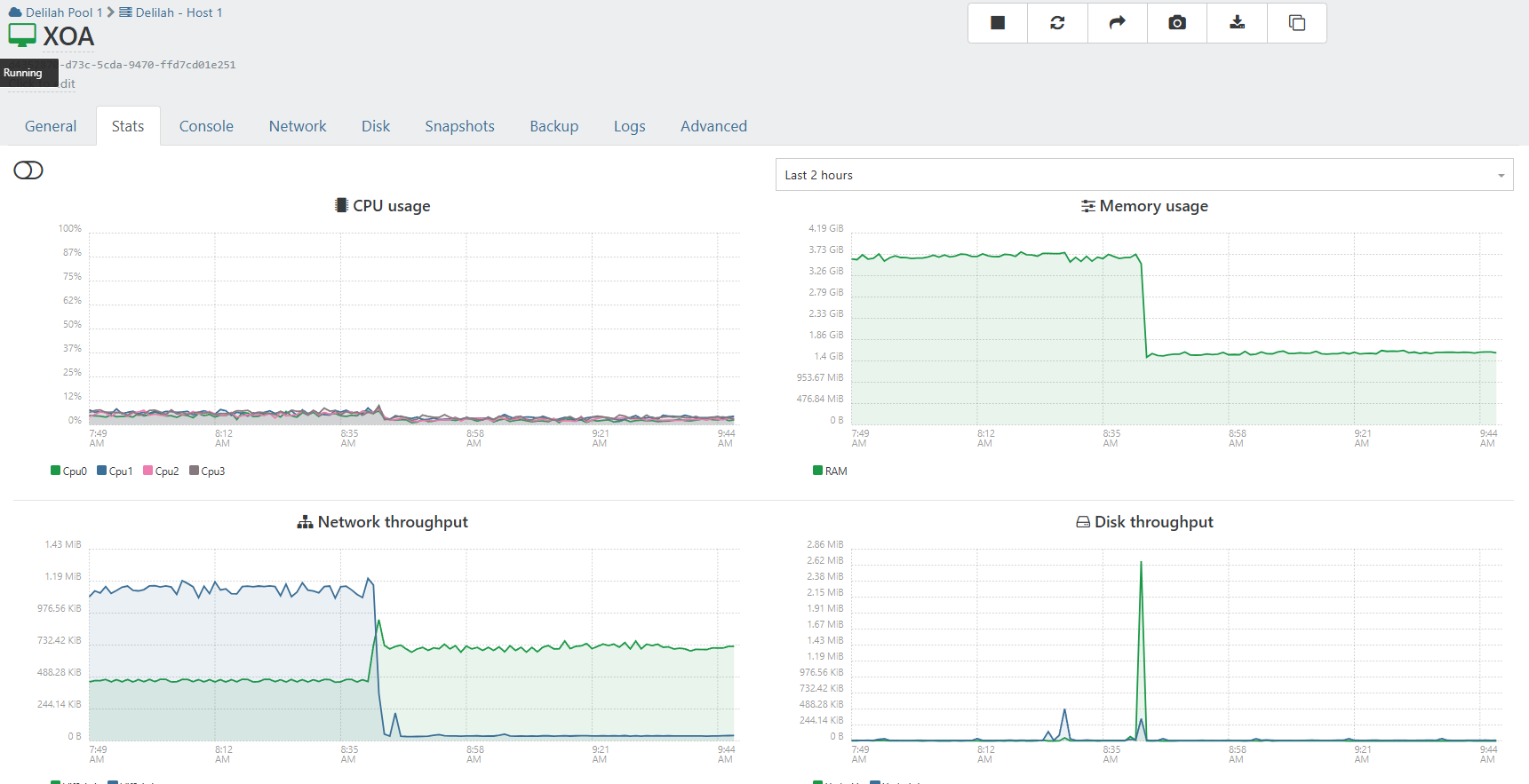
@florent http 401 error on the pull
 odd
odd -
-




Hello! It looks like you're interested in this conversation, but you don't have an account yet.
Getting fed up of having to scroll through the same posts each visit? When you register for an account, you'll always come back to exactly where you were before, and choose to be notified of new replies (either via email, or push notification). You'll also be able to save bookmarks and upvote posts to show your appreciation to other community members.
With your input, this post could be even better 💗
Register Login