XCP-ng
    • Categories
    • Recent
    • Tags
    • Popular
    • Users
    • Groups
    • Register
    • Login

    🛰️ XO 6: dedicated thread for all your feedback!

    Scheduled Pinned Locked Moved Xen Orchestra
    31 Posts 11 Posters 1.0k Views 12 Watching
    Loading More Posts
    • Oldest to Newest
    • Newest to Oldest
    • Most Votes
    Reply
    • Reply as topic
    Log in to reply
    This topic has been deleted. Only users with topic management privileges can see it.
    • P Offline
      probain
      last edited by

      Noticing that the NIC for Realtek RTL8139 shows up as "-" in VM System

      The Intel e1000 works as intended though.
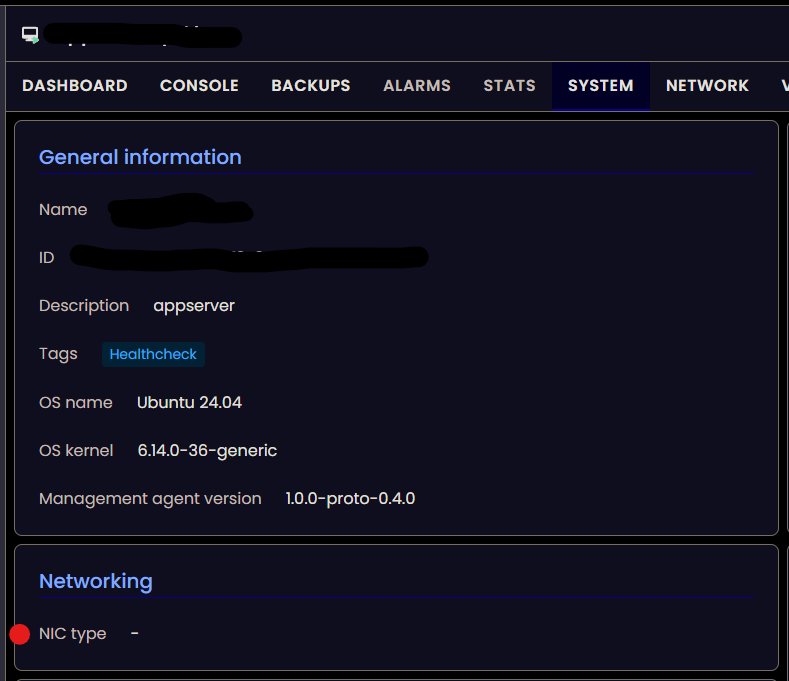
      917dc7b8-e391-48a2-ae0e-1fc03cc71507-image.png

      1 Reply Last reply Reply Quote 0
      • olivierlambertO Offline
        olivierlambert Vates 🪐 Co-Founder CEO
        last edited by

        That's likely because it's the default type, but thanks for the feedback. It doesn't really matter if you can use tools, because NIC type (in fact emulated) should be almost not displayed as it's not used when you use PV drivers.

        1 Reply Last reply Reply Quote 0
        • P Offline
          ph7
          last edited by

          Xen Orchestra, commit 71fa8
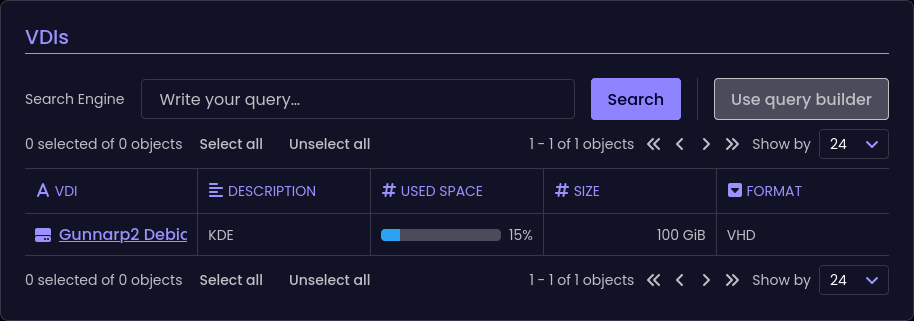
          With a snapshot attached to a VM, it is reported to use 0% of 100GB
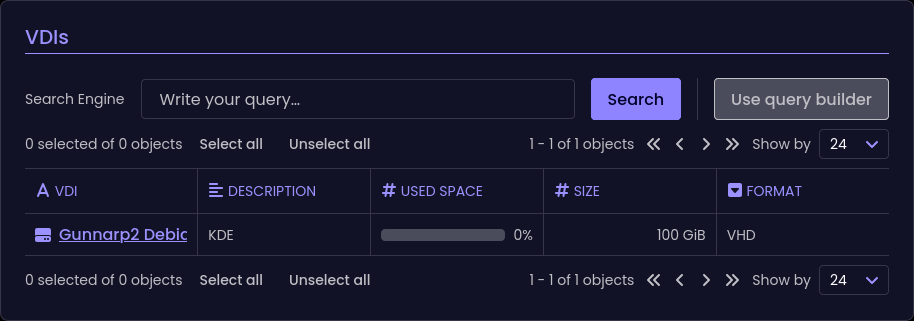
          7fecc14f-bea7-4acb-b5eb-9e2f3c0ac8e6-image.png

          And if I remove the snaphot
          e25ffd4b-796a-47a5-ae21-c2252d2ffc96-image.png

          And that seems to be more accurate

          1 Reply Last reply Reply Quote 0
          • P Offline
            ph7
            last edited by

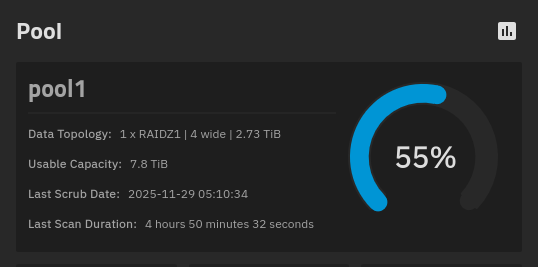
            I have a TrueNas (T1) and a Qnap (Q1) with all kind of stuff in them
            The Truenas is using 55% of storage.
            8d41db91-031d-46cb-95b7-69d634723a3e-image.png

            In XO5 and XO6 the TrueNas doesn't show all storage used
            ff1cce64-f487-4c32-999a-7a5d2d7511ca-image.png

            82189e61-6470-4176-a07b-b2083867ebb9-image.png

            It is only showing the amount of storage used in each dataset

            6ece6e0a-49b7-40af-890a-cd233ec80182-image.png
            2c77028b-a010-4280-a28c-1ee161d1b61f-image.png

            The Qnap seems to be showing the correct values

            P 1 Reply Last reply Reply Quote 0
            • P Offline
              Pilow @ph7
              last edited by

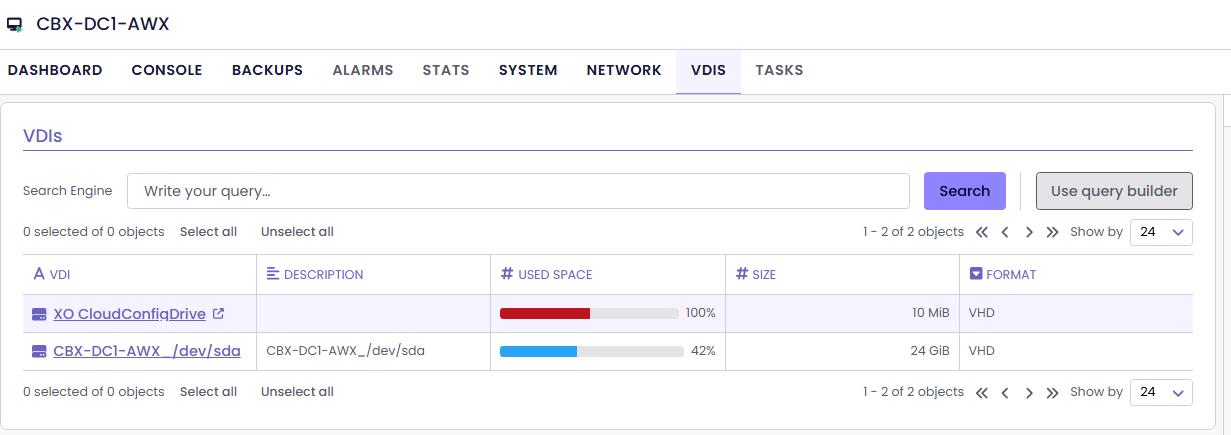
              @ph7 still in VDI section

              85a9d9d1-be27-4eb9-a89b-db8d7f4bb04e-{A04F9520-D831-46B8-A021-3DB25FF8E903}.png

              100%used VDI widget is halfway through 100%

              1 Reply Last reply Reply Quote 0
              • pdoniasP Offline
                pdonias Vates 🪐 XO Team @ph7
                last edited by

                @ph7 Thanks for all the feedback! We took notes of everything, and we're already fixing some of them 🙂

                @jr-m4, @probain and @acebmxer We were eventually able to reproduce the VDI name bug, we'll fix that!

                @Davidj-0 said in 🛰️ XO 6: dedicated thread for all your feedback!:

                Should we add this to https://docs.xen-orchestra.com/installation#installing-dependencies ? Or will it not be necessary after the next release?

                It won't be necessary after we merge this PR, which should be very soon.

                M 1 Reply Last reply Reply Quote 2
                • M Offline
                  MajorP93 @pdonias
                  last edited by

                  First of all thanks for all the hard work that has been done towards reaching the XO 6 milestone!
                  I think you guys nailed it visually.
                  The difference between XO 5 and XO 6 is night and day!

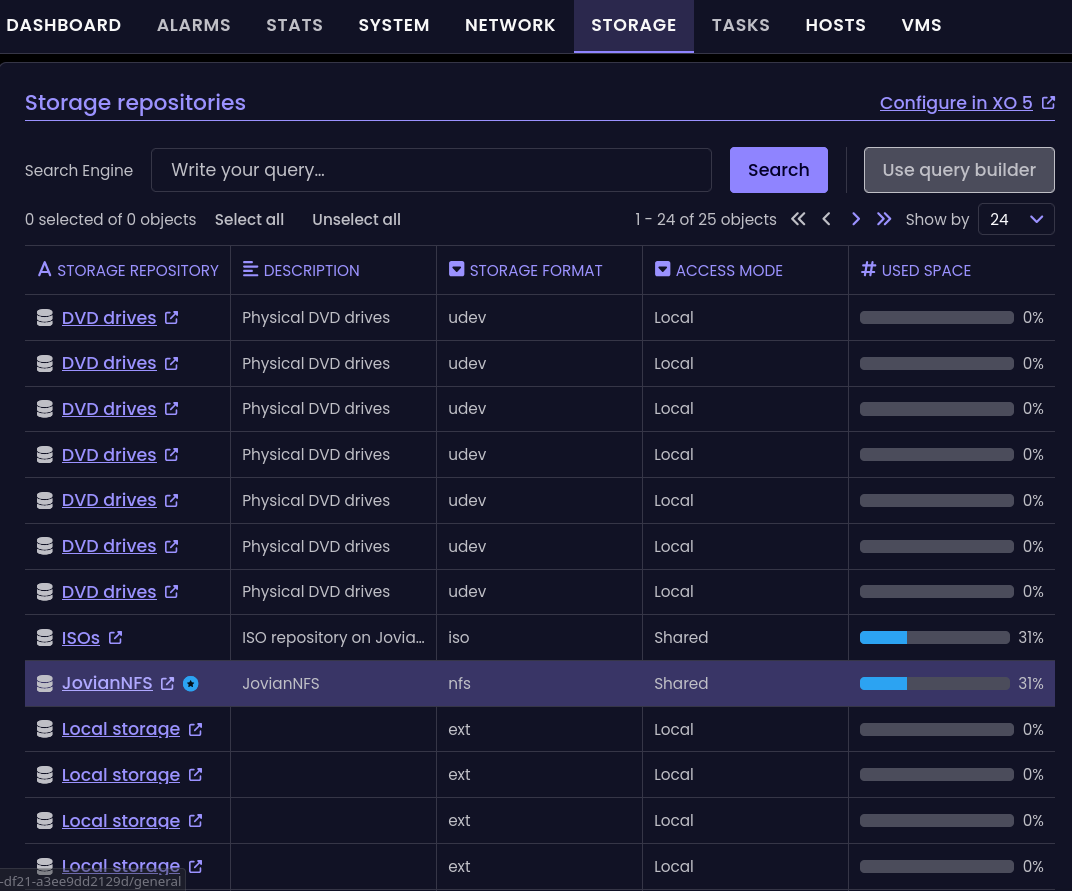
                  I am not sure if you already noticed but in XO 6 when you click on pool --> storage and then click on one of your SR it will open XO 5 in a new tab and show the SR there.
                  That is something that I noticed today when I was trying to perform a task in XO 6.
                  b6477391-f55f-4642-abce-7b059ea574ca-grafik.png

                  Best regards

                  P 1 Reply Last reply Reply Quote 0
                  • P Offline
                    ph7 @MajorP93
                    last edited by

                    @MajorP93
                    If You press the link under Storage repository column, it will open in XO5
                    I think it's by design until XO6 is fully "released"
                    If You press inside of the other 4 columns, it will show info about that repo.

                    1 Reply Last reply Reply Quote 0
                    • TheNorthernLightT Offline
                      TheNorthernLight
                      last edited by

                      I like darkmode, but honestly, the purple on purple is too much. Is there ever a plan to allow for custom theme's to be applied?

                      1 Reply Last reply Reply Quote 3
                      • P Offline
                        ph7
                        last edited by

                        Udated to commit 1640a and it seems like there is a small "defect" to the right
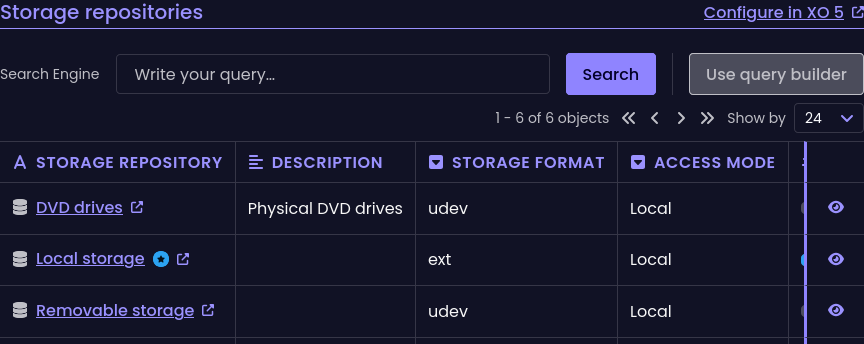
                        717e8bc9-2a19-484f-9393-b310e248f410-image.png

                        I have an old monitor 1680x1050
                        If I increase width of the window, the "line" will disappear but then the window is to wide

                        P 1 Reply Last reply Reply Quote 0
                        • P Offline
                          ph7 @ph7
                          last edited by

                          It's under POOL/STORAGE

                          P 1 Reply Last reply Reply Quote 0
                          • P Offline
                            ph7 @ph7
                            last edited by

                            There is a scroll bar, I didn't see it
                            I can also use the hamburger button to close the side menu

                            P 1 Reply Last reply Reply Quote 0
                            • P Offline
                              ph7 @ph7
                              last edited by

                              If I click on an element, I don't get any info in this window

                              fa4c76ba-1a5e-4ddf-81cb-30b062dac62c-image.png

                              1 Reply Last reply Reply Quote 0
                              • First post
                                Last post