XCP-ng
    • Categories
    • Recent
    • Tags
    • Popular
    • Users
    • Groups
    • Register
    • Login

    ๐Ÿ›ฐ๏ธ XO 6: dedicated thread for all your feedback!

    Scheduled Pinned Locked Moved Xen Orchestra
    66 Posts 21 Posters 2.7k Views 20 Watching
    Loading More Posts
    • Oldest to Newest
    • Newest to Oldest
    • Most Votes
    Reply
    • Reply as topic
    Log in to reply
    This topic has been deleted. Only users with topic management privileges can see it.
    • pdoniasP Offline
      pdonias Vates ๐Ÿช XO Team @olivierlambert
      last edited by

      End of November:

      • XOA admin users on the latest channel will see a new option in the left-hand menu to access XO 6. XO 5 will remain the default interface, but you can begin testing XO 6 whenever you like.

      • Users running XO from source will transition to XO 6 by default, with a link in the interface to return to XO 5 when needed.

      End of December:

      • XOA's latest channel will also move to XO 6 as the default interface. XO 5 will also remain accessible whenever you need it.

      • Stable channel will remain on XO 5 by default.

      1 Reply Last reply Reply Quote 3
      • J Offline
        jr-m4
        last edited by

        Noticed one smallish thing

        When creating a new VM. It creates a Disk-name based on the template you use. However, if you were to change the template for some reason. Maybe you have shaky hands and accidentally chose the wrong list-item. Then the disk name isn't changed, but stays its original set value - based on the first template.

        pdoniasP 1 Reply Last reply Reply Quote 0
        • marcoiM Online
          marcoi
          last edited by

          what build version of XO will start showing v6 interface? I may have missed the announcement.

          i am currently on Xen Orchestra, commit f4988
          Master, commit f4988 and when i try the menu link

          fd60acca-9a19-41d6-aaf8-7fe0ab860666-image.png
          I get a new tab with error below
          fe450aa6-2cb2-4ad1-a14e-1e940971b444-image.png

          anything i am missing? or is the XO build not out yet?

          A 1 Reply Last reply Reply Quote 0
          • A Online
            acebmxer @marcoi
            last edited by acebmxer

            @marcoi check with who wrote your script to install XO from sources.

            https://github.com/ronivay/XenOrchestraInstallerUpdater - this has a option in config file to enable v6 during install/upgrade.

            or try -

            cd /opt/xo/xo-web
            yarn run turbo run build --filter @xen-orchestra/web
            
            marcoiM D 2 Replies Last reply Reply Quote 1
            • marcoiM Online
              marcoi @acebmxer
              last edited by

              @acebmxer said in ๐Ÿ›ฐ๏ธ XO 6: dedicated thread for all your feedback!:

              @marcoi check with who wrote your script to install XO from sources.

              https://github.com/ronivay/XenOrchestraInstallerUpdater - this has a option in config file to enable v6 during install/upgrade.

              or try -

              cd /opt/xo/xo-web
              yarn run turbo run build --filter @xen-orchestra/web
              

              that worked thanks!

              1 Reply Last reply Reply Quote 0
              • P Online
                Pilow
                last edited by

                is there anywhere where we can check the backlog / work in progress / to be done on XO6 ?

                1 Reply Last reply Reply Quote 2
                • P Offline
                  ph7
                  last edited by

                  I have previously put in some feedback in other threads that are not yet "fixed"
                  Shall I put in links to them here ?

                  P 1 Reply Last reply Reply Quote 0
                  • P Offline
                    ph7 @ph7
                    last edited by

                    Xen Orchestra, commit f4988

                    I have a VM that I don't use that much
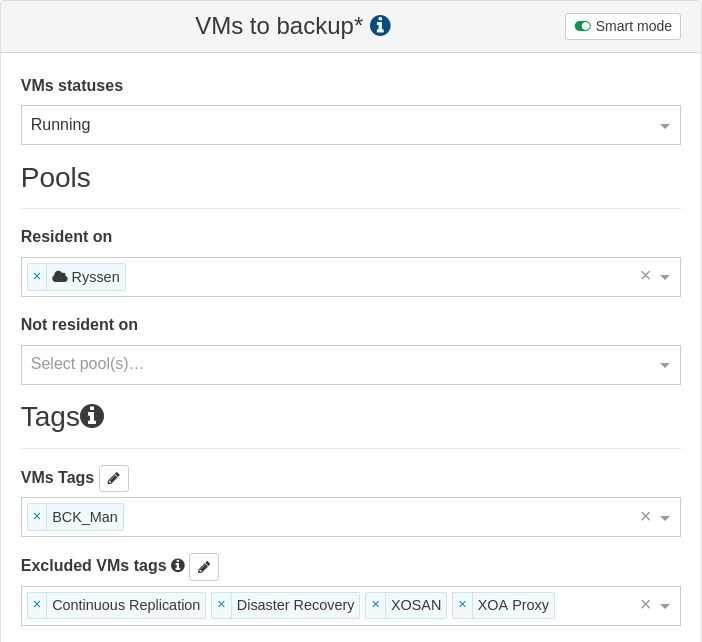
                    It is backed up with smart mode enabled, with a TAG and VM status RUNNING `
                    b92f2a58-8af3-4c05-9047-564401bcbd80-image.png

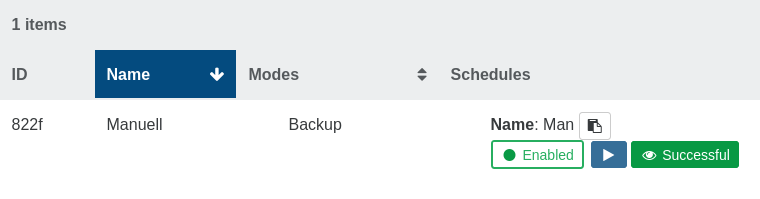
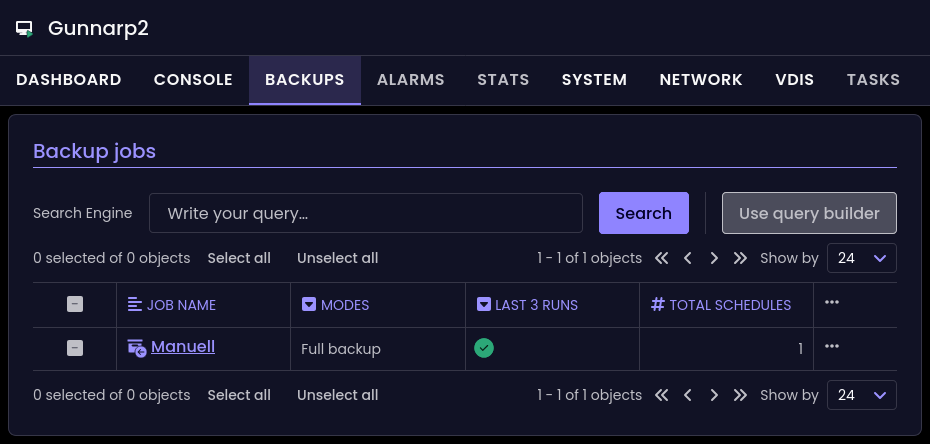
                    But in XO6 it doesn't show up when the VM is powered off
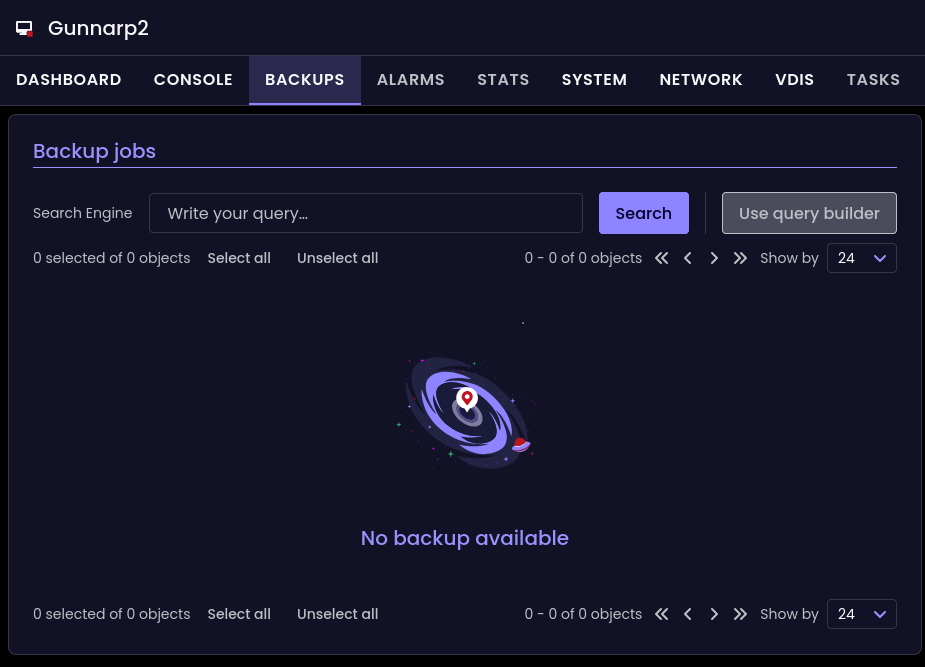
                    cef5fd81-deed-4caa-aaf6-fb2b48c249c8-image.png

                    It's shown in XO5
                    570e998e-04d2-4062-82ce-e97a89c973f0-image.png

                    If I start it, it will show up
                    64e22d78-fad9-4068-b928-da1e8170ac84-image.png

                    1 Reply Last reply Reply Quote 0
                    • pdoniasP Offline
                      pdonias Vates ๐Ÿช XO Team @jr-m4
                      last edited by

                      @jr-m4 Thanks for the feedback! I tried to reproduce that but I don't seem to get the same behaviour. Let me make sure I understood:

                      • You select a template
                      • VDI names get prefilled automatically
                      • You select another template
                      • VDI names don't change automatically (but on my side it looks like they do change)

                      Could you confirm that?

                      @marcoi Thanks @acebmxer for answering, we'll make a change very soon so that you no longer have to do that.

                      @pilow Our precise backlog is private but here's the short-term roadmap:

                      • Actions, starting with VMs lifecycle. XO 6 is mostly read-only for now but this will change soon.
                      • User management and allowing non-admin users to use XO 6 + ACLs.
                      • XOA license management.

                      @ph7 If we answered your other messages, most likely we have it in our backlog. But just to make sure we're not missing anything, you can indeed put the links here and we'll check them. Thanks again!

                      P P 3 Replies Last reply Reply Quote 0
                      • P Offline
                        ph7 @pdonias
                        last edited by

                        @pdonias
                        This is not my tread but I did enter some info
                        https://xcp-ng.org/forum/post/98246

                        Here are a few other
                        https://xcp-ng.org/forum/topic/10755/feedback-xo-v6
                        https://xcp-ng.org/forum/topic/10473/xo6-backup-displayed-in-start-page-dash-board-feedback
                        https://xcp-ng.org/forum/topic/9788/tags-menu

                        pdoniasP 1 Reply Last reply Reply Quote 0
                        • P Offline
                          probain
                          last edited by

                          Creating a new VM. The "Created by" field is trashed. (bad joke). But the UI-bugg is there.
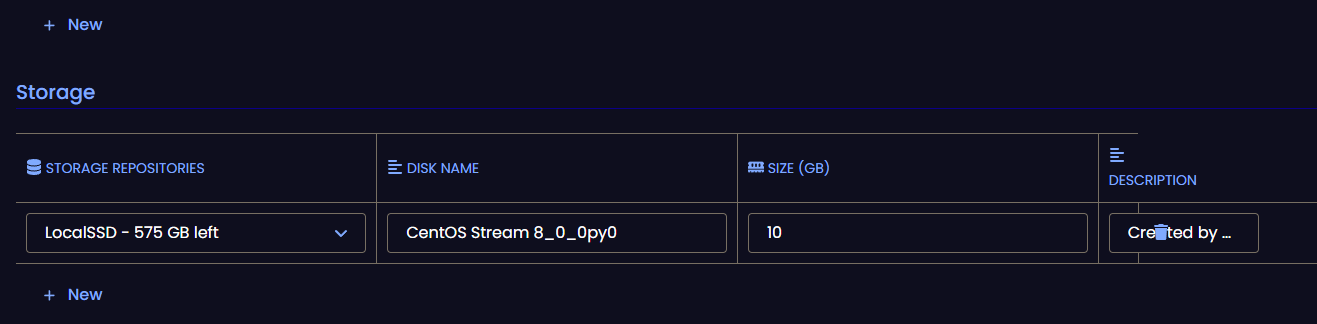
                          7a36bcb5-20d7-496d-8e51-fb33d651026e-image.png

                          1 Reply Last reply Reply Quote 0
                          • P Offline
                            probain @pdonias
                            last edited by

                            @pdonias said in ๐Ÿ›ฐ๏ธ XO 6: dedicated thread for all your feedback!:

                            @jr-m4 Thanks for the feedback! I tried to reproduce that but I don't seem to get the same behaviour. Let me make sure I understood:

                            • You select a template
                            • VDI names get prefilled automatically
                            • You select another template
                            • VDI names don't change automatically (but on my side it looks like they do change)

                            Could you confirm that?
                            This is my other account.
                            Acctually. The VDI name does change. But it changes to the name of the previous selected template.

                            This is the steps I do, and it is reproducible

                            • I choose to create new vm
                            • I choose the first template. (Almalinux ๐Ÿ˜Ž
                            • VDI is named: disk_0_rggi
                            • Without leaving the page. Choosing another template instead. (CentOS 7)
                            • The VDI is now named: AlmaLinux 8_0_3cgh
                            • This behaviour repeats each time a new template is chosen.
                            1 Reply Last reply Reply Quote 0
                            • A Online
                              acebmxer
                              last edited by

                              @pdonias

                              I can confirm with @probain with UI bug.

                              If i start new vm from template and select the template Ubuntu 24.04.3 to start.
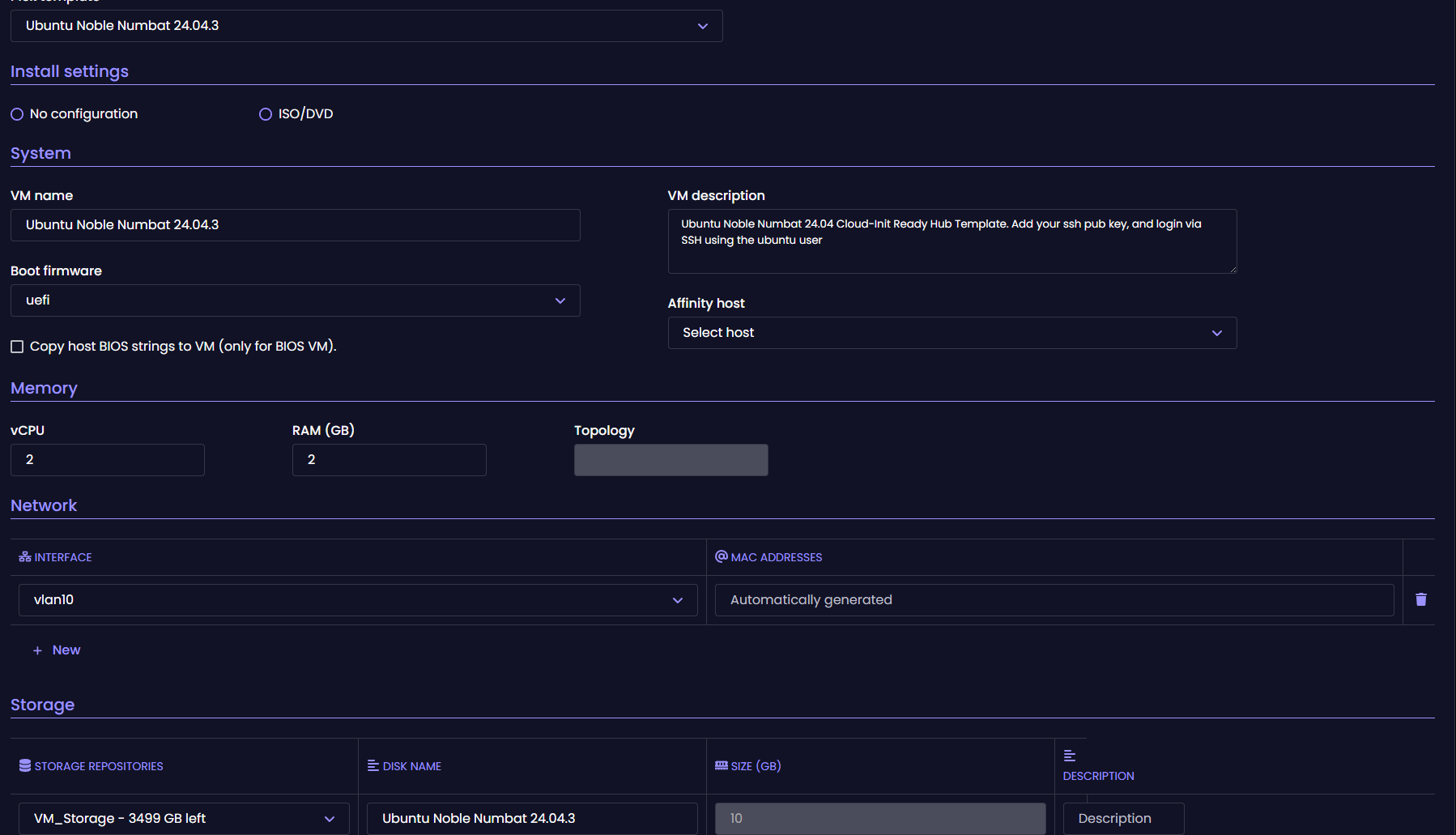
                              Screenshot 2025-11-28 170457.png

                              Then switch to any other template (pic below shows Rocky Linux template) the storage name does update by adding *_qxaj at the end but still remains named ubuntu not rocky linux. Also see the description bug appear.
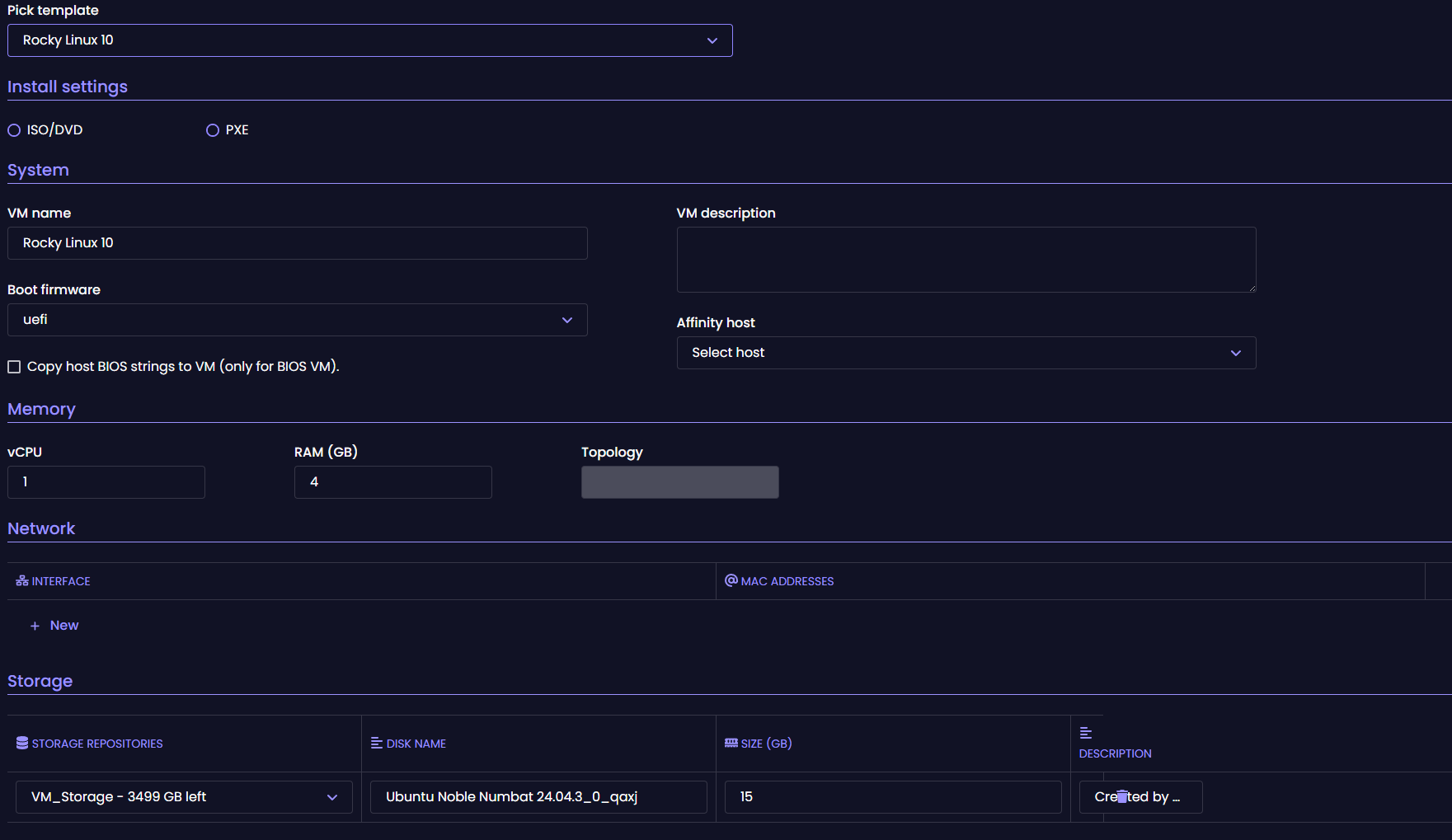
                              Screenshot 2025-11-28 170435.png

                              If i switch back to the original template (second template switch) the storage name drops the _qxaj and description bug goes away.

                              1 Reply Last reply Reply Quote 1
                              • P Offline
                                ph7
                                last edited by

                                Xen Orchestra, commit 71fa8
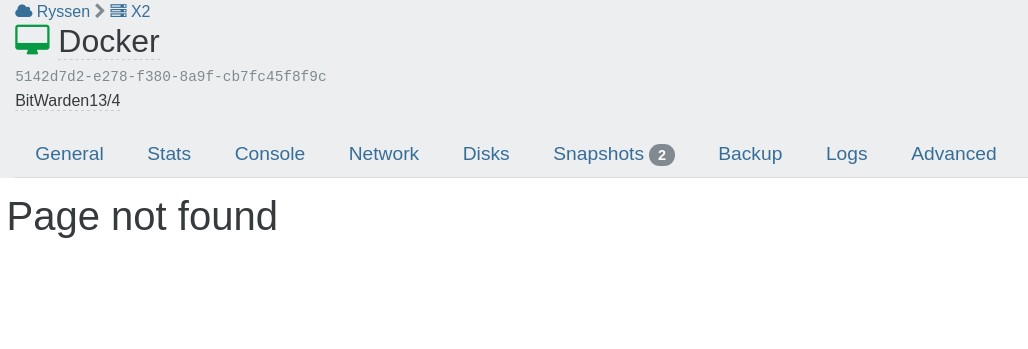
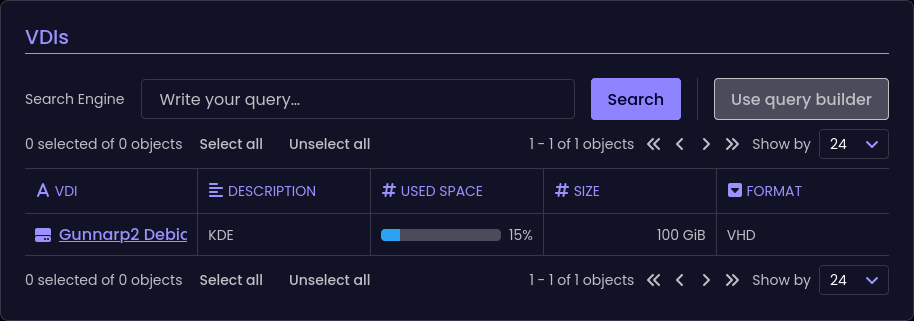
                                If I press the link to the Docker VDI
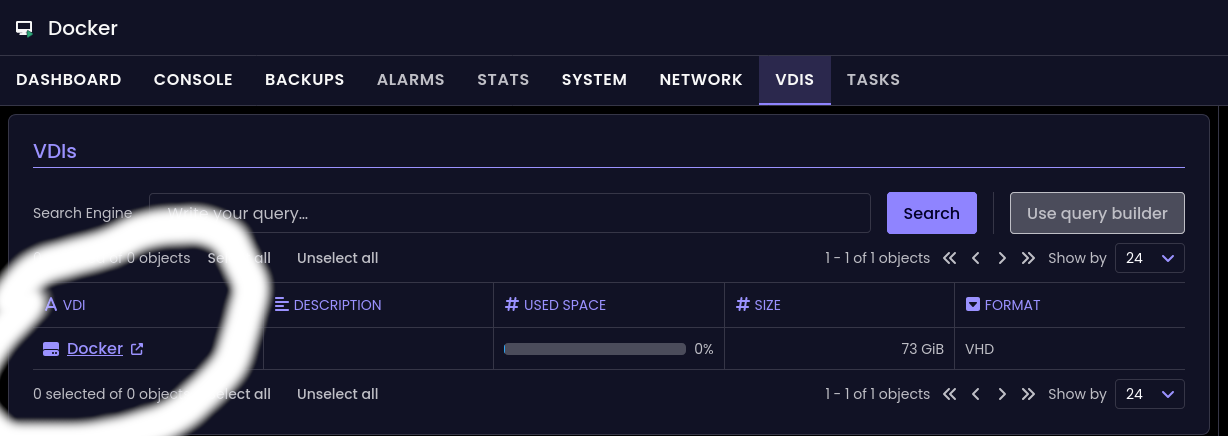
                                Screenshot 2025-11-28 at 23-18-10 Xen Orchestra.png

                                I get to this page in XO5
                                ed4d1da4-6e4d-4705-a43c-8d85dd3b3769-image.png

                                1 Reply Last reply Reply Quote 0
                                • P Offline
                                  ph7
                                  last edited by

                                  Xen Orchestra, commit 71fa8
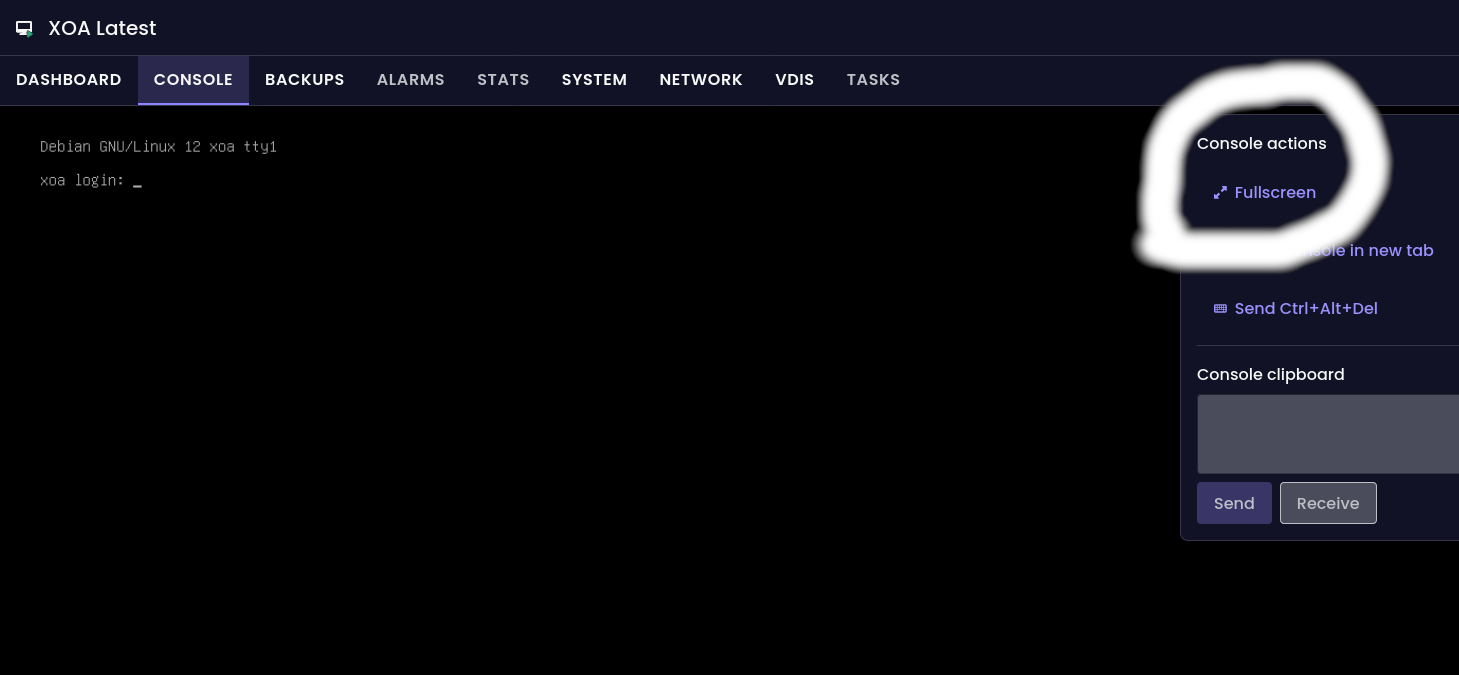
                                  If I press the fullscreen button

                                  91cc50f6-a558-409c-8ba9-b84a9ae5a804-Screenshot 2025-11-28 at 23-25-57 Xen Orchestra.png

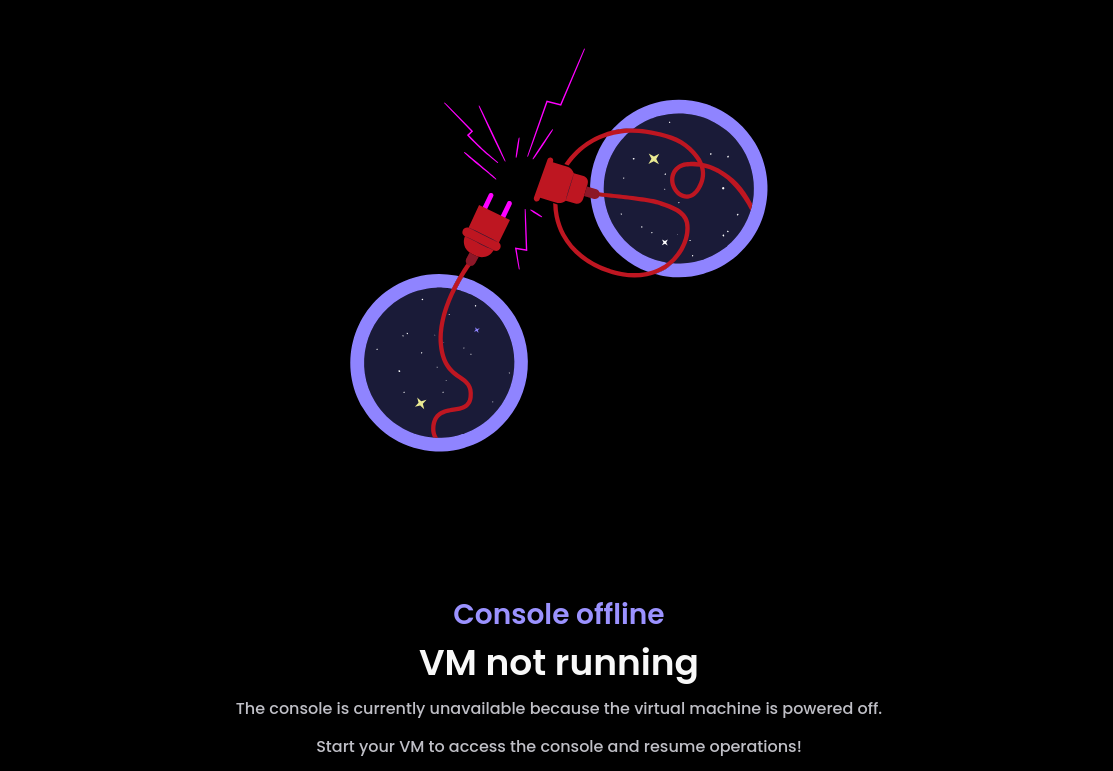
                                  Enter full screen in Firefox and then power down the VM, while remaining in Full Screen :
                                  50874133-38bf-45b9-aab4-390b8a90998e-image.png

                                  Refresh or (ctrl)F5 doesn't work
                                  To get back to XO I have to press back arrow

                                  1 Reply Last reply Reply Quote 0
                                  • P Offline
                                    ph7
                                    last edited by

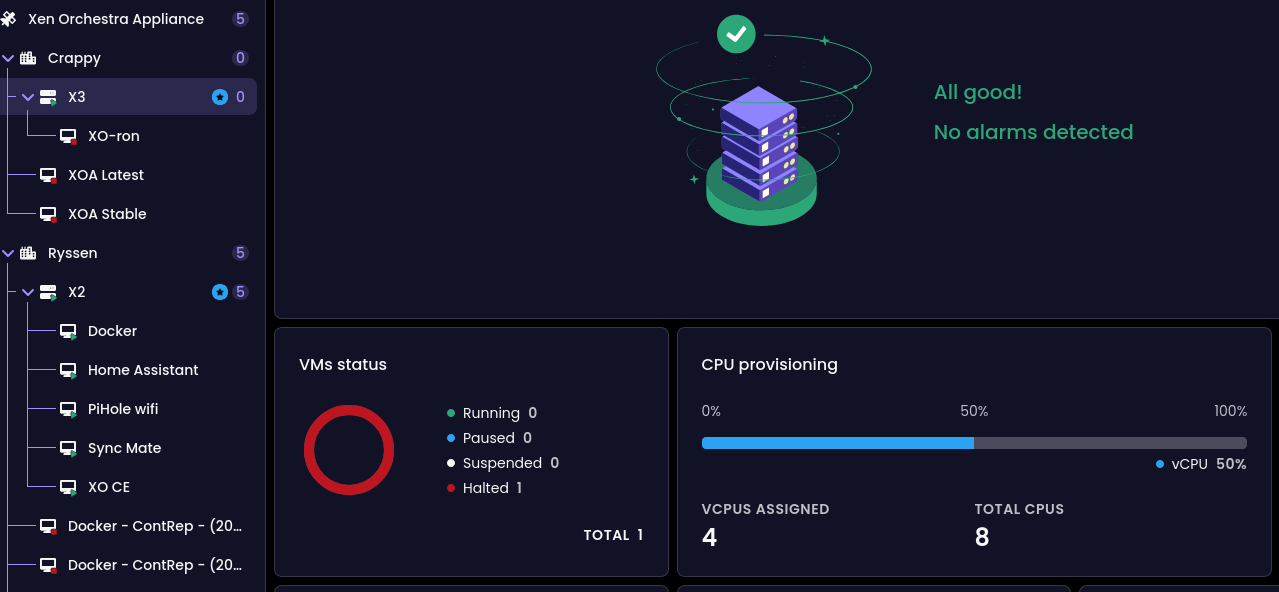
                                    I have 3 VMs, one of them is on local storage and powered off
                                    In the Host Dashboard the CPU provisioning shows 50 % but the actual/current use is 0%
                                    it would be nice if the CPU provision section could also show how many ยด vcpus ` are in use

                                    2a2a1f92-ff03-4896-b3c2-4b16fb6bf1ec-image.png

                                    1 Reply Last reply Reply Quote 1
                                    • D Offline
                                      Davidj 0 @acebmxer
                                      last edited by

                                      @acebmxer said in ๐Ÿ›ฐ๏ธ XO 6: dedicated thread for all your feedback!:

                                      yarn run turbo run build --filter @xen-orchestra/web

                                      @acebmxer Thanks for this!
                                      I've been building XO from the source using the documentation at https://docs.xen-orchestra.com/installation#from-the-sources and haven't been able to use XO-6, either. This fixed it.

                                      @olivierlambert
                                      Should we add this to https://docs.xen-orchestra.com/installation#installing-dependencies ? Or will it not be necessary after the next release?

                                      1 Reply Last reply Reply Quote 1
                                      • P Offline
                                        probain
                                        last edited by

                                        Noticing that the NIC for Realtek RTL8139 shows up as "-" in VM System

                                        The Intel e1000 works as intended though.
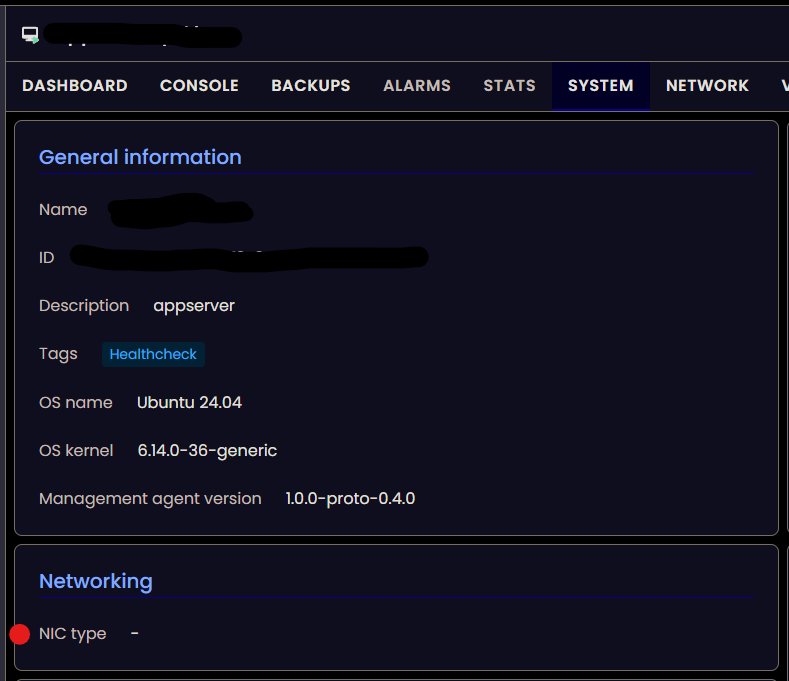
                                        917dc7b8-e391-48a2-ae0e-1fc03cc71507-image.png

                                        1 Reply Last reply Reply Quote 0
                                        • olivierlambertO Online
                                          olivierlambert Vates ๐Ÿช Co-Founder CEO
                                          last edited by

                                          That's likely because it's the default type, but thanks for the feedback. It doesn't really matter if you can use tools, because NIC type (in fact emulated) should be almost not displayed as it's not used when you use PV drivers.

                                          1 Reply Last reply Reply Quote 0
                                          • P Offline
                                            ph7
                                            last edited by

                                            Xen Orchestra, commit 71fa8
                                            With a snapshot attached to a VM, it is reported to use 0% of 100GB
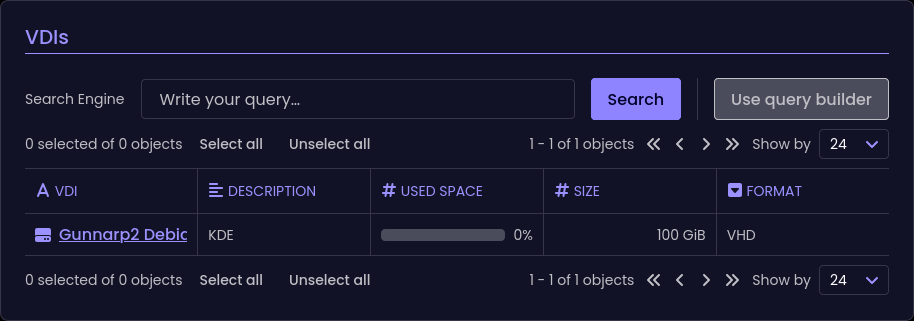
                                            7fecc14f-bea7-4acb-b5eb-9e2f3c0ac8e6-image.png

                                            And if I remove the snaphot
                                            e25ffd4b-796a-47a5-ae21-c2252d2ffc96-image.png

                                            And that seems to be more accurate

                                            1 Reply Last reply Reply Quote 0
                                            • First post
                                              Last post