XCP-ng
    • Categories
    • Recent
    • Tags
    • Popular
    • Users
    • Groups
    • Register
    • Login
    • Profile
    • Following 0
    • Followers 0
    • Topics 0
    • Posts 17
    • Groups 0
    G Offline
    1. Home
    2. GregBinSD

    GregBinSD

    @GregBinSD

    2
    Reputation
    2
    Profile views
    17
    Posts
    0
    Followers
    0
    Following
    Joined
    Last Online

    GregBinSD Unfollow Follow
    • RE: XOA Unable to connect xo server every 30s

      Here are two more notes regarding the XO6 "Unable to connect to XO server. Retry" message, which pops up after 30 seconds.

      It occurs when either the Chrome or the Microsoft Edge browsers are used on my Windows 11 PC.

      However, I often use a Samsung Tab-A9 (tablet), and it does not have this issue with XO6. It uses the Chrome browser.

      posted in Xen Orchestra
      G
      GregBinSD
    • RE: XOA Unable to connect xo server every 30s

      Here are two more notes regarding the XO6 "Unable to connect to XO server. Retry" message, which pops up after 30 seconds.

      It occurs when either the Chrome or the Microsoft Edge browsers are used on my Windows 11 PC.

      However, I often use a Samsung Tab-A9 (tablet), and it does not have this issue with XO6. It uses the Chrome browser.

      posted in Xen Orchestra
      G
      GregBinSD
    • RE: XOA Unable to connect xo server every 30s

      @jerry1333 @poddingue

      First of all, XO and XCP-ng are running very well on all hosts and VMs, and I am using XO-5 without any issues.

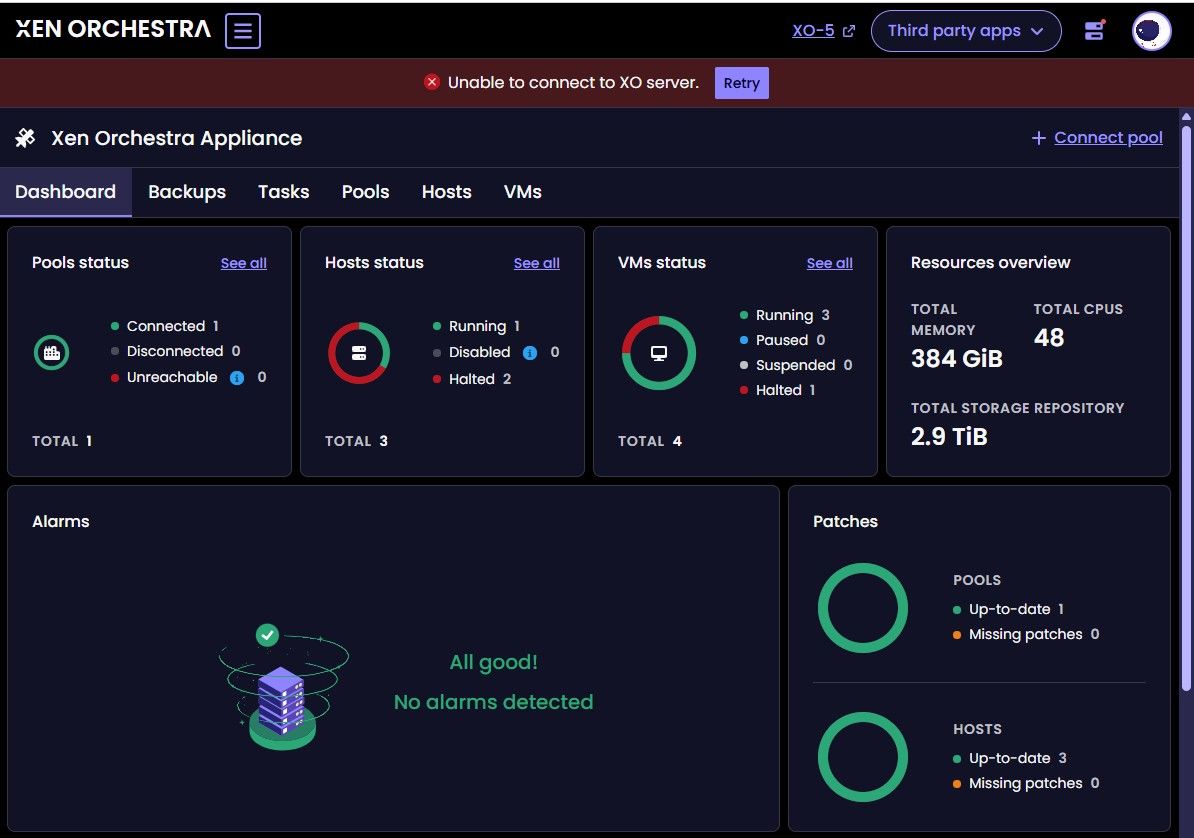
      I have been noticing the same exact issue jerry1333 had, or may still have, with an annoying message that appears just after 30 seconds of connecting to the Xen Orchestra version 6 initial home screen with a Chrome browser (version 153) on my Windows 11 PC. In the past, the error message at the top of the window used to cycle on and off, over and over every 30 seconds. Now, if I don't click on "Retry", the "Unable to connect" message remains indefinitely.

      Xen Orchestra is up to date: Master, commit fc571

      image.jpeg

      I consider this to be a mere annoyance, but if I am the only one experiencing this, perhaps someone can give me a suggestion on where to look for a solution.

      Thank you.

      posted in Xen Orchestra
      G
      GregBinSD
    • RE: Backup fails with "Body Timeout Error", "all targets have failed, step: writer.run()"

      @pierrebrunet @poddingue @jb

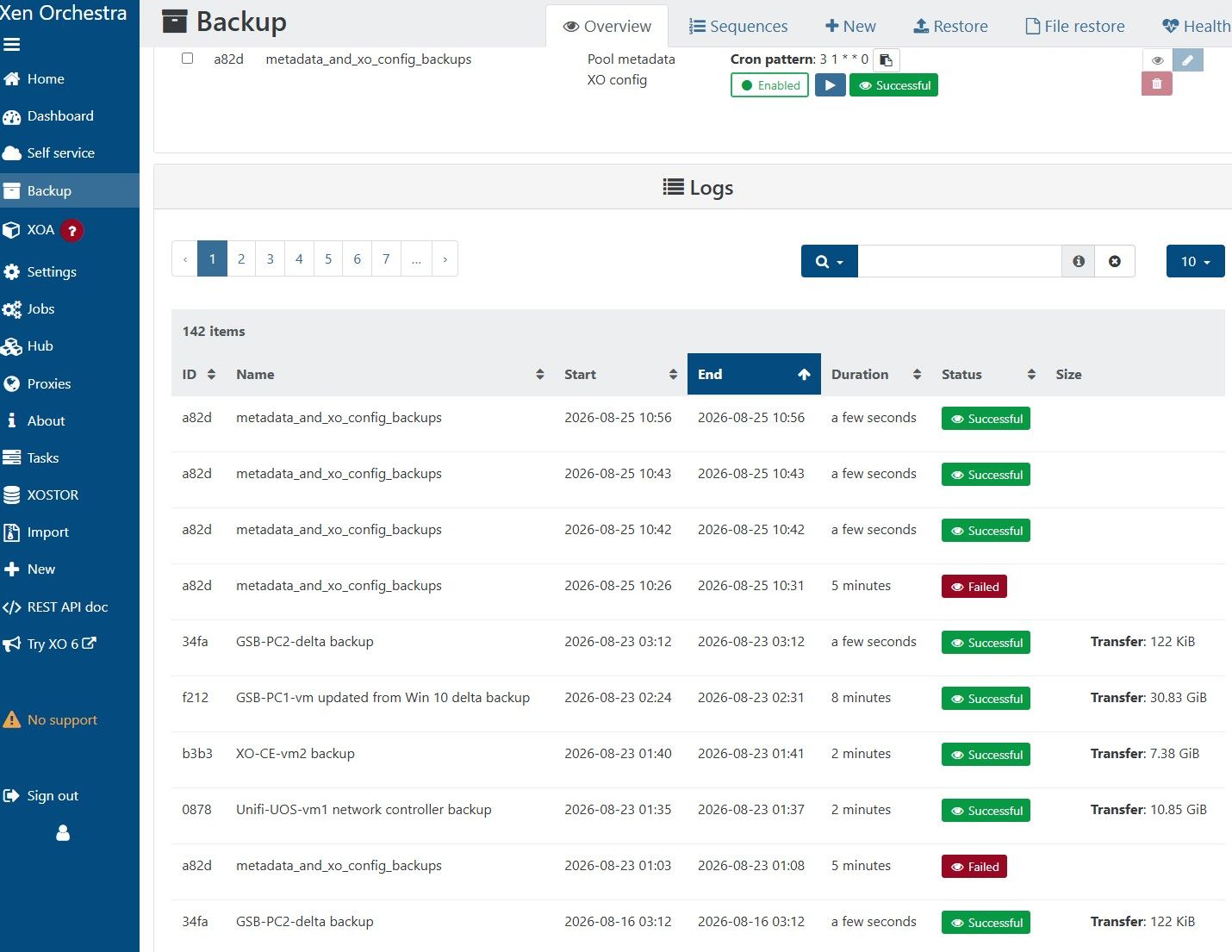
      FYI, I waited until after the automated backups occurred this morning to tell you that the pool_metada and xo_config backups are now working well to my NFS BR, after I had processed the global update and did a rolling pool update last week.

      My thanks to the XO team.

      posted in Backup
      G
      GregBinSD
    • RE: Backup fails with "Body Timeout Error", "all targets have failed, step: writer.run()"

      Here is the log for the GUI Backup function:

      1dab5aec-6f9a-4338-bf7d-dab065e17e43-image.jpeg

      posted in Backup
      G
      GregBinSD
    • RE: Backup fails with "Body Timeout Error", "all targets have failed, step: writer.run()"

      Here is my story:
      I responded to the notice regarding the latest update of the main branch, Master, commit 9cdaf, by updating the XO-CE vm, rebooting the XO-CE vm, bringing all 3 XCP-ng hosts on line, and then running the XO-CE GUI and selecting Pool Rolling Update.
      The rolling update cycled through all 3 hosts in the pool.
      I then attempted to run a pool metadata and xo_config backup.
      It failed by timing out at 5 minutes.
      I decided to shutdown the pool master, so I transferred all VMs to the other 2 hosts and shutdown the master for 15 seconds. I powered on the master, and transferred the VMs back to the master.
      I shutdown the other 2 hosts, and then powered them back on. All hosts are indicating "green" status.
      At this point I attempted to run the pool metadata and xo_config backup, and it ran successfully.
      I waited 2 minutes and ran it again, with success again!
      Lastly, I powered down the other 2 hosts, and with the VMs all running on the master, I ran the pool metadata and xo_config backup again, with apparent success.
      If someone can tell me the location of the logs that recorded this operation, I will look at them closely to confirm that the pool metadata and xo_config backups actually took place.
      Thank you.

      posted in Backup
      G
      GregBinSD
    • RE: Backup fails with "Body Timeout Error", "all targets have failed, step: writer.run()"

      @christopher-petzel
      Great news!
      I will test and report after it is available in a global update.
      Thank you Christopher.

      posted in Backup
      G
      GregBinSD
    • RE: Backup fails with "Body Timeout Error", "all targets have failed, step: writer.run()"

      @jb
      @olivierlambert
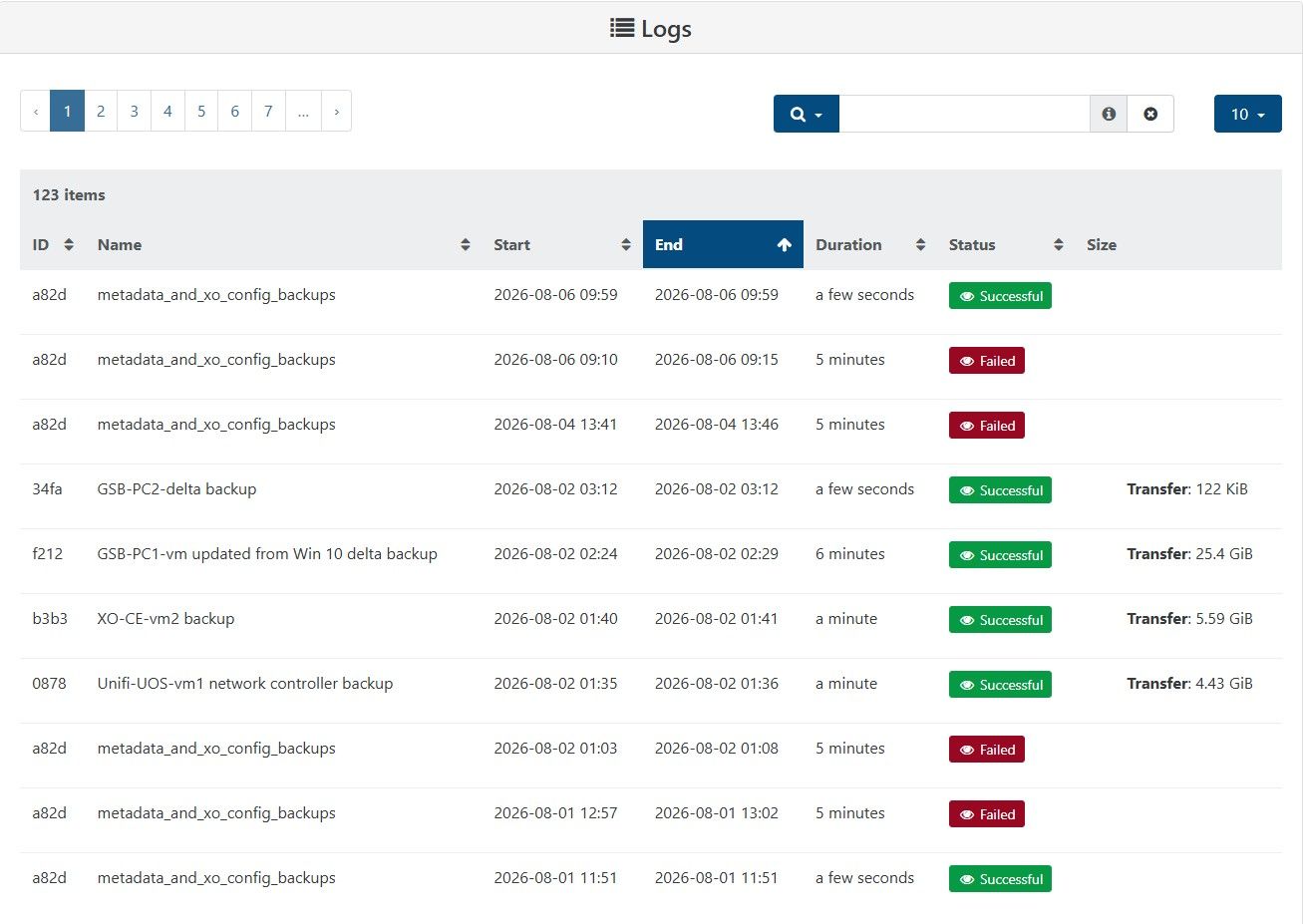
      Oliver, you may be right, wondering whether they really worked. How can I prove that the metadata and xo-config backups were truly successful?

      Below, I pasted in the GUI backup log from XO5.

      425ae32e-ada6-4498-af93-eff3c5bb451a-image.jpeg

      posted in Backup
      G
      GregBinSD
    • RE: Backup fails with "Body Timeout Error", "all targets have failed, step: writer.run()"

      @jb
      You have hit on something that ties into what I have discovered. Since July 1, on my XCP-ng / XO-CE cluster, the metadata and xo-config backup job only runs successfully when I have all 3 hosts in my cluster active, and after I have reset the tool stack on the Master host.

      Because I am running the XCP-ng and XO-CE on an off-grid solar/battery system, independent of my electric bill, I try to limit total power to 250 watts for all devices (network switches, iSCSI NAS, XCP-ng hosts, etc). Consequently, I run only one host on a regular basis. When it is necessary to update XCP-ng, I turn on all hosts and do a rolling pool update. If I manually perform a metadata and xo-config backup while all of the hosts are on, only then will the backup be successful.

      Before July 1, the metadata and xo-config back was always successful, whether it was scheduled or manual.

      Hopefully, this will turn on a light bulb in the head of a Vates engineer, and he or she will solve this issue!
      posted in Backup
      G
      GregBinSD
    • RE: Backup fails with "Body Timeout Error", "all targets have failed, step: writer.run()"

      A little more information about my post...
      5 minutes ago, I deleted the metadata and xo-config backup job.
      Next, I deleted the xo-config-backups directory on the remote NFS.
      I also deleted the xo-pool-metadata-backups directory on the remote NFS.
      I then created a new "metadata_and_xo_config_backup" job and then ran it.
      The new job created both a xo-config-backups directory with sub dirs, as well as a xo-pool-metadata-backups directory under the /Backups NFS share on the NAS.
      The xo-config-backups directory has a subdir and it holds a data.json (size 22.55KB), and a metadata.json (size 233 Bytes).
      The xo-pool-metadata-backups directory has a subdirectory structure that has no saved data, no files.
      The job failed after waiting a 5-minute period.

      posted in Backup
      G
      GregBinSD
    • RE: Backup fails with "Body Timeout Error", "all targets have failed, step: writer.run()"

      Also seeing the "Body timeout error" only on the metadata and XO-config backups for the past 2 weeks. All the VMs are backing up just fine.
      The Remote is NFS on a share called Backups:
      NFS Backups \192.168.191.8:Port:/Backups Click to edit
      2 TiB / 4.84 TiB 105.4 MiB/s / 1.8 GiB/s None

      I recently needed to restore from the metadata and xo-config backs and was able to find an old one, but can't make any new ones, so it is a source of concern.

      posted in Backup
      G
      GregBinSD