Subcategories

  • VMs, hosts, pools, networks and all other usual management tasks.

    499 Topics
    4k Posts
    I
    @tjkreidl everything looks normal. I also shared SOS report with @goulven I hope I'll get a feedback on slowness.
  • ACLs, Self-service, Cloud-init, Load balancing...

    107 Topics
    877 Posts
    Bastien NolletB
    Hello @ludalm13, Thanks for your contribution and sorry for not giving an answer earlier. We initially planned to review your PR while doing some additional work on the audit plugin, but our planning evolved and that work was postponed. We'll review your PR in the following days.
  • All XO backup features: full and incremental, replication, mirrors...

    550 Topics
    6k Posts
    T
    @Pilow, I saw your update that the affected backups show SUCCESS in XOA, are present on the remote, and have been restored successfully. Given that, your suggestion about the report being generated before the final status is available seems reasonable. Bastien’s delay test looks like a useful way to check that. You mentioned the first day after applying it was clear, although with the issue appearing intermittently, it would probably take several days of reports to know whether it helped. I also saw your later test: one- and two-second delays still produced interrupted reports, while three seconds appeared to work over two days. The team has since merged a five-second delay. If you’re still seeing the original mismatch, can you confirm whether your current XO build includes that change? That would help establish whether there’s another timing issue, or whether the fix simply hasn’t reached the installation yet. For the next occurrence, it may help to keep the email timestamp and the run log for that same job, particularly if only one VM in a larger job is marked interrupted in the report. Posting those alongside the XO version would give the team something specific to compare. On a related note, Mail Backup X could be useful as a separate routine if you also want backups of your email accounts. It’s a convenient tool that works across the spectrum and is compatible with IMAP-based email accounts, offers incremental backups and encryption support.
  • Everything related to Xen Orchestra's REST API

    89 Topics
    656 Posts
    P
    Hi, This was fixed in Latest. But if you need to stay on Stable, you can open a ticket to have a patch.
  • Terraform, Packer or any tool to do IaC

    54 Topics
    507 Posts
    D
    For anyone else who steps through this, I've also installed the latest xen-guest-agent with the below process. Repeat for each host in the environment, 1 at a time from your Helper VM. ### ssh into your helper ### oc debug node/fedora-cmp-1/2/3 chroot /host cd /var/tmp curl -LO https://gitlab.com/xen-project/xen-guest-agent/-/jobs/6041686376/artifacts/raw/RPMS/x86_64/xen-guest-agent-0.4.0-0.fc37.x86_64.rpm sudo rpm-ostree install /var/tmp/xen-guest-agent-0.4.0-0.fc37.x86_64.rpm mkdir /var/tmp/xga && cd /var/tmp/xga rpm2cpio ../xen-guest-agent-0.4.0-0.fc37.x86_64.rpm | cpio -idmv ### From your helper... DRAIN YOUR WORKERS ### oc adm drain fedora-cmp-1/2/3 --ignore-daemonsets --delete-emptydir-data ### log back into fedora-cmp-1/2/3... ### sudo systemctl reboot ### from helper ### oc adm uncordon fedora-cmp-1/2/3 ### login to fedora-cmp-1/2/3 ### chroot /host sudo systemctl enable --now xen-guest-agent And then from XO this is what your VMs will look like. [image: image.jpeg]
  • 🛰️ XO 6: dedicated thread for all your feedback!

    Pinned
    334
    7 Votes
    334 Posts
    229k Views
    coolsport00C
    @julienXOvates Superb Julien. I figured it was in your really long list that you all are working on. Appreciate the response!
  • Xen Orchestra web UI becomes unresponsive when an NFS backup remote goes offline

    Unsolved
    19
    0 Votes
    19 Posts
    961 Views
    poddingueP
    Thanks, both of you, for putting the tests on the GitHub issue (https://github.com/vatesfr/xen-orchestra/issues/10741). Florent and the devs have everything in one place now. @frb94, sorry the NFS side pushed you back to Veeam for the VM backups. I can't promise anything on timing, but I'll keep an eye on the issue and post here if it moves.
  • 0 Votes
    15 Posts
    348 Views
    O
    @jr-m4 hello, thanks for your feedback, I've gathered your feedback and will work with our designer to improve the UX/UI. Thanks again for testing
  • 1 Votes
    4 Posts
    277 Views
    Bastien NolletB
    Here's the fix, which should be merged in the following days/weeks, and should be in the next XO release: https://github.com/vatesfr/xen-orchestra/pull/10809
  • Increasing the disk size of vmguest without shuting down

    Unsolved
    12
    0 Votes
    12 Posts
    7k Views
    olivierlambertO
    Hi @odmsys It's on the roadmap and it won't wait for SMAPIv3. I truly hope we can bring something in a matter of few months, at least to have it to test
  • Rolling pool update

    13
    0 Votes
    13 Posts
    694 Views
    J
    @tjkreidl said: @john.c Note that a two-host pool running HA can run into the split-brain issue if one of the hosts fails; it's highly recommended to have at least three hosts in an HA pool (or look into HA-Lizard if running a pool with two hosts and HA). Right but also considering the in development Twinstor for when it goes stable and in production!
  • 4 Votes
    3 Posts
    1k Views
    J
    @vmpr Popping it behind an instance of BunkerWeb (https://www.bunkerweb.io/) or similar, with Xen Orchestra on a new IP address would help. As BunkerWeb is what’s known as a Web Application Firewall. It will help to protect your instance of Xen Orchestra, especially if you change the IP address of the appliance, and only give that friend the one that goes through BunkerWeb. As always don’t expose Xen Orchestra to the Internet, but if it’s absolutely necessary always use something like BunkerWeb (with BunkerNET) and only provide the BunkerWeb based IP address! Also run a check on all of your hosts and may be best to roll them a fresh (in case there’s an Advanced Persistent Threat). As well as a fresh instance of Xen Orchestra, and maybe encourage your friend while also doing yourself to start using hardware security keys, preferably ones that support biometrics and PINs. Alternatively other secure enclaves with cryptographic credentials held there. Additionally opt into the new encrypted datastore for Xen Orchestra on the new fresh Xen Orchestra and XCP-ng. Also make sure it’s completely up to date! Also if the hosts support it ensure that Intel TME or similar is enabled on the fresh installs of XCP-ng. Finally rotate all passwords associated with that system, including your Vates account password, especially if it’s linked to the Xen Orchestra instance hit.
  • 0 Votes
    20 Posts
    3k Views
    nathanael-hN
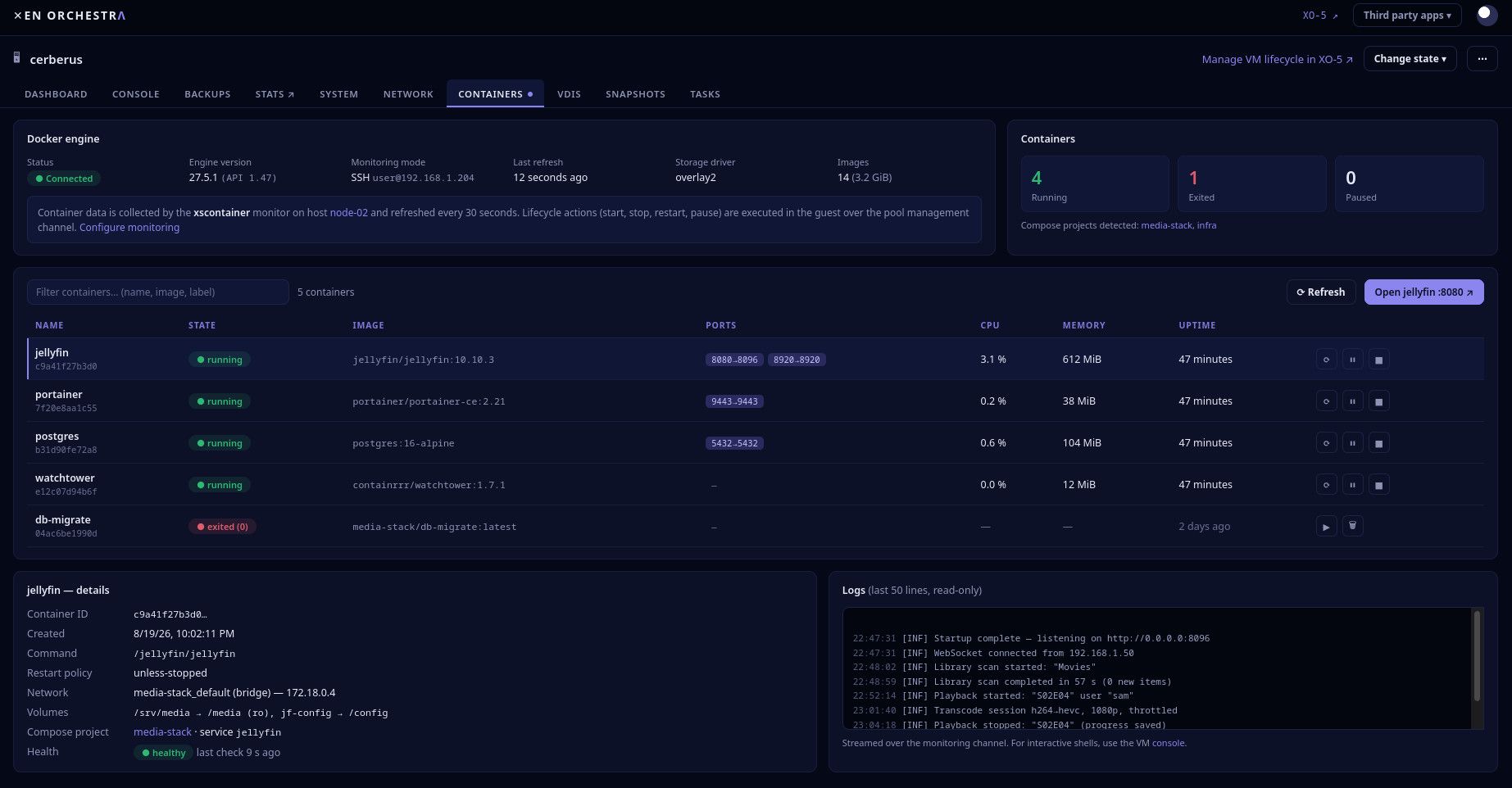
    @jr-m4 I did not took time to test Podman yet. But we expect this to work. You'd have to expose a socket, like the docker daemon does. Probably systemctl enable --now podman.socket would be enough. More in this page https://docs.redhat.com/en/documentation/red_hat_enterprise_linux/8/html/building_running_and_managing_containers/using-the-container-tools-api and this one https://docs.podman.io/en/latest/markdown/podman-system-service.1.html
  • Version 9 already ;0)

    2
    1
    0 Votes
    2 Posts
    240 Views
    poddingueP
    Thanks for the information, @ph7 . That's a typo, for sure.
  • XOA Unable to connect xo server every 30s

    Solved
    11
    0 Votes
    11 Posts
    2k Views
    poddingueP
    Thanks @cocoon, and I owe a correction: when I said in https://xcp-ng.org/forum/post/104865 that 6.4 would make these alerts disappear for good, I overstated it. If I'm reading the code right this time, the XO server sends a ping every 30 seconds stamped with its own clock (https://github.com/vatesfr/xen-orchestra/blob/master/@xen-orchestra/rest-api/src/events/event.class.mts), and the browser compares that stamp with its own clock and shows the banner once the gap passes 40 seconds (https://github.com/vatesfr/xen-orchestra/blob/master/@xen-orchestra/web-core/lib/packages/remote-resource/sse.store.ts). So https://github.com/vatesfr/xen-orchestra/pull/9681 widened the margin from 32 to 40 seconds, but a browser whose clock runs ahead of the XO server by more than about 10 seconds would still see it. That might be why @GregBinSD saw it on the Windows PC and not on the tablet, though that's only a guess on my part. Comparing two different clocks looks fragile to me, but @Team-XO-Frontend will know far better than I do whether there's a reason it's done that way.
  • Node.js October 21, 2026 Security Releases

    6
    0 Votes
    6 Posts
    1k Views
    poddingueP
    @acebmxer I haven't run your script, so I can't vouch for the log lines, but the systemctl status check looks like the safer of the two to me. It shows the binary the service is really running. Whichever node comes first in your shell can be a different one if more than one Node is installed. For XOA I'd go with what @Danp said above.
  • is Xo Proxy available in community version

    Unsolved
    25
    0 Votes
    25 Posts
    6k Views
    acebmxerA
    @bogdantomasciuc Glad to hear. I was hoping it was just something missed or miss typed. If you can replicate the issue let me know. Its possible i might have missed that little nuance or something.
  • Install XO from sources.

    45
    3 Votes
    45 Posts
    15k Views
    acebmxerA
    Update - changes are live in the dev branch now. So figured out the update / switching branches for the proxy by connecting the proxy to my xoa free account. That triggered the available update to next version. From there I found the command that needs to be ran on the proxy to switch back and forth... [image: Screenshot_20261009_143546.png] Latest branch [image: Screenshot_20261009_144414.png] stable branch [image: Screenshot_20261008_202716.png] Backup job ran sucessful. 2026-10-09T17_48_25.447Z - backup NG.txt After the proxy has been deployed... The proxy has been registered with your Xen Orchestra instance. You can manage it from the Xen Orchestra web interface. Next: register the proxy's updater and move it to the 'latest' channel. On the pool master (IP), set a password for the proxy's 'xoa' user (choose your own) and reboot the proxy VM: xe vm-param-set uuid=UUID xenstore-data:vm-data/system-account-xoa-password='<your password>' xe vm-reboot uuid=UUID SSH to the proxy as 'xoa' (IP) and run: sudo xoa-updater register - This registers it with your vates account. sudo xoa-updater configure-channel xo-proxy-appliance-latest - set to latest or stable sudo xoa-updater upgrade - This can be ran via the UI or this command. Both need to be done twice to do the upgrade and/or downgrade. register needs a free xen-orchestra.com account; see the README. And host connected via proxy. [image: Screenshot_20261009_150011.png]
  • Passing through Intel iGPU

    Unsolved
    3
    0 Votes
    3 Posts
    1k Views
    Y
    @jp13232 @peek have you tried following this: https://docs.xcp-ng.org/compute/#pci-passthrough ? Also, you can have a look there: https://xcp-ng.org/forum/topic/12523/igpu-pci-passthrough-new-experimental-packages-need-testers if you finally manage to do the passthrough but have "vbios issues" like explained in the thread.
  • Migrating an offline VM disk between two local SRs is slow

    Unsolved
    35
    1
    0 Votes
    35 Posts
    12k Views
    A
    Data point from a 2-host XCP-ng 8.3 pool that supports @tosh's diagnosis, plus a no-patch workaround that gave us ~2.7x until the TCP_NODELAY fix lands. Setup XCP-ng 8.3, xapi-core / vhd-tool 26.1.16-1.2.xcpng8.3, dom0 kernel 4.19.0+1 Two hosts, local ext SRs on NVMe (Samsung 970 EVO Plus / WD Red SN700) Dedicated migration network: 2.5 GbE (Intel i226-V, igc), MTU 9000, no errors Offline storage migration (halted VM, VM.migrate_send) of 2 VDIs (disk + snapshot), 16 GiB virtual / 7773 MiB allocated each; sparse_dd ... -prezeroed ... -dest-proto nbd over TLS Baseline (stock) 132 s per VDI, i.e. ~59 MiB/s on the wire, flat line, same in both directions Link at ~20 % of line rate, source SR read latency 0.3 ms, dom0 total <= 0.5 vCPU, no single dom0 vCPU above 0.08 (RRD, 60 s averages) Sending host with turbo or capped at 2.5 GHz gave the same 132 s, so not CPU-bound here Workaround: disable delayed ACKs on the receiver, only for the migration-network route # on the destination host; adapt prefix/dev/src to the output of: ip route show <migration-net> ip route change 10.10.10.0/24 dev xenbr1 proto kernel scope link src 10.10.10.1 quickack 1 With the receiver ACKing immediately, Nagle on the sender only waits one RTT instead of the ~40 ms delayed-ACK timer. Result (same VM, same direction, same data) stock quickack 1 on receiver per VDI 132 s / 132 s 50 s / 46 s throughput ~59 MiB/s ~155-169 MiB/s whole migration 4:50 2:00 dom0 on the receiver went up to ~1.1 vCPU total, still nothing saturated. Caveats One run per arm, one pool. I did not capture ss -ti during the runs, so the notsent:512 signature is inferred, not observed here. It does not address the reply gating @TeddyAstie described, it only removes the delayed-ACK half. Consistent with that, we land at ~2.7x, below the ~4.3x reported above for TCP_NODELAY (different rig, so not directly comparable). Not persistent: lost on reboot and when xapi re-plugs the PIF. We re-apply it from a small systemd unit at boot as a stopgap and will remove it once vhd-tool ships TCP_NODELAY. Scope is only connections routed via the migration network (storage and live migration). More ACK packets on that link, nothing else changes. Is there a PR or issue for the TCP_NODELAY patch in xapi-project/xen-api that we can follow? I could not find one.

  • XOA 6.9 Update

    9
    1 Votes
    9 Posts
    1k Views
    S
    @MathieuRA We reverted back to 6.8.2 for now. We can wait for patch, otherwise, I have opened a tunnel #38081.
  • 0 Votes
    1 Posts
    285 Views
    No one has replied
  • Troubleshooting "TCP: out of memory" - Possible memory leak?

    Unsolved
    14
    1
    0 Votes
    14 Posts
    2k Views
    poddingueP
    Forwarded to the right team, thanks!
  • XOA 5.110 - Import from VMWare shows "vddk:" without ok or checkmark status

    Unsolved
    22
    1
    0 Votes
    22 Posts
    6k Views
    J
    @olivierlambert said: Hi, It's nice to suggest something, but we can't communicate just today about it, but be assured that we have stuff in the pipes to answer exactly all of this Hello Olivier, Understood completely on the timing—I appreciate that communications like this need to be perfectly aligned with the development cycle. It’s incredibly reassuring to hear that there is already a solution in the pipes! As someone who has been around the community since 2021, I’m more than happy to help keep the forum threads constructive and patient in the meantime. When the time comes, if you need any early testing, feedback, or GitHub contributions to help vet whatever you have planned, please feel free to loop me in. I’d be glad to help out. Looking forward to the announcement! Best, John
  • VDI migration SR selection broken?

    Unsolved
    4
    0 Votes
    4 Posts
    761 Views
    M
    @jacob.becker Hi Jacob, I made a fix and it should be available on the next release