🛰️ XO 6: dedicated thread for all your feedback!
-
@olivierlambert i voted. thanks
-
Just did my RPU and checked on the new v6 interface.
The old one has task details that are missing on the new one (or I didn't find them: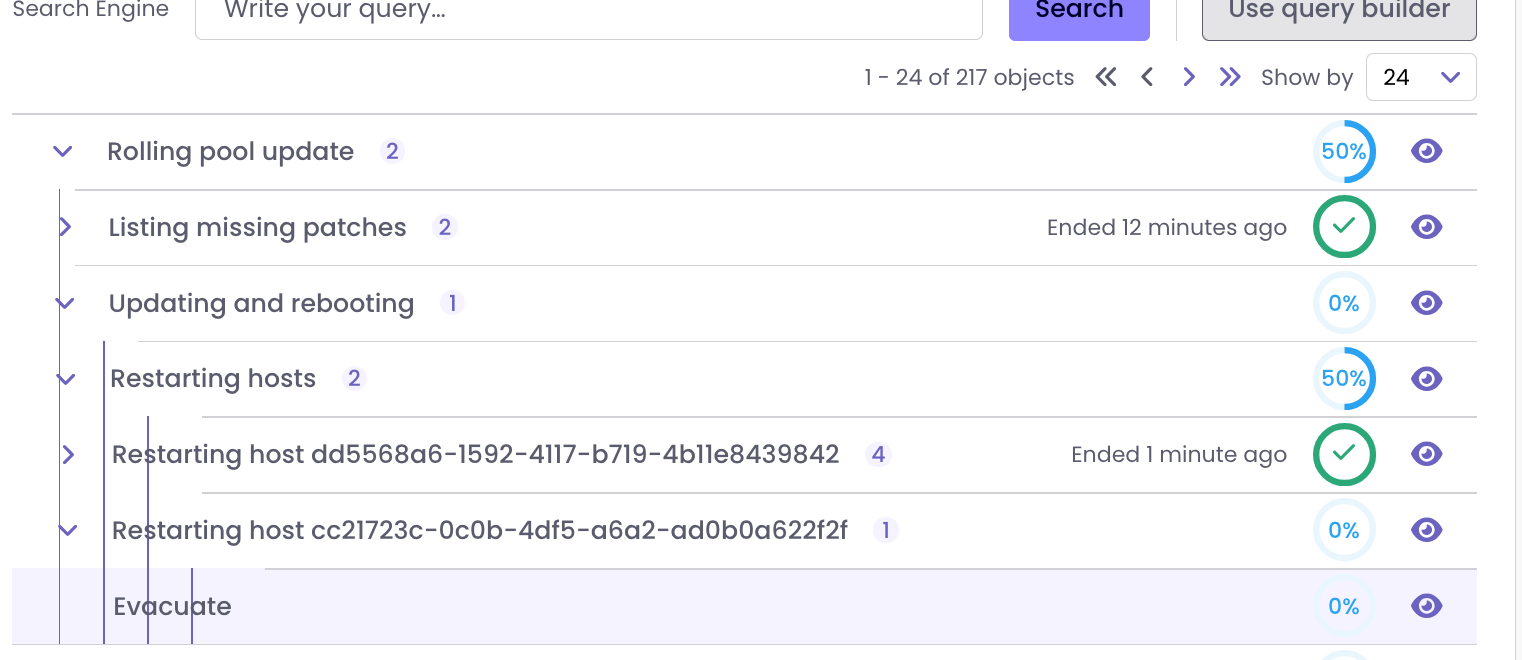
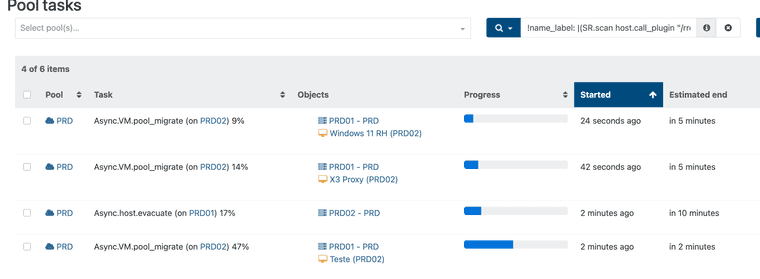
I like to see the evacuation tasks happening (in the past I could identify hangs etc)
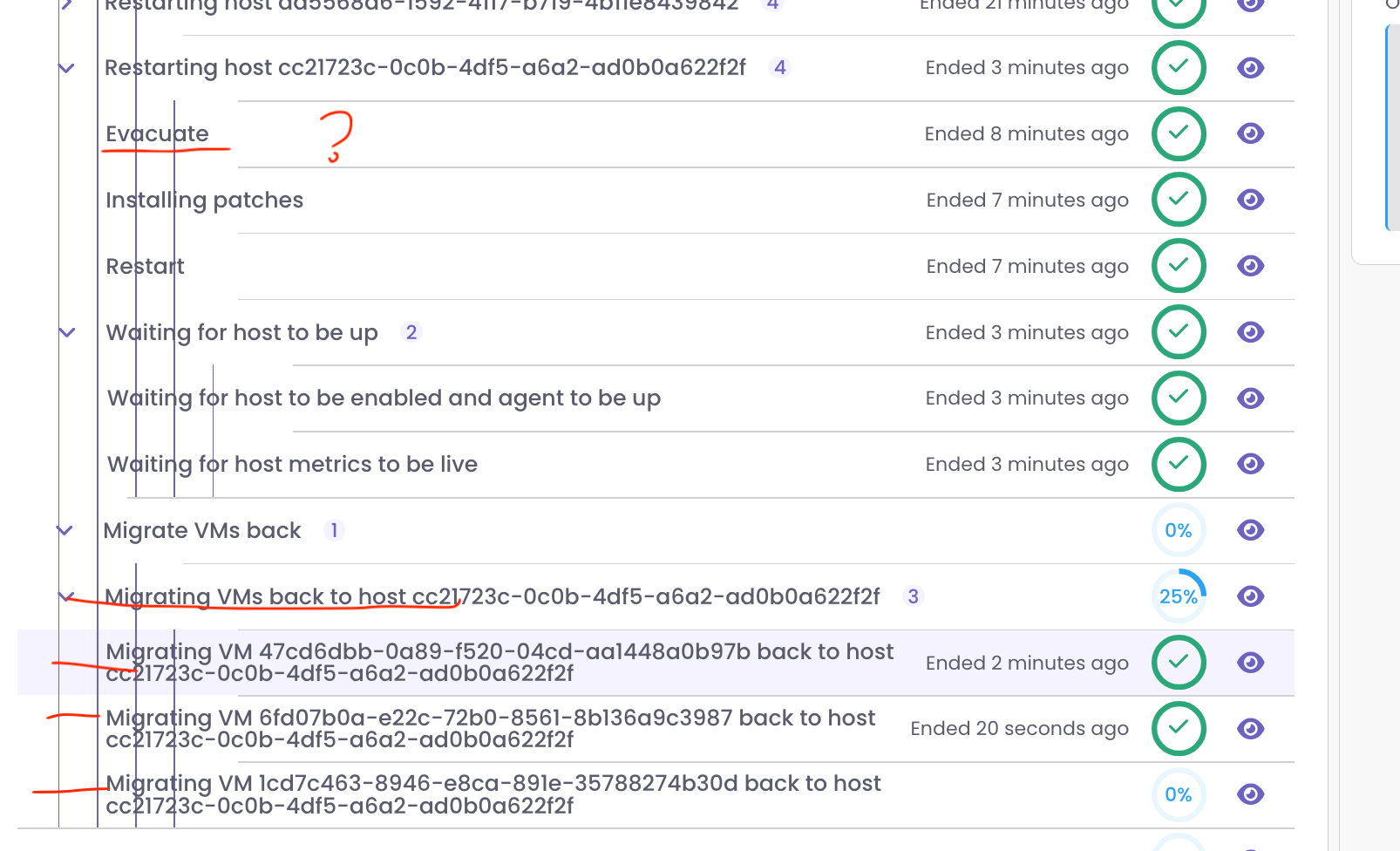
Here instead of the ID of the VM host the real names should be shown:

-
As shown above the evacuation tasks are not shown.
The last steps migrating thre VM's to the original place are shown:
-
Also here the task progression can't be followed (stays at 0% until completed):

instead of

-
I can't seem to find User settings to change admin name/password or configure filters. and they are not in the obvious place - account settings in top right corner.
-
Trying not to be negative, but I hate having to jump back to v5 to get things done.
-
@Greg_E This is only until we get more features directly into XO 6. Our goal was th get feedback ASAP without waiting again for months and something entirely finished (to finally realize it's not the right way and lose another year).
If you don't want to test XO 6 and report what's missing first for you, you can configure your instance to be on XO 5 by default and switch later

-
The odd part is that I'm happy with XO Lite, so not sure why 6 is causing me problems other than needing g to jump back to 5. I only have one XO new enough to be updated, I guess I need to update my lab since I'm in it a lot lately and come up with more productive comments for the team. The switch just immediately shocked me in a way that it shouldn't have done being that I've been using Lite to try and get ready.
-
That's also because XO Lite is replacing basically "nothing before", while XO 5 is 10y full of features that we can't all re-implement at once in XO 6
-
Tasks still show completed actions, a month ago events.
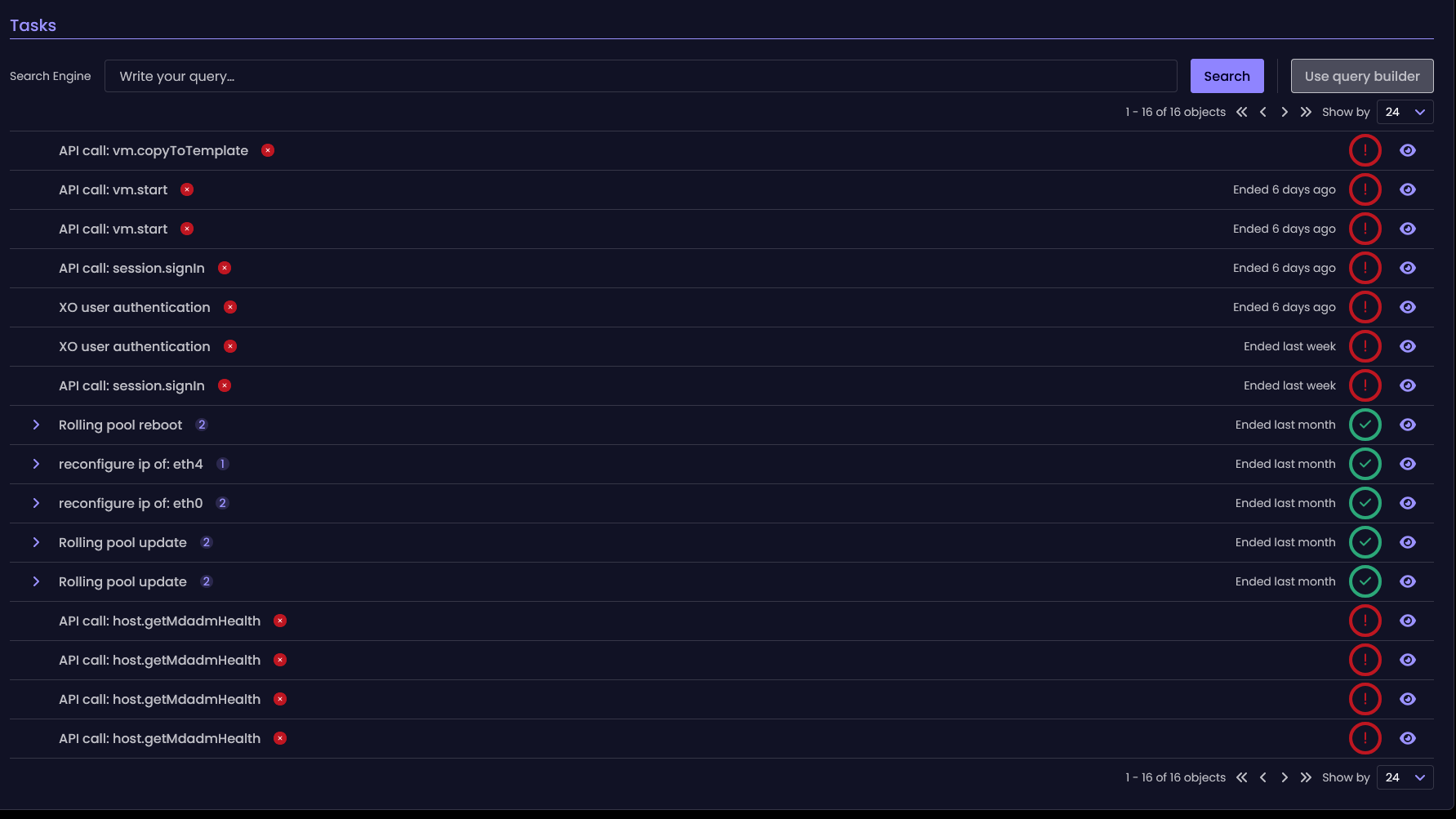
No way to install updates. New ui less informative than the old one - no packages changelog.
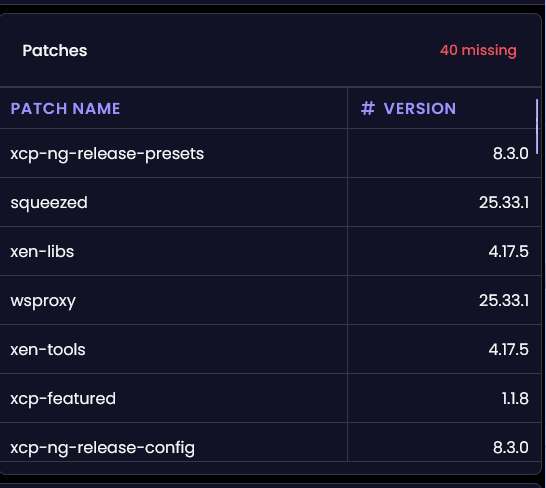
It also take a time to get into new navigation. Instead of static categories at sidebar, now i can't open Backup while inside pool settings. Need to do extra clicks.
-
See https://feedback.vates.tech/?tags=xo-6 (updates are planned already)
For the rest, if it's a feedback that's not there and not a bug, feel free to add it
-
Has anyone tried to access XO 6 via a reverse proxy?
I'm using nginx proxy manager in a docker container to access my XO instance.
Everything is working fine with XO5 (both XOCE and XOA).
But when trying to access XO6 through the reverse proxy, it shows only a few info, with a circle loading on the top and nothing on the left bar:
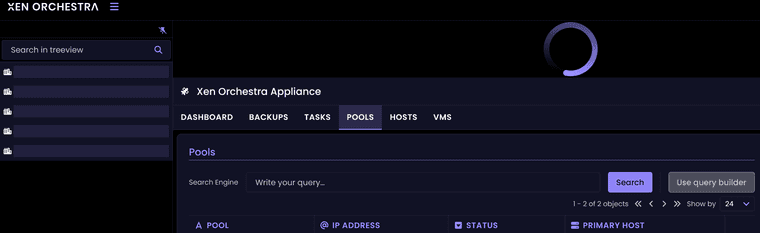
If I access XOCE and XOA v6 by their IP address, it's working as expected.
Websocket support and cache is activated on the reverse proxy, nothing else fancy on that side.
Thanks.
-
@Mathieu said in
 ️ XO 6: dedicated thread for all your feedback!:
Has anyone tried to access XO 6 via a reverse proxy?
I'm using nginx proxy manager in a docker container to access my XO instance.
Everything is working fine with XO5 (both XOCE and XOA).
But when trying to access XO6 through the reverse proxy, it shows only a few info, with a circle loading on the top and nothing on the left bar:
If I access XOCE and XOA v6 by their IP address, it's working as expected.
Websocket support and cache is activated on the reverse proxy, nothing else fancy on that side.
Thanks.
I haven't tried ngnix. But I access my though haproxy:443 - > xo:8443. And that works just fine. But there needed to be a couple of fixes upstream in master to iron out the quirks with non-443 ports and such.
-
@Mathieu I do use NGINX Proxy Manager and i have no issues accessing XO-CE via the new v6 default or the old v5 with working links.
As @probain has stated there have been quite a few updates pushed to fix most issues. My issues were related to the script i used to install XO-CE. The script creator had to update the script to the recent changes made.
Make sure you are on the latest commit and/or update your script and try again.
-
@acebmxer
I found the culprit:HTTP/2 support needs to be enabled on the SSL tab of npm for v6 to work fine behind the reverse proxy.
It's now working fine.
-
@Mathieu ok. Yeah I already had that enabled. Glad you got it working.
-
Windows guests Console - Reloads every 5-10s.
When trying to use the console for both my Windows 11 and Server 2025. The console reloads every 5-10s. This makes it borderline unusable. Since it resets the viewport/window scroll placement as well. Also the console seems to loose focus when this happens as well. Leading to have to click the console-section to get it in focus, to receive I am not seeing this behaviour in XO5 at all.
I do not see the same behaviour on Linux (Ubuntu 24.04) guests. But they are cli-only. No X/Wayland
Commit: b89c26459cfd301bb92adf0a98a0b2dbab57e487
node: 24.12.0
Management agent 9.1.100-59 on both VMsWindows 11 has GPU passthrough & bios
Windows Server 2025 - no GPU passthrough , uses uefi -
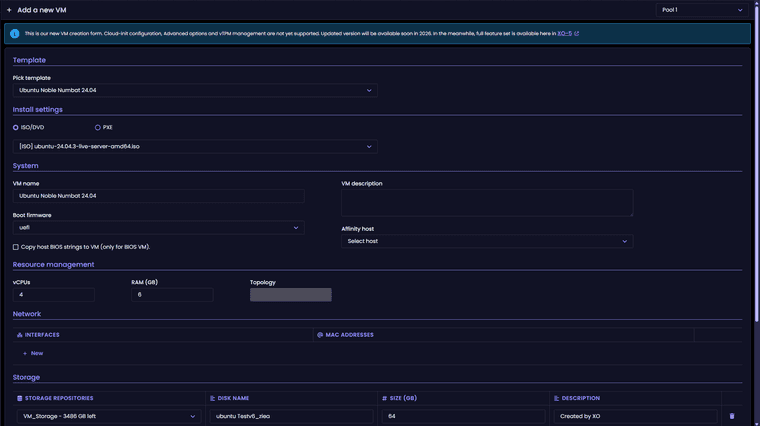
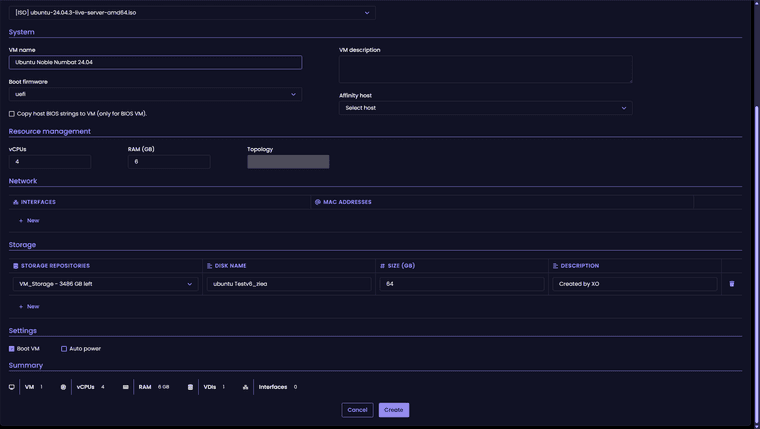
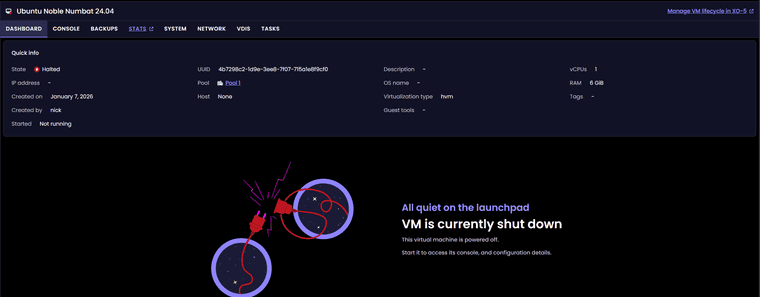
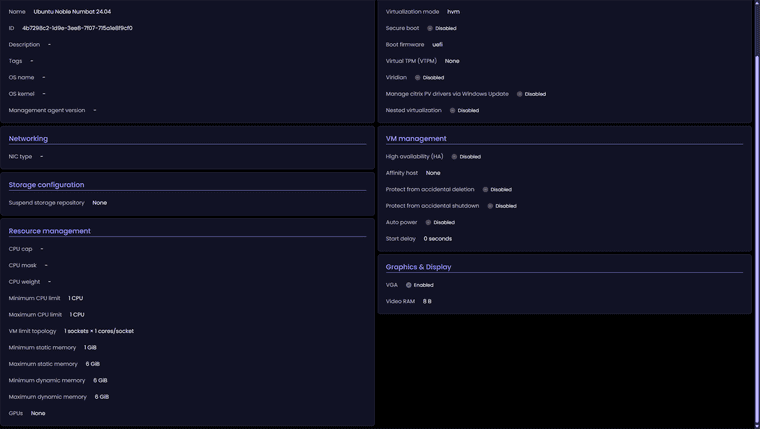
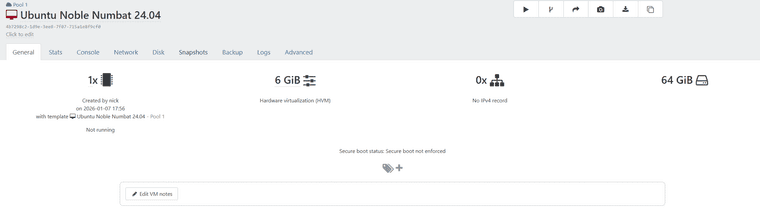
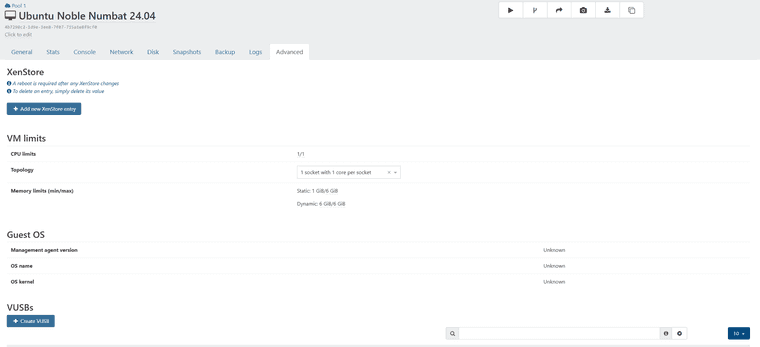
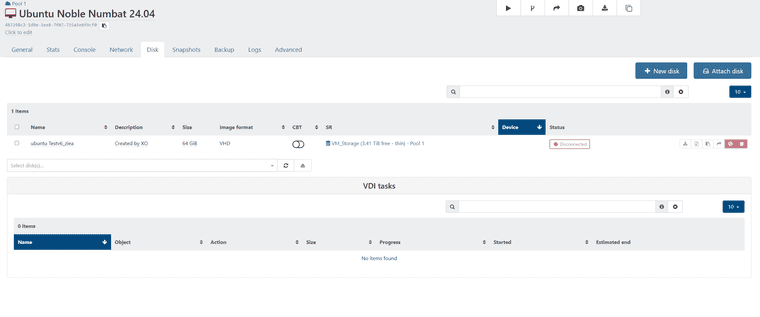
Just updated to latest commit - 8e2d9. Trying to create new VM in xov6 and a few issues to start.
New vm settings
- Ubuntu 24.04 template
- 4 cpu cores
- 6 gb of ram
- Ubuntu iso mounted
- No option to adjust topology for cpu cores.
VM was created with 1 cpu core no iso disk mounted
-
For me it's a bit confusing XO6.
For example, why are the icons so small and in such far corners, like New VM? It's like you want it to be hidden.

Isn't it more intuitive if they're at the top/bottom of this menu or in line with title (***-xen01)?

Another thing is the number of allocated processors. In my opinion it is misleading. It shows the total number of allocated processors even to VMs that are not started.
It is not better to be something like:
8 vCPUs running VMs / 4 vCPUs stopped VMs - total number allocated vCPUs 12/ Total CPUs 8.
And something like 8 - green / 4 -red - 12 orange/ 8 grey
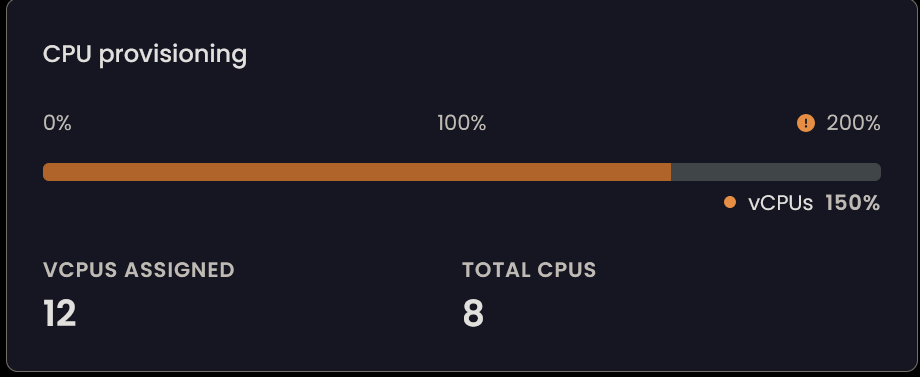
Running VM
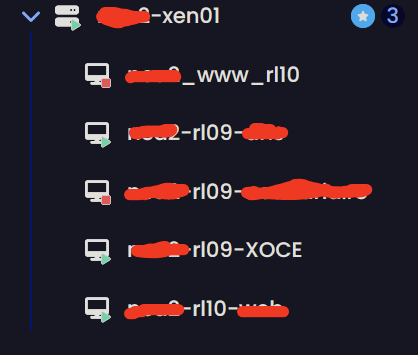
-
Clicking through the different parts in the leftmost pane has (what feels like) inconsistent landing pages. When in reality, it lands on the previous tab visited for that item.
Example.
If I click on Xen Orchestra Appliance I would expect to land on the Dashboard tab. But if I had previously looked inside the Pools tab, then that is where I would land.This behaviour is the same regardless of which item I click through. Be it Pool/Host/Guest..
I'll admit that it kind of makes a little bit of sense in thought. But it feel far more jarring and confusing when navigating. Since you never really know which tab you'll be met with when browsing. As each and every level/item is handled individually, separate from all others.





Hello! It looks like you're interested in this conversation, but you don't have an account yet.
Getting fed up of having to scroll through the same posts each visit? When you register for an account, you'll always come back to exactly where you were before, and choose to be notified of new replies (either via email, or push notification). You'll also be able to save bookmarks and upvote posts to show your appreciation to other community members.
With your input, this post could be even better 💗
Register Login