🛰️ XO 6: dedicated thread for all your feedback!
-
@ph7 said in
 ️ XO 6: dedicated thread for all your feedback!:
I'm not sure if it's a good idea to show a Backup issue every time a Cont.rep. job is run
Thanks for the feedback, we'll fix that!
@XCP-ng-JustGreat said in
️ XO 6: dedicated thread for all your feedback!:However, the periodic console refresh interrupts the performing of actual work
We'll investigate that issue, thanks for the report.
@ph7 said in
️ XO 6: dedicated thread for all your feedback!:In ContRep, Conf/meta and in one of the Full Backup jobs I get Report when Never. But they are enabled in XO5 with mail address and Report when Skipped and failure
This definitely looks like a bug, we'll check that, thanks again!
@cmoriarty said in
️ XO 6: dedicated thread for all your feedback!:It seems now these VM Notes are stuffed into a small "Description" field inside the "Quick Info" panel for a VM.
Notes and descriptions are 2 separate things. We haven't added notes in XO 6 yet, but don't worry, we will! And XO 5 and XO 6 will be available side by side until XO 6 is fully usable, so you're not going to lose your notes, no need to back them up

-
FYI, we are adding a more structured way to get your feedback on missing features that you consider the most important: https://feedback.vates.tech
You can sign in with your email or via your Github or Discord account.
-
@olivierlambert nice, better than megathreads !
 added my first TAG demand on it
 -
Hi,
Just pulled the last commit and see that v6 become the "default" endpoint.
Unfortunatly, I have to rollback, any user can connect, SSO (oidc) is broken, I think it's not fully implemented yet ?
callback URL give a "Internal Server Error"; adding "/v5" make a loop with login screen...
There is any trick to diable v6 by default ? Or make OIDC works ?
Thank you and have a good day
-
@Kptainflintt Please provide us the XO-server log that concerns the connection error, authentication is supposed to work as before.
-
Hi,
That's the wired thing, no error in logs...
But I found why : I have "profile" scope in my OIDC configuration for a while, it seems to broke SSO in last version. Without it, it works.
Thank you
-
Subject: XO 6 is unusable without Migration tools
I just updated and was presented with the XO 6 interface. I am shocked to find that the "Migrate" functionality is missing from the UI.
Moving a VM is the most fundamental feature of a hypervisor management tool. Making an interface the default—or even presenting it as a viable preview—without this feature is a major workflow breaker. I shouldn't have to revert to the CLI or hunt for a "legacy view" toggle just to perform basic maintenance.
Please prioritize porting the migration/lifecycle actions before pushing users toward this interface. It makes the product feel broken.
-
Have you read the release announcement? You can upvote your most important features at https://feedback.vates.tech
-
@olivierlambert i voted. thanks
-
Just did my RPU and checked on the new v6 interface.
The old one has task details that are missing on the new one (or I didn't find them: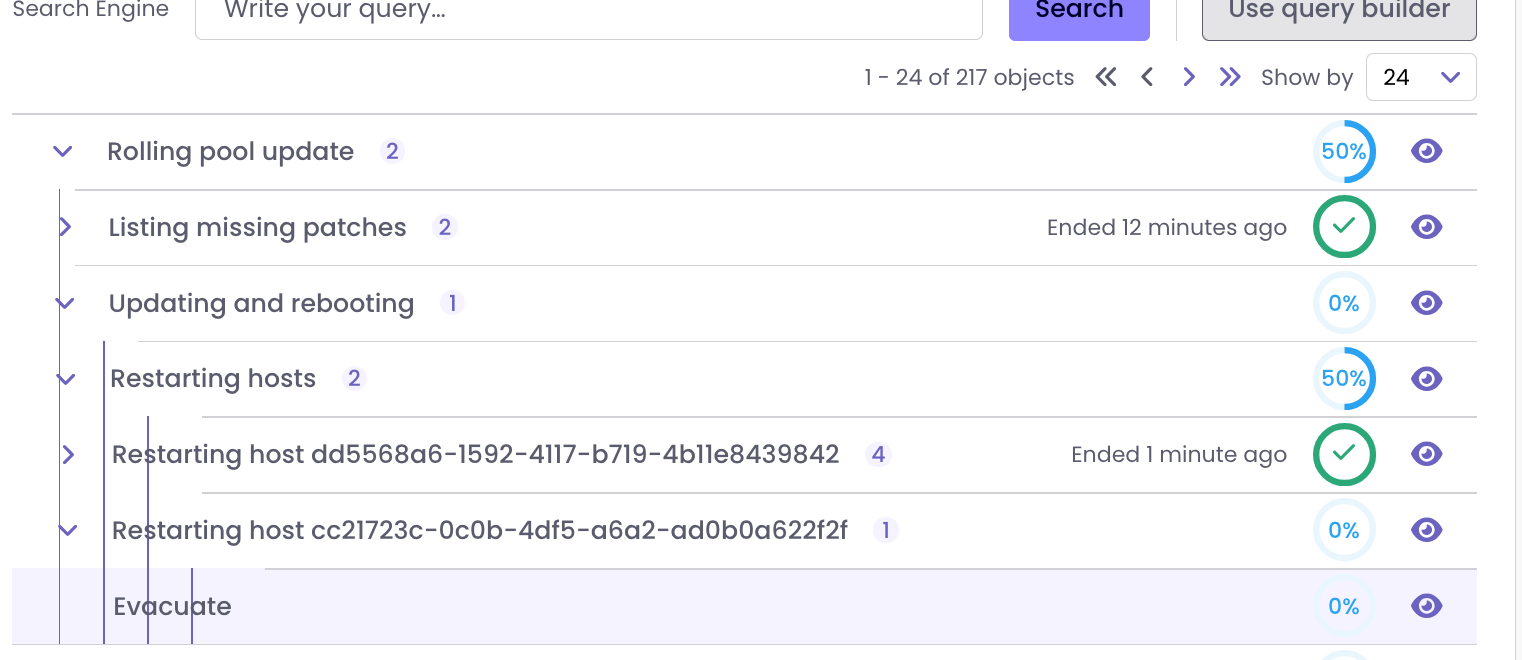
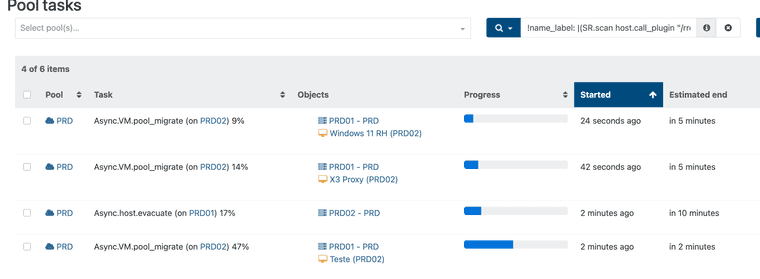
I like to see the evacuation tasks happening (in the past I could identify hangs etc)
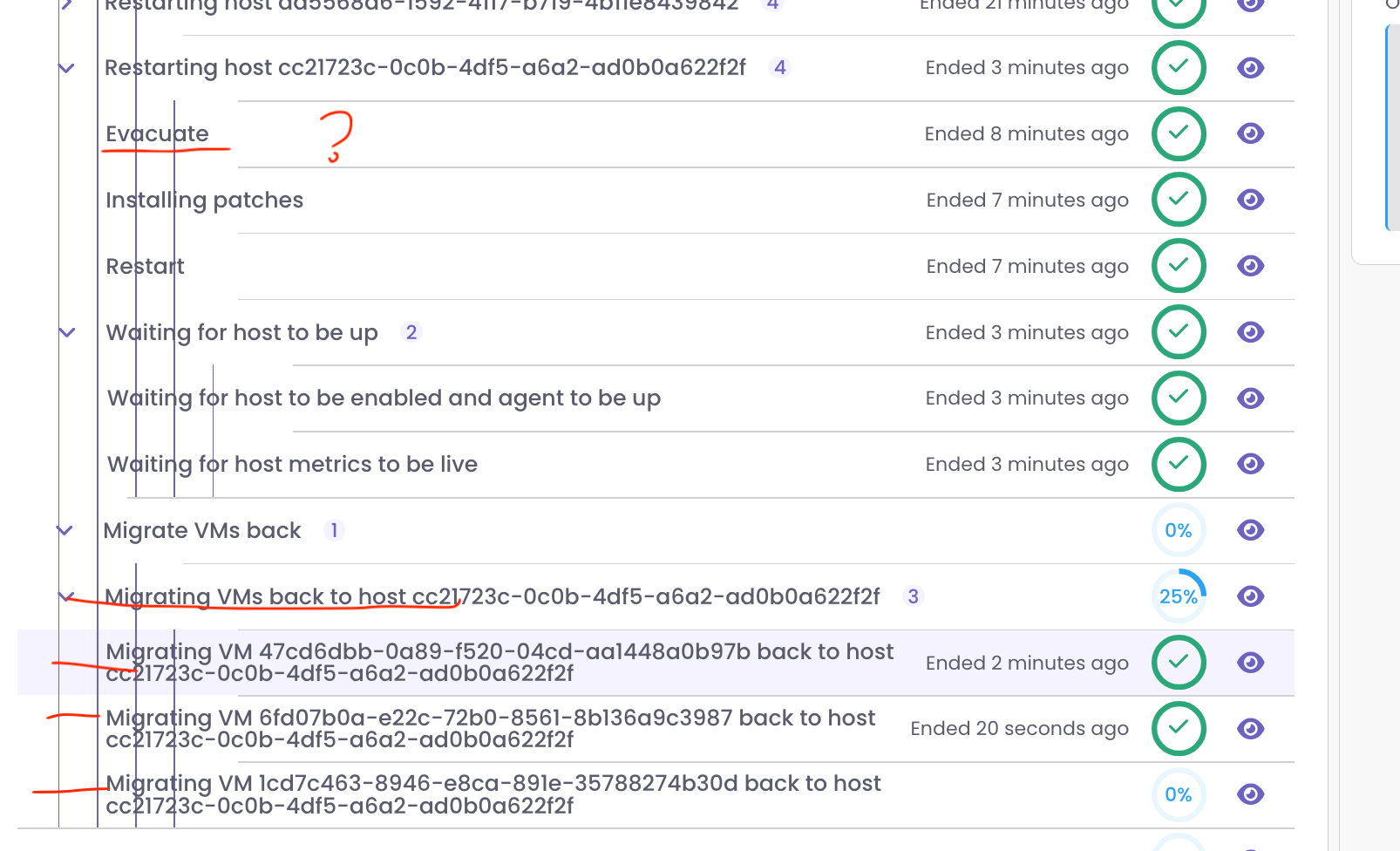
Here instead of the ID of the VM host the real names should be shown:

-
As shown above the evacuation tasks are not shown.
The last steps migrating thre VM's to the original place are shown:
-
Also here the task progression can't be followed (stays at 0% until completed):

instead of

-
I can't seem to find User settings to change admin name/password or configure filters. and they are not in the obvious place - account settings in top right corner.
-
Trying not to be negative, but I hate having to jump back to v5 to get things done.
-
@Greg_E This is only until we get more features directly into XO 6. Our goal was th get feedback ASAP without waiting again for months and something entirely finished (to finally realize it's not the right way and lose another year).
If you don't want to test XO 6 and report what's missing first for you, you can configure your instance to be on XO 5 by default and switch later
-
The odd part is that I'm happy with XO Lite, so not sure why 6 is causing me problems other than needing g to jump back to 5. I only have one XO new enough to be updated, I guess I need to update my lab since I'm in it a lot lately and come up with more productive comments for the team. The switch just immediately shocked me in a way that it shouldn't have done being that I've been using Lite to try and get ready.
-
That's also because XO Lite is replacing basically "nothing before", while XO 5 is 10y full of features that we can't all re-implement at once in XO 6
-
Tasks still show completed actions, a month ago events.
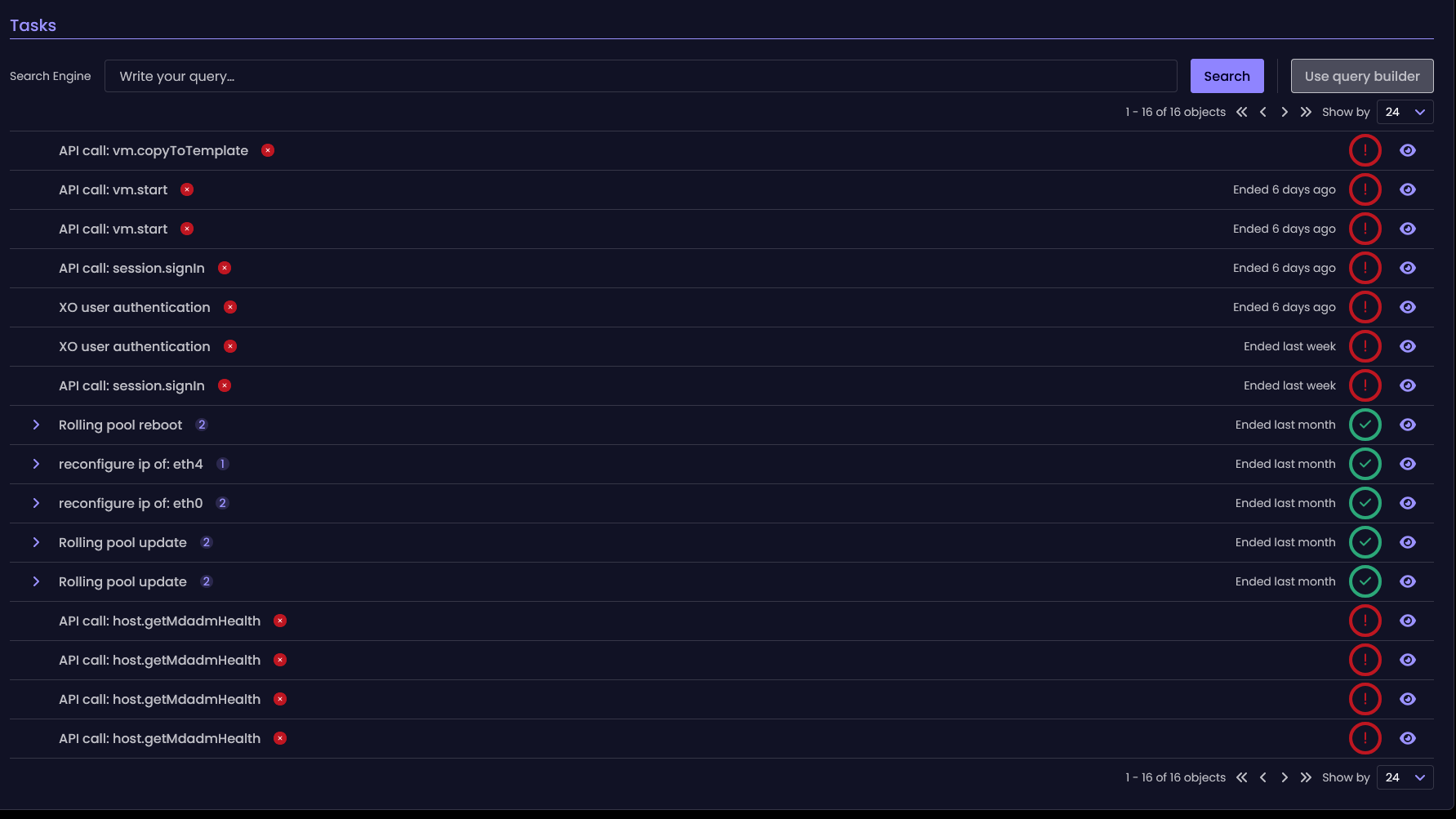
No way to install updates. New ui less informative than the old one - no packages changelog.
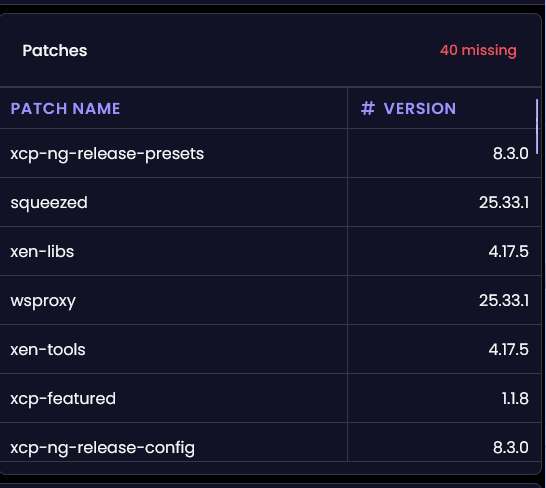
It also take a time to get into new navigation. Instead of static categories at sidebar, now i can't open Backup while inside pool settings. Need to do extra clicks.
-
See https://feedback.vates.tech/?tags=xo-6 (updates are planned already)
For the rest, if it's a feedback that's not there and not a bug, feel free to add it
-
Has anyone tried to access XO 6 via a reverse proxy?
I'm using nginx proxy manager in a docker container to access my XO instance.
Everything is working fine with XO5 (both XOCE and XOA).
But when trying to access XO6 through the reverse proxy, it shows only a few info, with a circle loading on the top and nothing on the left bar:
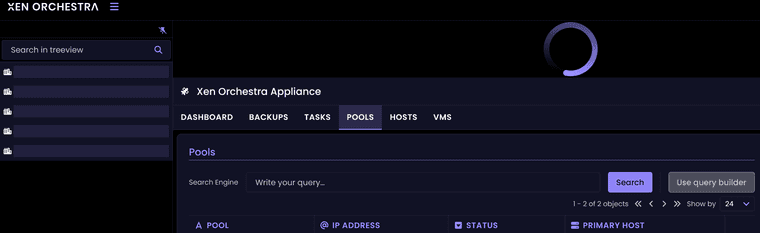
If I access XOCE and XOA v6 by their IP address, it's working as expected.
Websocket support and cache is activated on the reverse proxy, nothing else fancy on that side.
Thanks.






Hello! It looks like you're interested in this conversation, but you don't have an account yet.
Getting fed up of having to scroll through the same posts each visit? When you register for an account, you'll always come back to exactly where you were before, and choose to be notified of new replies (either via email, or push notification). You'll also be able to save bookmarks and upvote posts to show your appreciation to other community members.
With your input, this post could be even better 💗
Register Login