Subcategories

  • VMs, hosts, pools, networks and all other usual management tasks.

    499 Topics
    4k Posts
    I
    @tjkreidl everything looks normal. I also shared SOS report with @goulven I hope I'll get a feedback on slowness.
  • ACLs, Self-service, Cloud-init, Load balancing...

    107 Topics
    877 Posts
    Bastien NolletB
    Hello @ludalm13, Thanks for your contribution and sorry for not giving an answer earlier. We initially planned to review your PR while doing some additional work on the audit plugin, but our planning evolved and that work was postponed. We'll review your PR in the following days.
  • All XO backup features: full and incremental, replication, mirrors...

    550 Topics
    6k Posts
    poddingueP
    @blueh2o I think the two things you saw fit together, at least going by what I see in the mirror code. The 1 differencing tag only says that this one backup's disk is a delta, which is normal for an incremental; the key sits further back in the chain, which I think is why the health check could still rebuild the whole ~280 GiB disk. And as I wrote a few posts up, the mirror reads the parent of each delta on Ark and then asks each target whether it already has it, so last night's error would mean the Synology is missing d08f1acc for that one VM (fb7fca7d), not that Ark is broken. That brings us back to Florent's suggestion from the older thread, deleting that VM's most recent backups on the Synology so they get sent again, though I can't tell you why the Synology lost that base in the first place. At least it's down to one VM out of 56 last night, against 16 in October.
  • Everything related to Xen Orchestra's REST API

    89 Topics
    656 Posts
    P
    Hi, This was fixed in Latest. But if you need to stay on Stable, you can open a ticket to have a patch.
  • Terraform, Packer or any tool to do IaC

    54 Topics
    508 Posts
    poddingueP
    @enkaskal I need to correct my reply above, I got two things wrong. The plugin is ours after all: ddelnano/packer-plugin-xenserver is the repo's old address, it moved to vatesfr/packer-plugin-xenserver (where you filed #212), and GitHub just redirects the old link, which I read on our IaC docs page and jumped to the wrong conclusion. The key isn't missing either, I just didn't look in the right place: it's the signing key the Terraform Registry lists for vatesfr/xenorchestra, so you can fetch it from there. curl -s https://registry.terraform.io/v1/providers/vatesfr/xenorchestra/0.41.2/download/linux/amd64 \ | jq -r '.signing_keys.gpg_public_keys[0].ascii_armor' > xenorchestra-signing.asc gpg --import xenorchestra-signing.asc gpg --verify packer-plugin-xenserver_v0.12.0_SHA256SUMS.sig packer-plugin-xenserver_v0.12.0_SHA256SUMS On my machine the last command reports a good signature from 0DD2E92A7A0F682BC29F87073084D82948625D89, still a key in Dom Delnano's name from before the move. I'm honestly not sure how much trust that gives you beyond "the registry vouches for the same key", so I'd leave that part to the folks on #212 who know the release side better than me. Sorry for the detour.
  • OVA import support?

    ova
    5
    0 Votes
    5 Posts
    6k Views
    florentF
    @wttw said in OVA import support?: @olivierlambert said in OVA import support?: Yes it's supposed to work. Sadly, there's as much as different OVAs than VMs and VMware versions. Every time we are fixing new stuff when it's reported. Please provide the OVA somewhere so we can find why and fix it https://tupid.org/debian11.ova - it's about 850MB. I just created this on ESXi 7.0U3, then exported it with ./ovftool --noSSLVerify --diskMode=thin --targetType=ova --compress=9 "vi://skull/debian11" . (VMware ovftool 4.6.2 (build-22220919)) Import from VMware should work if you have indeed the XCP-ng machine in extra for it. The hardware is on order, but I thought I'd start testing this weekend. But we could fix the OVA already, at least as soon we can check what's wrong with the XML. Here's debian11.ovf, for anyone who wants to look without downloading the ova. <?xml version="1.0" encoding="UTF-8"?> <!--Generated by VMware ESX Server, User: root, UTC time: 2024-04-07T15:42:54.40766Z--> <Envelope vmw:buildId="build-19482537" xmlns="http://schemas.dmtf.org/ovf/envelope/1" xmlns:cim="http://schemas.dmtf.org/wbem/wscim/1/common" xmlns:ovf="http://schemas.dmtf.org/ovf/envelope/1" xmlns:rasd="http://schemas.dmtf.org/wbem/wscim/1/cim-schema/2/CIM_ResourceAllocationSettingData" xmlns:vmw="http://www.vmware.com/schema/ovf" xmlns:vssd="http://schemas.dmtf.org/wbem/wscim/1/cim-schema/2/CIM_VirtualSystemSettingData" xmlns:xsi="http://www.w3.org/2001/XMLSchema-instance"> <References> <File ovf:compression="gzip" ovf:href="debian11-disk1.vmdk.gz" ovf:id="file1" ovf:size="856235944"/> <File ovf:compression="gzip" ovf:href="debian11-file1.nvram.gz" ovf:id="file2" ovf:size="1821"/> </References> <DiskSection> <Info>Virtual disk information</Info> <Disk ovf:capacity="16" ovf:capacityAllocationUnits="byte * 2^30" ovf:diskId="vmdisk1" ovf:fileRef="file1" ovf:format="http://www.vmware.com/interfaces/specifications/vmdk.html#streamOptimized" ovf:populatedSize="2324692992"/> </DiskSection> <NetworkSection> <Info>The list of logical networks</Info> <Network ovf:name="VM Network"> <Description>The VM Network network</Description> </Network> </NetworkSection> <VirtualSystem ovf:id="debian11"> <Info>A virtual machine</Info> <Name>debian11</Name> <OperatingSystemSection ovf:id="1" vmw:osType="debian11Guest"> <Info>The kind of installed guest operating system</Info> </OperatingSystemSection> <VirtualHardwareSection> <Info>Virtual hardware requirements</Info> <System> <vssd:ElementName>Virtual Hardware Family</vssd:ElementName> <vssd:InstanceID>0</vssd:InstanceID> <vssd:VirtualSystemIdentifier>debian11</vssd:VirtualSystemIdentifier> <vssd:VirtualSystemType>vmx-19</vssd:VirtualSystemType> </System> <Item> <rasd:AllocationUnits>hertz * 10^6</rasd:AllocationUnits> <rasd:Description>Number of Virtual CPUs</rasd:Description> <rasd:ElementName>1 virtual CPU(s)</rasd:ElementName> <rasd:InstanceID>1</rasd:InstanceID> <rasd:ResourceType>3</rasd:ResourceType> <rasd:VirtualQuantity>1</rasd:VirtualQuantity> </Item> <Item> <rasd:AllocationUnits>byte * 2^20</rasd:AllocationUnits> <rasd:Description>Memory Size</rasd:Description> <rasd:ElementName>2048MB of memory</rasd:ElementName> <rasd:InstanceID>2</rasd:InstanceID> <rasd:ResourceType>4</rasd:ResourceType> <rasd:VirtualQuantity>2048</rasd:VirtualQuantity> </Item> <Item> <rasd:Address>0</rasd:Address> <rasd:Description>SATA Controller</rasd:Description> <rasd:ElementName>SATA Controller 0</rasd:ElementName> <rasd:InstanceID>3</rasd:InstanceID> <rasd:ResourceSubType>vmware.sata.ahci</rasd:ResourceSubType> <rasd:ResourceType>20</rasd:ResourceType> <vmw:Config ovf:required="false" vmw:key="slotInfo.pciSlotNumber" vmw:value="34"/> </Item> <Item> <rasd:Address>0</rasd:Address> <rasd:Description>SCSI Controller</rasd:Description> <rasd:ElementName>SCSI Controller 0</rasd:ElementName> <rasd:InstanceID>4</rasd:InstanceID> <rasd:ResourceSubType>VirtualSCSI</rasd:ResourceSubType> <rasd:ResourceType>6</rasd:ResourceType> <vmw:Config ovf:required="false" vmw:key="slotInfo.pciSlotNumber" vmw:value="160"/> </Item> <Item ovf:required="false"> <rasd:Address>0</rasd:Address> <rasd:Description>USB Controller (EHCI)</rasd:Description> <rasd:ElementName>USB Controller</rasd:ElementName> <rasd:InstanceID>5</rasd:InstanceID> <rasd:ResourceSubType>vmware.usb.ehci</rasd:ResourceSubType> <rasd:ResourceType>23</rasd:ResourceType> <vmw:Config ovf:required="false" vmw:key="slotInfo.pciSlotNumber" vmw:value="32"/> <vmw:Config ovf:required="false" vmw:key="slotInfo.ehciPciSlotNumber" vmw:value="33"/> <vmw:Config ovf:required="false" vmw:key="autoConnectDevices" vmw:value="false"/> <vmw:Config ovf:required="false" vmw:key="ehciEnabled" vmw:value="true"/> </Item> <Item> <rasd:Address>1</rasd:Address> <rasd:Description>IDE Controller</rasd:Description> <rasd:ElementName>VirtualIDEController 1</rasd:ElementName> <rasd:InstanceID>6</rasd:InstanceID> <rasd:ResourceType>5</rasd:ResourceType> </Item> <Item> <rasd:Address>0</rasd:Address> <rasd:Description>IDE Controller</rasd:Description> <rasd:ElementName>VirtualIDEController 0</rasd:ElementName> <rasd:InstanceID>7</rasd:InstanceID> <rasd:ResourceType>5</rasd:ResourceType> </Item> <Item ovf:required="false"> <rasd:AutomaticAllocation>false</rasd:AutomaticAllocation> <rasd:ElementName>VirtualVideoCard</rasd:ElementName> <rasd:InstanceID>8</rasd:InstanceID> <rasd:ResourceType>24</rasd:ResourceType> <vmw:Config ovf:required="false" vmw:key="useAutoDetect" vmw:value="true"/> <vmw:Config ovf:required="false" vmw:key="videoRamSizeInKB" vmw:value="4096"/> <vmw:Config ovf:required="false" vmw:key="enable3DSupport" vmw:value="false"/> <vmw:Config ovf:required="false" vmw:key="use3dRenderer" vmw:value="automatic"/> <vmw:Config ovf:required="false" vmw:key="graphicsMemorySizeInKB" vmw:value="262144"/> </Item> <Item ovf:required="false"> <rasd:AutomaticAllocation>false</rasd:AutomaticAllocation> <rasd:ElementName>VirtualVMCIDevice</rasd:ElementName> <rasd:InstanceID>9</rasd:InstanceID> <rasd:ResourceSubType>vmware.vmci</rasd:ResourceSubType> <rasd:ResourceType>1</rasd:ResourceType> <vmw:Config ovf:required="false" vmw:key="allowUnrestrictedCommunication" vmw:value="false"/> </Item> <Item ovf:required="false"> <rasd:AddressOnParent>0</rasd:AddressOnParent> <rasd:AutomaticAllocation>false</rasd:AutomaticAllocation> <rasd:ElementName>CD-ROM 1</rasd:ElementName> <rasd:InstanceID>10</rasd:InstanceID> <rasd:Parent>3</rasd:Parent> <rasd:ResourceSubType>vmware.cdrom.atapi</rasd:ResourceSubType> <rasd:ResourceType>15</rasd:ResourceType> <vmw:Config ovf:required="false" vmw:key="connectable.allowGuestControl" vmw:value="true"/> </Item> <Item> <rasd:AddressOnParent>0</rasd:AddressOnParent> <rasd:ElementName>Hard Disk 1</rasd:ElementName> <rasd:HostResource>ovf:/disk/vmdisk1</rasd:HostResource> <rasd:InstanceID>11</rasd:InstanceID> <rasd:Parent>4</rasd:Parent> <rasd:ResourceType>17</rasd:ResourceType> <vmw:Config ovf:required="false" vmw:key="backing.writeThrough" vmw:value="false"/> </Item> <Item> <rasd:AddressOnParent>7</rasd:AddressOnParent> <rasd:AutomaticAllocation>true</rasd:AutomaticAllocation> <rasd:Connection>VM Network</rasd:Connection> <rasd:Description>VmxNet3 ethernet adapter on &quot;VM Network&quot;</rasd:Description> <rasd:ElementName>Ethernet 1</rasd:ElementName> <rasd:InstanceID>12</rasd:InstanceID> <rasd:ResourceSubType>VmxNet3</rasd:ResourceSubType> <rasd:ResourceType>10</rasd:ResourceType> <vmw:Config ovf:required="false" vmw:key="slotInfo.pciSlotNumber" vmw:value="192"/> <vmw:Config ovf:required="false" vmw:key="wakeOnLanEnabled" vmw:value="false"/> <vmw:Config ovf:required="false" vmw:key="connectable.allowGuestControl" vmw:value="true"/> </Item> <vmw:Config ovf:required="false" vmw:key="cpuHotAddEnabled" vmw:value="false"/> <vmw:Config ovf:required="false" vmw:key="cpuHotRemoveEnabled" vmw:value="false"/> <vmw:Config ovf:required="false" vmw:key="memoryHotAddEnabled" vmw:value="false"/> <vmw:Config ovf:required="false" vmw:key="firmware" vmw:value="bios"/> <vmw:Config ovf:required="false" vmw:key="cpuAllocation.shares.shares" vmw:value="1000"/> <vmw:Config ovf:required="false" vmw:key="cpuAllocation.shares.level" vmw:value="normal"/> <vmw:Config ovf:required="false" vmw:key="tools.syncTimeWithHost" vmw:value="false"/> <vmw:Config ovf:required="false" vmw:key="tools.syncTimeWithHostAllowed" vmw:value="true"/> <vmw:Config ovf:required="false" vmw:key="tools.afterPowerOn" vmw:value="true"/> <vmw:Config ovf:required="false" vmw:key="tools.afterResume" vmw:value="true"/> <vmw:Config ovf:required="false" vmw:key="tools.beforeGuestShutdown" vmw:value="true"/> <vmw:Config ovf:required="false" vmw:key="tools.beforeGuestStandby" vmw:value="true"/> <vmw:Config ovf:required="false" vmw:key="tools.toolsUpgradePolicy" vmw:value="manual"/> <vmw:Config ovf:required="false" vmw:key="powerOpInfo.powerOffType" vmw:value="soft"/> <vmw:Config ovf:required="false" vmw:key="powerOpInfo.resetType" vmw:value="soft"/> <vmw:Config ovf:required="false" vmw:key="powerOpInfo.suspendType" vmw:value="soft"/> <vmw:Config ovf:required="false" vmw:key="nestedHVEnabled" vmw:value="false"/> <vmw:Config ovf:required="false" vmw:key="vPMCEnabled" vmw:value="false"/> <vmw:Config ovf:required="false" vmw:key="virtualICH7MPresent" vmw:value="false"/> <vmw:Config ovf:required="false" vmw:key="virtualSMCPresent" vmw:value="false"/> <vmw:Config ovf:required="false" vmw:key="flags.vvtdEnabled" vmw:value="false"/> <vmw:Config ovf:required="false" vmw:key="flags.vbsEnabled" vmw:value="false"/> <vmw:Config ovf:required="false" vmw:key="bootOptions.efiSecureBootEnabled" vmw:value="false"/> <vmw:Config ovf:required="false" vmw:key="powerOpInfo.standbyAction" vmw:value="checkpoint"/> <vmw:ExtraConfig ovf:required="false" vmw:key="nvram" vmw:value="ovf:/file/file2"/> <vmw:ExtraConfig ovf:required="false" vmw:key="svga.autodetect" vmw:value="TRUE"/> </VirtualHardwareSection> </VirtualSystem> </Envelope> this is an ova with vmdk disk compressed. They are not supported for now (since vmdk are already compressed per block). TBF, we're putting much of the import/export effort into the v2v tool
  • xo-cli examples

    10
    0 Votes
    10 Posts
    3k Views
    I
    @julien-f 0k, is there a specific rule on the format of this identifier? When I create a backup, I set an email address for reporting but that address or notification setting) is not present in the JSON, why and how can I set it ? For rolling snapshots, the content is 0k (same identifier in both settings and schedule): { "name": "rolling snapshots", "mode": "full", "schedules": { "gbkk1mbemhg": { "cron": "15 12 * * *", "enabled": true, "name": "daily rolling snapshots", "timezone": "Europe/Rome" } }, "settings": { "": { "concurrency": 2, "nRetriesVmBackupFailures": 3, "timeout": 7200000, "offlineSnapshot": false, "checkpointSnapshot": true }, "gbkk1mbemhg": { "healthCheckSr": "ac595bf5-ca14-586e-6f89-9e4e884043eb", "healthCheckVmsWithTags": [], "snapshotRetention": 2 } }, "vms": { "id": { "__or": [ "64adb2e9-e0f3-9e70-b08f-7c8653415053", "aaf9e807-3ee9-37ff-05ec-cf782ba74d56", "7cd276ae-b7df-06d8-3da8-48262750051d", "9ccfcd0c-a35e-7f45-a0d2-19db678291f1", "42afaaea-ada4-fb7f-dc55-f62a51a6997a", "54b97ba5-9858-a563-e02f-89b0a6c450a1", "9524834a-3577-4445-54c6-1c786775749d" ] } } } Ok for the VM backup using: { "name": "vm backups", "mode": "full", "compression": "zstd", "schedules": { "fdi73l44ewf": { "cron": "40 12 * * 6", "enabled": true, "name": "weekly vm backups", "timezone": "Europe/Rome" } }, "settings": { "": { "concurrency": 2, "nRetriesVmBackupFailures": 3, "timeout": 7200000, "offlineSnapshot": false, "checkpointSnapshot": true }, "fdi73l44ewf": { "exportRetention": 1, "healthCheckSr": "ac595bf5-ca14-586e-6f89-9e4e884043eb", "healthCheckVmsWithTags": [] } }, "remotes": { "id": "40e5ecde-f12f-43c7-befd-c1f0a76e8a25" }, "vms": { "id": { "__or": [ "64adb2e9-e0f3-9e70-b08f-7c8653415053", "aaf9e807-3ee9-37ff-05ec-cf782ba74d56", "7cd276ae-b7df-06d8-3da8-48262750051d", "9ccfcd0c-a35e-7f45-a0d2-19db678291f1", "42afaaea-ada4-fb7f-dc55-f62a51a6997a", "54b97ba5-9858-a563-e02f-89b0a6c450a1", "9524834a-3577-4445-54c6-1c786775749d" ] } } }
  • XOA pricing guide

    7
    0 Votes
    7 Posts
    3k Views
    olivierlambertO
    We'll keep XOA standalone for XenServer, the pricing will likely change for those (per host and only with Premium). In your case, you'll have 2 options: going for XOA standalone for XenServer per host (dunno yet the price per host we'll have) migrating to XCP-ng to get an Essential bundle
  • How do i migrate ALL vms from one host to another host?

    7
    0 Votes
    7 Posts
    6k Views
    Z
    This helped me https://www.youtube.com/watch?v=H5PJ_tHQlZk
  • Updating from the Sources

    3
    0 Votes
    3 Posts
    1k Views
    S
    @olivierlambert Thank you.
  • stats keep last cpu count after reducing the cpu #

    Unsolved
    10
    0 Votes
    10 Posts
    1k Views
    M
    @olivierlambert
  • Addition of plugins to already installed XO

    2
    0 Votes
    2 Posts
    948 Views
    olivierlambertO
    Hi and welcome! Have you registered your XOA already? Enable the free trial to get all the plugins
  • Xen Orchestra installation on offline host

    5
    0 Votes
    5 Posts
    3k Views
    olivierlambertO
    We updated the image recently without updating the md5 (doing the modification now). If your sum is c3dd6102bef4d9aa2b7c5fc2c38c2bda that's fine
  • Failed S3 backup success, should recover

    4
    0 Votes
    4 Posts
    1k Views
    B
    We see occasional VM backup failures that match the above pattern (ENOENT on a "path" in a S3 bucket remote destination during a VM delta backup). We are running a backup of a large VM (200GB disk) to S3 bucket in Ceph Object Gateway. Our current XO is this commit https://github.com/vatesfr/xen-orchestra/commit/da51b1649c65d7d78a4eb25cc46c488ce2552800 from 2024-03-04. The failure is intermittent. Example failure log: { "data": { "mode": "delta", "reportWhen": "always" }, "id": "1712008868496", "jobId": "49c2634a-f281-46b7-9192-aea8c786f3d4", "jobName": "ZABBIX VM to ceph02 Delta Backup", "message": "backup", "scheduleId": "6b1280f0-21e7-475c-9af3-330726108568", "start": 1712008868496, "status": "failure", "infos": [ { "data": { "vms": [ "c020890b-c1a7-79cf-0b55-aa340ba9226b" ] }, "message": "vms" } ], "tasks": [ { "data": { "type": "VM", "id": "c020890b-c1a7-79cf-0b55-aa340ba9226b", "name_label": "zabbix" }, "id": "1712008870266", "message": "backup VM", "start": 1712008870266, "status": "failure", "tasks": [ { "id": "1712008870283", "message": "clean-vm", "start": 1712008870283, "status": "success", "end": 1712008872364, "result": { "merge": false } }, { "id": "1712008872791", "message": "snapshot", "start": 1712008872791, "status": "success", "end": 1712008873901, "result": "902d65f0-8c9b-2460-dad7-d041ceefebdc" }, { "data": { "id": "d8d6a743-8c15-4b9a-baf4-df5d7d379b6e", "isFull": false, "type": "remote" }, "id": "1712008873919", "message": "export", "start": 1712008873919, "status": "failure", "tasks": [ { "id": "1712008875215", "message": "transfer", "start": 1712008875215, "status": "success", "end": 1712009333076, "result": { "size": 35343973376 } }, { "id": "1712009335152", "message": "clean-vm", "start": 1712009335152, "status": "failure", "tasks": [ { "id": "1712009336153", "message": "merge", "start": 1712009336153, "status": "failure", "end": 1712009585029, "result": { "cause": { "name": "NoSuchKey", "$fault": "client", "$metadata": { "httpStatusCode": 404, "requestId": "tx00000c27bed21222dc684-00660b3170-302aa3c-s3", "attempts": 1, "totalRetryDelay": 0 }, "Code": "NoSuchKey", "BucketName": "xcp-ng-mama-pool-vm-backup", "RequestId": "tx00000c27bed21222dc684-00660b3170-302aa3c-s3", "HostId": "302aa3c-s3-s3", "message": "UnknownError" }, "code": "ENOENT", "path": "/xo-vm-backups/c020890b-c1a7-79cf-0b55-aa340ba9226b/vdis/49c2634a-f281-46b7-9192-aea8c786f3d4/378753c5-9072-47b7-b879-0488a86e85ba/data/b70bc690-28c7-440a-8147-bf6d61c179de.vhd/blocks/10/52", "message": "ENOENT: no such file or directory '/xo-vm-backups/c020890b-c1a7-79cf-0b55-aa340ba9226b/vdis/49c2634a-f281-46b7-9192-aea8c786f3d4/378753c5-9072-47b7-b879-0488a86e85ba/data/b70bc690-28c7-440a-8147-bf6d61c179de.vhd/blocks/10/52'", "name": "Error", "stack": "Error: ENOENT: no such file or directory '/xo-vm-backups/c020890b-c1a7-79cf-0b55-aa340ba9226b/vdis/49c2634a-f281-46b7-9192-aea8c786f3d4/378753c5-9072-47b7-b879-0488a86e85ba/data/b70bc690-28c7-440a-8147-bf6d61c179de.vhd/blocks/10/52'\n at S3Handler._copy (/opt/xo/xo-builds/xen-orchestra-202403041050/@xen-orchestra/fs/dist/s3.js:157:23)\n at process.processTicksAndRejections (node:internal/process/task_queues:95:5)" } } ], "end": 1712009585029, "result": { "cause": { "name": "NoSuchKey", "$fault": "client", "$metadata": { "httpStatusCode": 404, "requestId": "tx00000c27bed21222dc684-00660b3170-302aa3c-s3", "attempts": 1, "totalRetryDelay": 0 }, "Code": "NoSuchKey", "BucketName": "xcp-ng-mama-pool-vm-backup", "RequestId": "tx00000c27bed21222dc684-00660b3170-302aa3c-s3", "HostId": "302aa3c-s3-s3", "message": "UnknownError" }, "code": "ENOENT", "path": "/xo-vm-backups/c020890b-c1a7-79cf-0b55-aa340ba9226b/vdis/49c2634a-f281-46b7-9192-aea8c786f3d4/378753c5-9072-47b7-b879-0488a86e85ba/data/b70bc690-28c7-440a-8147-bf6d61c179de.vhd/blocks/10/52", "message": "ENOENT: no such file or directory '/xo-vm-backups/c020890b-c1a7-79cf-0b55-aa340ba9226b/vdis/49c2634a-f281-46b7-9192-aea8c786f3d4/378753c5-9072-47b7-b879-0488a86e85ba/data/b70bc690-28c7-440a-8147-bf6d61c179de.vhd/blocks/10/52'", "name": "Error", "stack": "Error: ENOENT: no such file or directory '/xo-vm-backups/c020890b-c1a7-79cf-0b55-aa340ba9226b/vdis/49c2634a-f281-46b7-9192-aea8c786f3d4/378753c5-9072-47b7-b879-0488a86e85ba/data/b70bc690-28c7-440a-8147-bf6d61c179de.vhd/blocks/10/52'\n at S3Handler._copy (/opt/xo/xo-builds/xen-orchestra-202403041050/@xen-orchestra/fs/dist/s3.js:157:23)\n at process.processTicksAndRejections (node:internal/process/task_queues:95:5)" } } ], "end": 1712009585031 } ], "end": 1712009585032 } ], "end": 1712009585032 } I know I should be on the current XO to report a problem. Not asking for a fix now, just trying to document that this defect still exists.

  • unable to login to XOA console

    9
    0 Votes
    9 Posts
    3k Views
    DanpD
    See the documentation for how to reset the SSH password -- https://xen-orchestra.com/docs/xoa.html#first-console-connection
  • [XOA] Problem with AltGr and space bar while installing a VM

    32
    0 Votes
    32 Posts
    13k Views
    M
    @Squall124 While being a bug and I understand it can be a pita but then there's a workaround, I still think you're making a storm in a waterglass by saying "really scary when we think about using this solution in production". Nobody is forcing you to this. We ourselves are more than happy, to say the least, to have made the switch from Vmware (with 2yrs of paid contract in place) to xcp-ng last year! The level of support and interaction you get, you can only dream about it getting it on the black side (even before the Broadcom debacle), puts up with this smaller nuisances by the ton. Just my 2 cents.
  • Export VM problem

    Solved
    4
    0 Votes
    4 Posts
    1k Views
    GheppyG
    @olivierlambert Thank you, this solve the problem
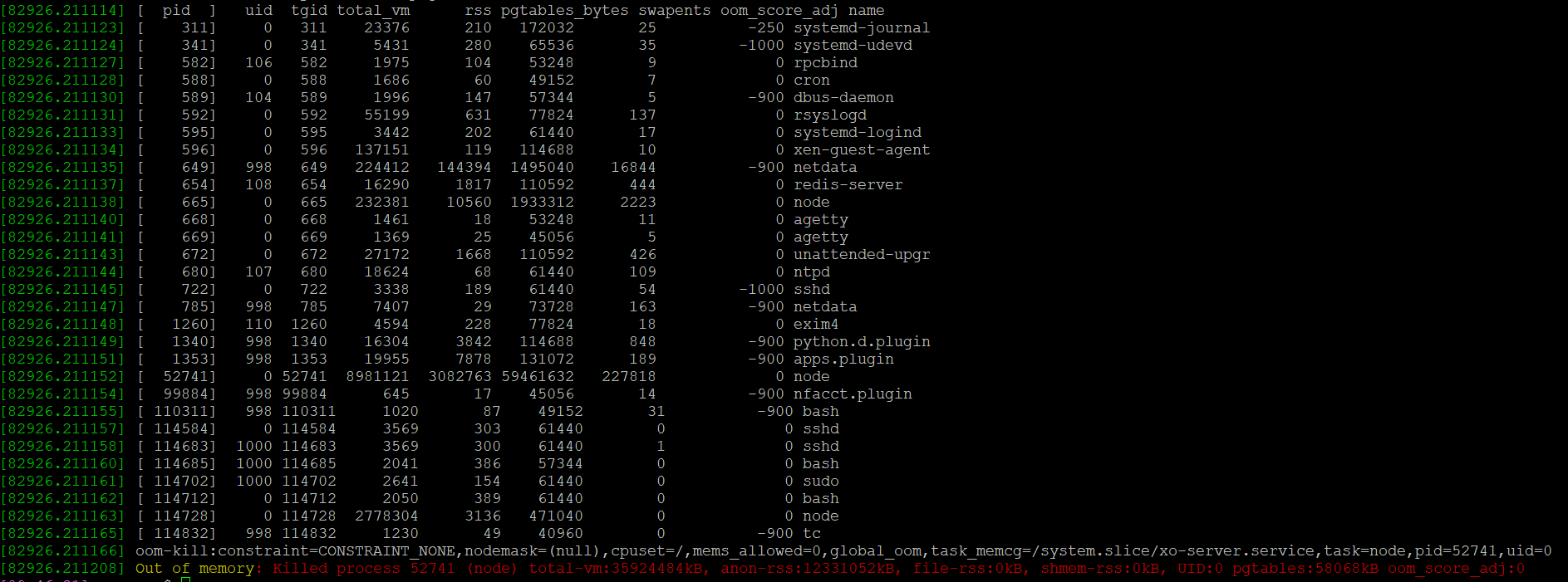
  • XOA 5.93 out of memory

    4
    1
    0 Votes
    4 Posts
    1k Views
    olivierlambertO
    Then you should open a support ticket, please
  • General Question

    10
    0 Votes
    10 Posts
    2k Views
    olivierlambertO
    Yes, you can create a group and provide ACLs on the group (IIRC). So all users in the group will have the same permissions.
  • 0 Votes
    12 Posts
    7k Views
    planedropP
    @waveguide This is a good solution, glad it's working.
  • Today's build fixed all my "certificate" issues! Great job

    Solved
    2
    0 Votes
    2 Posts
    312 Views
    olivierlambertO
    Message for @julien-f who both broke and fixed it
  • XO slow to display stats

    Solved
    9
    0 Votes
    9 Posts
    2k Views
    olivierlambertO
    It's not that I'm not happy, I'm just explaining why it makes more sense to post issues on the GitHub repo that you used to install XO in the first place What if a 3rd party installed is installing XO in the incorrect way? We have already many messages to deal with, adding potential 3rd party installer would make it even harder for us regarding our community support
  • Importing vm from VMware ESXi fails

    Solved
    7
    2
    0 Votes
    7 Posts
    2k Views
    A
    Solved by 583c728
  • continuous replication problems

    Solved
    17
    2
    0 Votes
    17 Posts
    4k Views
    GheppyG
    And I confirm this, the problem has disappeared. Thank you
  • XOA does not mount CloudConfigDrive

    5
    0 Votes
    5 Posts
    1k Views
    olivierlambertO
    This can happen since using the sources means also experiment some bugs, while on XOA, you should be safer because we do QA before each release. If you want stability and a production grade solution, go for XOA Anyway, the bug is now fixed, get the latest commit on master and try again, it should work!