Subcategories

  • VMs, hosts, pools, networks and all other usual management tasks.

    432 Topics
    3k Posts
    A
    @Danp I have also seen this problem with XO, but currently do not have an example to test. This was an issue on both local SR and shared SR on NFS.
  • ACLs, Self-service, Cloud-init, Load balancing...

    97 Topics
    818 Posts
    olivierlambertO
    October release fixed it
  • All XO backup features: full and incremental, replication, mirrors...

    444 Topics
    4k Posts
    A
    Restarting tool stack on master host of remote pool cleared the stuck job and backup was able run failed vms. Support ticket still open fyi.
  • Everything related to Xen Orchestra's REST API

    75 Topics
    571 Posts
    F
    @MathieuRA Thank you, perfect Br,
  • Terraform, Packer or any tool to do IaC

    45 Topics
    427 Posts
    CyrilleC
    Terraform provider release v0.37.0 Enables the secure boot parameter for the VM resource Terraform provider release: https://github.com/vatesfr/terraform-provider-xenorchestra/releases/tag/v0.37.0
  • Connecting servers after credential change

    15
    2
    0 Votes
    15 Posts
    4k Views
    jedimarcusJ
    @LEB-ID It's called Add new Server in XCP-ng Center too... old habits die hard. But Pools is not the right word either. It's hard coming up with something short and precise.
  • Backup concurrency within one VM with multiple disks

    6
    2
    0 Votes
    6 Posts
    917 Views
    ForzaF
    @julien-f Done: https://github.com/vatesfr/xen-orchestra/issues/4490 ghost created this issue in vatesfr/xen-orchestra closed Allow max concurrency per VDI/disk in backup jobs #4490
  • 0 Votes
    8 Posts
    2k Views
    julien-fJ
    @olivierlambert said in Backup-NG Error "invalid header checksum" after VM-Disk-Resize and reaching retention Limit.: So the issue appeared just when the oldest extended delta had to be merged in the full I suppose. This is exact, but we need to have a proper process to reproduce it. This might be related to: increasing the size of the disk above a certain threshold increasing the content of the disk above a certain threshold
  • 0 Votes
    7 Posts
    1k Views
    J
    After: mount 192.168.10.6:/mnt/raid/nfs /mnt/jan and i look with mount i get this: 192.168.10.6:/mnt/raid/nfs on /mnt/jan type nfs4 (rw,relatime,vers=4.1,rsize=131072,wsize=131072,namlen=255,hard,proto=tcp,timeo=600,retrans=2,sec=sys,clientaddr=10.211.55.19,local_lock=none,addr=192.168.10.6) So its working. After manual typing what XO tried: mount -t nfs 192.168.10.6:/mnt/raid/nfs/backup /mnt/jan -o vers=3 I get the same error: mount.nfs: access denied by server while mounting 192.168.10.6:/mnt/raid/nfs/backup So the “-o vers=3" option is the problem. Can i edit a file in XO to get rid of the “-o vers=3” option? SOLVED In XO i used the option -o vers=4 and this works.
  • XO not displaying any Storages

    Solved
    17
    2
    0 Votes
    17 Posts
    3k Views
    AnonabharA
    @badrAZ Gentleman, thank you very much.. I updated and recompiled and now I get all the storages on display. Thanks again, Peg
  • Old Backup

    13
    0 Votes
    13 Posts
    2k Views
    pdoniasP
    https://github.com/vatesfr/xen-orchestra/issues/4467 pdonias created this issue in vatesfr/xen-orchestra closed Hide legacy backup menu entry #4467
  • xoa vm export - "orphaned" snapshot

    8
    1
    0 Votes
    8 Posts
    989 Views
    olivierlambertO
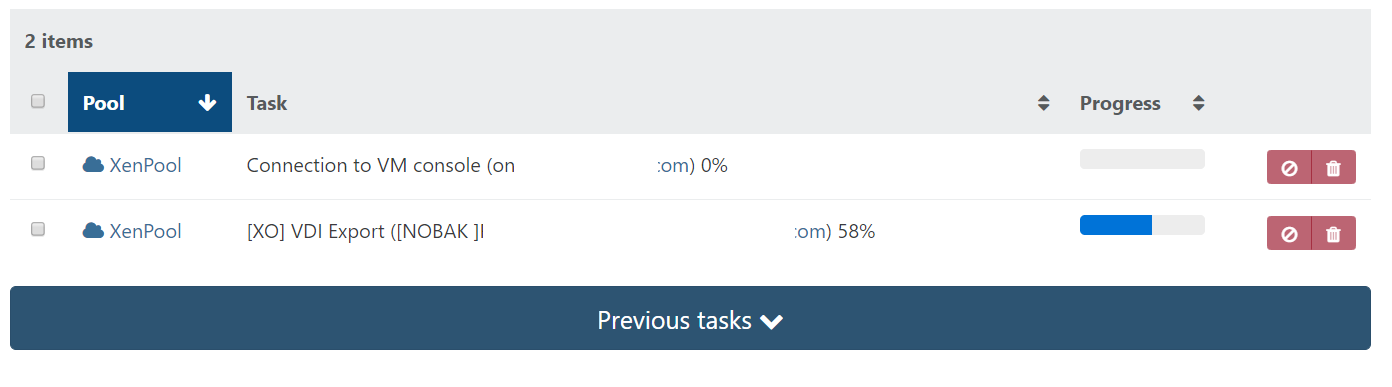
    For example, xo-server crashed/interrupted/restarted during the export.
  • 0 Votes
    20 Posts
    5k Views
    onurO
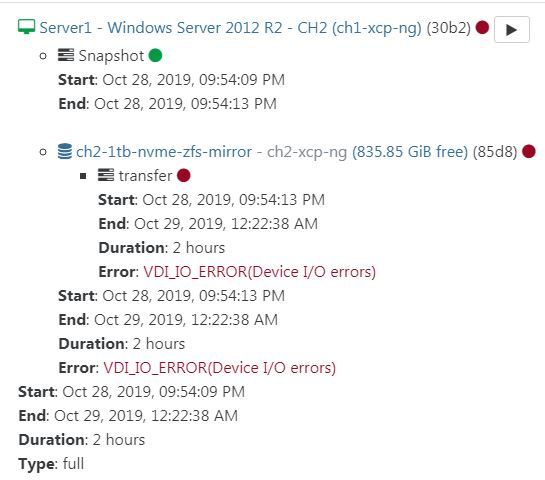
    @olivierlambert said in Continuous Replication fails with VDI_IO_ERROR(Device I/O errors) on fresh XOA install after XenServer 7.2 -> XCP-ng 8.0 upgrade: To your config file, yes. Where this config file is depends on where do you installed Xen Orchestra (I suppose from the sources, so I can't guess where do you installed, could be anyware ) edit: I think it's fixed now and integrated by default in the config Great, this fix already is in the new version. I was having this problem (Error: VDI_IO_ERROR(Device I/O errors)) and was not be able to do CR of my VMs but now CR works. Thank you PS: BTW that was my config file
  • iso smb library - how to create it in XOA?

    Solved
    14
    1
    0 Votes
    14 Posts
    9k Views
    AddeA
    @akurzawa OK then I know
  • Clean up "old version of guest-tools.iso"

    4
    0 Votes
    4 Posts
    2k Views
    H
    @axiom00 Thank you for your answer, this worked great. Was able to clean the entire list of old versions this way.
  • Number of cores in stats is incorrect for VMs

    10
    1
    0 Votes
    10 Posts
    1k Views
    B
    @olivierlambert xcp-ng Center displays it properly, so yeah, it must be the way XO is pulling data. [image: 1565959684237-cpu.jpg] Oh well. Not a big deal. Just was curious. Thanks Olivier!
  • Two Delta-Backups on the same host

    4
    3
    0 Votes
    4 Posts
    769 Views
    olivierlambertO
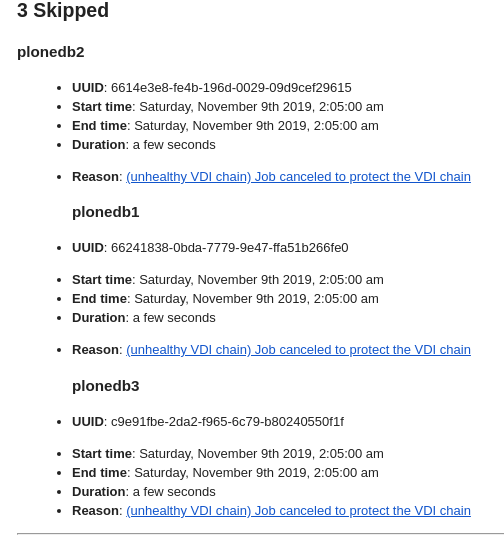
    When you click on the link of the error message it should send you to the official documentation, explaining what it means: https://xen-orchestra.com/docs/backup_troubleshooting.html#error-messages I'm not sure to understand the UI question, can you post a screenshot?
  • vm visible in console not in xen-orchestra

    4
    2
    0 Votes
    4 Posts
    1k Views
    akurzawaA
    @jedimarcus You were right [root@XCP02 ~]# xe vm-list is-a-snapshot=false | grep 29_ name-label ( RW): 29_Hades @Danp [root@XCP02 ~]# xe vm-list params=name-label,uuid,other-config uuid=c2ae0376-b164-1d63-5c9a-e90a6be4cfbc uuid ( RO) : c2ae0376-b164-1d63-5c9a-e90a6be4cfbc name-label ( RW): 29_zeus-file-archive_2019-08-08T13:36:58.771Z other-config (MRW): base_template_name: Debian Stretch 9.0; import_task: OpaqueRef:c1020902-7587-47fd-9035-ad97d0f82c99; mac_seed: 06e28f1e-e6b0-3a82-1d50-33414ceea41e; install-methods: cdrom,nfs,http,ftp; linux_template: true ok thank You guys.
  • Disaster recovery - wrong network in destination

    Solved
    7
    2
    0 Votes
    7 Posts
    1k Views
    olivierlambertO
    Yeah I would say that's the more logical solution in the end
  • cloud-init Network configuration

    4
    0 Votes
    4 Posts
    1k Views
    fohdeeshaF
    Do you mean to say when you edit the network config box, and fill it out with your own network info (adhering to this standard: https://cloudinit.readthedocs.io/en/latest/topics/network-config-format-v1.html) that cloudinit in the vm gives a yaml error? This indicates the way you filled out the entry box is not properly formatted. Keep in mind to pass networking info, your cloudinit install in your template VM needs to be set to use nocloud data sources, and keep in mind the network configuration passed via cloud-init is added to the template VM, not replaced, so you need to properly configure your template VM to not already have adapters configured with IP addresses etc
  • XO does not show all VMs on a particular xs 6.2 node and other

    8
    0 Votes
    8 Posts
    1k Views
    B
    Yes, you are right infact the old instances are halted and are temporarily kept till I am not sure the imported ones are perfectly working on new node. Unfortunately in the meantime I need a way to manage boths and it means xencenter or cli. Thanks for having pointed my attention to the duplicated uiids problem.
  • XO from source - no plugins, no config import

    5
    0 Votes
    5 Posts
    2k Views
    DanpD
    See me previous post here -- https://xen-orchestra.com/forum/post/5072 I'm guessing that you were missing the symlinks for the plugins, otherwise they should have been present in XO.
  • Question About Multiple Remotes on XOA Backup-NG

    5
    0 Votes
    5 Posts
    1k Views
    A
    Thank you, @olivierlambert, for all you do here.
  • Migrate or export XOCE

    3
    0 Votes
    3 Posts
    1k Views
    bnrstnrB
    I think the simplest way to just do this once is to go to Settings > Config, there you can export the backup. Once you create your new instance of XOCE, you can import the backup using the same page, then just logout of the default user, and you can login using your old credentials. Make sure to delete the admin@admin.net account after.
  • Full XOA

    6
    0 Votes
    6 Posts
    3k Views
    olivierlambertO
    So you can't create a backup with XOA Free. This edition is meant for all usual administrative tasks, like XCP-ng Center if you like. If you want backup features, 2 choices: going for XOA Starter, Enterprise or Premium depending on your backup needs. See each edition features here: https://xen-orchestra.com/#!/featuresmatrix (each edition comes with pro support, updater and remote SSH access if needed) install XO from the sources on a system you like, following our guide: https://xen-orchestra.com/docs/from_the_sources.html