Subcategories

  • VMs, hosts, pools, networks and all other usual management tasks.

    490 Topics
    4k Posts
    Z
    @poddingue said: Thanks for posting the fix. The same thing came up in an older thread, https://xcp-ng.org/forum/topic/9957, where disabling IPv6 also made xoa check go green. @HamiltonWDS explained a likely reason in https://xcp-ng.org/forum/post/87831: Node tries the addresses with a short timeout and can end up on the IPv6 one. Your curl -6 test helps a lot here, because it shows IPv6 doesn't connect at all on that network, so it's more than a slow path. Turning it off in XOA seems reasonable if you don't use IPv6 there; if you do, I'd guess the router side is where it really needs fixing, though I could be wrong (still haven't migrated to IPv6 myself ). Curious whether it sorts out the Cloud Backup too. XOA is using our management network where ipv6 is not needed and not enabled. Looks like our cloud backup finally ran for the first time in while too.[image: cloudbackup.jpg]
  • ACLs, Self-service, Cloud-init, Load balancing...

    106 Topics
    870 Posts
    D
    I ran into the same problem with DR replicas. Ignoring VMs by tag would solve the problem, but so would excluding the ip address information.
  • All XO backup features: full and incremental, replication, mirrors...

    538 Topics
    6k Posts
    johnnezeroJ
    @pierrebrunet Thanks for the update. So is there any way to run the reclaimSpace function (i.e from the XO CLI or something, without having to build a whole REST API application or whatever that involves)?
  • Everything related to Xen Orchestra's REST API

    88 Topics
    654 Posts
    poddingueP
    Pretty cool, @samuelolavo, thanks for clarifying!
  • Terraform, Packer or any tool to do IaC

    52 Topics
    488 Posts
    CyrilleC
    New release ! Cloud Controller Manager v1.2.0 https://github.com/vatesfr/xenorchestra-cloud-controller-manager/releases/tag/v1.2.0 Adds a new cloud-node-out-of-service controller that applies the node.kubernetes.io/out-of-service=nodeshutdown:NoExecute taint to the nodes whose Xen Orchestra VM is halted or has been deleted. More about this feature in the documentation or #90
  • Update Templates

    14
    1 Votes
    14 Posts
    3k Views
    D
    Hi bikemuch, For unregistered XOA the template auto-update is limited. Easiest way is via CLI: download the latest Debian 13 and CentOS Stream 10 ISOs, then use xe vm-import or create new templates from them. You can also check the XOA “Templates” section and force a refresh if available. Works fine for me this way.
  • Rolling pool update failed to migrate VMs back

    Unsolved
    17
    0 Votes
    17 Posts
    4k Views
    olivierlambertO
    @neal https://github.com/vatesfr/xen-orchestra/issues/10260
  • is Xo Proxy available in community version

    Unsolved
    13
    0 Votes
    13 Posts
    3k Views
    B
    @poddingue Fistst of all I appreciate your answer and your position. The thing is that, even though the proxy code itself is opensource, the functionality of the plugin is basicaly behind a paywall. We are not talking about support. Actual functioning of the plugin after compiling from sources depends on license availability and there is no option to select no support or something along the lines "I built it myself from sources". Without patching the code even though the proxy is otherwise functional the backups won't work because of missing license. Hopefully the powers that can will provide an acceptable albeit community supported way to use the proxy cleanly, without touching license checks. Best regards!
  • v6 UI VDI's not being shown all the time.

    Solved
    6
    3
    0 Votes
    6 Posts
    641 Views
    poddingueP
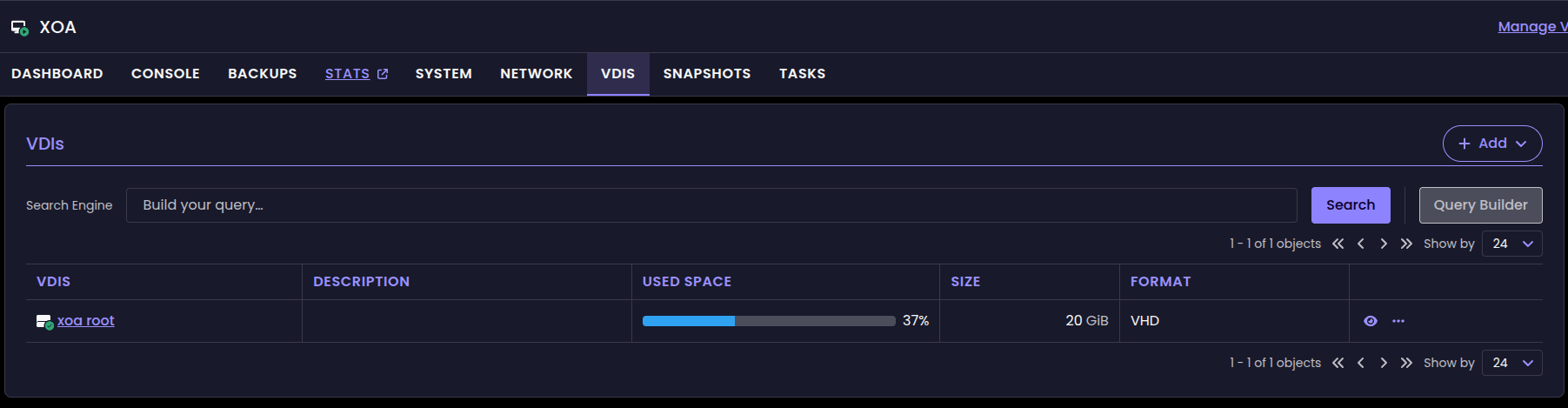
    @acebmxer No problem, that's excellent news, thanks for the feedback!
  • Existing AD Users Cannot Login to XOCE but New Users Can

    Solved
    19
    0 Votes
    19 Posts
    4k Views
    K
    RESOLVED — root cause found, three years later. Leaving a full write-up for anyone who lands here from a search. Short version: this was never an XO bug, and it was never intermittent. The answer was sitting in the very first test-cli.js output I posted back in May 2023, and I misread it — as did everyone else in this thread, myself very much included. The line that mattered failed to bind as CN=Agbasi\, Kismet,...: 80090308: LdapErr: DSID-0C090434, comment: AcceptSecurityContext error, data 569, v4f7c We all pattern-matched AcceptSecurityContext error to "bad credentials" and moved on. But the meaning is entirely carried by the data field, which is the underlying Win32 status in hex: data 52e = 0x52E = 1326 = ERROR_LOGON_FAILURE — this is the "wrong password" one data 525 = 1317 = ERROR_NO_SUCH_USER data 532 = 1330 = password expired data 775 = 1909 = account locked out data 569 = 0x569 = 1385 = ERROR_LOGON_TYPE_NOT_GRANTED I was getting 569, not 52e. My password was correct all along. AD validated it, then refused the logon type. Why that happens xo-server-auth-ldap verifies a password the only way LDAP allows — it re-binds to the directory as the user. Against Active Directory, an LDAP simple bind to a DC is processed as a Type 3 (network) logon on that DC. So if an account is caught by "Deny access to this computer from the network" (SeDenyNetworkLogonRight) in the Default Domain Controllers Policy (or any other WINNING GPO, for that matter), it cannot complete an LDAP bind — no matter how correct the password is, and no matter which LDAP client is asking. My environment uses a tiered admin model. Non-domain-admin admin groups are explicitly denied network logon to the DCs. My admin account is in those groups. Hence 569, every single time, by design. Why it looked intermittent It wasn't. I sampled it either side of a config change. I could prove a bind had succeeded recently, because my LDAP-only XO account (no local password on the record at all) minted an API token on 28 July. Then on 31 July I restored RBAC settings on the Default Domain Controllers Policy that had drifted at some point — I found that during unrelated PKI work. GptTmpl.inf last-write confirms it. The token's last successful use is about eleven hours before that edit. Two deterministic states, one config change in the middle. That's the whole "intermittency." My 2023 "seven security groups" theory was wrong For the record, since it's still up there and someone will find it: I removed group memberships one at a time until auth worked, and concluded there was a membership count limit. There isn't. My own control test disproved it at the time — adding fifteen groups never reproduced the failure — and I should have taken that seriously instead of filing it under "weird." The variable was never the count. It was which group. One of the removals happened to drop the account out of a denied group. My other closing theory in this thread — special-character handling in the username or password — was also wrong. Getting 569 back proves AD parsed the escaped DN (CN=Agbasi\, Kismet), found the object, and got as far as evaluating the password. A mangled DN gives you 525 or a DN syntax error, not a logon-rights rejection. ldapts and passport were behaving correctly throughout. How to check this in 60 seconds Run the plugin test CLI and note the data value. Convert hex → decimal, look it up in Microsoft's System Error Codes list. On the DC, look for Security event 4625 with Sub Status 0xC000015B (STATUS_LOGON_TYPE_NOT_GRANTED). Fastest test of all — from a workstation, as the affected account: net use \\dc01\sysvol. If network logon to the DC is denied, this fails too, and you've confirmed it without touching XO at all. Check the policy directly: $p = "\\mydomain.net\SYSVOL\mydomain.net\Policies\{6AC1786C-016F-11D2-945F-00C04fB984F9}" + "\Machine\Microsoft\Windows NT\SecEdit\GptTmpl.inf" Select-String -Path $p -Pattern "SeDenyNetworkLogonRight|SeNetworkLogonRight" Resolve the SIDs and see whether your user is in any of the denied groups. Also worth checking your grant side: if Access this computer from the network doesn't list Authenticated Users directly, ordinary users are probably getting it transitively via Pre-Windows 2000 Compatible Access. Worth confirming before you assume a plain non-privileged account will work. What I am NOT doing Removing those groups from the deny right. It's doing exactly what I rebuilt it to do. Restoring an app login by handing admin groups network access to the DCs for SMB/RPC/LDAP is a bad trade, and I'd just be undoing my own remediation. Fix Interim: local XO accounts for the admins who need them. No AD objects created, nothing to unwind later, per-user attribution preserved in the audit log. Long term: federate XO through Keycloak (OIDC) instead of LDAP. Kerberos ticket issuance is a KDC service operation and is not gated by SeNetworkLogonRight — which is exactly why these accounts log into workstations all day while failing an LDAP bind. ️ Important if you go the Keycloak route: Keycloak's LDAP user federation validates passwords by doing an LDAP bind. Configure it that way and you'll hit data 569 inside Keycloak instead of inside XO and gain nothing. Password validation has to be delegated to Kerberos/GSSAPI. This will bite you on anything else you point at LDAP too — Bitwarden, NPM, TrueNAS, the lot. Worth solving once at the IdP. One request for Vates @olivierlambert @julien-f — you were right that it was environmental, and I owe you both thanks for the time you put in back in 2023. That said, there's a real (small) improvement available here. xo-server collapses every auth provider exception into a generic invalid credentials, and the plugin only emits the actual AD error at DEBUG. The DC told us precisely what was wrong on the very first attempt — it just never reached anywhere a user would look. Surfacing the LDAP result code and the AD data sub-code at INFO on failure, and in the plugin test output in the UI, would turn this class of problem from a multi-year hunt into a single-session diagnosis. Happy to open an issue on GitHub with the full reproduction if that's useful. Hope this saves someone else three years. If you found this thread by searching data 569, *ERROR_LOGON_TYPE_NOT_GRANTED**, or "LDAP invalid credentials but password is correct" — check your Deny access to this computer from the network user right first. That's almost certainly it.

  • XOA Updater fails

    Unsolved
    4
    0 Votes
    4 Posts
    706 Views
    andibingA
    @john.c said: nd need to be cleared, before re-attempting the update. Checking the logs will help Just for completeness... it kept doing this after all the typical diagnosis steps. So never found a solution Definitely wasn't cache or disc space related. In the end I built the XOA from source on the same VM and that worked fine. Although subsequent to that I've moved XOA to the containerised version thus saving an extra VM!.
  • Facing some issue in copy Function of Xen Orchestra

    4
    0 Votes
    4 Posts
    315 Views
    AtaxyaNetworkA
    @irtaza9 i would look a the usual suspect, /var/log/SMlog /var/log/xensource.log see https://docs.xcp-ng.org/troubleshooting/
  • Deploy VM via cloud-init config

    Solved
    9
    1
    0 Votes
    9 Posts
    660 Views
    MathieuRAM
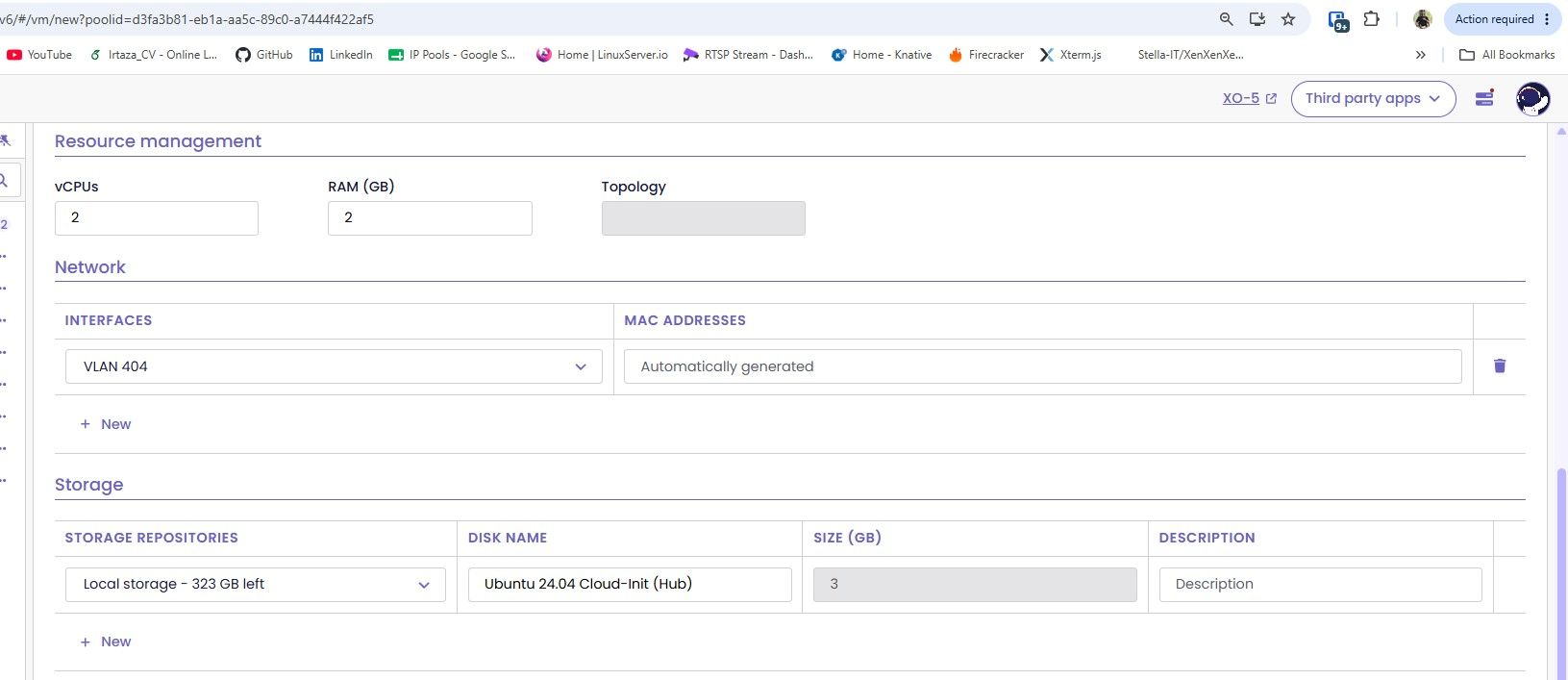
    @acebmxer Thank you for your quick feedback.
  • Unable to fetch latest master commit.

    Solved
    17
    1
    1 Votes
    17 Posts
    2k Views
    TS79T
    @acebmxer all good and thank you again for sharing your discovery on the forums
  • Feature request - VM folders

    feature request
    21
    3 Votes
    21 Posts
    6k Views
    olivierlambertO
    Perfect, thanks for your feedback!
  • Xenorchestra V6 issue

    6
    1
    0 Votes
    6 Posts
    795 Views
    pdoniasP
    @acebmxer I can confirm that, we'll fix it, thanks
  • VDI_IO_ERROR(Device I/O errors) Immediate HELP needed Please.

    3
    0 Votes
    3 Posts
    500 Views
    poddingueP
    You may have worked it out yourself already. A consistency check reporting inconsistent parity on Virtual Disk 1, plus Buffer I/O error on several dm- devices, is the storage layer underneath XCP-ng telling you something is wrong down there. The VDI_IO_ERROR is mostly XCP-ng saying it could not read the disk, not the cause itself. I would be careful about anything that writes to that array until someone who knows hardware RAID recovery better than I do has looked at it. I honestly don't know whether a rebuild helps or makes things worse from this state, and I'd rather say that than guess with your data. Might be worth a mention to @Team-Storage.
  • DUPLICATE_MAC_SEED

    12
    0 Votes
    12 Posts
    3k Views
    poddingueP
    I don't fully follow the mac-seed side of this, but a couple of things in the thread stand out. Tristis Oris's workaround looks like the practical unblock for now: removing the halted CR copy on the target host lets the migration go through, presumably because that replica VM is what collides on the mac-seed. Since you, KPS and Tristis Oris are all hitting the same DUPLICATE_MAC_SEED migrating into a replica target, this feels like something worth a GitHub issue on xen-orchestra with your XO commit, the exact steps, and whether a halted CR copy is present each time. It might also be worth a mention to @Team-XAPI-Network, since they'd know whether a CR replica is supposed to share its source's mac-seed. I could be wrong on the mechanism, so take that with a pinch of salt.
  • 1 Votes
    4 Posts
    546 Views
    acebmxerA
    Added local user support. Current sample config file. # Example xo-apply configuration. # Copy this into your own PRIVATE repo, edit, then: # export XO_URL=https://xo.example.lan XO_TOKEN=... # xo-apply diff config.yaml # xo-apply apply config.yaml # # Secrets never go in this file: use ${env:VAR_NAME} placeholders, # resolved from environment variables when the tool runs. # # A section that is ABSENT is unmanaged (xo-apply won't touch or report that # resource type). A present-but-empty section means "manage this type, none # should exist" (only deleted when you pass --prune). remotes: # NFS share on a NAS - name: nas-backups type: nfs host: 192.168.1.50 path: /export/xo-backups # port: 2049 # optional # mountOptions: vers=4 # optional mount(8) options # SMB / Windows share — host is "HOST\share" (single backslash in YAML # double-quoted strings must be written as \\) - name: windows-share type: smb host: "192.168.1.60\\backups" domain: WORKGROUP username: backup password: ${env:SMB_BACKUP_PASSWORD} # path: xo # optional subfolder inside the share # S3-compatible object storage (AWS, MinIO, Backblaze B2, ...) - name: offsite-s3 type: s3 host: s3.us-east-1.amazonaws.com path: my-bucket/xo-backups # bucket/directory accessKey: AKIAEXAMPLE secretKey: ${env:S3_SECRET_KEY} region: us-east-1 # protocol: http # for http-only endpoints (e.g. local MinIO) # Directory local to the XO VM (e.g. a mounted USB disk) - name: local-disk type: local path: /mnt/backup-disk backupJobs: # Delta (incremental) backup of every VM tagged "critical", every night - name: nightly-critical mode: delta vms: tag: critical remotes: [nas-backups, offsite-s3] settings: # optional global job settings, passed through to XO concurrency: 2 # timezone: America/New_York # maxExportRate: 104857600 # bytes/s # nRetriesVmBackupFailures: 2 # reportWhen: failure schedules: - name: nightly cron: "0 2 * * *" retention: 14 # backups kept on the remotes # snapshotRetention: 3 # snapshots kept on the pool # timezone: America/New_York # enabled: false # schedules are enabled by default # Weekly full backup of specific VMs, selected by name - name: weekly-full mode: full compression: zstd vms: names: [dc-01, mail-01] # ...or select by uuid: uuids: [770aa52a-fd42-8faf-f167-8c5c4a237cac] # ...or pass a raw XO smart-mode pattern for anything more complex: # raw: # type: VM # tags: # __or: [[prod]] remotes: [nas-backups] schedules: - name: weekly cron: "0 3 * * 0" retention: 8 # Disaster Recovery / Continuous Replication: instead of (or in addition to) # remotes, target one or more SRs. mode:full => DR, mode:delta => CR. - name: dr-critical mode: full # delta = Continuous Replication vms: tag: critical srs: [4991d4aa-ed84-599b-7d19-97f2f943a366] # target SR UUID(s) # remotes: [] # SR-only is fine; may be combined with remotes schedules: - name: hourly-dr cron: "0 * * * *" retention: 3 # replicas kept on the SR # Metadata backups: pool metadata and/or XO's own configuration. metadataBackups: - name: xo-config xoMetadata: true # back up XO's own config pools: [939ed551-fbd6-9868-52d8-d3997b7bf7da] # pool UUID(s) for pool metadata remotes: [nas-backups] schedules: - name: daily cron: "0 21 * * *" xoRetention: 7 # XO metadata backups kept poolRetention: 7 # pool metadata backups kept # Mirror backups: copy an existing remote's backups onto other remote(s), # e.g. push local backups offsite to S3. mirrorBackups: - name: offsite-mirror mode: full # full or delta, to match the source backups sourceRemote: nas-backups remotes: [offsite-s3] schedules: - name: nightly-mirror cron: "0 5 * * *" retention: 14 # Sequences: run backup schedules one after another. Each step names a job and # one of its schedules (from any job kind above, or already in XO). The sequence # has its own cron for when the whole chain runs. sequences: - name: nightly-then-metadata steps: - { job: nightly-critical, schedule: nightly } - { job: xo-config, schedule: daily } cron: "0 22 * * *" # enabled: false # sequences are enabled by default # timezone: America/New_York # Local users (XO's internal auth provider). Users created by an external auth # plugin (LDAP/SAML/GitHub) are NOT managed here and are never pruned. # # Passwords are write-only: XO never returns them, so a real password can't be # exported or diffed — but XO REQUIRES a password to create a user. So `export` # writes the placeholder `password: ChangeMe` for every user. # ⚠️ CHANGE these before importing into a real XO (or use a ${env:...} ref), # otherwise every new user is created with the password "ChangeMe". # The password is only used when a user is CREATED; for an existing user it is # ignored (change it in the XO UI). Only `permission` is compared for drift. users: - email: ops@example.com password: ChangeMe # required by XO; change before import permission: admin # none | read | write | admin (default: none) # Local groups. Members are referenced by email and resolved to ids at apply # time; each member must be a user defined above or already present in XO. groups: - name: operators users: [ops@example.com]
  • v6 left navigation bar

    2
    3
    0 Votes
    2 Posts
    784 Views
    olivierlambertO
    Thanks, I made the feedback to the XO team, this will be fixed ASAP.
  • Netbox sync and empty virtual disks

    3
    0 Votes
    3 Posts
    670 Views
    B
    @poddingue Thanks for the reply. I have been checking the source code of the Netbox plugin over the weekend and added the necessary code to enable the virtual disk sync. In Netbox itself, you do need to add the correct permission for it to work. Will do some more testing during the week, and create a pull-request once I'm satisfied with the result. Up to the Vates if they want to merge it into the main branch. Thank you for your reply!
  • xo-server executable not found

    3
    0 Votes
    3 Posts
    550 Views
    E
    @poddingue said: usually looks like an update that got interrupted or only half-applied Thinking back on it, I think that may be the issue. in that I was too quick off the mark rebooting after the base upgrades. @poddingue said: I think the gentler recovery before rebuilding would have been re-running the updater from the CLI Kinda tried that, but: [18:47 09] xoa@xoa:~$ xoa check -bash: xoa: command not found [18:47 09] xoa@xoa:~$ sudo xoa-updater --upgrade [sudo] password for xoa: sudo: xoa-updater: command not found [18:48 09] xoa@xoa:~$ But regardless, I'm all good now. Cheers.
  • cleanVm: incorrect backup size in metadata

    20
    1
    0 Votes
    20 Posts
    6k Views
    M
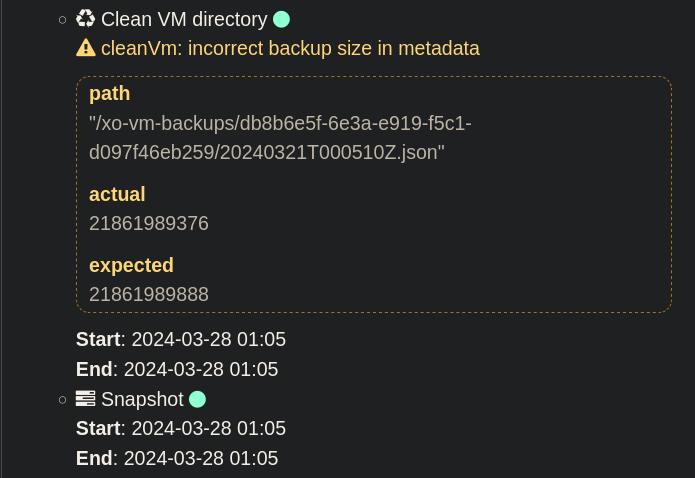
    @poddingue Not seeing it anymore
  • XO-6 Cannot connect to server over Unifi SD-WAN, XO-5 works well

    4
    0 Votes
    4 Posts
    639 Views
    olivierlambertO
    Maybe you can check for a bigger timeout on your UDM?
  • MTU change

    12
    0 Votes
    12 Posts
    8k Views
    bleaderB
    @Andrew I did suspect that would be sufficient, but we need to think at feature level, and as mentionned there is no such thing we could do "quickly" for linux and other OSes. I anyway did a brain dump of my investigation before posting my previous message and we do now have an entry in the roadmap for it, which was not the case previously.