@johnnezero said:
@john.c Thank you for all the great ideas, keep em' comming!
Your welcome. If your other plugin was vibe coded it may be worth doing the same for the other. If you’re still working on it!
@julienxovates In regards to the XO updates with the upcoming encrypted XO data store, by default (opt in for now). Is it ready for plugins like the one done by this author, and others in the future please?
@mpiton
Thanks for looking into this, I guess it wasn't apparent that I needed to click the Save Configuration button for that plugin. I did that and confirmed that the secret now survives an xo-server restart. Thanks again!
I am seeing similar behavior, and only on my backup Remote with "Store backup as multiple data blocks" enabled. I've fallen back to a previous build from two days ago and rerunning backup now.
@koushik you have to use the Helm controller addons for RKE2 to deploy autmatically the Helm chart for the Xen Orchestra CCM with the field spec.bootstrap set to true:
Field | Default | Description
--------------------------------------------------
`spec.bootstrap` | `false` | Set to True if this chart is needed to bootstrap the cluster (Cloud Controller Manager, etc)
EDIT: I wrote a wiki page with what I've tested https://github.com/vatesfr/xenorchestra-cloud-controller-manager/wiki/Rancher-RKE2
Hi!
The new standard way to import is here: https://xen-orchestra.com/#!/xoa
Let me know if you have any issue. It's still in beta yet, and we got one small issue to fix (it won't fetch the XO username/password, so it's still admin@admin.net / admin)
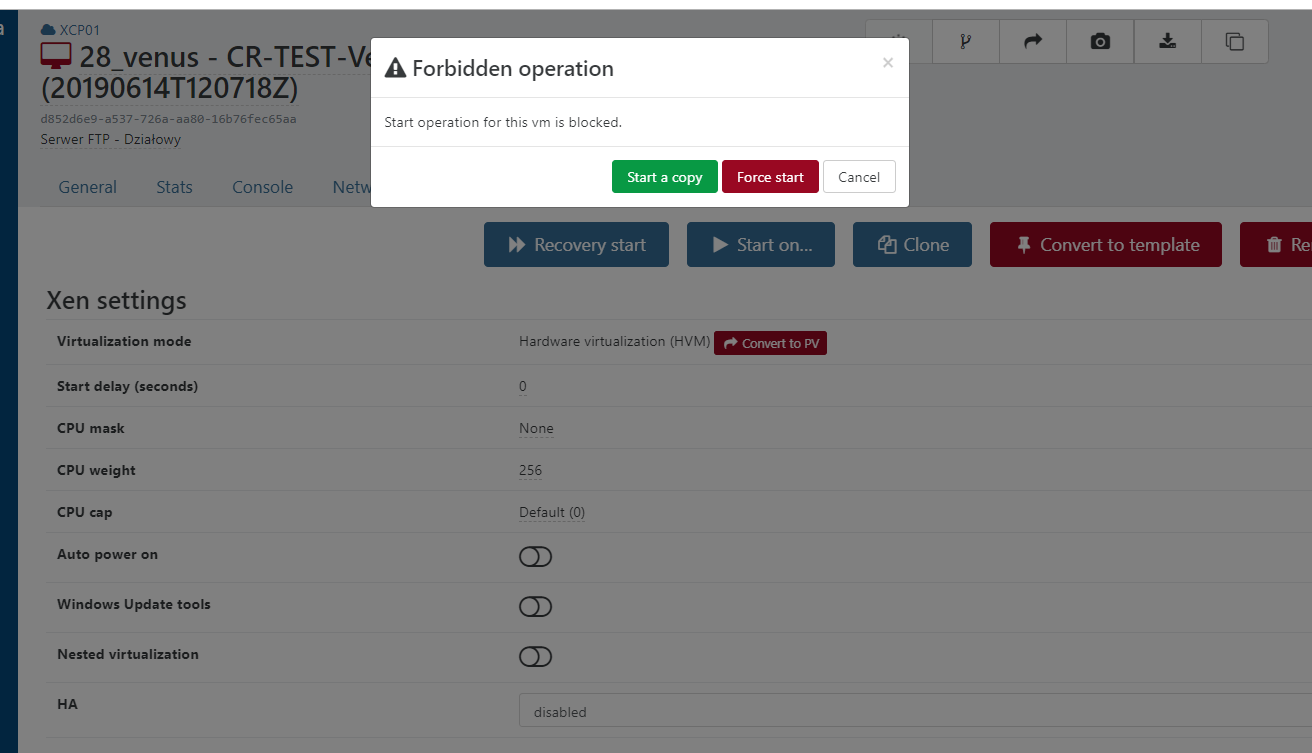
That's normal. If you boot the replicated VMs, then blocks will be changed. It mean no further delta replication will work on this VM. Force boot it if you lost the original VM and you don't care about delta toward the copy anymore. If you just want to test the VM without doing a new full (breaking the delta chain), boot with a copy. I think I explained that in this video: https://www.youtube.com/watch?v=FfUqIwT8KzI
That's a display glitch.
In case someone ran into the same problem here is how I solved it.
I had a feeling this was http mounts issue. I checked and looks like during update process the .xo-server.toml got deleted. I copied the sample one from the /opt/xen-orchestra/packages/xo-server/sample.config.toml , edited the http.mount and bob's your uncle.
I have a feeling this has something to do with the format of that file change. When I originally built from source the file has a slightly different syntax and it was called .xo-server.yaml. At least according tot he directions I used to build. In any case its all back to normal now.
Thanks you everyone for your help.
Thanks, this way we'll have a way to understand what's wrong with this OVA, if it's something really specific or a VMWare way to make something we didn't expected