Subcategories

  • VMs, hosts, pools, networks and all other usual management tasks.

    473 Topics
    4k Posts
    olivierlambertO
    Hi, IP conflict?
  • ACLs, Self-service, Cloud-init, Load balancing...

    104 Topics
    863 Posts
    laszlobortelL
    @florent Thanks for your reply! We have started to migrate thousands of VMs, so disk transfer speed is important for us.. We will also do our detailed tests soon with different threads setting and publish it here. I think threads=1 is a good and logical default, but not efficient. Others might complain if you set it to a higher value. Configuration option would be a real good solution.
  • All XO backup features: full and incremental, replication, mirrors...

    511 Topics
    5k Posts
    itservicesI
    Hi @pierrebrunet With commit c74a8 the problem is still present but the transfer was completed again. Unfortunately my installation does not recognize the "xen-bugtool" command. And both log files are not present. Is this something that needs enabling after install of XCP-NG? Unfortunately and unnoticed my syslog-server did not receive any messages from XCP-NG in the last 30 days. Other inputs work **Edit: I have deleted and re-added the syslog-server with port and now logs are being send to Graylog.** Thanks for your assistance y'all. Regards, Marc
  • Everything related to Xen Orchestra's REST API

    86 Topics
    645 Posts
    J
    Hello I'm pulling stats for all VMs to understand CPU usage. We're a bit behind the curve in terms of XO versions, but these questions hopefully are still relevant. If using a granularity of days, the interval is set to 86400 (understandably) but the endTimestamp varies. Running this on June 9th @ ~1740 we get timestamps for both Mon Jun 8 01:00:00 AM BST 2026 and Tues Jun 9 01:00:00 AM BST 2026. Does this average across the day? Why is the timestamp 0100? Why would there be different timestamps between VMs (all are running) and does that mean that the figures are misaligned in the results? These are retrieved via curl and a bash script, a bit hacky, but for clarity the request is: ++ curl -X GET -s -H accept:application/json -b authenticationToken=[[REDACTED]] -o [[REDACTED]] 'https://[[REDACTED]]/rest/v0/vms/[[REDACTED]]/stats?granularity=days' Really keen to know if we can control the start and endtime, as well as provide a manual interval, as well as the aggregation strategy (min, max, average). Are any of these possible? Lastly, is cpuUsage the percentage as per the dashboard, but averaged over all CPUs? Thanks so much in advance. James
  • Terraform, Packer or any tool to do IaC

    51 Topics
    471 Posts
    poddingueP
    The Kubernetes CSI driver for Xen Orchestra just hit v0.4.0, and we want it on more real clusters before it reaches a stable release candidate. If you run Kubernetes on XCP-ng VMs, this is a good time to give it a proper workout. What's new in v0.4.0: Local-storage support Automatic pool-discovery fallback Kubernetes metadata now lives in Xen Orchestra VDI tags instead of the deprecated other_config. That change also drops the old requirement for Xen Orchestra 6.4 or newer, so the driver runs on more deployments now. ️ Read this before you upgrade. v0.4.0 is a breaking change. The Kubernetes metadata moved from other_config to VDI tags, so you must migrate before upgrading from v0.3.0. Do not upgrade in place: follow the v0.3.0 to v0.4.0 migration guide in the release notes, then move to v0.4.0. What helps us most is hearing how it behaves on your own setup: what works, what breaks, which storage backend you use, and which flavour of Kubernetes you run (k3s, full k8s, or something else). Edge cases on real clusters are the ones we don't see in our own testing. Where to report: start right here in this thread. It keeps everything visible to the community and lets others on the same setup jump in. If something turns out to be a reproducible bug, we'll move it to a GitHub issue on the repo so the team can track it to a fix. Release notes and migration guide: https://github.com/vatesfr/xenorchestra-csi-driver/releases/tag/v0.4.0
  • Technique for shared repo of cloudinit templates

    cloudinit
    4
    0 Votes
    4 Posts
    719 Views
    olivierlambertO
    Your pre-recorded Cloudconfig own setup is user-wide (so per user). It won't be universal for everyone.
  • Cannot delete failed XO VMware-related migration tasks

    14
    0 Votes
    14 Posts
    4k Views
    D
    @gb-123 Yes, I have tried that and it appears to have deleted the tasks. First I had to register as follows: # xo-cli --register <URL of XOA> <admin username> <password> Then: # xo-cli rest get tasks which showed a list of tasks IDs. I verified the IDs with the ID show in the raw log for each of the tasks listed in XOA. Once I figured out which task(s) I wanted to delete, I did the following for each tasks: # xo-cli rest del <tasks/task ID> I have not seen an ill effects since I deleted some tasks last August. Below is a link to removing tasks using xo-cli: https://help.vates.tech/kb/en-us/31-troubleshooting-and-tips/123-how-to-remove-xo-tasks
  • Warm migration stuck at 0%

    Solved
    12
    1
    1 Votes
    12 Posts
    3k Views
    J
    Currently in commit 2f962 and it's working. Thanks you all
  • Easy way to find a failed task?

    2
    0 Votes
    2 Posts
    774 Views
    D
    @Pyroteq said in Easy way to find a failed task?: It seems as soon as you refresh the page everything disappears. The Tasks page only shows logs while you're viewing it. Afterwards I think they get recorded to the Logs, but if your system fell asleep XO wouldn't know what happened. Besides the connection getting dropped and I don't know if that would get recorded.
  • Debian 12 template - long load on bios sreen at startup

    Solved
    4
    1
    0 Votes
    4 Posts
    756 Views
    olivierlambertO
    Yes indeed, if you are not passing a static IP in the template, Cloud init will wait to get an IP for few minutes before continuing to boot
  • OVA import support?

    ova
    5
    0 Votes
    5 Posts
    6k Views
    florentF
    @wttw said in OVA import support?: @olivierlambert said in OVA import support?: Yes it's supposed to work. Sadly, there's as much as different OVAs than VMs and VMware versions. Every time we are fixing new stuff when it's reported. Please provide the OVA somewhere so we can find why and fix it https://tupid.org/debian11.ova - it's about 850MB. I just created this on ESXi 7.0U3, then exported it with ./ovftool --noSSLVerify --diskMode=thin --targetType=ova --compress=9 "vi://skull/debian11" . (VMware ovftool 4.6.2 (build-22220919)) Import from VMware should work if you have indeed the XCP-ng machine in extra for it. The hardware is on order, but I thought I'd start testing this weekend. But we could fix the OVA already, at least as soon we can check what's wrong with the XML. Here's debian11.ovf, for anyone who wants to look without downloading the ova. <?xml version="1.0" encoding="UTF-8"?> <!--Generated by VMware ESX Server, User: root, UTC time: 2024-04-07T15:42:54.40766Z--> <Envelope vmw:buildId="build-19482537" xmlns="http://schemas.dmtf.org/ovf/envelope/1" xmlns:cim="http://schemas.dmtf.org/wbem/wscim/1/common" xmlns:ovf="http://schemas.dmtf.org/ovf/envelope/1" xmlns:rasd="http://schemas.dmtf.org/wbem/wscim/1/cim-schema/2/CIM_ResourceAllocationSettingData" xmlns:vmw="http://www.vmware.com/schema/ovf" xmlns:vssd="http://schemas.dmtf.org/wbem/wscim/1/cim-schema/2/CIM_VirtualSystemSettingData" xmlns:xsi="http://www.w3.org/2001/XMLSchema-instance"> <References> <File ovf:compression="gzip" ovf:href="debian11-disk1.vmdk.gz" ovf:id="file1" ovf:size="856235944"/> <File ovf:compression="gzip" ovf:href="debian11-file1.nvram.gz" ovf:id="file2" ovf:size="1821"/> </References> <DiskSection> <Info>Virtual disk information</Info> <Disk ovf:capacity="16" ovf:capacityAllocationUnits="byte * 2^30" ovf:diskId="vmdisk1" ovf:fileRef="file1" ovf:format="http://www.vmware.com/interfaces/specifications/vmdk.html#streamOptimized" ovf:populatedSize="2324692992"/> </DiskSection> <NetworkSection> <Info>The list of logical networks</Info> <Network ovf:name="VM Network"> <Description>The VM Network network</Description> </Network> </NetworkSection> <VirtualSystem ovf:id="debian11"> <Info>A virtual machine</Info> <Name>debian11</Name> <OperatingSystemSection ovf:id="1" vmw:osType="debian11Guest"> <Info>The kind of installed guest operating system</Info> </OperatingSystemSection> <VirtualHardwareSection> <Info>Virtual hardware requirements</Info> <System> <vssd:ElementName>Virtual Hardware Family</vssd:ElementName> <vssd:InstanceID>0</vssd:InstanceID> <vssd:VirtualSystemIdentifier>debian11</vssd:VirtualSystemIdentifier> <vssd:VirtualSystemType>vmx-19</vssd:VirtualSystemType> </System> <Item> <rasd:AllocationUnits>hertz * 10^6</rasd:AllocationUnits> <rasd:Description>Number of Virtual CPUs</rasd:Description> <rasd:ElementName>1 virtual CPU(s)</rasd:ElementName> <rasd:InstanceID>1</rasd:InstanceID> <rasd:ResourceType>3</rasd:ResourceType> <rasd:VirtualQuantity>1</rasd:VirtualQuantity> </Item> <Item> <rasd:AllocationUnits>byte * 2^20</rasd:AllocationUnits> <rasd:Description>Memory Size</rasd:Description> <rasd:ElementName>2048MB of memory</rasd:ElementName> <rasd:InstanceID>2</rasd:InstanceID> <rasd:ResourceType>4</rasd:ResourceType> <rasd:VirtualQuantity>2048</rasd:VirtualQuantity> </Item> <Item> <rasd:Address>0</rasd:Address> <rasd:Description>SATA Controller</rasd:Description> <rasd:ElementName>SATA Controller 0</rasd:ElementName> <rasd:InstanceID>3</rasd:InstanceID> <rasd:ResourceSubType>vmware.sata.ahci</rasd:ResourceSubType> <rasd:ResourceType>20</rasd:ResourceType> <vmw:Config ovf:required="false" vmw:key="slotInfo.pciSlotNumber" vmw:value="34"/> </Item> <Item> <rasd:Address>0</rasd:Address> <rasd:Description>SCSI Controller</rasd:Description> <rasd:ElementName>SCSI Controller 0</rasd:ElementName> <rasd:InstanceID>4</rasd:InstanceID> <rasd:ResourceSubType>VirtualSCSI</rasd:ResourceSubType> <rasd:ResourceType>6</rasd:ResourceType> <vmw:Config ovf:required="false" vmw:key="slotInfo.pciSlotNumber" vmw:value="160"/> </Item> <Item ovf:required="false"> <rasd:Address>0</rasd:Address> <rasd:Description>USB Controller (EHCI)</rasd:Description> <rasd:ElementName>USB Controller</rasd:ElementName> <rasd:InstanceID>5</rasd:InstanceID> <rasd:ResourceSubType>vmware.usb.ehci</rasd:ResourceSubType> <rasd:ResourceType>23</rasd:ResourceType> <vmw:Config ovf:required="false" vmw:key="slotInfo.pciSlotNumber" vmw:value="32"/> <vmw:Config ovf:required="false" vmw:key="slotInfo.ehciPciSlotNumber" vmw:value="33"/> <vmw:Config ovf:required="false" vmw:key="autoConnectDevices" vmw:value="false"/> <vmw:Config ovf:required="false" vmw:key="ehciEnabled" vmw:value="true"/> </Item> <Item> <rasd:Address>1</rasd:Address> <rasd:Description>IDE Controller</rasd:Description> <rasd:ElementName>VirtualIDEController 1</rasd:ElementName> <rasd:InstanceID>6</rasd:InstanceID> <rasd:ResourceType>5</rasd:ResourceType> </Item> <Item> <rasd:Address>0</rasd:Address> <rasd:Description>IDE Controller</rasd:Description> <rasd:ElementName>VirtualIDEController 0</rasd:ElementName> <rasd:InstanceID>7</rasd:InstanceID> <rasd:ResourceType>5</rasd:ResourceType> </Item> <Item ovf:required="false"> <rasd:AutomaticAllocation>false</rasd:AutomaticAllocation> <rasd:ElementName>VirtualVideoCard</rasd:ElementName> <rasd:InstanceID>8</rasd:InstanceID> <rasd:ResourceType>24</rasd:ResourceType> <vmw:Config ovf:required="false" vmw:key="useAutoDetect" vmw:value="true"/> <vmw:Config ovf:required="false" vmw:key="videoRamSizeInKB" vmw:value="4096"/> <vmw:Config ovf:required="false" vmw:key="enable3DSupport" vmw:value="false"/> <vmw:Config ovf:required="false" vmw:key="use3dRenderer" vmw:value="automatic"/> <vmw:Config ovf:required="false" vmw:key="graphicsMemorySizeInKB" vmw:value="262144"/> </Item> <Item ovf:required="false"> <rasd:AutomaticAllocation>false</rasd:AutomaticAllocation> <rasd:ElementName>VirtualVMCIDevice</rasd:ElementName> <rasd:InstanceID>9</rasd:InstanceID> <rasd:ResourceSubType>vmware.vmci</rasd:ResourceSubType> <rasd:ResourceType>1</rasd:ResourceType> <vmw:Config ovf:required="false" vmw:key="allowUnrestrictedCommunication" vmw:value="false"/> </Item> <Item ovf:required="false"> <rasd:AddressOnParent>0</rasd:AddressOnParent> <rasd:AutomaticAllocation>false</rasd:AutomaticAllocation> <rasd:ElementName>CD-ROM 1</rasd:ElementName> <rasd:InstanceID>10</rasd:InstanceID> <rasd:Parent>3</rasd:Parent> <rasd:ResourceSubType>vmware.cdrom.atapi</rasd:ResourceSubType> <rasd:ResourceType>15</rasd:ResourceType> <vmw:Config ovf:required="false" vmw:key="connectable.allowGuestControl" vmw:value="true"/> </Item> <Item> <rasd:AddressOnParent>0</rasd:AddressOnParent> <rasd:ElementName>Hard Disk 1</rasd:ElementName> <rasd:HostResource>ovf:/disk/vmdisk1</rasd:HostResource> <rasd:InstanceID>11</rasd:InstanceID> <rasd:Parent>4</rasd:Parent> <rasd:ResourceType>17</rasd:ResourceType> <vmw:Config ovf:required="false" vmw:key="backing.writeThrough" vmw:value="false"/> </Item> <Item> <rasd:AddressOnParent>7</rasd:AddressOnParent> <rasd:AutomaticAllocation>true</rasd:AutomaticAllocation> <rasd:Connection>VM Network</rasd:Connection> <rasd:Description>VmxNet3 ethernet adapter on &quot;VM Network&quot;</rasd:Description> <rasd:ElementName>Ethernet 1</rasd:ElementName> <rasd:InstanceID>12</rasd:InstanceID> <rasd:ResourceSubType>VmxNet3</rasd:ResourceSubType> <rasd:ResourceType>10</rasd:ResourceType> <vmw:Config ovf:required="false" vmw:key="slotInfo.pciSlotNumber" vmw:value="192"/> <vmw:Config ovf:required="false" vmw:key="wakeOnLanEnabled" vmw:value="false"/> <vmw:Config ovf:required="false" vmw:key="connectable.allowGuestControl" vmw:value="true"/> </Item> <vmw:Config ovf:required="false" vmw:key="cpuHotAddEnabled" vmw:value="false"/> <vmw:Config ovf:required="false" vmw:key="cpuHotRemoveEnabled" vmw:value="false"/> <vmw:Config ovf:required="false" vmw:key="memoryHotAddEnabled" vmw:value="false"/> <vmw:Config ovf:required="false" vmw:key="firmware" vmw:value="bios"/> <vmw:Config ovf:required="false" vmw:key="cpuAllocation.shares.shares" vmw:value="1000"/> <vmw:Config ovf:required="false" vmw:key="cpuAllocation.shares.level" vmw:value="normal"/> <vmw:Config ovf:required="false" vmw:key="tools.syncTimeWithHost" vmw:value="false"/> <vmw:Config ovf:required="false" vmw:key="tools.syncTimeWithHostAllowed" vmw:value="true"/> <vmw:Config ovf:required="false" vmw:key="tools.afterPowerOn" vmw:value="true"/> <vmw:Config ovf:required="false" vmw:key="tools.afterResume" vmw:value="true"/> <vmw:Config ovf:required="false" vmw:key="tools.beforeGuestShutdown" vmw:value="true"/> <vmw:Config ovf:required="false" vmw:key="tools.beforeGuestStandby" vmw:value="true"/> <vmw:Config ovf:required="false" vmw:key="tools.toolsUpgradePolicy" vmw:value="manual"/> <vmw:Config ovf:required="false" vmw:key="powerOpInfo.powerOffType" vmw:value="soft"/> <vmw:Config ovf:required="false" vmw:key="powerOpInfo.resetType" vmw:value="soft"/> <vmw:Config ovf:required="false" vmw:key="powerOpInfo.suspendType" vmw:value="soft"/> <vmw:Config ovf:required="false" vmw:key="nestedHVEnabled" vmw:value="false"/> <vmw:Config ovf:required="false" vmw:key="vPMCEnabled" vmw:value="false"/> <vmw:Config ovf:required="false" vmw:key="virtualICH7MPresent" vmw:value="false"/> <vmw:Config ovf:required="false" vmw:key="virtualSMCPresent" vmw:value="false"/> <vmw:Config ovf:required="false" vmw:key="flags.vvtdEnabled" vmw:value="false"/> <vmw:Config ovf:required="false" vmw:key="flags.vbsEnabled" vmw:value="false"/> <vmw:Config ovf:required="false" vmw:key="bootOptions.efiSecureBootEnabled" vmw:value="false"/> <vmw:Config ovf:required="false" vmw:key="powerOpInfo.standbyAction" vmw:value="checkpoint"/> <vmw:ExtraConfig ovf:required="false" vmw:key="nvram" vmw:value="ovf:/file/file2"/> <vmw:ExtraConfig ovf:required="false" vmw:key="svga.autodetect" vmw:value="TRUE"/> </VirtualHardwareSection> </VirtualSystem> </Envelope> this is an ova with vmdk disk compressed. They are not supported for now (since vmdk are already compressed per block). TBF, we're putting much of the import/export effort into the v2v tool
  • xo-cli examples

    10
    0 Votes
    10 Posts
    3k Views
    I
    @julien-f 0k, is there a specific rule on the format of this identifier? When I create a backup, I set an email address for reporting but that address or notification setting) is not present in the JSON, why and how can I set it ? For rolling snapshots, the content is 0k (same identifier in both settings and schedule): { "name": "rolling snapshots", "mode": "full", "schedules": { "gbkk1mbemhg": { "cron": "15 12 * * *", "enabled": true, "name": "daily rolling snapshots", "timezone": "Europe/Rome" } }, "settings": { "": { "concurrency": 2, "nRetriesVmBackupFailures": 3, "timeout": 7200000, "offlineSnapshot": false, "checkpointSnapshot": true }, "gbkk1mbemhg": { "healthCheckSr": "ac595bf5-ca14-586e-6f89-9e4e884043eb", "healthCheckVmsWithTags": [], "snapshotRetention": 2 } }, "vms": { "id": { "__or": [ "64adb2e9-e0f3-9e70-b08f-7c8653415053", "aaf9e807-3ee9-37ff-05ec-cf782ba74d56", "7cd276ae-b7df-06d8-3da8-48262750051d", "9ccfcd0c-a35e-7f45-a0d2-19db678291f1", "42afaaea-ada4-fb7f-dc55-f62a51a6997a", "54b97ba5-9858-a563-e02f-89b0a6c450a1", "9524834a-3577-4445-54c6-1c786775749d" ] } } } Ok for the VM backup using: { "name": "vm backups", "mode": "full", "compression": "zstd", "schedules": { "fdi73l44ewf": { "cron": "40 12 * * 6", "enabled": true, "name": "weekly vm backups", "timezone": "Europe/Rome" } }, "settings": { "": { "concurrency": 2, "nRetriesVmBackupFailures": 3, "timeout": 7200000, "offlineSnapshot": false, "checkpointSnapshot": true }, "fdi73l44ewf": { "exportRetention": 1, "healthCheckSr": "ac595bf5-ca14-586e-6f89-9e4e884043eb", "healthCheckVmsWithTags": [] } }, "remotes": { "id": "40e5ecde-f12f-43c7-befd-c1f0a76e8a25" }, "vms": { "id": { "__or": [ "64adb2e9-e0f3-9e70-b08f-7c8653415053", "aaf9e807-3ee9-37ff-05ec-cf782ba74d56", "7cd276ae-b7df-06d8-3da8-48262750051d", "9ccfcd0c-a35e-7f45-a0d2-19db678291f1", "42afaaea-ada4-fb7f-dc55-f62a51a6997a", "54b97ba5-9858-a563-e02f-89b0a6c450a1", "9524834a-3577-4445-54c6-1c786775749d" ] } } }
  • XOA pricing guide

    7
    0 Votes
    7 Posts
    3k Views
    olivierlambertO
    We'll keep XOA standalone for XenServer, the pricing will likely change for those (per host and only with Premium). In your case, you'll have 2 options: going for XOA standalone for XenServer per host (dunno yet the price per host we'll have) migrating to XCP-ng to get an Essential bundle
  • How do i migrate ALL vms from one host to another host?

    7
    0 Votes
    7 Posts
    5k Views
    Z
    This helped me https://www.youtube.com/watch?v=H5PJ_tHQlZk
  • Updating from the Sources

    3
    0 Votes
    3 Posts
    1k Views
    S
    @olivierlambert Thank you.
  • Feature request - VM folders

    feature request
    17
    3 Votes
    17 Posts
    4k Views
    J
    @lukasz-engel said in Feature request - VM folders: My 2 cents as current vSphere user (searching for replacement after new VMware prices knocked my socks off): Tags in XO are currently only "view filtering feature", nothing more. There is no method in XO to (without selecting each vm separately): attach ACL to group of vms select group of vms for backup job Tags are also error-prone, as I have to manually enter tag name each time (for each vm) and possibly make a typo (there are not even "hints" from current tag names). I would like to add vm to "group" and this should cause deriving ACLs from "group" and adding to backup job assigned to "group", etc; whatever this "group" would be - folder/tag. As I have ~500 vms, grouping is "must have" for me. I'll live if "groups" are tags not folders. But not having this at all in XO is BIG disadvantage for me. (without this I quite like what I found in xcp-ng/xo). For me - something like folder seems more natural for such things than tags, but I am biased (as vSphere has folders...). And generally - in current situation (new prices for vSphere) I suspect there may be more users like me, searching for vSphere replacement, and making XO more friendly for them would be advantage for them... I do think a lot of this 'group' idea could be made possible using the self service resourceSets, especially if we were able to maybe set "Operator" ACLs on said resourceSet. Maybe even allow tags to be applied to a resourceSet so things like backups would be applied to entire resourceSets vs. an individual VM?
  • stats keep last cpu count after reducing the cpu #

    Unsolved
    10
    0 Votes
    10 Posts
    1k Views
    M
    @olivierlambert
  • Addition of plugins to already installed XO

    2
    0 Votes
    2 Posts
    786 Views
    olivierlambertO
    Hi and welcome! Have you registered your XOA already? Enable the free trial to get all the plugins
  • Xen Orchestra installation on offline host

    5
    0 Votes
    5 Posts
    3k Views
    olivierlambertO
    We updated the image recently without updating the md5 (doing the modification now). If your sum is c3dd6102bef4d9aa2b7c5fc2c38c2bda that's fine
  • Failed S3 backup success, should recover

    4
    0 Votes
    4 Posts
    783 Views
    B
    We see occasional VM backup failures that match the above pattern (ENOENT on a "path" in a S3 bucket remote destination during a VM delta backup). We are running a backup of a large VM (200GB disk) to S3 bucket in Ceph Object Gateway. Our current XO is this commit https://github.com/vatesfr/xen-orchestra/commit/da51b1649c65d7d78a4eb25cc46c488ce2552800 from 2024-03-04. The failure is intermittent. Example failure log: { "data": { "mode": "delta", "reportWhen": "always" }, "id": "1712008868496", "jobId": "49c2634a-f281-46b7-9192-aea8c786f3d4", "jobName": "ZABBIX VM to ceph02 Delta Backup", "message": "backup", "scheduleId": "6b1280f0-21e7-475c-9af3-330726108568", "start": 1712008868496, "status": "failure", "infos": [ { "data": { "vms": [ "c020890b-c1a7-79cf-0b55-aa340ba9226b" ] }, "message": "vms" } ], "tasks": [ { "data": { "type": "VM", "id": "c020890b-c1a7-79cf-0b55-aa340ba9226b", "name_label": "zabbix" }, "id": "1712008870266", "message": "backup VM", "start": 1712008870266, "status": "failure", "tasks": [ { "id": "1712008870283", "message": "clean-vm", "start": 1712008870283, "status": "success", "end": 1712008872364, "result": { "merge": false } }, { "id": "1712008872791", "message": "snapshot", "start": 1712008872791, "status": "success", "end": 1712008873901, "result": "902d65f0-8c9b-2460-dad7-d041ceefebdc" }, { "data": { "id": "d8d6a743-8c15-4b9a-baf4-df5d7d379b6e", "isFull": false, "type": "remote" }, "id": "1712008873919", "message": "export", "start": 1712008873919, "status": "failure", "tasks": [ { "id": "1712008875215", "message": "transfer", "start": 1712008875215, "status": "success", "end": 1712009333076, "result": { "size": 35343973376 } }, { "id": "1712009335152", "message": "clean-vm", "start": 1712009335152, "status": "failure", "tasks": [ { "id": "1712009336153", "message": "merge", "start": 1712009336153, "status": "failure", "end": 1712009585029, "result": { "cause": { "name": "NoSuchKey", "$fault": "client", "$metadata": { "httpStatusCode": 404, "requestId": "tx00000c27bed21222dc684-00660b3170-302aa3c-s3", "attempts": 1, "totalRetryDelay": 0 }, "Code": "NoSuchKey", "BucketName": "xcp-ng-mama-pool-vm-backup", "RequestId": "tx00000c27bed21222dc684-00660b3170-302aa3c-s3", "HostId": "302aa3c-s3-s3", "message": "UnknownError" }, "code": "ENOENT", "path": "/xo-vm-backups/c020890b-c1a7-79cf-0b55-aa340ba9226b/vdis/49c2634a-f281-46b7-9192-aea8c786f3d4/378753c5-9072-47b7-b879-0488a86e85ba/data/b70bc690-28c7-440a-8147-bf6d61c179de.vhd/blocks/10/52", "message": "ENOENT: no such file or directory '/xo-vm-backups/c020890b-c1a7-79cf-0b55-aa340ba9226b/vdis/49c2634a-f281-46b7-9192-aea8c786f3d4/378753c5-9072-47b7-b879-0488a86e85ba/data/b70bc690-28c7-440a-8147-bf6d61c179de.vhd/blocks/10/52'", "name": "Error", "stack": "Error: ENOENT: no such file or directory '/xo-vm-backups/c020890b-c1a7-79cf-0b55-aa340ba9226b/vdis/49c2634a-f281-46b7-9192-aea8c786f3d4/378753c5-9072-47b7-b879-0488a86e85ba/data/b70bc690-28c7-440a-8147-bf6d61c179de.vhd/blocks/10/52'\n at S3Handler._copy (/opt/xo/xo-builds/xen-orchestra-202403041050/@xen-orchestra/fs/dist/s3.js:157:23)\n at process.processTicksAndRejections (node:internal/process/task_queues:95:5)" } } ], "end": 1712009585029, "result": { "cause": { "name": "NoSuchKey", "$fault": "client", "$metadata": { "httpStatusCode": 404, "requestId": "tx00000c27bed21222dc684-00660b3170-302aa3c-s3", "attempts": 1, "totalRetryDelay": 0 }, "Code": "NoSuchKey", "BucketName": "xcp-ng-mama-pool-vm-backup", "RequestId": "tx00000c27bed21222dc684-00660b3170-302aa3c-s3", "HostId": "302aa3c-s3-s3", "message": "UnknownError" }, "code": "ENOENT", "path": "/xo-vm-backups/c020890b-c1a7-79cf-0b55-aa340ba9226b/vdis/49c2634a-f281-46b7-9192-aea8c786f3d4/378753c5-9072-47b7-b879-0488a86e85ba/data/b70bc690-28c7-440a-8147-bf6d61c179de.vhd/blocks/10/52", "message": "ENOENT: no such file or directory '/xo-vm-backups/c020890b-c1a7-79cf-0b55-aa340ba9226b/vdis/49c2634a-f281-46b7-9192-aea8c786f3d4/378753c5-9072-47b7-b879-0488a86e85ba/data/b70bc690-28c7-440a-8147-bf6d61c179de.vhd/blocks/10/52'", "name": "Error", "stack": "Error: ENOENT: no such file or directory '/xo-vm-backups/c020890b-c1a7-79cf-0b55-aa340ba9226b/vdis/49c2634a-f281-46b7-9192-aea8c786f3d4/378753c5-9072-47b7-b879-0488a86e85ba/data/b70bc690-28c7-440a-8147-bf6d61c179de.vhd/blocks/10/52'\n at S3Handler._copy (/opt/xo/xo-builds/xen-orchestra-202403041050/@xen-orchestra/fs/dist/s3.js:157:23)\n at process.processTicksAndRejections (node:internal/process/task_queues:95:5)" } } ], "end": 1712009585031 } ], "end": 1712009585032 } ], "end": 1712009585032 } I know I should be on the current XO to report a problem. Not asking for a fix now, just trying to document that this defect still exists. 0 julien-f committed to vatesfr/xen-orchestra fix(xo-server/robots.txt): must not require authentication Introduced by a2c36c083 This file is intended for search engines, which, by definition are not signed in.
  • unable to login to XOA console

    9
    0 Votes
    9 Posts
    2k Views
    DanpD
    See the documentation for how to reset the SSH password -- https://xen-orchestra.com/docs/xoa.html#first-console-connection
  • [XOA] Problem with AltGr and space bar while installing a VM

    32
    0 Votes
    32 Posts
    9k Views
    M
    @Squall124 While being a bug and I understand it can be a pita but then there's a workaround, I still think you're making a storm in a waterglass by saying "really scary when we think about using this solution in production". Nobody is forcing you to this. We ourselves are more than happy, to say the least, to have made the switch from Vmware (with 2yrs of paid contract in place) to xcp-ng last year! The level of support and interaction you get, you can only dream about it getting it on the black side (even before the Broadcom debacle), puts up with this smaller nuisances by the ton. Just my 2 cents.
  • Export VM problem

    Solved
    4
    0 Votes
    4 Posts
    839 Views
    GheppyG
    @olivierlambert Thank you, this solve the problem
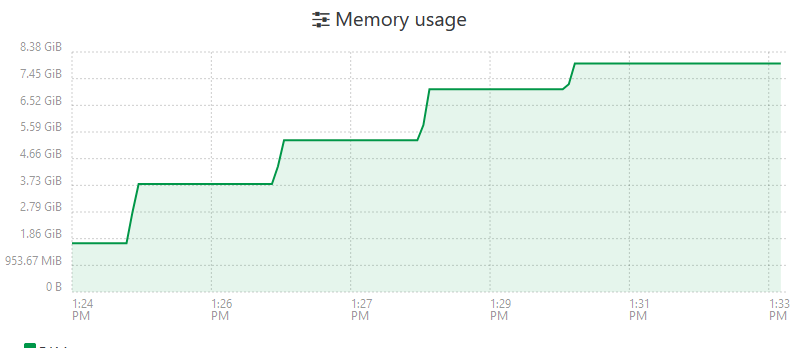
  • XOA 5.93 out of memory

    4
    1
    0 Votes
    4 Posts
    773 Views
    olivierlambertO
    Then you should open a support ticket, please
  • General Question

    10
    0 Votes
    10 Posts
    2k Views
    olivierlambertO
    Yes, you can create a group and provide ACLs on the group (IIRC). So all users in the group will have the same permissions.