Subcategories

  • VMs, hosts, pools, networks and all other usual management tasks.

    446 Topics
    3k Posts
    gskgerG
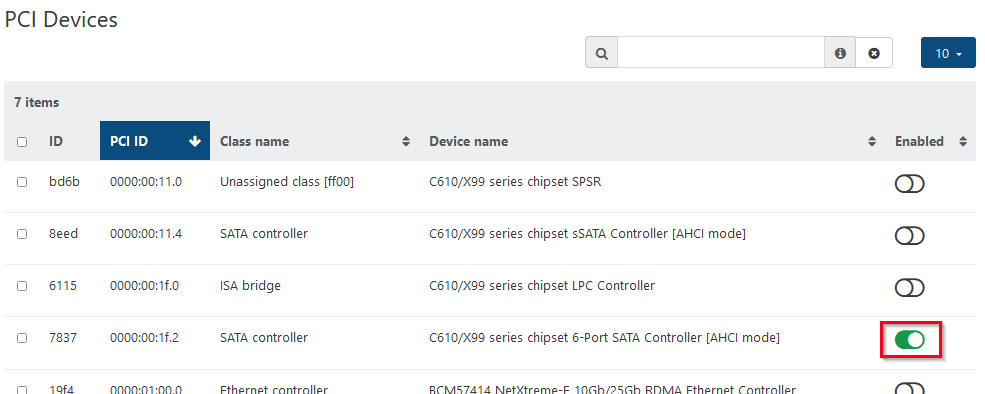
    I am running NVIDIA P40s on a DELL R720/R730 and a NVIDIA A2000 12GB on a DELL Optiplex 9010 in my playlab. Getting the GPUs to be accessible for VMs was quite easy: shutdown the XCP-ng host, install the GPUs, start the host again, activate the GPU in the advanced settings of the host in the PCI Devices section (“Passthrough enabled”). The host will restart at this point after displaying a warning. That's it – the GPU can now be assigned to a VM in the VMs advanced settings. I do use the GPUs for AI workloads under Debian though, so your use case might vary.
  • ACLs, Self-service, Cloud-init, Load balancing...

    98 Topics
    825 Posts
    D
    @bleader Hopefully the palm print on my forehead isn't visible from where you are sitting. Of course the interface needs an IP address. In my defense, normally for something like this, I wouldn't put it on the bonded interface with all the trunked VLAN's for guest traffic (we don't give that one an IP) and it would go on the other bonded interface that isn't trunked and does get an IP, but these are test hosts and I didn't set up the other bond, so it is pulling double duty. I was able to set the IP's and get SDN working. Thanks!
  • All XO backup features: full and incremental, replication, mirrors...

    459 Topics
    5k Posts
    P
    Having the flag "Protect from accidental deletion" has since yesterday left me with plenty of restored VMs. In the backup logs, it indicates that this happens during the healthcheck. This has happened on 3 out of 6 VMs Update: The other 3 VMs were opt-out from Healthchecks. So that is why this didn't affect them. [image: 1770237677335-23a84083-7aa0-4405-81f2-30e630b5edd5-image.png] commit: dd5f0cdaa9993fae25469bd1cb1d01d4f2123f44 transfer Start: 2026-02-04 12:16 End: 2026-02-04 12:16 Duration: a few seconds Size: 2.01 GiB Speed: 81.14 MiB/s health check transfer Start: 2026-02-04 12:16 End: 2026-02-04 12:35 Duration: 19 minutes vmstart Start: 2026-02-04 12:35 End: 2026-02-04 12:35 Start: 2026-02-04 12:16 End: 2026-02-04 12:35 Error: forbidden operation: destroy is blocked: protected from accidental deletion Start: 2026-02-04 12:15 End: 2026-02-04 12:35 Duration: 20 minutes Error: forbidden operation: destroy is blocked: protected from accidental deletion Clean VM directory cleanVm: incorrect backup size in metadata merge Start: 2026-02-04 12:40 End: 2026-02-04 12:41 Duration: a minute Start: 2026-02-04 12:40 End: 2026-02-04 12:41 Snapshot Start: 2026-02-04 12:41 End: 2026-02-04 12:41
  • Everything related to Xen Orchestra's REST API

    76 Topics
    578 Posts
    R
    @Pilow tags can work and the path to them is much more succinct. Thanks!
  • Terraform, Packer or any tool to do IaC

    48 Topics
    444 Posts
    CyrilleC
    Kubernetes CCM for Xen Orchestra v1.0.0-rc.1 We’re shipping v1.0.0-rc.1, our first release candidate on the road to a stable 1.0.0! This RC is feature-complete and ready for real-world use. Please try it out and share any feedback—bugs, regressions, or usability notes—so we can polish the final release. Thank you for testing and helping us! https://github.com/vatesfr/xenorchestra-cloud-controller-manager/releases/tag/v1.0.0-rc.1 Golang SDK for Xen Orchestra v1.11.0 SDK v2: VM and Task services now match the latest REST API. Host service has been added for host data retrieval. Integration tests have also been strengthened to boost reliability. The v2 SDK is gradually becoming our main library for all the other DevOps tools (Kubernetes drivers, Terraform provider…). There are BREAKING CAHNGES in the v2 SDK, so please read the release notes carefully. Remember that the v2 SDK is a beta version and can be subject to significant changes. The current semantic versioning we use is mostly for the v1 SDK. When the v2 SDK becomes stable, the major version number will increase. https://github.com/vatesfr/xenorchestra-go-sdk/releases/tag/v1.11.0
  • Preventing "new network" detection on different XCP-NG hosts

    14
    0 Votes
    14 Posts
    4k Views
    nikadeN
    @fohdeesha said in Preventing "new network" detection on different XCP-NG hosts: @Zevgeny As you suspected, this is caused by the VMs booting with new & fresh MAC addresses they've never seen before, which from their point of view means an entirely new NIC. The "clean" solution here would be to have an option or toggle inside of XOA backup jobs, that allows MAC addresses to be preserved - this way the replicated DR VMs on the backup site still have the same MAC addresses. This could be something you could file as a feature request on our github However note that pretty much any VM copy/replicate action will trigger xen to generate a new MAC address (for safety, duplicated MACs are usually bad). This means that even if the MAC is preserved to the DR VMs, when your admin copies the DR VMs and boots them, the new copies will have newly generated MACs. I suppose it would be possible to add a "preserve MAC" checkbox for copy operations too, but I'm not sure if XAPI currently exposes such functionality. Yea, keeping the mac adress would really solve this. We actually edit the mac adress manually on the copied VM's incase we need to start the DR copy up for testing.
  • VMware migration tool not bringing disks

    Solved
    7
    0 Votes
    7 Posts
    1k Views
    ItMeCorbanI
    Yep the snapshots solved it. And I was even able to import the VMs while they're still running so that was a bonus. Thanks for your help @Danp
  • Import from VMWare fails Error: 404 Not Found

    4
    0 Votes
    4 Posts
    930 Views
    S
    @florent will do
  • Updated XOA with kernel >5.3 to support nconnect nfs option

    34
    1 Votes
    34 Posts
    9k Views
    M
    @manilx 2 more and yes seems to be confusing and just to round it up. Same VM as above Delta (full) backup using NBD without and with "nconnect=6" in the remote setting: [image: 1714397312022-screenshot-2024-04-29-at-14.27.19.png] with nconnect=6 [image: 1714397346566-screenshot-2024-04-29-at-14.28.57.png] nconnect=6 doesn't seem to do a lot.
  • Technique for shared repo of cloudinit templates

    cloudinit
    4
    0 Votes
    4 Posts
    524 Views
    olivierlambertO
    Your pre-recorded Cloudconfig own setup is user-wide (so per user). It won't be universal for everyone.
  • Default console username and password on XOA Appliance

    Solved
    10
    0 Votes
    10 Posts
    27k Views
    K
    @olivierlambert Hey thanks a lot for that tip.
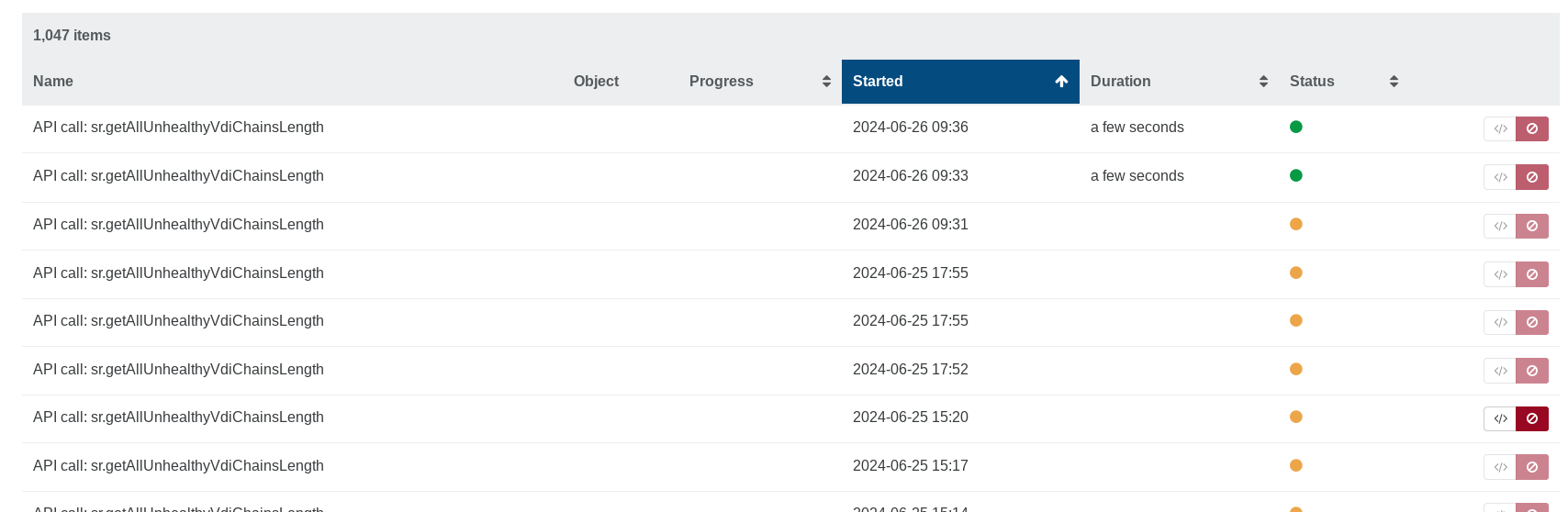
  • Cannot delete failed XO VMware-related migration tasks

    14
    0 Votes
    14 Posts
    3k Views
    D
    @gb-123 Yes, I have tried that and it appears to have deleted the tasks. First I had to register as follows: # xo-cli --register <URL of XOA> <admin username> <password> Then: # xo-cli rest get tasks which showed a list of tasks IDs. I verified the IDs with the ID show in the raw log for each of the tasks listed in XOA. Once I figured out which task(s) I wanted to delete, I did the following for each tasks: # xo-cli rest del <tasks/task ID> I have not seen an ill effects since I deleted some tasks last August. Below is a link to removing tasks using xo-cli: https://help.vates.tech/kb/en-us/31-troubleshooting-and-tips/123-how-to-remove-xo-tasks
  • Warm migration stuck at 0%

    Solved
    12
    1
    1 Votes
    12 Posts
    2k Views
    J
    Currently in commit 2f962 and it's working. Thanks you all
  • Easy way to find a failed task?

    2
    0 Votes
    2 Posts
    634 Views
    D
    @Pyroteq said in Easy way to find a failed task?: It seems as soon as you refresh the page everything disappears. The Tasks page only shows logs while you're viewing it. Afterwards I think they get recorded to the Logs, but if your system fell asleep XO wouldn't know what happened. Besides the connection getting dropped and I don't know if that would get recorded.
  • Debian 12 template - long load on bios sreen at startup

    Solved
    4
    1
    0 Votes
    4 Posts
    555 Views
    olivierlambertO
    Yes indeed, if you are not passing a static IP in the template, Cloud init will wait to get an IP for few minutes before continuing to boot
  • OVA import support?

    ova
    5
    0 Votes
    5 Posts
    5k Views
    florentF
    @wttw said in OVA import support?: @olivierlambert said in OVA import support?: Yes it's supposed to work. Sadly, there's as much as different OVAs than VMs and VMware versions. Every time we are fixing new stuff when it's reported. Please provide the OVA somewhere so we can find why and fix it https://tupid.org/debian11.ova - it's about 850MB. I just created this on ESXi 7.0U3, then exported it with ./ovftool --noSSLVerify --diskMode=thin --targetType=ova --compress=9 "vi://skull/debian11" . (VMware ovftool 4.6.2 (build-22220919)) Import from VMware should work if you have indeed the XCP-ng machine in extra for it. The hardware is on order, but I thought I'd start testing this weekend. But we could fix the OVA already, at least as soon we can check what's wrong with the XML. Here's debian11.ovf, for anyone who wants to look without downloading the ova. <?xml version="1.0" encoding="UTF-8"?> <!--Generated by VMware ESX Server, User: root, UTC time: 2024-04-07T15:42:54.40766Z--> <Envelope vmw:buildId="build-19482537" xmlns="http://schemas.dmtf.org/ovf/envelope/1" xmlns:cim="http://schemas.dmtf.org/wbem/wscim/1/common" xmlns:ovf="http://schemas.dmtf.org/ovf/envelope/1" xmlns:rasd="http://schemas.dmtf.org/wbem/wscim/1/cim-schema/2/CIM_ResourceAllocationSettingData" xmlns:vmw="http://www.vmware.com/schema/ovf" xmlns:vssd="http://schemas.dmtf.org/wbem/wscim/1/cim-schema/2/CIM_VirtualSystemSettingData" xmlns:xsi="http://www.w3.org/2001/XMLSchema-instance"> <References> <File ovf:compression="gzip" ovf:href="debian11-disk1.vmdk.gz" ovf:id="file1" ovf:size="856235944"/> <File ovf:compression="gzip" ovf:href="debian11-file1.nvram.gz" ovf:id="file2" ovf:size="1821"/> </References> <DiskSection> <Info>Virtual disk information</Info> <Disk ovf:capacity="16" ovf:capacityAllocationUnits="byte * 2^30" ovf:diskId="vmdisk1" ovf:fileRef="file1" ovf:format="http://www.vmware.com/interfaces/specifications/vmdk.html#streamOptimized" ovf:populatedSize="2324692992"/> </DiskSection> <NetworkSection> <Info>The list of logical networks</Info> <Network ovf:name="VM Network"> <Description>The VM Network network</Description> </Network> </NetworkSection> <VirtualSystem ovf:id="debian11"> <Info>A virtual machine</Info> <Name>debian11</Name> <OperatingSystemSection ovf:id="1" vmw:osType="debian11Guest"> <Info>The kind of installed guest operating system</Info> </OperatingSystemSection> <VirtualHardwareSection> <Info>Virtual hardware requirements</Info> <System> <vssd:ElementName>Virtual Hardware Family</vssd:ElementName> <vssd:InstanceID>0</vssd:InstanceID> <vssd:VirtualSystemIdentifier>debian11</vssd:VirtualSystemIdentifier> <vssd:VirtualSystemType>vmx-19</vssd:VirtualSystemType> </System> <Item> <rasd:AllocationUnits>hertz * 10^6</rasd:AllocationUnits> <rasd:Description>Number of Virtual CPUs</rasd:Description> <rasd:ElementName>1 virtual CPU(s)</rasd:ElementName> <rasd:InstanceID>1</rasd:InstanceID> <rasd:ResourceType>3</rasd:ResourceType> <rasd:VirtualQuantity>1</rasd:VirtualQuantity> </Item> <Item> <rasd:AllocationUnits>byte * 2^20</rasd:AllocationUnits> <rasd:Description>Memory Size</rasd:Description> <rasd:ElementName>2048MB of memory</rasd:ElementName> <rasd:InstanceID>2</rasd:InstanceID> <rasd:ResourceType>4</rasd:ResourceType> <rasd:VirtualQuantity>2048</rasd:VirtualQuantity> </Item> <Item> <rasd:Address>0</rasd:Address> <rasd:Description>SATA Controller</rasd:Description> <rasd:ElementName>SATA Controller 0</rasd:ElementName> <rasd:InstanceID>3</rasd:InstanceID> <rasd:ResourceSubType>vmware.sata.ahci</rasd:ResourceSubType> <rasd:ResourceType>20</rasd:ResourceType> <vmw:Config ovf:required="false" vmw:key="slotInfo.pciSlotNumber" vmw:value="34"/> </Item> <Item> <rasd:Address>0</rasd:Address> <rasd:Description>SCSI Controller</rasd:Description> <rasd:ElementName>SCSI Controller 0</rasd:ElementName> <rasd:InstanceID>4</rasd:InstanceID> <rasd:ResourceSubType>VirtualSCSI</rasd:ResourceSubType> <rasd:ResourceType>6</rasd:ResourceType> <vmw:Config ovf:required="false" vmw:key="slotInfo.pciSlotNumber" vmw:value="160"/> </Item> <Item ovf:required="false"> <rasd:Address>0</rasd:Address> <rasd:Description>USB Controller (EHCI)</rasd:Description> <rasd:ElementName>USB Controller</rasd:ElementName> <rasd:InstanceID>5</rasd:InstanceID> <rasd:ResourceSubType>vmware.usb.ehci</rasd:ResourceSubType> <rasd:ResourceType>23</rasd:ResourceType> <vmw:Config ovf:required="false" vmw:key="slotInfo.pciSlotNumber" vmw:value="32"/> <vmw:Config ovf:required="false" vmw:key="slotInfo.ehciPciSlotNumber" vmw:value="33"/> <vmw:Config ovf:required="false" vmw:key="autoConnectDevices" vmw:value="false"/> <vmw:Config ovf:required="false" vmw:key="ehciEnabled" vmw:value="true"/> </Item> <Item> <rasd:Address>1</rasd:Address> <rasd:Description>IDE Controller</rasd:Description> <rasd:ElementName>VirtualIDEController 1</rasd:ElementName> <rasd:InstanceID>6</rasd:InstanceID> <rasd:ResourceType>5</rasd:ResourceType> </Item> <Item> <rasd:Address>0</rasd:Address> <rasd:Description>IDE Controller</rasd:Description> <rasd:ElementName>VirtualIDEController 0</rasd:ElementName> <rasd:InstanceID>7</rasd:InstanceID> <rasd:ResourceType>5</rasd:ResourceType> </Item> <Item ovf:required="false"> <rasd:AutomaticAllocation>false</rasd:AutomaticAllocation> <rasd:ElementName>VirtualVideoCard</rasd:ElementName> <rasd:InstanceID>8</rasd:InstanceID> <rasd:ResourceType>24</rasd:ResourceType> <vmw:Config ovf:required="false" vmw:key="useAutoDetect" vmw:value="true"/> <vmw:Config ovf:required="false" vmw:key="videoRamSizeInKB" vmw:value="4096"/> <vmw:Config ovf:required="false" vmw:key="enable3DSupport" vmw:value="false"/> <vmw:Config ovf:required="false" vmw:key="use3dRenderer" vmw:value="automatic"/> <vmw:Config ovf:required="false" vmw:key="graphicsMemorySizeInKB" vmw:value="262144"/> </Item> <Item ovf:required="false"> <rasd:AutomaticAllocation>false</rasd:AutomaticAllocation> <rasd:ElementName>VirtualVMCIDevice</rasd:ElementName> <rasd:InstanceID>9</rasd:InstanceID> <rasd:ResourceSubType>vmware.vmci</rasd:ResourceSubType> <rasd:ResourceType>1</rasd:ResourceType> <vmw:Config ovf:required="false" vmw:key="allowUnrestrictedCommunication" vmw:value="false"/> </Item> <Item ovf:required="false"> <rasd:AddressOnParent>0</rasd:AddressOnParent> <rasd:AutomaticAllocation>false</rasd:AutomaticAllocation> <rasd:ElementName>CD-ROM 1</rasd:ElementName> <rasd:InstanceID>10</rasd:InstanceID> <rasd:Parent>3</rasd:Parent> <rasd:ResourceSubType>vmware.cdrom.atapi</rasd:ResourceSubType> <rasd:ResourceType>15</rasd:ResourceType> <vmw:Config ovf:required="false" vmw:key="connectable.allowGuestControl" vmw:value="true"/> </Item> <Item> <rasd:AddressOnParent>0</rasd:AddressOnParent> <rasd:ElementName>Hard Disk 1</rasd:ElementName> <rasd:HostResource>ovf:/disk/vmdisk1</rasd:HostResource> <rasd:InstanceID>11</rasd:InstanceID> <rasd:Parent>4</rasd:Parent> <rasd:ResourceType>17</rasd:ResourceType> <vmw:Config ovf:required="false" vmw:key="backing.writeThrough" vmw:value="false"/> </Item> <Item> <rasd:AddressOnParent>7</rasd:AddressOnParent> <rasd:AutomaticAllocation>true</rasd:AutomaticAllocation> <rasd:Connection>VM Network</rasd:Connection> <rasd:Description>VmxNet3 ethernet adapter on &quot;VM Network&quot;</rasd:Description> <rasd:ElementName>Ethernet 1</rasd:ElementName> <rasd:InstanceID>12</rasd:InstanceID> <rasd:ResourceSubType>VmxNet3</rasd:ResourceSubType> <rasd:ResourceType>10</rasd:ResourceType> <vmw:Config ovf:required="false" vmw:key="slotInfo.pciSlotNumber" vmw:value="192"/> <vmw:Config ovf:required="false" vmw:key="wakeOnLanEnabled" vmw:value="false"/> <vmw:Config ovf:required="false" vmw:key="connectable.allowGuestControl" vmw:value="true"/> </Item> <vmw:Config ovf:required="false" vmw:key="cpuHotAddEnabled" vmw:value="false"/> <vmw:Config ovf:required="false" vmw:key="cpuHotRemoveEnabled" vmw:value="false"/> <vmw:Config ovf:required="false" vmw:key="memoryHotAddEnabled" vmw:value="false"/> <vmw:Config ovf:required="false" vmw:key="firmware" vmw:value="bios"/> <vmw:Config ovf:required="false" vmw:key="cpuAllocation.shares.shares" vmw:value="1000"/> <vmw:Config ovf:required="false" vmw:key="cpuAllocation.shares.level" vmw:value="normal"/> <vmw:Config ovf:required="false" vmw:key="tools.syncTimeWithHost" vmw:value="false"/> <vmw:Config ovf:required="false" vmw:key="tools.syncTimeWithHostAllowed" vmw:value="true"/> <vmw:Config ovf:required="false" vmw:key="tools.afterPowerOn" vmw:value="true"/> <vmw:Config ovf:required="false" vmw:key="tools.afterResume" vmw:value="true"/> <vmw:Config ovf:required="false" vmw:key="tools.beforeGuestShutdown" vmw:value="true"/> <vmw:Config ovf:required="false" vmw:key="tools.beforeGuestStandby" vmw:value="true"/> <vmw:Config ovf:required="false" vmw:key="tools.toolsUpgradePolicy" vmw:value="manual"/> <vmw:Config ovf:required="false" vmw:key="powerOpInfo.powerOffType" vmw:value="soft"/> <vmw:Config ovf:required="false" vmw:key="powerOpInfo.resetType" vmw:value="soft"/> <vmw:Config ovf:required="false" vmw:key="powerOpInfo.suspendType" vmw:value="soft"/> <vmw:Config ovf:required="false" vmw:key="nestedHVEnabled" vmw:value="false"/> <vmw:Config ovf:required="false" vmw:key="vPMCEnabled" vmw:value="false"/> <vmw:Config ovf:required="false" vmw:key="virtualICH7MPresent" vmw:value="false"/> <vmw:Config ovf:required="false" vmw:key="virtualSMCPresent" vmw:value="false"/> <vmw:Config ovf:required="false" vmw:key="flags.vvtdEnabled" vmw:value="false"/> <vmw:Config ovf:required="false" vmw:key="flags.vbsEnabled" vmw:value="false"/> <vmw:Config ovf:required="false" vmw:key="bootOptions.efiSecureBootEnabled" vmw:value="false"/> <vmw:Config ovf:required="false" vmw:key="powerOpInfo.standbyAction" vmw:value="checkpoint"/> <vmw:ExtraConfig ovf:required="false" vmw:key="nvram" vmw:value="ovf:/file/file2"/> <vmw:ExtraConfig ovf:required="false" vmw:key="svga.autodetect" vmw:value="TRUE"/> </VirtualHardwareSection> </VirtualSystem> </Envelope> this is an ova with vmdk disk compressed. They are not supported for now (since vmdk are already compressed per block). TBF, we're putting much of the import/export effort into the v2v tool
  • xo-cli examples

    10
    0 Votes
    10 Posts
    2k Views
    I
    @julien-f 0k, is there a specific rule on the format of this identifier? When I create a backup, I set an email address for reporting but that address or notification setting) is not present in the JSON, why and how can I set it ? For rolling snapshots, the content is 0k (same identifier in both settings and schedule): { "name": "rolling snapshots", "mode": "full", "schedules": { "gbkk1mbemhg": { "cron": "15 12 * * *", "enabled": true, "name": "daily rolling snapshots", "timezone": "Europe/Rome" } }, "settings": { "": { "concurrency": 2, "nRetriesVmBackupFailures": 3, "timeout": 7200000, "offlineSnapshot": false, "checkpointSnapshot": true }, "gbkk1mbemhg": { "healthCheckSr": "ac595bf5-ca14-586e-6f89-9e4e884043eb", "healthCheckVmsWithTags": [], "snapshotRetention": 2 } }, "vms": { "id": { "__or": [ "64adb2e9-e0f3-9e70-b08f-7c8653415053", "aaf9e807-3ee9-37ff-05ec-cf782ba74d56", "7cd276ae-b7df-06d8-3da8-48262750051d", "9ccfcd0c-a35e-7f45-a0d2-19db678291f1", "42afaaea-ada4-fb7f-dc55-f62a51a6997a", "54b97ba5-9858-a563-e02f-89b0a6c450a1", "9524834a-3577-4445-54c6-1c786775749d" ] } } } Ok for the VM backup using: { "name": "vm backups", "mode": "full", "compression": "zstd", "schedules": { "fdi73l44ewf": { "cron": "40 12 * * 6", "enabled": true, "name": "weekly vm backups", "timezone": "Europe/Rome" } }, "settings": { "": { "concurrency": 2, "nRetriesVmBackupFailures": 3, "timeout": 7200000, "offlineSnapshot": false, "checkpointSnapshot": true }, "fdi73l44ewf": { "exportRetention": 1, "healthCheckSr": "ac595bf5-ca14-586e-6f89-9e4e884043eb", "healthCheckVmsWithTags": [] } }, "remotes": { "id": "40e5ecde-f12f-43c7-befd-c1f0a76e8a25" }, "vms": { "id": { "__or": [ "64adb2e9-e0f3-9e70-b08f-7c8653415053", "aaf9e807-3ee9-37ff-05ec-cf782ba74d56", "7cd276ae-b7df-06d8-3da8-48262750051d", "9ccfcd0c-a35e-7f45-a0d2-19db678291f1", "42afaaea-ada4-fb7f-dc55-f62a51a6997a", "54b97ba5-9858-a563-e02f-89b0a6c450a1", "9524834a-3577-4445-54c6-1c786775749d" ] } } }
  • XOA pricing guide

    7
    0 Votes
    7 Posts
    2k Views
    olivierlambertO
    We'll keep XOA standalone for XenServer, the pricing will likely change for those (per host and only with Premium). In your case, you'll have 2 options: going for XOA standalone for XenServer per host (dunno yet the price per host we'll have) migrating to XCP-ng to get an Essential bundle
  • How do i migrate ALL vms from one host to another host?

    7
    0 Votes
    7 Posts
    5k Views
    Z
    This helped me https://www.youtube.com/watch?v=H5PJ_tHQlZk
  • Ignition and creating a SUSE MicroOS VM

    8
    0 Votes
    8 Posts
    3k Views
    P
    @jessepeterson I did, using the disk mounting method, but the solution didn't really spark joy in me. For the last 18 months I've been on LXD and now Incus, which I found easier to use different distros on.
  • Updating from the Sources

    3
    0 Votes
    3 Posts
    834 Views
    S
    @olivierlambert Thank you.
  • Feature request - VM folders

    feature request
    17
    3 Votes
    17 Posts
    3k Views
    J
    @lukasz-engel said in Feature request - VM folders: My 2 cents as current vSphere user (searching for replacement after new VMware prices knocked my socks off): Tags in XO are currently only "view filtering feature", nothing more. There is no method in XO to (without selecting each vm separately): attach ACL to group of vms select group of vms for backup job Tags are also error-prone, as I have to manually enter tag name each time (for each vm) and possibly make a typo (there are not even "hints" from current tag names). I would like to add vm to "group" and this should cause deriving ACLs from "group" and adding to backup job assigned to "group", etc; whatever this "group" would be - folder/tag. As I have ~500 vms, grouping is "must have" for me. I'll live if "groups" are tags not folders. But not having this at all in XO is BIG disadvantage for me. (without this I quite like what I found in xcp-ng/xo). For me - something like folder seems more natural for such things than tags, but I am biased (as vSphere has folders...). And generally - in current situation (new prices for vSphere) I suspect there may be more users like me, searching for vSphere replacement, and making XO more friendly for them would be advantage for them... I do think a lot of this 'group' idea could be made possible using the self service resourceSets, especially if we were able to maybe set "Operator" ACLs on said resourceSet. Maybe even allow tags to be applied to a resourceSet so things like backups would be applied to entire resourceSets vs. an individual VM?
  • stats keep last cpu count after reducing the cpu #

    Unsolved
    10
    0 Votes
    10 Posts
    835 Views
    M
    @olivierlambert
  • Addition of plugins to already installed XO

    2
    0 Votes
    2 Posts
    642 Views
    olivierlambertO
    Hi and welcome! Have you registered your XOA already? Enable the free trial to get all the plugins
  • Xen Orchestra installation on offline host

    5
    0 Votes
    5 Posts
    2k Views
    olivierlambertO
    We updated the image recently without updating the md5 (doing the modification now). If your sum is c3dd6102bef4d9aa2b7c5fc2c38c2bda that's fine