Subcategories

  • VMs, hosts, pools, networks and all other usual management tasks.

    427 Topics
    3k Posts
    P
    In case anyone wonders how this played out. At the end of the day, I shutdown the host with the running workloads on it, kept it at BIOS boot so the 8.3 installer would upgrade it cleanly, and then booted it back up. For reasons related to my particular setup, the down time was more than 60 minutes. But that's not related to XCP-ng. The XCP-ng installer was maybe 10 of that. 20 of that was 3 reboots on a server that takes ages to boot. One thing that is a bit difficult is that the 8.3 installer doesn't notice ZFS volumes or help with ZFS. So after the upgrade, I have to follow a modified set of these instructions (modified because the package names have changed over time) to install ZFS and its components into the system. So the sequence is: Shutdown Install via ISO Reboot to single user mode Run yum update to pull in all the updates Run the ZFS commands to install ZFS on the host Reboot again Run normally Of course, I ended up rebooting more than just those 2 times, because I forgot that I would need to install ZFS (even though I did it on 2 different hosts already ) So now the pool is fully upgraded, everybody is happy. I'm now working on creating shared storage across the nodes. It's amateur hour over here. I appreciate all the help.
  • ACLs, Self-service, Cloud-init, Load balancing...

    97 Topics
    818 Posts
    olivierlambertO
    October release fixed it
  • All XO backup features: full and incremental, replication, mirrors...

    438 Topics
    4k Posts
    florentF
    @Pilow I will take a look in deep later, but the key/delta and disk usage is set during backup, even if they are merged during LTR retention
  • Everything related to Xen Orchestra's REST API

    74 Topics
    567 Posts
    olivierlambertO
    But giving your feedback on how you solved it might help many people in the future Thanks!
  • Terraform, Packer or any tool to do IaC

    45 Topics
    425 Posts
    M
    @probain Your role seems to neither install or pin node js itself so it does not fully follow the official steps from Xen Orchestra docs. Xen Orchestra docs state to use LTS node js - installing it is something that the the ronivay XO script does. Due to this part missing in your role it can not be executed on a freshly provisioned VM, something that is not really best practice. A role that was made for the purpose of deploying a software should also install / manage it's dependencies. Other than that, thanks for sharing your role. Every contribution towards this community is great IMO.
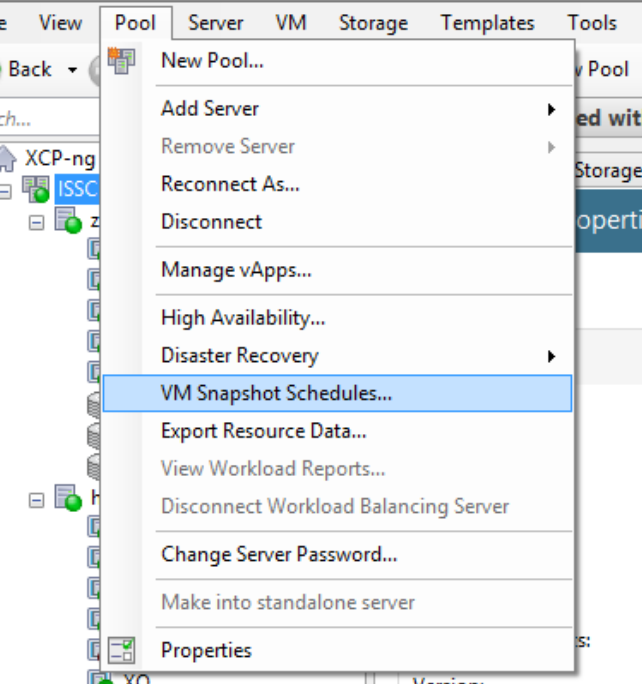
  • Creating schedules to run on specific days.

    12
    0 Votes
    12 Posts
    2k Views
    badrAZB
    Yes, backup jobs require attached schedules to be executed properly.
  • This topic is deleted!

    1
    0 Votes
    1 Posts
    7 Views
    No one has replied
  • Continuous vm replication or VM copy through XOA fails on WAN

    1
    0 Votes
    1 Posts
    325 Views
    No one has replied
  • NFS Storage added through Center

    6
    0 Votes
    6 Posts
    4k Views
    M
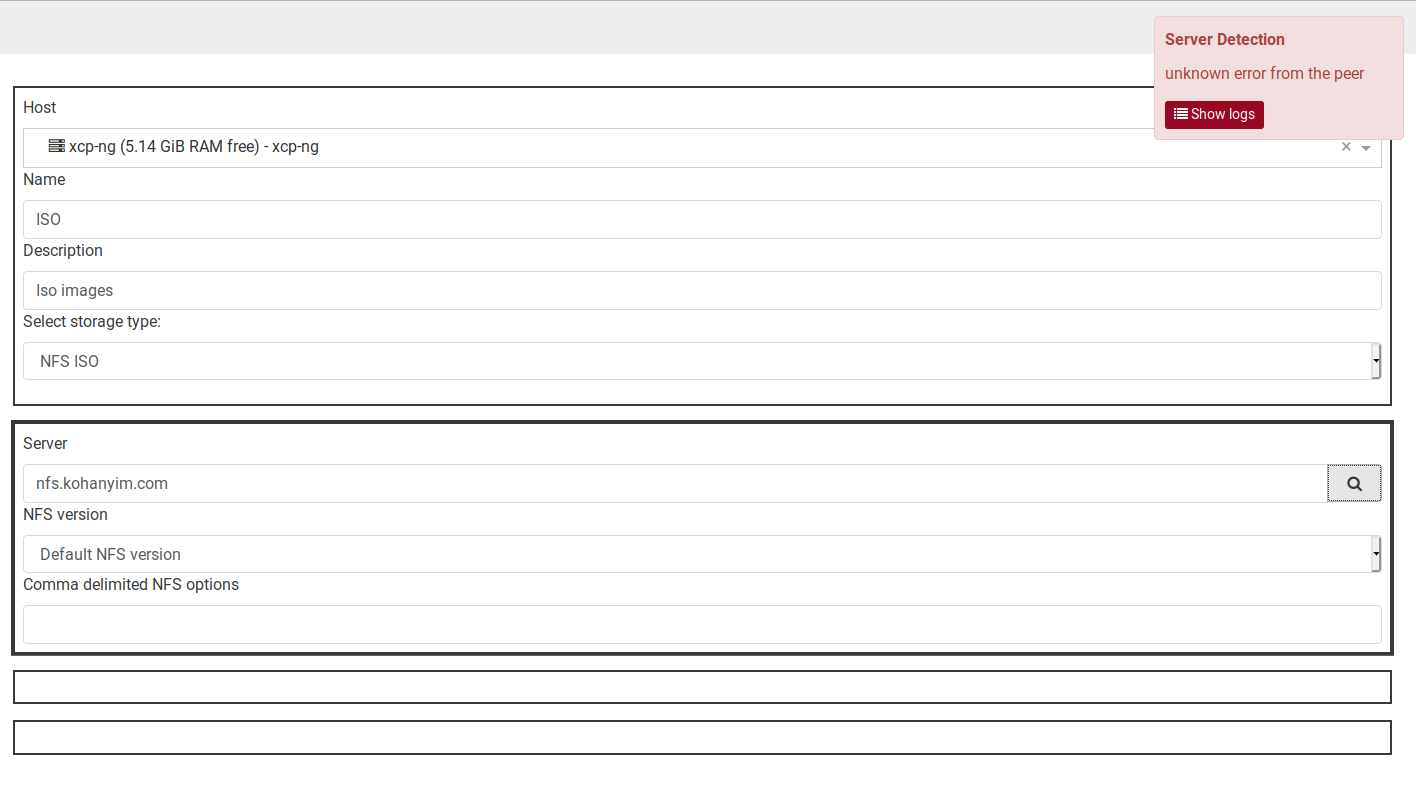
    Hi @tony yes I understand that, actually I made a post a while back spanning different aspects of the XOA and where I feel Center is more intuitive but as suggestion for XOA improvement if anyone cares to consider it. Regarding the adding of SR's to pools, I leave my suggestion here, have a selector for pool instead of host, it'd be more intuitive imho. Cheers all.
  • Changed Block Tracking

    9
    0 Votes
    9 Posts
    2k Views
    akurzawaA
    Becouse xoa backup is painfully slow... it's good for CR but for full vm backup, let's say it's unsuitable... on my 1Gb lan, full vm backup (DR or Copy) from xcp1 to xcp2 I have about 10-15Mb/s. This is the topic I've asked many times on this forum. And guys from vProtect brag that the speed im much better on their soft due to CBT not vhd delta - which I'll check in a while.
  • Question: USB filters on XCP VM's?

    xenserver ethernet xenorchestra usb vms
    2
    0 Votes
    2 Posts
    928 Views
    T
    AFAIK, you have to do manual passthrough for USB so if you want to attach ethernet dongle to a VM, you plug it in the host and turn off the VM, passthrough the USB to the VM, start the VM, never do snapshot of this VM as it will fail.
  • Orphan VDIs after every backup

    7
    1
    0 Votes
    7 Posts
    1k Views
    J
    @badrAZ I've rebuilt XO and confirm that the suspended VDI snapshots are no longer listed as orphans, thanks!
  • vm.set not working for int

    4
    0 Votes
    4 Posts
    595 Views
    julien-fJ
    Hi, sorry for the delay! Please read xo-cli's documentation, you need to use JSON when you want to pass non-string values: xo-cli vm.set id=89517372-b45b-ca36-4c51-dd17c0e760c0 CPUs=json:3
  • Specify a username and password for XOA backups

    4
    0 Votes
    4 Posts
    1k Views
    olivierlambertO
    You can map root to a local user you created on the syno (so it's all on NFS server side configuration)
  • XOCE misidentifing Orphaned Snapshots with XCP-ng 8.1

    Solved
    18
    1
    0 Votes
    18 Posts
    3k Views
    badrAZB
    @olivierlambert I've created the dedicated Github issue
  • Backup reports on Microsoft Teams

    Solved
    9
    0 Votes
    9 Posts
    2k Views
    olivierlambertO
    @gskger said in Backup reports on Microsoft Teams: @olivierlambert Thanks - that is what I like about this forum and XCP-ng: learn and share Exactly, but I'm really happy to see this becoming more and more common here. That's a good sign for this community
  • Vm.create unable to create vm using xo-cli

    13
    0 Votes
    13 Posts
    2k Views
    B
    xo-cli vm.set id=89517372-b45b-ca36-4c51-dd17c0e760c0 CPUs=3 Ă— invalid parameters property @.CPUs: must be integer, but is string
  • TLS failure during VxLAN creation

    9
    0 Votes
    9 Posts
    2k Views
    BenjiReisB
    Glad to hear it! There were probably an issue when updating the SDN controller's TLS certificate. The reload had solved it. Regards!
  • XOA High CPU / Single Core

    7
    1
    0 Votes
    7 Posts
    1k Views
    olivierlambertO
    No problem Proxy code will help a lot when merged in your main XO!
  • VM Backup failure

    Solved
    9
    1
    0 Votes
    9 Posts
    1k Views
    olivierlambertO
    Don't worry: if there's stuff to correct in the PR, the review process is made for that
  • VM migration stuck at 100%

    3
    0 Votes
    3 Posts
    3k Views
    J
    I ended up restarting the toolstack, which caused all of the migrating VMs to be in an error state, as they were halted but the system thought they should be running. I couldn't perform any actions on them. VM_BAD_POWER_STATE(OpaqueRef:f1f14751-cbc8-4a86-b98f-9e980b2b0d00, Running, Halted) After restarting the toolstack on all the hosts in the pool, they finally showed up as powered off and I was able to get them back up and could migrate them. Is there anywhere I can look to see why the migration got right to the doorstep and stopped?
  • I'm not able to add a new hard disk with xen orchestra.

    7
    3
    0 Votes
    7 Posts
    5k Views
    T
    First thing you need to check if the problem is with passing the drive to XCP-ng VM, like @Biggen said, try lsblk inside xcp-ng VM (there is an option to go to shell in the installation menu if you haven't installed XCP-ng. If the XCP-ng VM only sees 1 device then it is a libvert/virt manager issue.
  • Feature request: Cloud-config common parameters

    2
    0 Votes
    2 Posts
    397 Views
    olivierlambertO
    Why not. Double check there's not already an opened issue for this in XO bugtracker, otherwise, create it there
  • Increase simultaneous snapshot download from 2

    7
    0 Votes
    7 Posts
    1k Views
    olivierlambertO
    Yes, they are
  • notifications

    7
    0 Votes
    7 Posts
    1k Views
    pdoniasP
    @hoberion This should be fixed since XO 5.48 (xo-web 5.61.1) @hoberion said in notifications: @pdonias said in notifications: Hi @hoberion, what version are you using? xo-server 5.60.0 xo-server 5.60.0 was shipped with XO 5.47. Could you update your XOA and confirm that it fixes it? It should happen once more after the update and then it shouldn't happen any more.