• VUSB fails to reset

    vusb usb
    2
    0 Votes
    2 Posts
    517 Views
    F
    @633kD4d Same issue here trying to pass through a UPS usb device to a Linux guest. VM won't start with VUSB active and the same error about fail to reset.
  • Neofetch on XCP-NG

    7
    0 Votes
    7 Posts
    1k Views
    ForzaF
    @Ascar said in Neofetch on XCP-NG: @Forza Not a bash script, a package that requires installation. XCP-NG has all repos wisely disabled. That's why installing it on this specific type of host is not a trivial task. Sure it is packaged for many distros, but it is just a bash script. Neofetch is a command-line system information tool written in bash 3.2+ https://github.com/dylanaraps/neofetch Neofetch only requires BASH, the rest of the dependencies are entirely optional https://github.com/dylanaraps/neofetch/wiki/Dependencies But to state what others already said, it is not recommended to install stuff in dom0.
  • This topic is deleted!

    1
    0 Votes
    1 Posts
    7 Views
    No one has replied
  • VM templates override

    Unsolved
    8
    3
    0 Votes
    8 Posts
    1k Views
    DanpD
    Topic restored. @gtuminauskas Please don't remove threads that have been responded to by other forum members.
  • Issue installing latest pfSense Plus (24.03 release)

    19
    0 Votes
    19 Posts
    4k Views
    A
    @Affonso Looks like it might have been Bug 15684 in 24.03 that was resolved for 24.11 (release notes).
  • HA failover reaction time question

    14
    0 Votes
    14 Posts
    2k Views
    D
    @dsmteam Still trying to browse the web and various xo forum but it looks like those parameters are in the .c and other precompile file so the build in xcp-ng are probably using those default parameters.
  • Different Icons next to different VMs in the list

    9
    0 Votes
    9 Posts
    1k Views
    K
    @Ascar In XO cloud means pool, "hamburger" means host. If VM is running, it belongs to host where it runs, and receives host icon, no matter where it is kept in stopped state. If VM is stopped, it belongs to pool if kept on pool shared storage (cloud icon), or to host, if on host's local storage (hamburger).
  • XCP-ng firewall

    9
    0 Votes
    9 Posts
    3k Views
    B
    @BenjiReis The xapi is written in OCaml? That is pretty cool. I would love to learn OCaml one day. Anyways, doesn't seem intuitive to design it this way: [image: 1729609345601-334b8d7a-6f7e-4796-97c2-3c1fe4144fb6-screenshot-from-2024-10-22-08-02-03.png] Going to file an issue in that repo to see what happens. I suppose they would have to fix the OCaml code you linked as well.
  • This topic is deleted!

    1
    0 Votes
    1 Posts
    3 Views
    No one has replied
  • xcp-ng CPU low performance issue

    14
    0 Votes
    14 Posts
    8k Views
    S
    @enes-selcuk Did you find a setting that works best w/ Dell servers? I have a Dell R640's which I'll be using for LAMP/LEMP vm servers and was wondering what are the best settings to use in Dell Bios and if there are any changes I need to make on the xcp-ng host? Dual Intel(R) Xeon(R) Gold 5218 CPU @ 2.30GHz Level 2 Cache 16x1 MB Level 3 Cache 22 MB Number of Cores 16 Dell Bios Setting: System Profile: Performance Per Watt (OS) CPU Power Management: OS DBPM Memory Frequency: Maximum Performance Turbo Boost: Enabled C1E: Enabled C States: Enabled Write Data CRC: Disabled Memory Patrol Scrub: Standard Memory Refresh Rate: 1x Uncore Frequency : Dynamic Energy Efficient Policy: Balanced Performance Number of Turbo Boost Enabled Cores for Processor 1: All Number of Turbo Boost Enabled Cores for Processor 2: All Monitor/Mwait: Enabled Workload Profile: Not Available CPU Interconnect Bus Link Power Management: Enabled PCI ASPM L1 Link Power Management: Enabled Thank you! SW
  • XCP-ng VM restarts at random intervals

    10
    3
    0 Votes
    10 Posts
    2k Views
    NephilimN
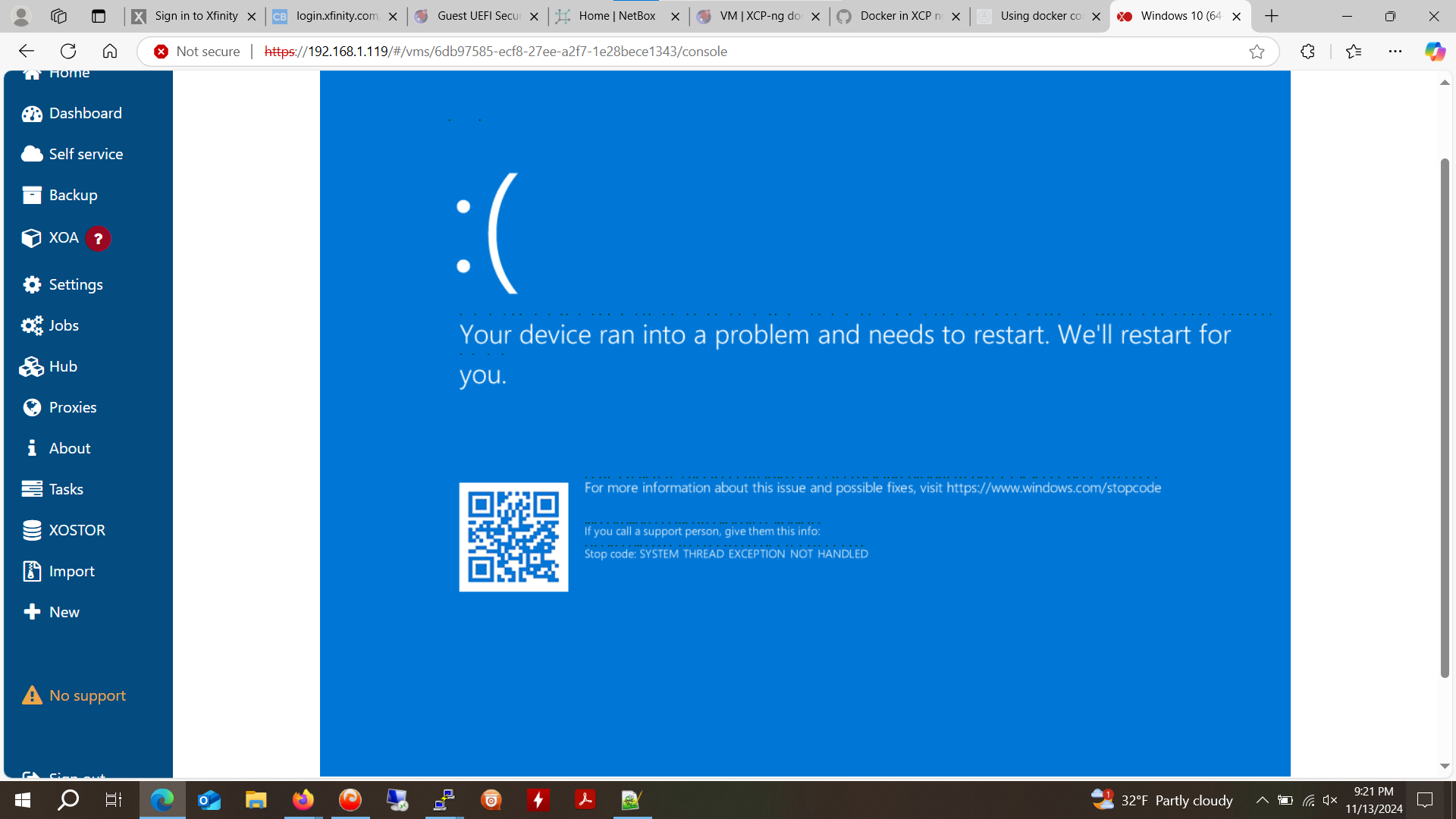
    @stormi oh I see, I'll check the windows 10 vm's then, thank you
  • Kali Linux Performance

    lab xcp-ng guest-tools.iso performance guest
    4
    0 Votes
    4 Posts
    1k Views
    D
    I'm taking another look and it looks like the tools may be under another name... xen-tools I may be going blind at this point if I've missed it this many times.
  • Intel GPU passthrough Question

    12
    0 Votes
    12 Posts
    6k Views
    K
    Ya, for the working machine I just had to run opt/xensource/libexec/xen-cmdline --set-dom0 "xen-pciback.hide=(0000:00:02.0)" and on next reboot I could add the GPU as pass through in XOA. for the other machine this didn’t work but using xcp-center did make it show up as a pass through option
  • Nested Virtualization of Windows Hyper-V on XCP-ng

    111
    1
    0 Votes
    111 Posts
    116k Views
    G
    @stormi said in Nested Virtualization of Windows Hyper-V on XCP-ng: Actually, Xen never officially supported Nested Virtualization. It was experimental, and broke when other needed changes were made to Xen. Now there's work to be done to make it fully supported, and this won't happen before the final release of XCP-ng 8.3. This will be documented in the release notes. This is also an issue for us internally as we create a lot of virtual pools for our tests. I read through a lot of the earlier posts and finally started scrolling to find this, which is the answer I was looking for. Why do I care? There is a Microsoft evaluation learning lab for things like Intune that runs in Hyper-V, basically a bunch of VHD (x) that get spawned as needed. Applications I need to teach myself. Running XCP-NG 8.3 current updates for this lab. If it doesn't happen, then I'll just need to throw an eval version of Windows Server on something else like an HP T740 to run these labs, not the biggest issue for me. Link for the labs if anyone is curious (free with an email registration like all the evals): https://www.microsoft.com/en-us/evalcenter/evaluate-mem-evaluation-lab-kit I'd think direct Docker support would be a higher priority than nested virtualization with a focus on Hyper-V. But that's just me.
  • Best practices to optimize vGPU

    1
    0 Votes
    1 Posts
    169 Views
    No one has replied
  • This topic is deleted!

    1
    0 Votes
    1 Posts
    1 Views
    No one has replied
  • 0 Votes
    5 Posts
    1k Views
    R
    Hello! My apologies -- I hadn't gotten around to trying this solution out until now. I just did and it appears to have fixed the issue! VMs are booting correctly and I can interact with them normally through the console. Can also confirm it works on both the 1.29 Dell FW from my original post, as well as the latest 1.32 FW available as of this post. Much thanks @andyhhp and @stormi for both your time and effort in packaging this -- I greatly appreciate it!
  • VM migration seems to have cleared VM secure boot state

    8
    0 Votes
    8 Posts
    2k Views
    stormiS
    A VM's UEFI variables are not supposed to be erased after a migration . What kind of migration was it? Can you describe the exact operations, and whether the storage is local or shared?
  • Change Resolution of the XCP-NG console itself

    14
    0 Votes
    14 Posts
    5k Views
    T
    I initially did try grub directly but never got the results I needed. (Could be user error) It's nice to change the resolution down because a lot of our installs have service monitors...ie monitors in the corner that were dusted off and used. I would like to see that "boot to firmware" option either in the boot loader hierarchy or as a select-able toggle. It would help on those few times I need to adjust things but my trigger finger is too atrophied to nail that esc.
  • PCIe Passthrough"Device or resource Busy"

    5
    0 Votes
    5 Posts
    1k Views
    D
    @olivierlambert Meant to reply to a message in a different forum - Thanks.