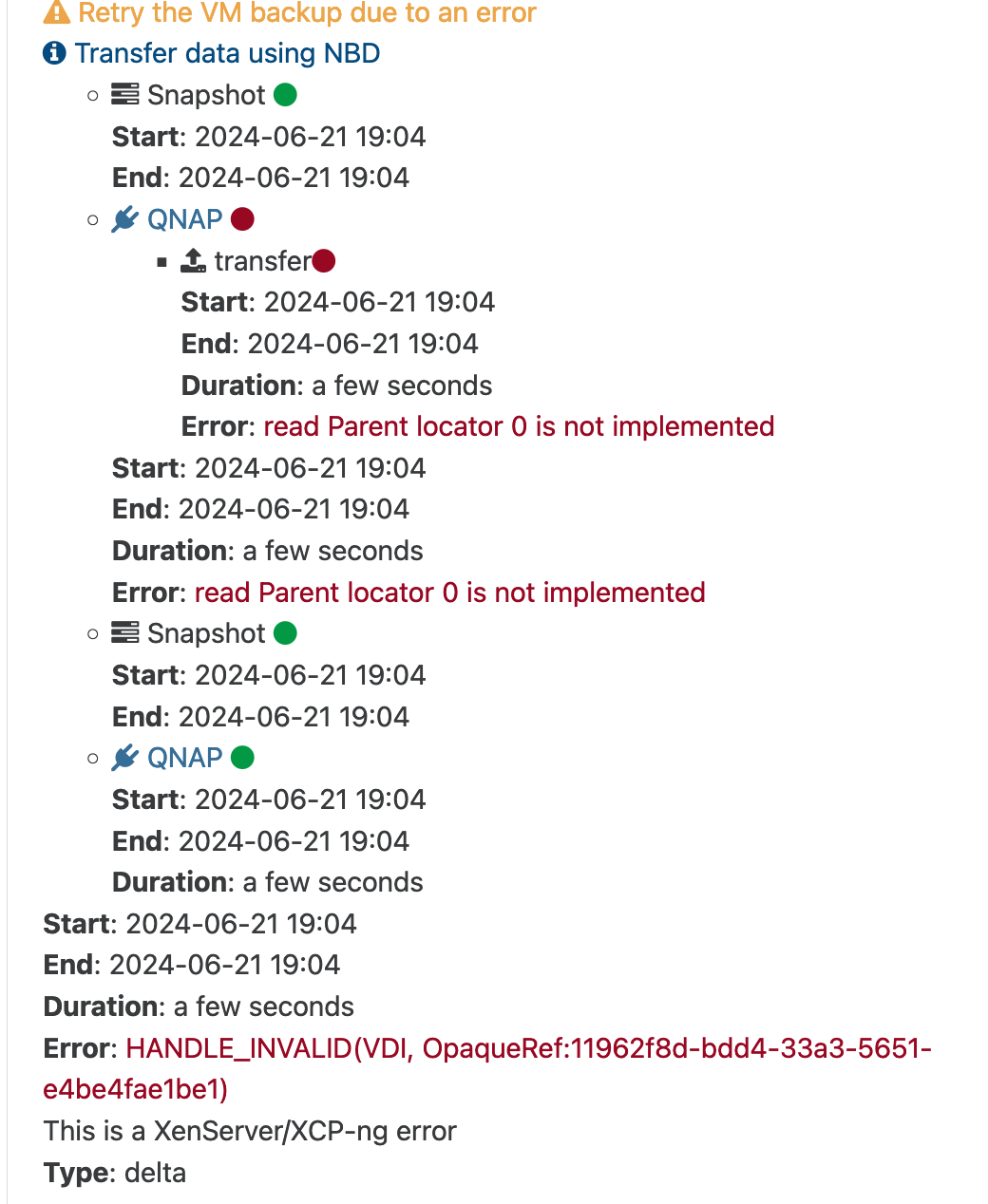
• XO Migration and Backup Logs

    3
    0 Votes
    3 Posts
    256 Views
    D
    @Danp Thanks for confirming, not the end of the world, just happened to notice it.
  • two separate process for backup?

    17
    0 Votes
    17 Posts
    2k Views
    C
    @robyt Can you post a screenshot of where you see NBD? I don't see it anywhere in mine but I'm not sure if I'm looking at the right place. I think you need to get things working first and then start trying to push the envelop. I would set it to 1 and see what your speeds look like. Then you can slowly increase the number of connections until you stop seeing speed increases and/or you see http connection timeouts. I'll admit that I haven't been paying attention to the whole thread, but I'm not sure what more testing you feel you need in order to determine that the problem is your NAS. What is the goal you're attempting to achieve that you're concerned that different hardware wouldn't solve? I'm not sure what your configuration is (if you've posted it already, my apologies), but posting your XCP-ng host(s) details, XO specs, QNAP specs, and what other duties, if any, the QNAP is performing, that would be helpful. They make some powerful models, but most of them don't have that much oomph and can really only do one, maybe two things at once. And this goes doubly so if you're using very large VM disks instead of network storage. In my case I'm backing up to a fairly beefy TrueNAS running a 11z3 setup on a 10G network. My VMs are all configured with smallish disks and pull the majority of their data from the same NAS. My biggest bottleneck is that my XCP-ng hosts only have 2.5G NICs which is why I'm considering moving XO to something with 10G in order to support the fully bandwidth.
  • This topic is deleted!

    1
    0 Votes
    1 Posts
    3 Views
    No one has replied
  • Cloud Backups Directly to BackBlaze B2

    14
    0 Votes
    14 Posts
    2k Views
    planedropP
    I may be able to help out here a bit, I've done a lot of testing and production backups to B2. Naming wise, Olivier is right, B2 is "S3 Compatible" which is why it works but it's not "officially" supported in that way. However since the S3 compatibility "layer" in B2 has been super solid, backing up to it using S3 protocol should be fine. As for your question about differentials, whatever backup jobs you setup are what will be put in B2. So if you setup full backups and select B2 as the remote for it, then it's full backups, etc.... I would recommend having your B2 backups be a different job than any local backups though (if you're doing local for faster restore), it's nice having control separately.
  • Restoring from backup failing

    13
    0 Votes
    13 Posts
    2k Views
    E
    @DustinB Seems like just attaching the remote SR found all the backups. Now to test if they work One of the restores worked so that's good. Attempting a full backup now to see if updating to newest version fixed all our issues. We also had some VDI chain issues when running backups, so seems like VDI's are refusing to coalesce for some reason. Will report back after testing.
  • How do you verify Linux VMs snapshots are being quiesced

    3
    0 Votes
    3 Posts
    344 Views
    E
    @olivierlambert Thank you for the confirmation.
  • Backup Design and or Feature for Managed IT Services

    12
    0 Votes
    12 Posts
    3k Views
    J
    @lawrencesystems Maybe get behind and help with code and/or sponsorship of this feature request. https://xcp-ng.org/forum/topic/8252/tag-based-selection-for-multiple-vdi-storages/8 Cause this is a part required for what you are looking for as it will increase tag functionality. Specifically enabling tags to specify the affinity for where VDIs are stored (which SR they go to). There's already this feature present for VMs to ensure that they go to the correct hosts.
  • Explanation of backup tags on Restore UI?

    20
    0 Votes
    20 Posts
    2k Views
    C
    @florent I'm not sure what's going on, but the incorrect size warning seems to be intermittent now. Jan 22nd - No size warning. Half of the VMs cleaned 1 unused VHD, the others had 0. Jan 23rd - Size warning and 1 unused VHD cleaned on half of the VMs. Others had neither. Jan 24th - Same as Jan 23rd. Jan 25th - Size warning and 2 unused VHD cleaned on half of the VMs. Others had 1 unused VHD cleaned. Jan 26th - No size warning. All VMs cleaned 1 unused VHD. It doesn't seem host related as each host had VMs in both categories. Hope this helps. Let me know if you need any more info.
  • In delta backup force the full backup task in a specific day

    21
    0 Votes
    21 Posts
    5k Views
    robytR
    @olivierlambert said in In delta backup force the full backup task in a specific day: Block mode with NBD enabled? That sounds too slow, especially for a first backup (which will be full and won't require any merge) [image: 1706278573918-0e57de89-11e1-4a42-a34c-162d4151f754-immagine.png] is locked to 37%... ho i can stop the backup job without damage old backups?
  • xo:no-bak backup exclusion?

    5
    0 Votes
    5 Posts
    730 Views
    C
    @julien-f Awesome. I was mostly concerned that I was tagging the VM incorrectly as I didn't want it to backup. I'm happy to report that the tag worked correctly.
  • 0 Votes
    6 Posts
    653 Views
    olivierlambertO
    That's right: what you need is in the backup section, not jobs Happy to help, have a nice day too!
  • Cleaning up Detached Backups

    Unsolved
    12
    0 Votes
    12 Posts
    1k Views
    D
    Any ideas on how I can clean up these logs?
  • Any reason to not use NBD?

    2
    0 Votes
    2 Posts
    459 Views
    olivierlambertO
    The other perk is reduced CPU usage in your Dom0 too Well, it works pretty good and I don't see a reason to not use it.
  • Feature Request for advanced backup concurrency options

    5
    1 Votes
    5 Posts
    798 Views
    planedropP
    @CJ Gotcha, I see, yeah either way I think having more control over backups would be useful, never really a downside to that haha.
  • cleanVM: incorrect backup size in metadata

    Unsolved
    3
    1
    0 Votes
    3 Posts
    693 Views
    C
    @Danp From what @florent stated in the other thread, it should be fixed, but I'm having it happen on every backup so he's looking into it again.
  • Move to another storage and continue with delta

    10
    0 Votes
    10 Posts
    1k Views
    DanpD
    @mdavico You may be able to change the directory path on your remote storage so that it matches the new UUID, but this isn't something that I can verify at the moment. If you have already performed the full backup on the new backup job, then I would expect the future backups to be deltas.
  • Delta Backup Changes Report?

    8
    0 Votes
    8 Posts
    1k Views
    C
    Looking through things, I think I've determined part of the reason for the larger backups. When I turned on memory snapshots that means that the memory is now getting saved as a separate VHD and then transferred. Is it possible for the backup job status to provide more information regarding memory vs actual disk parts of the snapshots? For example, the cleanup task now shows two unused VHD, which I assume is the separate memory and disk VHD for the snapshot.
  • Feature Request: Continue backups when a pool is disconnected.

    3
    0 Votes
    3 Posts
    415 Views
    1
    @olivierlambert Thank you for the quick reply! I am looking forward to the changes!
  • Unable to restore XO config backup

    Solved
    5
    0 Votes
    5 Posts
    689 Views
    I
    @julien-f that fixed it, thanks very much for the prompt resolution!
  • Stupid question on deleting old snapshots.

    community
    2
    0 Votes
    2 Posts
    1k Views
    DanpD
    You should be able to delete the snapshots without causing any harm. A couple of things to keep in mind -- If the snapshot is associated with an existing backup job, then the next run of that job will result in a full backup instead of a delta It may take some time for the snapshots to coalesce following deletion, so this could still affect your backups until they are completely removed If you want to delete the backups associated with the old job, then you can from the Backup > Health tab in XO