🛰️ XO 6: dedicated thread for all your feedback!
-
I really miss the description column XO5 has in the default/home view. I understand space is limited for the tree view, but maybe it could appear when a host is selected in the tree view?
-
-
I really miss the description column XO5 has in the default/home view. I understand space is limited for the tree view, but maybe it could appear when a host is selected in the tree view?
In XO6, you will see it if you click on the eye at the end of the row, then on the right panel.
Is this OK ? -
I really miss the description column XO5 has in the default/home view. I understand space is limited for the tree view, but maybe it could appear when a host is selected in the tree view?
In XO6, you will see it if you click on the eye at the end of the row, then on the right panel.
Is this OK ?I noticed that. Unfortunately, for our use case, clicking on each vm to see the description is a little onerous. Ideally, you'd allow the user to customize the visible columns in the VMs page/tab. The fact that search includes description does help. Ultimately, it was convenient that XO5 would allow us to quickly identify vms by the description from the "Home" page.
-
I really miss the description column XO5 has in the default/home view. I understand space is limited for the tree view, but maybe it could appear when a host is selected in the tree view?
In XO6, you will see it if you click on the eye at the end of the row, then on the right panel.
Is this OK ?Personally I don't really find the rightmost pane/section all that usefull. It's to narrow to have any clear information. And it also leads to the other panels being smaller than they (imho) need to be able to show their base information as well.
This is especially noticable when using windows sizes narrower than 1080p.The rightmost pane I hope will get either removed, and redone in UI v7. Because right now XO5 is far more informational than that is.
Sorry for jumping on with my two cents.
-
@jr-m4 do you know you can collapse the side bar? Use the hamburger icon just after "Xen Orchestra" title to do so.
-
@jr-m4 do you know you can collapse the side bar? Use the hamburger icon just after "Xen Orchestra" title to do so.
Yes, but it is the rightmost pane that I'm not agreeing with.
The left most "tree-view"-sidebar is quite usefull. And has imho good potential. -
Ah sorry I read it too quickly. This panel is only there in some occasions, but I see the point of only displaying it when we click on a relevant element. Feedback for you @julienxovates
-
Ah sorry I read it too quickly. This panel is only there in some occasions, but I see the point of only displaying it when we click on a relevant element. Feedback for you @julienxovates
While on the topic of the tree-view panel.
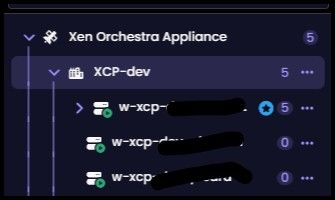
Have you noticed that the indentation changes if there is a chevron indicating that there are VMs on a host? Making it so that the hosts no longer are alinged vertically
-
@jr-m4 Thank you for this feedback. We'll try to make it better based on this !
-
Afternoon, my session timed out and I do get the normal login page, but when I login I get this UiAlert Message:

import{B as e,C as t,St as n,U as r,X as i,_ as a,g as o,h as s,m as c,t as l,x as u,xt as d}from"./_plugin-vue_export-helper-DqPMJZfB.js";import{n as f,t as p}from"./VtsIcon-BoVekVkM.js";import{t as m}from"./use-mapper-M_HHKN3j.js";import{t as h}from"./UiButtonIcon-Df9Z1TJo.js";var g={class:`content`},_={class:`alert typo-body-regular-small`},v={key:0},y=l(t({__name:`UiAlert`,props:{accent:{},close:{type:Boolean}},emits:[`close`],setup(t,{emit:l}){let y=l,b=i(),x=m(()=>t.accent,{info:`status:info-circle`,success:`status:success-circle`,warning:`status:warning-circle`,danger:`status:danger-circle`},`info`);return(i,l)=>(e(),a(`div`,{class:n([d(f)({accent:t.accent}),`ui-alert`])},[c(`div`,g,[u(p,{class:`information-icon`,name:d(x),size:`current`},null,8,[`name`]),c(`div`,_,[c(`div`,null,[r(i.$slots,`default`,{},void 0,!0)]),b.description?(e(),a(`div`,v,[r(i.$slots,`description`,{},void 0,!0)])):o(``,!0)]),t.close?(e(),s(h,{key:0,class:`close-button`,icon:`fa:xmark`,accent:`brand`,size:`small`,onClick:l[0]||=e=>y(`close`)})):o(``,!0)])],2))}}),[[`__scopeId`,`data-v-5b9f5cdd`]]);export{y as t};... and after back-paging, I was able to login normally.
-
Slow booting on Debian 13 VM created from a template
I recently tried cloning a VM from a template (created from a full install of Debian 13). What was noticed was that the system takes forever to boot when the VM is created from XO-6. The issue does not happen in XO-5. The VM seems to hang at the TianoCore boot screen
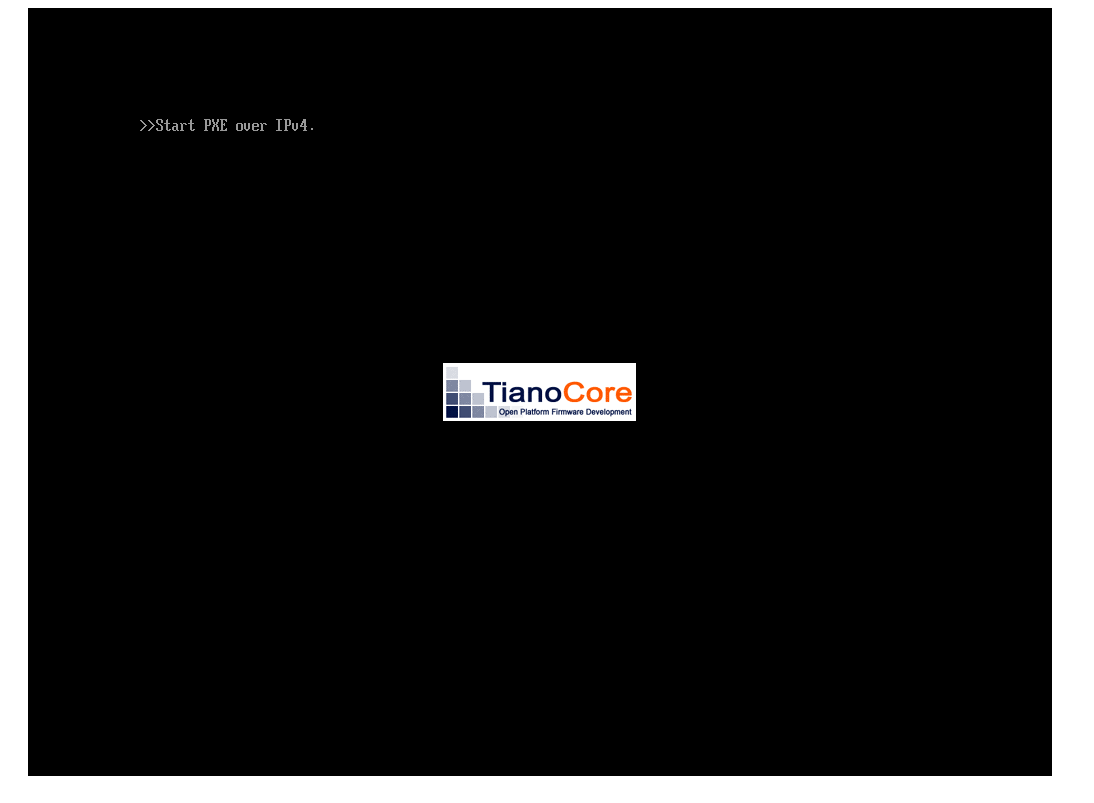 .
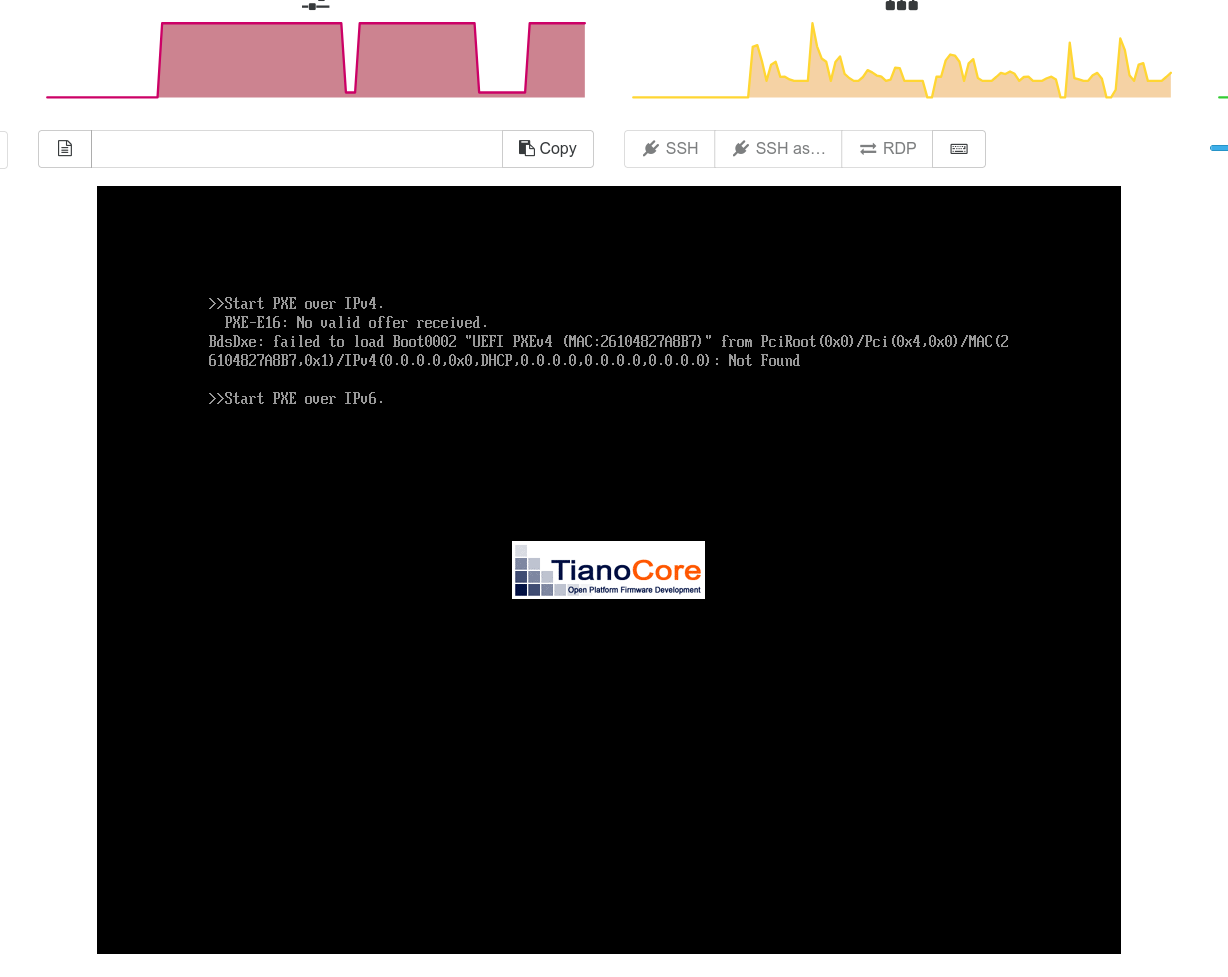
.What I noticed is that when the VM is cloned with XO-6 the boot order somehow changes to Network boot as the first option

This does not happen (change of boot order) if the VM is cloned from XO-5 and there is no boot delay. The boot process seems to wait for more than 2 minutes before it fails network boot and then proceeds normally to boot from the Hard drive
Thanks
Hi @escape222,
For info boot order issue has been resolved in XO 6.5 ! -
-
@julienXOvates
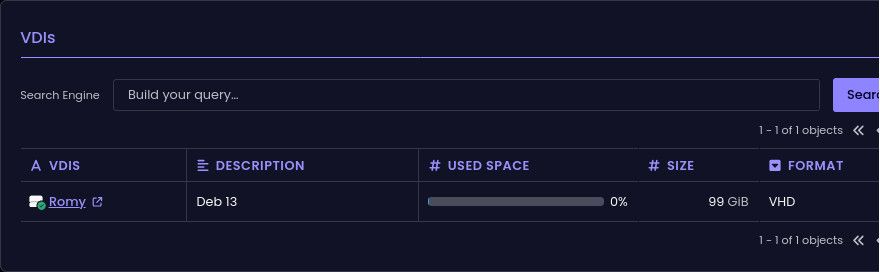
Well not in mydaefcwitch is newer than 6.5.1
ph@romy:~$ df -h
Filsystem      Storlek Använt Ledigt Anv% Monterat på
udev              1,9G      0   1,9G   0% /dev
tmpfs             392M   916K   391M   1% /run
/dev/xvda2         93G   6,3G    82G   8% /
tmpfs             2,0G      0   2,0G   0% /dev/shm
efivarfs          128K    52K    72K  42% /sys/firmware/efi/efivars
tmpfs             5,0M      0   5,0M   0% /run/lock
tmpfs             1,0M      0   1,0M   0% /run/credentials/systemd-journald.service
tmpfs             2,0G   4,0K   2,0G   1% /tmp
/dev/xvda1        975M   8,8M   966M   1% /boot/efi
tmpfs             1,0M      0   1,0M   0% /run/credentials/getty@tty1.service
tmpfs             1,0M      0   1,0M   0% /run/credentials/serial-getty@hvc0.service
tmpfs             392M    68K   392M   1% /run/user/105
tmpfs             392M    68K   392M   1% /run/user/1000
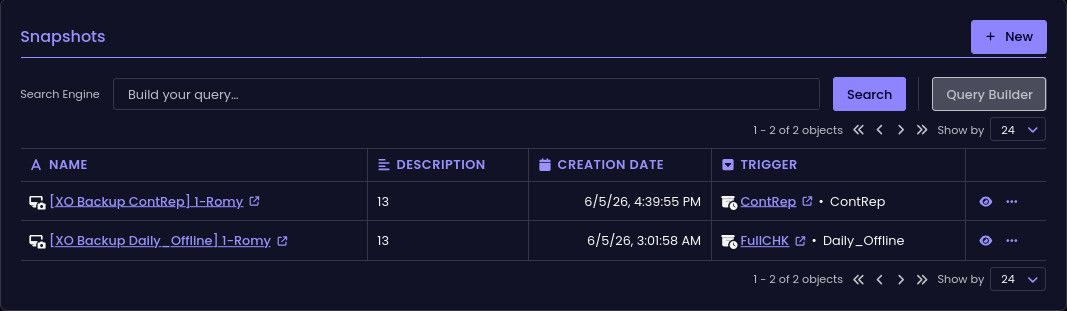
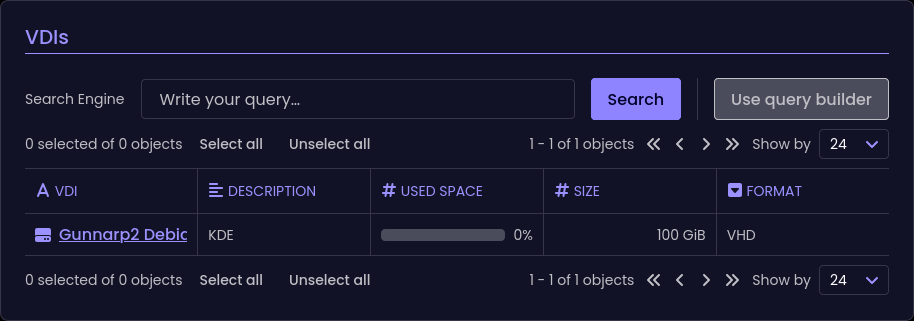
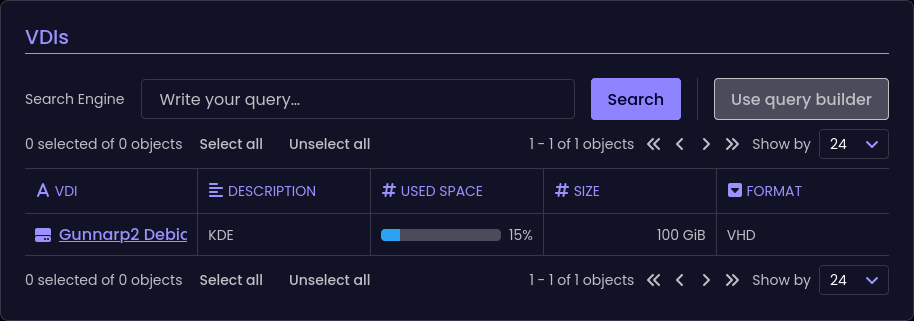
seems more like 8% to me
-
same in my XOA 6.5.1
-
OK, we'll have another look at it, sorry for this !
-
@julienXOvates
The faulty ones are on local SR
If I take a manual snapshot on a NFS VM, I see the correct valueWill test a scheduled one
-
Local VMs vith scheduled
Incremental or full BackupandCRare affected
NFS VMs vith scheduledIncremental or full Backupare affected
NFS VMs withCRnot affected -
@ph7 Thanks for those details, very helpful. We'll have a look.
-
ph7 said:
Local VMs vith scheduled
IncrementalBackup and CR are affected
NFS VMs vith scheduledIncrementalBackup are affectedIncremental -> Incremental OR full


Hello! It looks like you're interested in this conversation, but you don't have an account yet.
Getting fed up of having to scroll through the same posts each visit? When you register for an account, you'll always come back to exactly where you were before, and choose to be notified of new replies (either via email, or push notification). You'll also be able to save bookmarks and upvote posts to show your appreciation to other community members.
With your input, this post could be even better 💗
Register Login