Subcategories

  • VMs, hosts, pools, networks and all other usual management tasks.

    427 Topics
    3k Posts
    P
    In case anyone wonders how this played out. At the end of the day, I shutdown the host with the running workloads on it, kept it at BIOS boot so the 8.3 installer would upgrade it cleanly, and then booted it back up. For reasons related to my particular setup, the down time was more than 60 minutes. But that's not related to XCP-ng. The XCP-ng installer was maybe 10 of that. 20 of that was 3 reboots on a server that takes ages to boot. One thing that is a bit difficult is that the 8.3 installer doesn't notice ZFS volumes or help with ZFS. So after the upgrade, I have to follow a modified set of these instructions (modified because the package names have changed over time) to install ZFS and its components into the system. So the sequence is: Shutdown Install via ISO Reboot to single user mode Run yum update to pull in all the updates Run the ZFS commands to install ZFS on the host Reboot again Run normally Of course, I ended up rebooting more than just those 2 times, because I forgot that I would need to install ZFS (even though I did it on 2 different hosts already ) So now the pool is fully upgraded, everybody is happy. I'm now working on creating shared storage across the nodes. It's amateur hour over here. I appreciate all the help.
  • ACLs, Self-service, Cloud-init, Load balancing...

    97 Topics
    818 Posts
    olivierlambertO
    October release fixed it
  • All XO backup features: full and incremental, replication, mirrors...

    438 Topics
    4k Posts
    florentF
    @Pilow I will take a look in deep later, but the key/delta and disk usage is set during backup, even if they are merged during LTR retention
  • Everything related to Xen Orchestra's REST API

    74 Topics
    567 Posts
    olivierlambertO
    But giving your feedback on how you solved it might help many people in the future Thanks!
  • Terraform, Packer or any tool to do IaC

    45 Topics
    426 Posts
    P
    @MajorP93 Thanks for your feedback. I'll look into it over the christmas hollidays
  • 🛰️ XO 6: dedicated thread for all your feedback!

    Pinned
    63
    5 Votes
    63 Posts
    3k Views
    K
    @MathieuRA Hi, That's the wired thing, no error in logs... But I found why : I have "profile" scope in my OIDC configuration for a while, it seems to broke SSO in last version. Without it, it works. Thank you
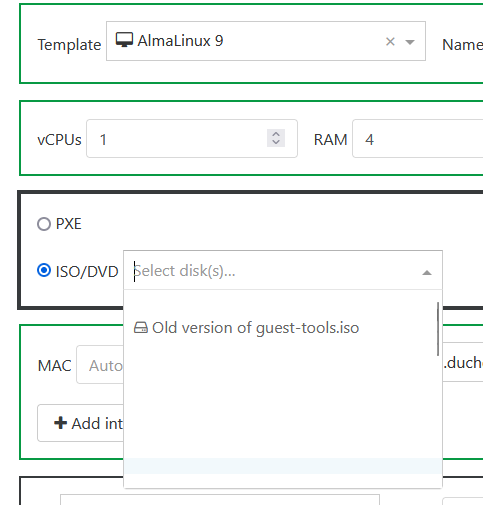
  • ISO won't show since XO6 Default

    1
    2
    0 Votes
    1 Posts
    3 Views
    No one has replied
  • 0 Votes
    3 Posts
    17 Views
    P
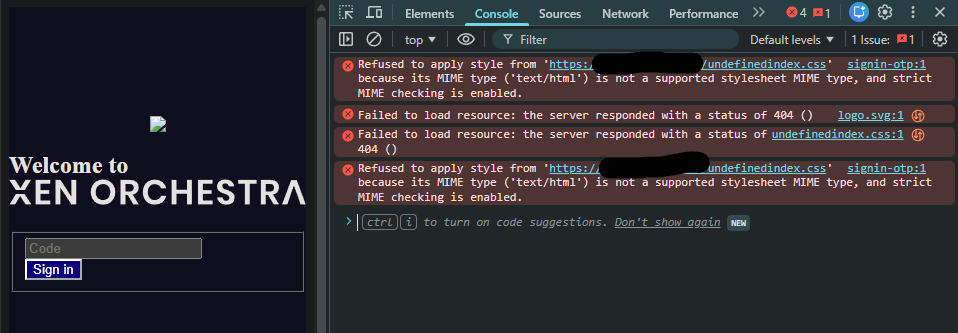
    @olivierlambert said in 2FA doesn't load graphics properly after XO6 went default (XO from source): Does it work OK without the proxy? Testing on my secondary lab, and the results are the same. Secondary lab runs privileged service, 443 without proxy.
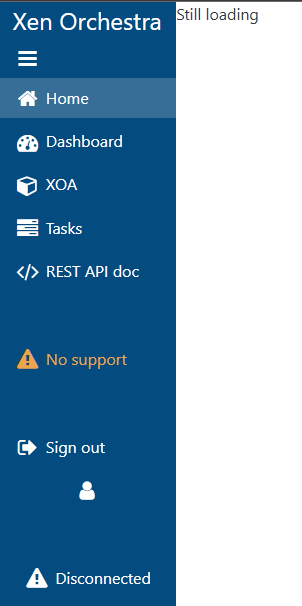
  • XO5 breaks after defaulting to XO6 (from source)

    46
    1
    0 Votes
    46 Posts
    525 Views
    MathieuRAM
    @acebmxer I want logs from the journalctl. sudo systemctl restart xo-server sudo journalctl -fu xo-server
  • Can't designate new master on XO source pool

    7
    0 Votes
    7 Posts
    77 Views
    tjkreidlT
    @vaewyn There is an emergency transition to new master xe command. Also, make sure all your hosts are properly time syncronized to each other or there can be pool issues. Try first: xe pool-designate-new-master host-uuid=<new-master-uuid> If that fails, you will need to run on the slave server: xe pool-emergency-transition-to-master
  • Plugins in XO6?

    6
    0 Votes
    6 Posts
    80 Views
    olivierlambertO
    It won't disappear tomorrow, but I'd like to phase it out sooner than later (before 2027? who knows)
  • Xen Orchestra from source ignores config.toml from /etc/xo-server/

    2
    0 Votes
    2 Posts
    88 Views
    A
    Ok I've figured out root cause. My config override has only one option: ignoreVmSnapshotResources = true And I had to change it with adding [selfService] on a line below Also I found out that override config for XO5 interface needs to have absolute paths to xo-web and @XenOrchestra in it. With relative paths it didn't work.
  • LUKS Secured VM via Cloud Config

    1
    0 Votes
    1 Posts
    33 Views
    No one has replied
  • Retention for log files and audit logs

    6
    0 Votes
    6 Posts
    604 Views
    E
    I would like to suggest to configure a remote syslog server. it centralizes all the log s and give you full control over the retention. It would also avoid situation where a disk full would impact your logging as well XCP-ng or XOA host operations. For your XCP-NG host go to you POOl, select Advanced tab and configure the Remote syslog host section to point to your syslog server. For XOA, you can follow the instruction here : https://docs.xen-orchestra.com/backups#send-xo-logs-to-an-external-syslog-server
  • This topic is deleted!

    1
    0 Votes
    1 Posts
    4 Views
    No one has replied
  • Xen Orchestra Node 24 compatibility

    4
    0 Votes
    4 Posts
    308 Views
    M
    After moving from Node 22 to Node 24 on my XO instance I started to see more "Error: ENOMEM: not enough memory, close" for my backup jobs even though my XO VM has 8GB of RAM... I will revert back to Node 22 for now.
  • HOST_NOT_ENOUGH_FREE_MEMORY

    4
    0 Votes
    4 Posts
    111 Views
    P
    @ideal perhaps you could use advantage of dynamic memory https://docs.xcp-ng.org/vms/#dynamic-memory to oversubscribe memory and have all 4 VMs up at once... or reduce the allocated memory of your VMs, you seem to have a pretty big VM in terms of memory in comparison to the 2 others on your screenshot
  • SAML Auth with Azure AD

    Solved
    37
    1 Votes
    37 Posts
    6k Views
    D
    @olivierlambert Just to add another weird case of this situation I tell you my SAML-auth-adventures. I have just migrated a week ago from XOCE to XOA paid support this week and all the process was fine except the auth with the saml plugin. The commit I had in XOCE was [XO 5d92f - Master 3f604]. I compiled it the first week of this november so it wasn't very outdated. We use the MSEntraID SAML authentication and it was working fine in XOCE since at least one year ago. Mi process was like this: First, I installed XOA and imported the configuration from my old XOCE. Everything was fine and all was imported succesfully (backups, users, acls, etc.), including my plugin configurations. Note that I reused the https server certificate/private key and used the same IP and the same DNS (beacuse I turned off my XOCE before starting XOA). Everything was working fine except the saml auth plugin. I had the same "Internal server error" problem. I looked at the xo-server logs and the error was "invalid document signature" so, as Olivier said, we changed the configuration in MSEntraID to set the "Sign SAML response and assertion" on. Once we changed the configuration I thought the plugin would work again, but surprisingly not. If I try again SAML validation i still got the "Internal server error". When i checked again the xo-server logs I saw ahother exception, this time with the error "SAML assertion audience mismatch" and a reference to the issuer configuration of the plugin. The exact error I got from xo-server logs using "journalctl -u xo-server -f -n 50" was: "xoa xo-server[2370]: Error: SAML assertion audience mismatch. Expected: <id-of-MSEntraID-xo-validation> Received: spn:<id-of-MSEntraID-xo-validation>"I didn't understand this, because the configuration was exactly the same as I had in XOCE. In fact, I turned off XOA and turned on again XOCE just to test the plugin. The result was that in XOCE the plugin worked well. After many tries and some time of impostor syndrome we found the solution: I don't know why, but in XOCE compiled at the beginning of november you have to configure the issuer field of the plugin with the <id-of-MSEntraID-xo-validation> (8digit-4digit-4digit-4digit-12digit). Instead, in XOA deployed also this november, you have to set the issuer field to you XOA URL: https://<xo.company.net>/ I hope this will help, because it was a pain in the neck for us this week. BTW: @olivierlambert this "Internal server error" coming from an uncatched exception in the plugin was not very descriptive. Even a generic try-catch block just to show in the web interface the error would help... P.D.: I'm from Spain, so I do my best with my english P.D. 2: Great job with all the Vates virtualization stack! You are the best! Dani

  • XOCE - ISO upload is renamed after upload to ISO SR

    18
    1 Votes
    18 Posts
    683 Views
    mxM
    We'd recently got a relevant experience regarding this weird renaming to uuids. We had one orchestra managing one pool. ISOs were in an ISO SR, with an nfs4 serving it underneath. All fine till then. We added one second pool to the orchestra. Just a single host by itself. One of the very next days we discovered that all names in the ISO SR had been replaced by uuids. Removing/readding the sr to the new pool helped temporarily. Usual names appeared again. But after a few more days, again uuids. Where uuids were appearing, we could not select anything from the dropdown list in the console's cdrom. The list per pool was unpopulated. We tried separate the shares by offering the new pool an nfs4 share from the NAS, actually sharing the same source dir. It did mount but now there was a uuid uniq constraint that was violated, so we could not see no files at all in this new SR. It would not be an illogical thought to have an 'iso sr' attached once to the orchestra and be offered by the orchestra to all managed pools, without uuids, without uniqs etc. There seems to be an unnecessary complication here I think.
  • Set default resolution for UEFI

    5
    0 Votes
    5 Posts
    1k Views
    G
    I haven't had too much difficulty hitting the esc key in time to get into the EFI config. Click the start VM button, quickly click away from the display area and click in the display area, then toggle the esc key until I see it take effect. I know I have a couple running at 1920x1080, but that's actually kind of a pain. I only did that to try and get a larger RDP window, RDP may be limited by the original "monitor" resolution, but this might also be fixed in later updates. This one VM has been up for a few years. (edit, yes this has been changed, VMs with a 4x3 monitor now RDP is whatever I have set).
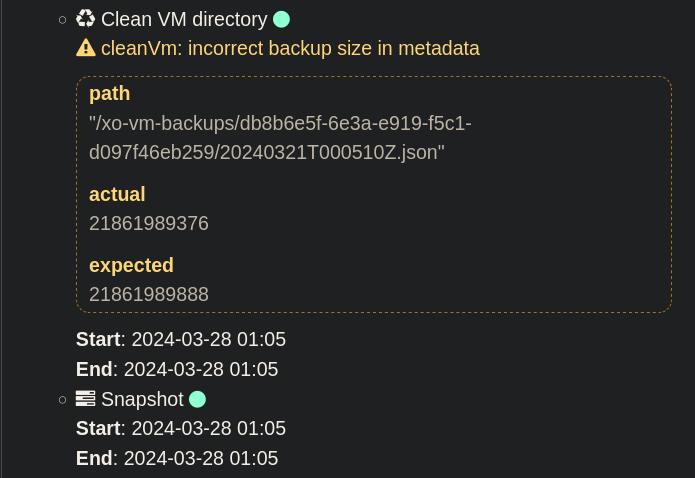
  • cleanVm: incorrect backup size in metadata

    16
    1
    0 Votes
    16 Posts
    3k Views
    U
    @k11maris Same on my side. Delta backup for all VMs show this message. [image: 1763710321097-bildschirmfoto-2025-11-21-um-08.30.44.png]
  • License not working

    7
    0 Votes
    7 Posts
    238 Views
    DanpD
    Hi, I just responded to your ticket with the steps to update XOA to match your new license. Regards, Dan
  • Is v6 preview not available on XO from source?

    Solved
    26
    2 Votes
    26 Posts
    9k Views
    A
    @WorkAccount1000 Prior to myself finding that option in the config file use to run this command that worked as well.. cd /opt/xo/xo-web sudo yarn run turbo run build --filter @xen-orchestra/web
  • Cannot migrate a vmdisk

    3
    0 Votes
    3 Posts
    185 Views
    A
    @bogikornel said in Cannot migrate a vmdisk: @ashinobi Known issue ... https://xcp-ng.org/forum/topic/11538/failed-to-migrate-vdi-two-local-sr/5?_=1763186433370 Thank you so much for letting me know. I'll follow your post so I can update that if they need more info on what is happening.
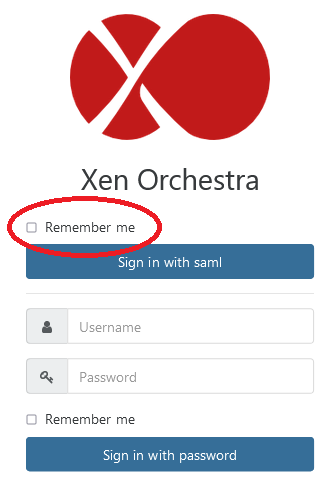
  • Remember me option and SAML

    2
    1
    0 Votes
    2 Posts
    238 Views
    F
    @rizaemet-0 I've also enabled SAML and the login interface is a little bit odd, not only the remember me button but also the capitalization of SAML which is lowercase. It is a cosmetic issue, but still an issue.