Subcategories

  • VMs, hosts, pools, networks and all other usual management tasks.

    487 Topics
    4k Posts
    tjkreidlT
    @carloum70 Are all your hosts properly time sychronized to NTP or chronyc? Check each host for offsets. They need to be really close in time with each other. And what HA heartbeat client setup are you using? As long as you have a quorum, HA should continue to work fine. WHen you get down to two hosts and one cannot communicate with the other is when things get critical (unless running HA-Lizard on a two-host pool).
  • ACLs, Self-service, Cloud-init, Load balancing...

    106 Topics
    869 Posts
    T
    @mpiton Thanks for looking into this, I guess it wasn't apparent that I needed to click the Save Configuration button for that plugin. I did that and confirmed that the secret now survives an xo-server restart. Thanks again!
  • All XO backup features: full and incremental, replication, mirrors...

    534 Topics
    6k Posts
    P
    @Danp The backup jobs are Delta Backups. And other than the Health Checks-theory, I don't really have a theory of why the same job would report 28GB transfered in XO5, but 172GB in XO6. The comment about the side panel, is more an emphasis that it is very difficult to read and extract the relevant information from. Whereas in XO5 that information was presented far easier. Both from a readability standpoint, but also accessibility. Where I have a very hard time with being able to focus on elements in XO6... But that is another topic for another day. I'm eagerly hoping for it to mature more. And it is slowly getting better.
  • Everything related to Xen Orchestra's REST API

    88 Topics
    654 Posts
    poddingueP
    Pretty cool, @samuelolavo, thanks for clarifying!
  • Terraform, Packer or any tool to do IaC

    52 Topics
    488 Posts
    CyrilleC
    New release ! Cloud Controller Manager v1.2.0 https://github.com/vatesfr/xenorchestra-cloud-controller-manager/releases/tag/v1.2.0 Adds a new cloud-node-out-of-service controller that applies the node.kubernetes.io/out-of-service=nodeshutdown:NoExecute taint to the nodes whose Xen Orchestra VM is halted or has been deleted. More about this feature in the documentation or #90
  • Migrating XO to another server.... best process?

    Solved
    4
    0 Votes
    4 Posts
    879 Views
    M
    So, problem solved.....
  • Warning logs in XCP-NG

    1
    0 Votes
    1 Posts
    256 Views
    No one has replied
  • sdn certs module

    30
    0 Votes
    30 Posts
    11k Views
    E
    @eeldivad i turned on "override-certs" option and it seems to work now. I'm still curious why the other build fails. Does anyone know how i can generate those 3 pem files manually to test?
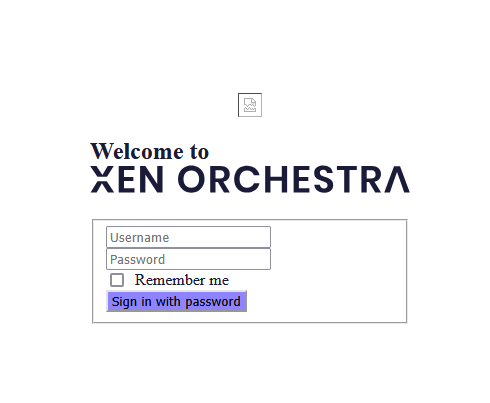
  • New install - Login screen blank

    14
    2
    0 Votes
    14 Posts
    2k Views
    R
    This is solved. What I ended up doing was installing ubuntu and doing the whole install as root. Thanks for the help, I hope I can use XOA in the future!
  • XOCE - Language not keep when i come back (surrely dumb question)

    15
    0 Votes
    15 Posts
    3k Views
    D
    @olivierlambert said in XOCE - Language not keep when i come back (surrely dumb question): Why? I mean you are the first person to ask this. It's more work to do that and I'm not sure to really see the value A cookie is the perfect simple way to store info that are from your same browser/session, so it's very logical. Yeah, I don't see the value in having to keep a user preference within XO itself either.. just don't clear your cookies. It's what they are meant for.
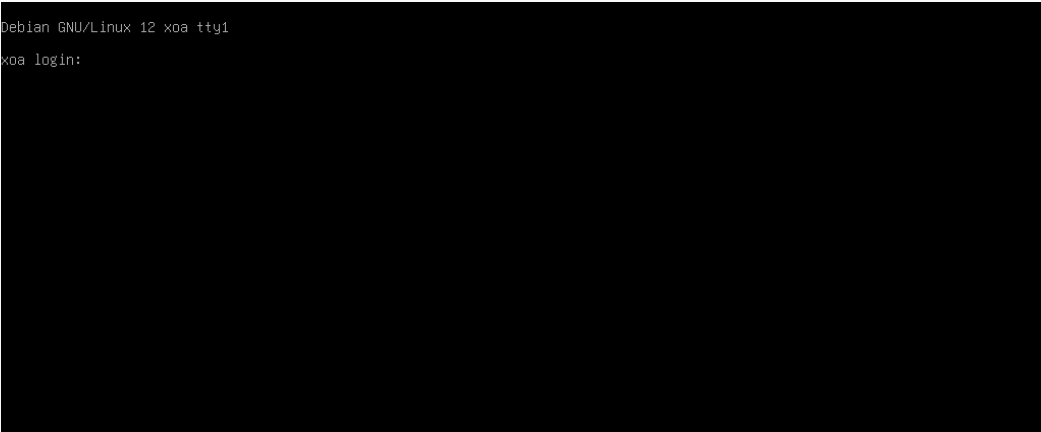
  • Login to XOA console

    Solved
    3
    1
    0 Votes
    3 Posts
    1k Views
    S
    Thank you for your attention. It worked!
  • vm start delay - does it work yet?

    8
    1
    0 Votes
    8 Posts
    5k Views
    cairotiC
    @payback007 said in vm start delay - does it work yet?: unfortunately "start delay" is not working as expected. The function what you marked above is to change the start delay of an existing "vApp". Here is an example of my setup: [image: 04e7439d-6b92-4356-aa23-14d704588be3-grafik.png] The value whould change the "Delay interval" later by XOA, nothing else. Otherwise is vApp feature also not working on my XCP-ng installation, I think it was never really tested. If you want to implement start delays to your VM's you can follow this guide: define vApp for autostart in xcp-ng center including start order find out the uuid of the vApp: xe appliance-list write autostart script containing #!/bin/sh xe appliance-start uuid=uuid-autostart-vApp implement new systemd.service in /etc/systemd/system/autostart.service [Unit] Description=autostart script for boot VM After=graphical.target [Service] Type=simple ExecStart=/path/to/your/autostart-script.sh TimeoutStartSec=0 [Install] WantedBy=default.target enable the service systemctl enable autostart.service Editing of boot delay time is then possible via XOA which is already a nice feature at all for "fine tuning" or adapt if new VMs are added to the autostart vApp. @olivierlambert whould it make sense to open an additional feature request? vApp-implementation was several times discussed with no "final statement" I think. When I have a pool without HA, how could I use this script? I thought about setting the script on the master server. However, in a maintenance, where a second node becomes the master, will I have to recreate the script?

  • XO - Continuous Replication - unable to migrate

    1
    1 Votes
    1 Posts
    165 Views
    No one has replied
  • Starting XO error

    Solved
    5
    0 Votes
    5 Posts
    927 Views
    R
    @Danp It wasnt a VM. I dedicated a whole PC to debian and XO. But I was completely clueless as to what I was doing. I am off and running now though. Thank you
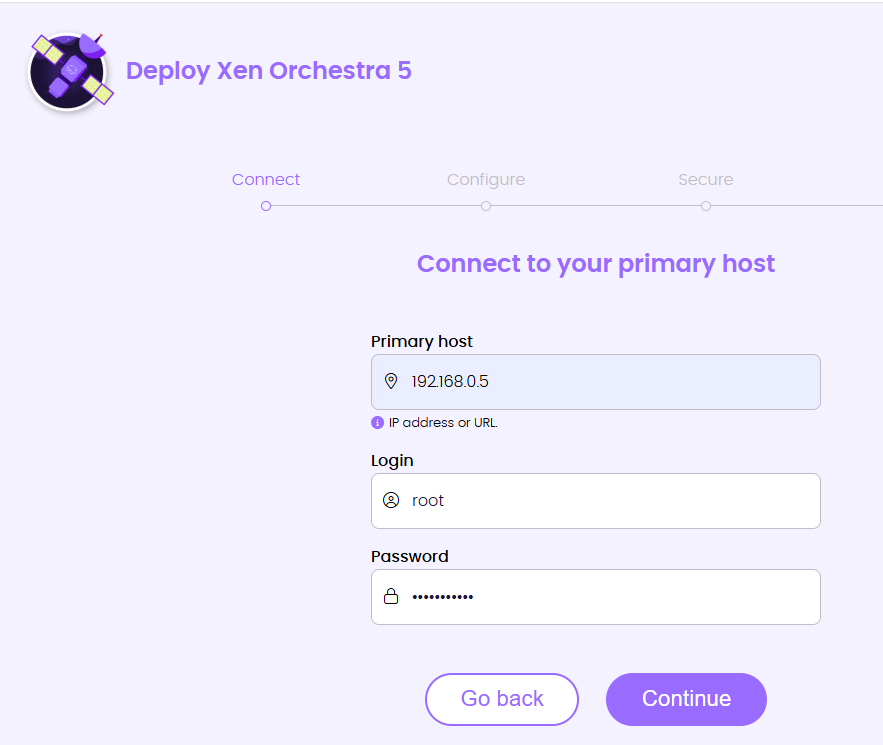
  • XOA Install Issues

    5
    3
    0 Votes
    5 Posts
    1k Views
    D
    @merango said in XOA Install Issues: @merango Hi DustineB, Thanks for the help, after looking at the BIO, I have a question around the management server. I have a spare windows 11 Pro PC that is running a Hyper-V Ubuntu 24.04.1 bare install. Can I follow your guide to install this as the MGMT server for my XCP-NG host on the same LAN? I'd prefer to manage it on a separate PC if possible and that would work nicely if that is possible? Of course you can, anywhere you can install Debian or Ubuntu can you install XO. Be it physical or virtual.
  • Issues with diskperformance of an migrated vm

    12
    0 Votes
    12 Posts
    3k Views
    olivierlambertO
    I'm adding @dinhngtu in the loop in case we can makes sense of that, but it's really strange indeed.
  • XOCE - Console gor crazy after typing special char

    8
    1
    0 Votes
    8 Posts
    2k Views
    C
    @DustinB tried your command, it runs OK, restarted the vm hosting XOCE, but still have the same issue after typing an @ in console, char following are wrong
  • 2CRSI BIOS update not available

    26
    0 Votes
    26 Posts
    9k Views
    D
    For information : The downgrade change nothing. The only solution was to reinstall xcp with the upgrade option (even if it was up to date before the bios update) If we go back to the original problem, the latest version of the Bios changes nothing (there is no information about the BIOS on the Host page)
  • XOA Can't register, network issue

    Solved
    3
    0 Votes
    3 Posts
    923 Views
    P
    @Danp it turns out I had a typo that took me forever to find . . . 102 vs 192 in the gateway ip. The strange thing to me was that the internal networking was working (pings, connections, etc). But there's something in the xoa web site that could not make the connection to the server it was running on, which makes me think there is some kind of external communication going on for server connections. If xoa can ping the dom0 then why would it need the gateway to connect to it for the web interface? Anyway I fixed the typo after finding the error running ip monitor, and then everything works great. This was the 3rd or 4th install of xoa so I was getting a bit hurried . . . next morning it took 2 minutes to find the error. Now its registered and working.
  • 0 Votes
    3 Posts
    1k Views
    T
    It also happens when you run xo-server as non-root user.
  • Error importing vhd or VM

    48
    0 Votes
    48 Posts
    19k Views
    AlexanderKA
    came across this topic.. i have exported a vm and trying to import it to another xcp. I had issues with the migration so i tried export and import and i have this error HTTP handler of vm.import undefined { "code": "IMPORT_ERROR_PREMATURE_EOF", "params": [], "url": "", "task": { "uuid": "efbc0249-0825-8465-5c4d-639609790062 ", "name_label": "[XO] VM import", "name_description": "", "allowed_operations": [], "current_operations": {}, "created": "20250121T22:23:40Z", "finished": "20250121T22:35:37Z", "status": "failure", "resident_on": "OpaqueRef:58799ebc-692a-4b39-a70c-fb97e63bcde7", "progress": 1, "type": "<none/>", "result": "", "error_info": [ "IMPORT_ERROR_PREMATURE_EOF" ], "other_config": { "object_creation": "complete" }, "subtask_of": "OpaqueRef:NULL", "subtasks": [], "backtrace": "(((process xapi)(filename lib/backtrace.ml)(line 210))((process xapi)(filename ocaml/xapi/import.ml)(line 2021))((process xapi)(filename ocaml/xapi/server_helpers.ml)(line 92)))" }, "pool_master": { "uuid": "700a5902-5b1d-49ec-a7c7-7be348163ff7", "name_label": "xcpbackup", "name_description": "Default install", "memory_overhead": 1160454144, "allowed_operations": [ "vm_migrate", "provision", "vm_resume", "evacuate", "vm_start" ], "current_operations": {}, "API_version_major": 2, "API_version_minor": 16, "API_version_vendor": "XenSource", "API_version_vendor_implementation": {}, "enabled": true, "software_version": { "product_version": "8.2.1", "product_version_text": "8.2", "product_version_text_short": "8.2", "platform_name": "XCP", "platform_version": "3.2.1", "product_brand": "XCP-ng", "build_number": "release/yangtze/master/58", "hostname": "localhost", "date": "2024-10-30", "dbv": "0.0.1", "xapi": "1.20", "xen": "4.13.5-9.45", "linux": "4.19.0+1", "xencenter_min": "2.16", "xencenter_max": "2.16", "network_backend": "openvswitch", "db_schema": "5.603" }, "other_config": { "agent_start_time": "1737493713.", "boot_time": "1737493639.", "iscsi_iqn": "iqn.2025-01.com.example:a784a28f" }, "capabilities": [ "xen-3.0-x86_64", "hvm-3.0-x86_32", "hvm-3.0-x86_32p", "hvm-3.0-x86_64", "" ], "cpu_configuration": {}, "sched_policy": "credit", "supported_bootloaders": [ "pygrub", "eliloader" ], "resident_VMs": [ "OpaqueRef:509e3b3e-4d43-452d-9225-6cbf2d0b9585 " ], "logging": {}, "PIFs": [ "OpaqueRef:d73acec0-8a55-4d47-a4ed-49472ca30f49 ", "OpaqueRef:cc001aea-f916-46af-ba42-d8b1c58e3cc3 ", "OpaqueRef:263afb14-5bba-4611-8bdc-898659169f3b " ], "suspend_image_sr": "OpaqueRef:NULL", "crash_dump_sr": "OpaqueRef:NULL", "crashdumps": [], "patches": [], "updates": [], "PBDs": [ "OpaqueRef:ed0b0406-bef6-4a40-8d64-238bef7af985 ", "OpaqueRef:94c58c56-e969-4d20-a890-0670509a7880 ", "OpaqueRef:4c7b2f97-ba37-476f-9d4d-bd54d73a60f6 ", "OpaqueRef:1e0af0c7-c567-491c-9be6-66a7fe8853b7 " ], "host_CPUs": [ "OpaqueRef:b51387c3-2a44-43dc-b56c-4d387e1abb42 ", "OpaqueRef:e72cc2ac-aa1a-4d39-bbff-bf2cddbe22a9 ", "OpaqueRef:11d9e571-e47a-4a2a-8426-00340c21ad9c ", "OpaqueRef:5f9d380b-3cd6-4166-885c-6b7cb80bebd1 ", "OpaqueRef:05ddf831-24d0-4f4c-947c-dfd9d8f333f5 ", "OpaqueRef:d6649684-128f-4d6f-b0d5-f28cbf0f2f47 ", "OpaqueRef:5b642435-ae8a-4547-b829-3cfba9c07da3 ", "OpaqueRef:8d3673c0-79ff-487a-a3f5-a7ab8c5998b4 ", "OpaqueRef:71534d89-5285-479a-ae63-66dea811a802 ", "OpaqueRef:4ec5fb6e-dac9-42d4-99c9-96144c72a4c4 ", "OpaqueRef:fcd181d8-7f5c-4585-b77a-bfe09de9e0be ", "OpaqueRef:6d29fc54-c0f7-4201-ae59-c5a173cee4fa ", "OpaqueRef:487834e7-cdb0-4e54-95ed-92655eff15ed ", "OpaqueRef:115458a5-4223-40ad-9a54-2fe0b3c05181 ", "OpaqueRef:e7df3acc-db7f-4635-8fc5-5167405db947 ", "OpaqueRef:747e9266-558b-44c0-855a-62936d004e56 " ], "cpu_info": { "cpu_count": "16", "socket_count": "1", "vendor": "AuthenticAMD", "speed": "3792.912", "modelname": "AMD Ryzen 7 5700G with Radeon Graphics", "family": "25", "model": "80", "stepping": "0", "flags": "fpu de tsc msr pae mce cx8 apic mca cmov pat clflush mmx fxsr sse sse2 ht syscall nx mmxext fxsr_opt rdtscp lm constant_tsc rep_good nopl nonstop_tsc cpuid extd_apicid pni pclmulqdq ssse3 fma cx16 sse4_1 sse4_2 movbe popcnt aes xsave avx f16c rdrand hypervisor lahf_lm cmp_legacy abm sse4a misalignsse 3dnowprefetch bpext ibpb vmmcall fsgsbase bmi1 avx2 bmi2 erms rdseed adx clflushopt clwb sha_ni xsaveopt xsavec xgetbv1 clzero xsaveerptr arat vaes vpclmulqdq rdpid", "features_pv": "1789c3f5-f6f83203-2bd1cbf5-040001e3-00000007-218c0329-00400600-00000000-20001005-00000000-00000000-00000004-00000000-00000000-00000000-00000000-00000000-00000000-00000000-00000000-00000000-00000000", "features_hvm": "178bfbff-f6f83203-2fd3fbff-040085f7-0000000f-219c07a9-0040060c-00000000-310ed005-00000000-00000000-00000004-00000000-00000000-00000000-00000000-00000000-00000000-00000000-00000000-00000000-00000000", "features_hvm_host": "178bfbff-f6d83203-2e500800-040001f7-0000000f-219c07a9-0040060c-00000000-310ed005-00000000-00000000-00000004-00000000-00000000-00000000-00000000-00000000-00000000-00000000-00000000-00000000-00000000", "features_pv_host": "1789c3f5-f6d83203-2a500800-040001e3-00000007-218c0329-00400600-00000000-20001005-00000000-00000000-00000004-00000000-00000000-00000000-00000000-00000000-00000000-00000000-00000000-00000000-00000000" }, "hostname": "xcpbackup", "address": "192.168.200.7", "metrics": "OpaqueRef:339bb82d-61a2-4597-8cd2-42451863e251 ", "license_params": { "restrict_vswitch_controller": "false", "restrict_lab": "false", "restrict_stage": "false", "restrict_storagelink": "false", "restrict_storagelink_site_recovery": "false", "restrict_web_selfservice": "false", "restrict_web_selfservice_manager": "false", "restrict_hotfix_apply": "false", "restrict_export_resource_data": "false", "restrict_read_caching": "false", "restrict_cifs": "false", "restrict_health_check": "false", "restrict_xcm": "false", "restrict_vm_memory_introspection": "false", "restrict_batch_hotfix_apply": "false", "restrict_management_on_vlan": "false", "restrict_ws_proxy": "false", "restrict_vlan": "false", "restrict_qos": "false", "restrict_pool_attached_storage": "false", "restrict_netapp": "false", "restrict_equalogic": "false", "restrict_pooling": "false", "enable_xha": "true", "restrict_marathon": "false", "restrict_email_alerting": "false", "restrict_historical_performance": "false", "restrict_wlb": "false", "restrict_rbac": "false", "restrict_dmc": "false", "restrict_checkpoint": "false", "restrict_cpu_masking": "false", "restrict_connection": "false", "platform_filter": "false", "regular_nag_dialog": "false", "restrict_vmpr": "false", "restrict_vmss": "false", "restrict_intellicache": "false", "restrict_gpu": "false", "restrict_dr": "false", "restrict_vif_locking": "false", "restrict_storage_xen_motion": "false", "restrict_vgpu": "false", "restrict_integrated_gpu_passthrough": "false", "restrict_vss": "false", "restrict_guest_agent_auto_update": "false", "restrict_pci_device_for_auto_update": "false", "restrict_xen_motion": "false", "restrict_guest_ip_setting": "false", "restrict_ad": "false", "restrict_nested_virt": "false", "restrict_live_patching": "false", "restrict_set_vcpus_number_live": "false", "restrict_pvs_proxy": "false", "restrict_igmp_snooping": "false", "restrict_rpu": "false", "restrict_pool_size": "false", "restrict_cbt": "false", "restrict_usb_passthrough": "false", "restrict_network_sriov": "false", "restrict_corosync": "true", "restrict_zstd_export": "false", "restrict_pool_secret_rotation": "false" }, "ha_statefiles": [], "ha_network_peers": [], "blobs": {}, "tags": [], "external_auth_type": "", "external_auth_service_name": "", "external_auth_configuration": {}, "edition": "xcp-ng", "license_server": { "address": "localhost", "port": "27000" }, "bios_strings": { "bios-vendor": "American Megatrends Inc.", "bios-version": "2424", "system-manufacturer": "ASUS", "system-product-name": "System Product Name", "system-version": "System Version", "system-serial-number": "System Serial Number", "baseboard-manufacturer": "ASUSTeK COMPUTER INC.", "baseboard-product-name": "PRIME A520M-A", "baseboard-version": "Rev X.0x", "baseboard-serial-number": "200975064800511", "oem-1": "Xen", "oem-2": "MS_VM_CERT/SHA1/bdbeb6e0a816d43fa6d3fe8aaef04c2bad9d3e3d", "oem-3": "Default string", "oem-4": "Default string", "oem-5": "DOLPHIN", "oem-6": "Default string", "oem-7": "Default string", "oem-8": "Default string", "oem-9": "Default string", "oem-10": "Default string", "hp-rombios": "" }, "power_on_mode": "", "power_on_config": {}, "local_cache_sr": "OpaqueRef:NULL", "chipset_info": { "iommu": "true" }, "PCIs": [ "OpaqueRef:e331e96d-25d0-4666-af9a-d66f613013ed ", "OpaqueRef:d53ccca2-932f-4981-9503-b51d7ee9d50b ", "OpaqueRef:ba20e488-e336-4b5f-b52d-66b6f63d59e0 ", "OpaqueRef:968c0ab8-3241-40c0-94ab-c632e0dfdf50 ", "OpaqueRef:7fe746b7-84cf-4540-93f1-de64469728db ", "OpaqueRef:75892aac-bc8b-4c02-b07d-b8f62d36c87e ", "OpaqueRef:61aeefda-e7d4-4b44-b6b7-43eac4d13bf6 ", "OpaqueRef:53537c6c-d240-4d23-bb77-39646f0cd71f ", "OpaqueRef:40f3f11b-b456-41af-96d3-f7d1ad70eab1 ", "OpaqueRef:1b7e67eb-ebd0-4460-8fea-4290926cd59f ", "OpaqueRef:1578400f-8d5c-4cb4-bd99-f913756b44ed ", "OpaqueRef:007e2815-d7a3-49cf-98d1-aef3c1cf029e " ], "PGPUs": [ "OpaqueRef:bf271c11-501f-467a-a9a7-74fe0be51aa5 " ], "PUSBs": [], "ssl_legacy": false, "guest_VCPUs_params": {}, "display": "enabled", "virtual_hardware_platform_versions": [ 0, 1, 2 ], "control_domain": "OpaqueRef:509e3b3e-4d43-452d-9225-6cbf2d0b9585 ", "updates_requiring_reboot": [], "features": [], "iscsi_iqn": "iqn.2025-01.com.example:a784a28f", "multipathing": false, "uefi_certificates": "", "certificates": [], "editions": [ "xcp-ng" ] }, "SR": { "uuid": "fbf160ab-cbfb-0504-6c7d-a159839c5bd4", "name_label": "16tb", "name_description": "", "allowed_operations": [ "vdi_enable_cbt", "vdi_list_changed_blocks", "unplug", "plug", "pbd_create", "vdi_disable_cbt", "update", "pbd_destroy", "vdi_resize", "vdi_clone", "vdi_data_destroy", "scan", "vdi_snapshot", "vdi_mirror", "vdi_create", "vdi_destroy", "vdi_set_on_boot" ], "current_operations": {}, "VDIs": [], "PBDs": [ "OpaqueRef:1e0af0c7-c567-491c-9be6-66a7fe8853b7 " ], "virtual_allocation": 0, "physical_utilisation": 2125824, "physical_size": 15873616670720, "type": "ext", "content_type": "user", "shared": false, "other_config": {}, "tags": [], "sm_config": { "devserial": "scsi-35000cca2c1e707a0" }, "blobs": {}, "local_cache_enabled": false, "introduced_by": "OpaqueRef:NULL", "clustered": false, "is_tools_sr": false }, "message": "IMPORT_ERROR_PREMATURE_EOF()", "name": "XapiError", "stack": "XapiError: IMPORT_ERROR_PREMATURE_EOF() at Function.wrap (file:///opt/xo/xo-builds/xen-orchestra-202501180626/packages/xen-api/_XapiError.mjs:16:12) at default (file:///opt/xo/xo-builds/xen-orchestra-202501180626/packages/xen-api/_getTaskResult.mjs:13:29) at Xapi._addRecordToCache (file:///opt/xo/xo-builds/xen-orchestra-202501180626/packages/xen-api/index.mjs:1068:24) at file:///opt/xo/xo-builds/xen-orchestra-202501180626/packages/xen-api/index.mjs:1102:14 at Array.forEach (<anonymous>) at Xapi._processEvents (file:///opt/xo/xo-builds/xen-orchestra-202501180626/packages/xen-api/index.mjs:1092:12) at Xapi._watchEvents (file:///opt/xo/xo-builds/xen-orchestra-202501180626/packages/xen-api/index.mjs:1265:14)" }
  • Mirror failed

    8
    0 Votes
    8 Posts
    1k Views
    AlexanderKA
    @olivierlambert said in Mirror failed: @AlexanderK said in Mirror failed: "OLD_447ff17a-82bc-4d49-a177-02f9086e9a04 That's the missing bit reported by XAPI/SM, indeed. Does this mean it is a bug?
  • Cant Boot Ubuntu 22.04 LTS after release update

    13
    0 Votes
    13 Posts
    5k Views
    andrewperryA
    @Meth0d thanks for sharing your experience. Fortunately I was able to just hit "Convert to HVM" after my imported PV failed to reboot after upgrade from 20.04 to 22.04 - was all set to load a livecd etc too!
  • Base Copy / VDI not merged

    25
    0 Votes
    25 Posts
    10k Views
    A
    yep i know but i think it is much better to have 2 Ext SR each with 1 hdd than to have 1 SR with a raid with 2 hdd, regarding downtime in case of failure disk
  • "Xenserver 8" patching

    Solved
    32
    0 Votes
    32 Posts
    11k Views
    olivierlambertO