Subcategories

  • VMs, hosts, pools, networks and all other usual management tasks.

    457 Topics
    3k Posts
    A
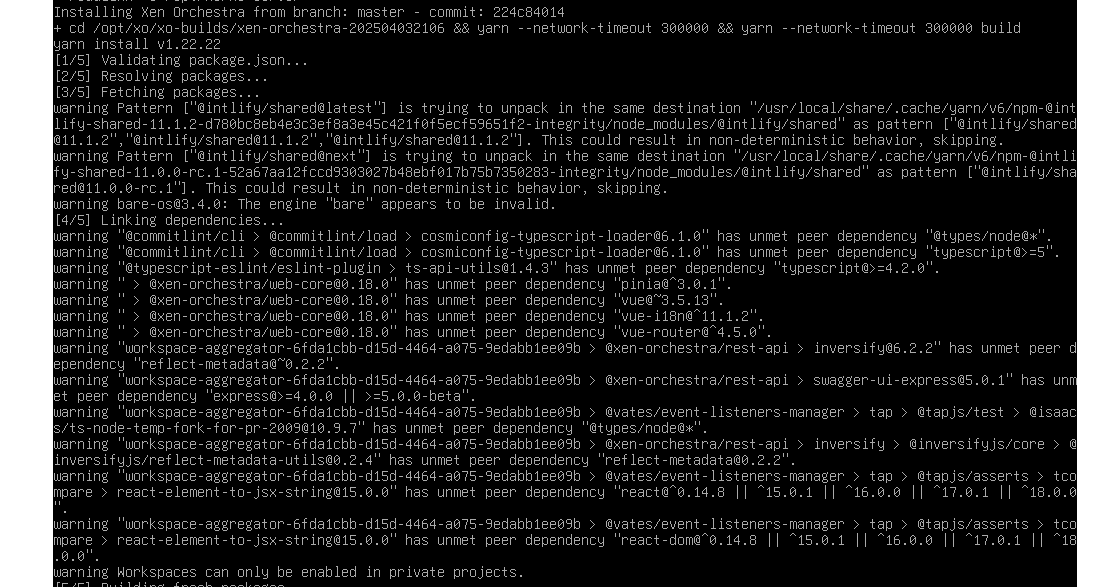
    @olivierlambert we posted at same time... Saw notation in commit before last - - name: Setup Node environment uses: actions/setup-node@v4 with: node-version: '20' node-version: '22.3' cache: 'yarn' Edited my config file to use node 22 and install completed and XO is backup and running. Edit - I need to update my config/script as it did not like me specifying node 22.3. When i just used node 22 it installed v22.22.1
  • ACLs, Self-service, Cloud-init, Load balancing...

    101 Topics
    840 Posts
    olivierlambertO
    That's a very good question, let me ask internally. Ping @pdonias he might know the answer
  • All XO backup features: full and incremental, replication, mirrors...

    478 Topics
    5k Posts
    JSylvia007J
    @florent - It was on, I toggled it off, re-ran the backup, still failed.
  • Everything related to Xen Orchestra's REST API

    83 Topics
    624 Posts
    K
    @gduperrey Worked swell, thanks
  • Terraform, Packer or any tool to do IaC

    49 Topics
    463 Posts
    dalemD
    Version 1.4.0 is released: https://codeberg.org/NiXOA/system/releases/tag/v1.4.0 It includes significant changes and improvements, including: dedicated getting started section, migration to valkey, only needing to clone system, and helper scripts. the xen-orchestra-ce nixpkg now references the libvhdi nixpkg, and the core flake now references and pulls from the xen-orchestra-ce repo as an overlay. System (the user input flake) now uses the Core repo as an overlay, reducing the need to clone both locally AND allowing system to pull new updates and releases from core. XO, and libvhdi as needed. The next goal is: Make an xsconsole-like TUI Automate package updates for libvhdi and xen-orchestra-ce using CI/CD pipelines Submit libvhdi and xen-orchestra-ce as official nixpkgs
  • Login to XOA console

    Solved
    3
    1
    0 Votes
    3 Posts
    380 Views
    S
    Thank you for your attention. It worked!
  • vm start delay - does it work yet?

    8
    1
    0 Votes
    8 Posts
    4k Views
    cairotiC
    @payback007 said in vm start delay - does it work yet?: unfortunately "start delay" is not working as expected. The function what you marked above is to change the start delay of an existing "vApp". Here is an example of my setup: [image: 1558128450595-04e7439d-6b92-4356-aa23-14d704588be3-grafik.png] The value whould change the "Delay interval" later by XOA, nothing else. Otherwise is vApp feature also not working on my XCP-ng installation, I think it was never really tested. If you want to implement start delays to your VM's you can follow this guide: define vApp for autostart in xcp-ng center including start order find out the uuid of the vApp: xe appliance-list write autostart script containing #!/bin/sh xe appliance-start uuid=uuid-autostart-vApp implement new systemd.service in /etc/systemd/system/autostart.service [Unit] Description=autostart script for boot VM After=graphical.target [Service] Type=simple ExecStart=/path/to/your/autostart-script.sh TimeoutStartSec=0 [Install] WantedBy=default.target enable the service systemctl enable autostart.service Editing of boot delay time is then possible via XOA which is already a nice feature at all for "fine tuning" or adapt if new VMs are added to the autostart vApp. @olivierlambert whould it make sense to open an additional feature request? vApp-implementation was several times discussed with no "final statement" I think. When I have a pool without HA, how could I use this script? I thought about setting the script on the master server. However, in a maintenance, where a second node becomes the master, will I have to recreate the script?
  • XO - Continuous Replication - unable to migrate

    1
    1 Votes
    1 Posts
    117 Views
    No one has replied
  • Starting XO error

    Solved
    5
    0 Votes
    5 Posts
    634 Views
    R
    @Danp It wasnt a VM. I dedicated a whole PC to debian and XO. But I was completely clueless as to what I was doing. I am off and running now though. Thank you
  • XOA Install Issues

    5
    3
    0 Votes
    5 Posts
    960 Views
    D
    @merango said in XOA Install Issues: @merango Hi DustineB, Thanks for the help, after looking at the BIO, I have a question around the management server. I have a spare windows 11 Pro PC that is running a Hyper-V Ubuntu 24.04.1 bare install. Can I follow your guide to install this as the MGMT server for my XCP-NG host on the same LAN? I'd prefer to manage it on a separate PC if possible and that would work nicely if that is possible? Of course you can, anywhere you can install Debian or Ubuntu can you install XO. Be it physical or virtual.
  • Issues with diskperformance of an migrated vm

    12
    0 Votes
    12 Posts
    2k Views
    olivierlambertO
    I'm adding @dinhngtu in the loop in case we can makes sense of that, but it's really strange indeed.
  • XOCE - Console gor crazy after typing special char

    8
    1
    0 Votes
    8 Posts
    1k Views
    C
    @DustinB tried your command, it runs OK, restarted the vm hosting XOCE, but still have the same issue after typing an @ in console, char following are wrong
  • 2CRSI BIOS update not available

    26
    0 Votes
    26 Posts
    6k Views
    D
    For information : The downgrade change nothing. The only solution was to reinstall xcp with the upgrade option (even if it was up to date before the bios update) If we go back to the original problem, the latest version of the Bios changes nothing (there is no information about the BIOS on the Host page)
  • XOA Can't register, network issue

    Solved
    3
    0 Votes
    3 Posts
    600 Views
    P
    @Danp it turns out I had a typo that took me forever to find . . . 102 vs 192 in the gateway ip. The strange thing to me was that the internal networking was working (pings, connections, etc). But there's something in the xoa web site that could not make the connection to the server it was running on, which makes me think there is some kind of external communication going on for server connections. If xoa can ping the dom0 then why would it need the gateway to connect to it for the web interface? Anyway I fixed the typo after finding the error running ip monitor, and then everything works great. This was the 3rd or 4th install of xoa so I was getting a bit hurried . . . next morning it took 2 minutes to find the error. Now its registered and working.
  • XO Console: Modifier keys stuck, unable to enter passwords

    11
    0 Votes
    11 Posts
    2k Views
    D
    @olivierlambert Can't wait. V6 Gui is really nice Most of my colleagues are saying it's sexier than vcenter
  • 0 Votes
    3 Posts
    1k Views
    T
    It also happens when you run xo-server as non-root user.
  • Error importing vhd or VM

    48
    0 Votes
    48 Posts
    14k Views
    AlexanderKA
    came across this topic.. i have exported a vm and trying to import it to another xcp. I had issues with the migration so i tried export and import and i have this error HTTP handler of vm.import undefined { "code": "IMPORT_ERROR_PREMATURE_EOF", "params": [], "url": "", "task": { "uuid": "efbc0249-0825-8465-5c4d-639609790062 ", "name_label": "[XO] VM import", "name_description": "", "allowed_operations": [], "current_operations": {}, "created": "20250121T22:23:40Z", "finished": "20250121T22:35:37Z", "status": "failure", "resident_on": "OpaqueRef:58799ebc-692a-4b39-a70c-fb97e63bcde7", "progress": 1, "type": "<none/>", "result": "", "error_info": [ "IMPORT_ERROR_PREMATURE_EOF" ], "other_config": { "object_creation": "complete" }, "subtask_of": "OpaqueRef:NULL", "subtasks": [], "backtrace": "(((process xapi)(filename lib/backtrace.ml)(line 210))((process xapi)(filename ocaml/xapi/import.ml)(line 2021))((process xapi)(filename ocaml/xapi/server_helpers.ml)(line 92)))" }, "pool_master": { "uuid": "700a5902-5b1d-49ec-a7c7-7be348163ff7", "name_label": "xcpbackup", "name_description": "Default install", "memory_overhead": 1160454144, "allowed_operations": [ "vm_migrate", "provision", "vm_resume", "evacuate", "vm_start" ], "current_operations": {}, "API_version_major": 2, "API_version_minor": 16, "API_version_vendor": "XenSource", "API_version_vendor_implementation": {}, "enabled": true, "software_version": { "product_version": "8.2.1", "product_version_text": "8.2", "product_version_text_short": "8.2", "platform_name": "XCP", "platform_version": "3.2.1", "product_brand": "XCP-ng", "build_number": "release/yangtze/master/58", "hostname": "localhost", "date": "2024-10-30", "dbv": "0.0.1", "xapi": "1.20", "xen": "4.13.5-9.45", "linux": "4.19.0+1", "xencenter_min": "2.16", "xencenter_max": "2.16", "network_backend": "openvswitch", "db_schema": "5.603" }, "other_config": { "agent_start_time": "1737493713.", "boot_time": "1737493639.", "iscsi_iqn": "iqn.2025-01.com.example:a784a28f" }, "capabilities": [ "xen-3.0-x86_64", "hvm-3.0-x86_32", "hvm-3.0-x86_32p", "hvm-3.0-x86_64", "" ], "cpu_configuration": {}, "sched_policy": "credit", "supported_bootloaders": [ "pygrub", "eliloader" ], "resident_VMs": [ "OpaqueRef:509e3b3e-4d43-452d-9225-6cbf2d0b9585 " ], "logging": {}, "PIFs": [ "OpaqueRef:d73acec0-8a55-4d47-a4ed-49472ca30f49 ", "OpaqueRef:cc001aea-f916-46af-ba42-d8b1c58e3cc3 ", "OpaqueRef:263afb14-5bba-4611-8bdc-898659169f3b " ], "suspend_image_sr": "OpaqueRef:NULL", "crash_dump_sr": "OpaqueRef:NULL", "crashdumps": [], "patches": [], "updates": [], "PBDs": [ "OpaqueRef:ed0b0406-bef6-4a40-8d64-238bef7af985 ", "OpaqueRef:94c58c56-e969-4d20-a890-0670509a7880 ", "OpaqueRef:4c7b2f97-ba37-476f-9d4d-bd54d73a60f6 ", "OpaqueRef:1e0af0c7-c567-491c-9be6-66a7fe8853b7 " ], "host_CPUs": [ "OpaqueRef:b51387c3-2a44-43dc-b56c-4d387e1abb42 ", "OpaqueRef:e72cc2ac-aa1a-4d39-bbff-bf2cddbe22a9 ", "OpaqueRef:11d9e571-e47a-4a2a-8426-00340c21ad9c ", "OpaqueRef:5f9d380b-3cd6-4166-885c-6b7cb80bebd1 ", "OpaqueRef:05ddf831-24d0-4f4c-947c-dfd9d8f333f5 ", "OpaqueRef:d6649684-128f-4d6f-b0d5-f28cbf0f2f47 ", "OpaqueRef:5b642435-ae8a-4547-b829-3cfba9c07da3 ", "OpaqueRef:8d3673c0-79ff-487a-a3f5-a7ab8c5998b4 ", "OpaqueRef:71534d89-5285-479a-ae63-66dea811a802 ", "OpaqueRef:4ec5fb6e-dac9-42d4-99c9-96144c72a4c4 ", "OpaqueRef:fcd181d8-7f5c-4585-b77a-bfe09de9e0be ", "OpaqueRef:6d29fc54-c0f7-4201-ae59-c5a173cee4fa ", "OpaqueRef:487834e7-cdb0-4e54-95ed-92655eff15ed ", "OpaqueRef:115458a5-4223-40ad-9a54-2fe0b3c05181 ", "OpaqueRef:e7df3acc-db7f-4635-8fc5-5167405db947 ", "OpaqueRef:747e9266-558b-44c0-855a-62936d004e56 " ], "cpu_info": { "cpu_count": "16", "socket_count": "1", "vendor": "AuthenticAMD", "speed": "3792.912", "modelname": "AMD Ryzen 7 5700G with Radeon Graphics", "family": "25", "model": "80", "stepping": "0", "flags": "fpu de tsc msr pae mce cx8 apic mca cmov pat clflush mmx fxsr sse sse2 ht syscall nx mmxext fxsr_opt rdtscp lm constant_tsc rep_good nopl nonstop_tsc cpuid extd_apicid pni pclmulqdq ssse3 fma cx16 sse4_1 sse4_2 movbe popcnt aes xsave avx f16c rdrand hypervisor lahf_lm cmp_legacy abm sse4a misalignsse 3dnowprefetch bpext ibpb vmmcall fsgsbase bmi1 avx2 bmi2 erms rdseed adx clflushopt clwb sha_ni xsaveopt xsavec xgetbv1 clzero xsaveerptr arat vaes vpclmulqdq rdpid", "features_pv": "1789c3f5-f6f83203-2bd1cbf5-040001e3-00000007-218c0329-00400600-00000000-20001005-00000000-00000000-00000004-00000000-00000000-00000000-00000000-00000000-00000000-00000000-00000000-00000000-00000000", "features_hvm": "178bfbff-f6f83203-2fd3fbff-040085f7-0000000f-219c07a9-0040060c-00000000-310ed005-00000000-00000000-00000004-00000000-00000000-00000000-00000000-00000000-00000000-00000000-00000000-00000000-00000000", "features_hvm_host": "178bfbff-f6d83203-2e500800-040001f7-0000000f-219c07a9-0040060c-00000000-310ed005-00000000-00000000-00000004-00000000-00000000-00000000-00000000-00000000-00000000-00000000-00000000-00000000-00000000", "features_pv_host": "1789c3f5-f6d83203-2a500800-040001e3-00000007-218c0329-00400600-00000000-20001005-00000000-00000000-00000004-00000000-00000000-00000000-00000000-00000000-00000000-00000000-00000000-00000000-00000000" }, "hostname": "xcpbackup", "address": "192.168.200.7", "metrics": "OpaqueRef:339bb82d-61a2-4597-8cd2-42451863e251 ", "license_params": { "restrict_vswitch_controller": "false", "restrict_lab": "false", "restrict_stage": "false", "restrict_storagelink": "false", "restrict_storagelink_site_recovery": "false", "restrict_web_selfservice": "false", "restrict_web_selfservice_manager": "false", "restrict_hotfix_apply": "false", "restrict_export_resource_data": "false", "restrict_read_caching": "false", "restrict_cifs": "false", "restrict_health_check": "false", "restrict_xcm": "false", "restrict_vm_memory_introspection": "false", "restrict_batch_hotfix_apply": "false", "restrict_management_on_vlan": "false", "restrict_ws_proxy": "false", "restrict_vlan": "false", "restrict_qos": "false", "restrict_pool_attached_storage": "false", "restrict_netapp": "false", "restrict_equalogic": "false", "restrict_pooling": "false", "enable_xha": "true", "restrict_marathon": "false", "restrict_email_alerting": "false", "restrict_historical_performance": "false", "restrict_wlb": "false", "restrict_rbac": "false", "restrict_dmc": "false", "restrict_checkpoint": "false", "restrict_cpu_masking": "false", "restrict_connection": "false", "platform_filter": "false", "regular_nag_dialog": "false", "restrict_vmpr": "false", "restrict_vmss": "false", "restrict_intellicache": "false", "restrict_gpu": "false", "restrict_dr": "false", "restrict_vif_locking": "false", "restrict_storage_xen_motion": "false", "restrict_vgpu": "false", "restrict_integrated_gpu_passthrough": "false", "restrict_vss": "false", "restrict_guest_agent_auto_update": "false", "restrict_pci_device_for_auto_update": "false", "restrict_xen_motion": "false", "restrict_guest_ip_setting": "false", "restrict_ad": "false", "restrict_nested_virt": "false", "restrict_live_patching": "false", "restrict_set_vcpus_number_live": "false", "restrict_pvs_proxy": "false", "restrict_igmp_snooping": "false", "restrict_rpu": "false", "restrict_pool_size": "false", "restrict_cbt": "false", "restrict_usb_passthrough": "false", "restrict_network_sriov": "false", "restrict_corosync": "true", "restrict_zstd_export": "false", "restrict_pool_secret_rotation": "false" }, "ha_statefiles": [], "ha_network_peers": [], "blobs": {}, "tags": [], "external_auth_type": "", "external_auth_service_name": "", "external_auth_configuration": {}, "edition": "xcp-ng", "license_server": { "address": "localhost", "port": "27000" }, "bios_strings": { "bios-vendor": "American Megatrends Inc.", "bios-version": "2424", "system-manufacturer": "ASUS", "system-product-name": "System Product Name", "system-version": "System Version", "system-serial-number": "System Serial Number", "baseboard-manufacturer": "ASUSTeK COMPUTER INC.", "baseboard-product-name": "PRIME A520M-A", "baseboard-version": "Rev X.0x", "baseboard-serial-number": "200975064800511", "oem-1": "Xen", "oem-2": "MS_VM_CERT/SHA1/bdbeb6e0a816d43fa6d3fe8aaef04c2bad9d3e3d", "oem-3": "Default string", "oem-4": "Default string", "oem-5": "DOLPHIN", "oem-6": "Default string", "oem-7": "Default string", "oem-8": "Default string", "oem-9": "Default string", "oem-10": "Default string", "hp-rombios": "" }, "power_on_mode": "", "power_on_config": {}, "local_cache_sr": "OpaqueRef:NULL", "chipset_info": { "iommu": "true" }, "PCIs": [ "OpaqueRef:e331e96d-25d0-4666-af9a-d66f613013ed ", "OpaqueRef:d53ccca2-932f-4981-9503-b51d7ee9d50b ", "OpaqueRef:ba20e488-e336-4b5f-b52d-66b6f63d59e0 ", "OpaqueRef:968c0ab8-3241-40c0-94ab-c632e0dfdf50 ", "OpaqueRef:7fe746b7-84cf-4540-93f1-de64469728db ", "OpaqueRef:75892aac-bc8b-4c02-b07d-b8f62d36c87e ", "OpaqueRef:61aeefda-e7d4-4b44-b6b7-43eac4d13bf6 ", "OpaqueRef:53537c6c-d240-4d23-bb77-39646f0cd71f ", "OpaqueRef:40f3f11b-b456-41af-96d3-f7d1ad70eab1 ", "OpaqueRef:1b7e67eb-ebd0-4460-8fea-4290926cd59f ", "OpaqueRef:1578400f-8d5c-4cb4-bd99-f913756b44ed ", "OpaqueRef:007e2815-d7a3-49cf-98d1-aef3c1cf029e " ], "PGPUs": [ "OpaqueRef:bf271c11-501f-467a-a9a7-74fe0be51aa5 " ], "PUSBs": [], "ssl_legacy": false, "guest_VCPUs_params": {}, "display": "enabled", "virtual_hardware_platform_versions": [ 0, 1, 2 ], "control_domain": "OpaqueRef:509e3b3e-4d43-452d-9225-6cbf2d0b9585 ", "updates_requiring_reboot": [], "features": [], "iscsi_iqn": "iqn.2025-01.com.example:a784a28f", "multipathing": false, "uefi_certificates": "", "certificates": [], "editions": [ "xcp-ng" ] }, "SR": { "uuid": "fbf160ab-cbfb-0504-6c7d-a159839c5bd4", "name_label": "16tb", "name_description": "", "allowed_operations": [ "vdi_enable_cbt", "vdi_list_changed_blocks", "unplug", "plug", "pbd_create", "vdi_disable_cbt", "update", "pbd_destroy", "vdi_resize", "vdi_clone", "vdi_data_destroy", "scan", "vdi_snapshot", "vdi_mirror", "vdi_create", "vdi_destroy", "vdi_set_on_boot" ], "current_operations": {}, "VDIs": [], "PBDs": [ "OpaqueRef:1e0af0c7-c567-491c-9be6-66a7fe8853b7 " ], "virtual_allocation": 0, "physical_utilisation": 2125824, "physical_size": 15873616670720, "type": "ext", "content_type": "user", "shared": false, "other_config": {}, "tags": [], "sm_config": { "devserial": "scsi-35000cca2c1e707a0" }, "blobs": {}, "local_cache_enabled": false, "introduced_by": "OpaqueRef:NULL", "clustered": false, "is_tools_sr": false }, "message": "IMPORT_ERROR_PREMATURE_EOF()", "name": "XapiError", "stack": "XapiError: IMPORT_ERROR_PREMATURE_EOF() at Function.wrap (file:///opt/xo/xo-builds/xen-orchestra-202501180626/packages/xen-api/_XapiError.mjs:16:12) at default (file:///opt/xo/xo-builds/xen-orchestra-202501180626/packages/xen-api/_getTaskResult.mjs:13:29) at Xapi._addRecordToCache (file:///opt/xo/xo-builds/xen-orchestra-202501180626/packages/xen-api/index.mjs:1068:24) at file:///opt/xo/xo-builds/xen-orchestra-202501180626/packages/xen-api/index.mjs:1102:14 at Array.forEach (<anonymous>) at Xapi._processEvents (file:///opt/xo/xo-builds/xen-orchestra-202501180626/packages/xen-api/index.mjs:1092:12) at Xapi._watchEvents (file:///opt/xo/xo-builds/xen-orchestra-202501180626/packages/xen-api/index.mjs:1265:14)" }
  • Mirror failed

    8
    0 Votes
    8 Posts
    979 Views
    AlexanderKA
    @olivierlambert said in Mirror failed: @AlexanderK said in Mirror failed: "OLD_447ff17a-82bc-4d49-a177-02f9086e9a04 That's the missing bit reported by XAPI/SM, indeed. Does this mean it is a bug?
  • Cant Boot Ubuntu 22.04 LTS after release update

    13
    0 Votes
    13 Posts
    3k Views
    andrewperryA
    @Meth0d thanks for sharing your experience. Fortunately I was able to just hit "Convert to HVM" after my imported PV failed to reboot after upgrade from 20.04 to 22.04 - was all set to load a livecd etc too!
  • Base Copy / VDI not merged

    25
    0 Votes
    25 Posts
    8k Views
    A
    yep i know but i think it is much better to have 2 Ext SR each with 1 hdd than to have 1 SR with a raid with 2 hdd, regarding downtime in case of failure disk
  • "Xenserver 8" patching

    Solved
    32
    0 Votes
    32 Posts
    7k Views
    olivierlambertO
  • snapshot with memory crashing debian VM

    24
    0 Votes
    24 Posts
    3k Views
    M
    @manilx Just happened on our production Pools. Snapshotting Windows Server 2022 crashes our ERP VM! Opening official ticket referencing this thread.
  • Migration fails: VDI_COPY_FAILED(End_of_file)

    10
    0 Votes
    10 Posts
    1k Views
    B
    @Danp I got around this by using Clonezilla to copy the disks of the 2 VMs I was having an issue with. This is very strange. The VMs booted and ran fine on the old host, I was able to clone them with Clonezilla to the new host where they also boot and run fine. There is something preventing the native tools from migrating these specific disks though.
  • Can .keeper files be deleted from the backup share?

    4
    1
    0 Votes
    4 Posts
    485 Views
    D
    @propsoft said in Can .keeper files be deleted from the backup share?: @florent Thank you. I just like things to be 'tidy' that's why I asked. Then stop looking at hidden files.... HA
  • XO Ansible Dynamic Inventory Plugin - Group Variables Support?

    Solved
    5
    0 Votes
    5 Posts
    966 Views
    G
    Many thanks @nathanael-h & @shinuza , both approaches indeed work!