Subcategories

  • VMs, hosts, pools, networks and all other usual management tasks.

    445 Topics
    3k Posts
    V
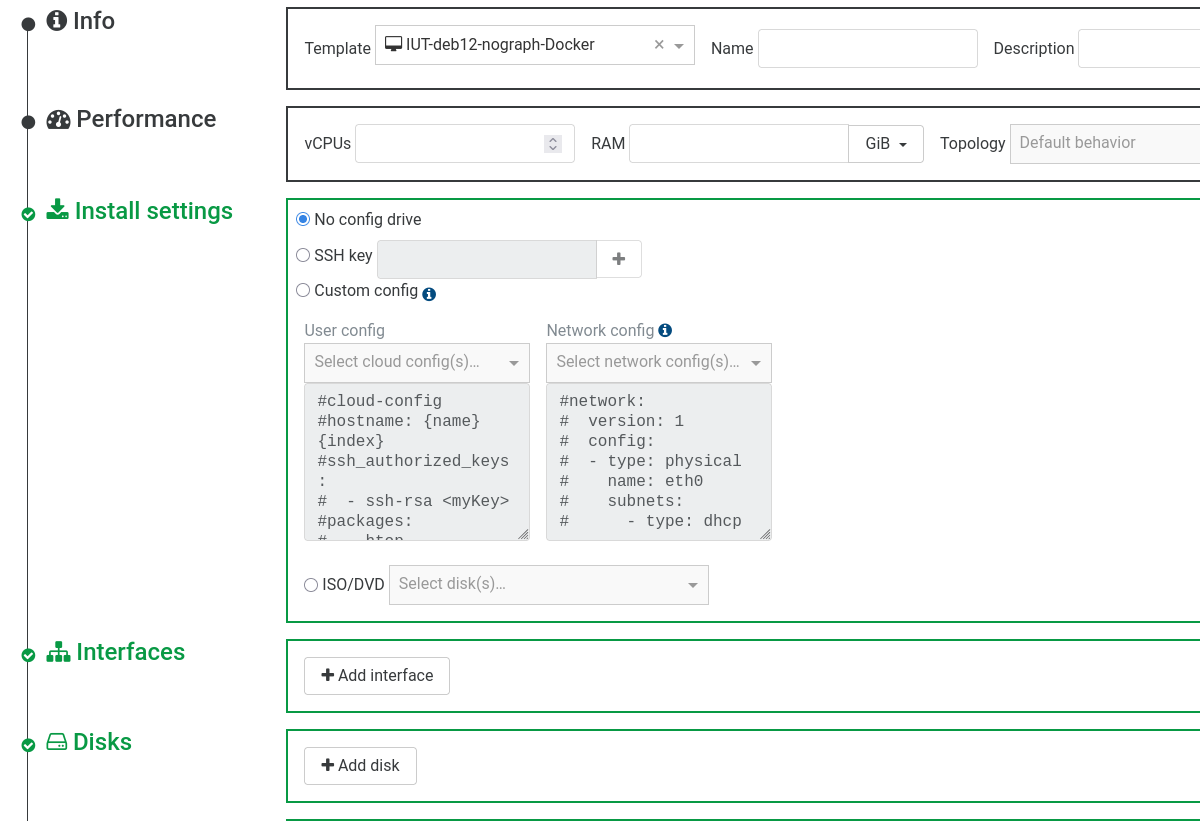
    Hello Hope this help here is how I manage to configure GPU Passthrough. In my case I have follow the documentation on XCP-ng website : https://docs.xcp-ng.org/compute/ To sum up with XOA 8.3 here is what I did: ssh to XCP host, to identify the GPU PCI and run lspci to find my GPU. [root@xen ~]# lspci ... 0f:00.0 VGA compatible controller: NVIDIA Corporation GA102 [GeForce RTX 3090] (rev a1) Then disable the GPU for being used by XCP-ng itself( Dom0) using the XCP-ng uuid [root@xen ~]# xe pci-list uuid ( RO) : 7970825f-dd1c-c270-93a3-6761f00e1362 vendor-name ( RO): NVIDIA Corporation device-name ( RO): GA102 [GeForce RTX 3090] pci-id ( RO): 0000:0f:00.0 xe pci-disable-dom0-access uuid=<pci uuid> 3 reboot the XCP-ng host 4 Then from XOA attached the PCI related to my GPU to my guest VM. [image: 1770098359041-4dcb36ff-b29c-4d0b-b113-127243928dd6-image-resized.png] [image: 1770098407490-3f29792e-154f-40fc-b554-323d8ef87e52-image.png] [image: 1770098436148-7208a3ff-68e2-4c50-9dc8-2edde9ac8d76-image-resized.png] 5 install official Nvidia drivers ( closed source ) and have then the card available in the guest. [image: 1770098585851-9bcbea25-b83b-4a26-a085-b58236c83f84-image.png] [image: 1770098624052-88f35aba-bd75-4da6-9cbf-d62bb8994ef7-image.png] What I didn't do is adding a vGPU in the guest configuration: [image: 1770098900399-63b2a458-9758-40d1-9515-48b5cd4615ea-image.png] I did it some times ago, also I don't recall having to do any specific configuration in the Bios to make this work. PS: I have an issue, I don't have output to the Display port or HDMI of this video card, which is not a blocker for me as that's not my immediate needs. Best.
  • ACLs, Self-service, Cloud-init, Load balancing...

    98 Topics
    825 Posts
    D
    @bleader Hopefully the palm print on my forehead isn't visible from where you are sitting. Of course the interface needs an IP address. In my defense, normally for something like this, I wouldn't put it on the bonded interface with all the trunked VLAN's for guest traffic (we don't give that one an IP) and it would go on the other bonded interface that isn't trunked and does get an IP, but these are test hosts and I didn't set up the other bond, so it is pulling double duty. I was able to set the IP's and get SDN working. Thanks!
  • All XO backup features: full and incremental, replication, mirrors...

    457 Topics
    5k Posts
    M
    [image: 1770204922255-7ec89d01-64e4-47c6-a800-e4de50a56e38-grafik.png] This is the RAM usage of my XO CE instance (Debian 13, Node 24, XO commit fa110ed9c92acf03447f5ee3f309ef6861a4a0d4 / "feat: release 6.1.0") Metrics are exported via XO openmetrics plugin. At the spots in the graph where my XO CE instance used around 2GB of RAM it was freshly restarted. Between 31.01. and 03.02. you can see the RAM usage climbing and climbing until my backup jobs went into "interrupted" status on 03.02. due to Node JS heap issue as described in my error report in post https://xcp-ng.org/forum/post/102160.
  • Everything related to Xen Orchestra's REST API

    76 Topics
    577 Posts
    P
    @randyrue on our side, we do not use custom fields, but TAGs. working well. depends on the number of custom fields you manage, and perhaps not usable because you need field:value ? but nested tags could do the trick : field=value [image: 1770190720889-99027821-448b-415e-ba89-321260247f73-image.png]
  • Terraform, Packer or any tool to do IaC

    48 Topics
    444 Posts
    CyrilleC
    Kubernetes CCM for Xen Orchestra v1.0.0-rc.1 We’re shipping v1.0.0-rc.1, our first release candidate on the road to a stable 1.0.0! This RC is feature-complete and ready for real-world use. Please try it out and share any feedback—bugs, regressions, or usability notes—so we can polish the final release. Thank you for testing and helping us! https://github.com/vatesfr/xenorchestra-cloud-controller-manager/releases/tag/v1.0.0-rc.1 Golang SDK for Xen Orchestra v1.11.0 SDK v2: VM and Task services now match the latest REST API. Host service has been added for host data retrieval. Integration tests have also been strengthened to boost reliability. The v2 SDK is gradually becoming our main library for all the other DevOps tools (Kubernetes drivers, Terraform provider…). There are BREAKING CAHNGES in the v2 SDK, so please read the release notes carefully. Remember that the v2 SDK is a beta version and can be subject to significant changes. The current semantic versioning we use is mostly for the v1 SDK. When the v2 SDK becomes stable, the major version number will increase. https://github.com/vatesfr/xenorchestra-go-sdk/releases/tag/v1.11.0
  • "Download System logs" tgz-file does not work

    17
    0 Votes
    17 Posts
    2k Views
    P
    @gthvn1 Yeah, that works. I can get the logs both from the same host and from the other one in the pool.
  • Windows VMGuest changing network cause the guest to crash

    14
    1
    0 Votes
    14 Posts
    2k Views
    olivierlambertO
    @dinhngtu said in Windows VMGuest changing network cause the guest to crash: This is a driver bug that we fixed in XCP-ng Windows tools v9.0.9030 but hasn't been integrated by Citrix yet. You can try it out if you're not running a production system. Gosh, we are now officially faster than Citrix to detect and fix bugs even in the Windows PV driver
  • GPN GRE/VxLAN Tunnel - connect/access from other Devices?

    1
    0 Votes
    1 Posts
    190 Views
    No one has replied
  • Upgrade to XO v5.105 seems broken

    9
    2 Votes
    9 Posts
    1k Views
    I
    @ph7 Thank you. It seems to work like that. I'll wait for this fix.
  • XO CE 82ed2 and 5c390 update.

    4
    0 Votes
    4 Posts
    699 Views
    olivierlambertO
    Note: just do a yarn && yarn build and it will work. The XO 6 build might be broken, but that's not surprising, it could happens.
  • SQL Database support and XO HA

    7
    0 Votes
    7 Posts
    774 Views
    I
    @olivierlambert Happy to hear
  • Just an idea :) - (SATA controller passthrough)

    3
    0 Votes
    3 Posts
    561 Views
    lsouai-vatesL
    @ScarfAntennae hello, and thanks for the suggestion. I am discussing it with the XO Team to add it to our next features. Have a good day!
  • Bonded interface viewing support in XO

    23
    1 Votes
    23 Posts
    6k Views
    lsouai-vatesL
    @flakpyro yes, indeed that exactly what I was talking about. The XO6 new interface will provide more information, but I am noting the missing type of bound to discuss it with XO team for next feature.
  • With qcow2 format support coming, could we then import KVM vm's ?

    3
    0 Votes
    3 Posts
    759 Views
    I
    Works with .raw at the moment. If you disconnect it from the vm and migrate it to another SR its converter to vhd.
  • resourceSet issues

    4
    7
    0 Votes
    4 Posts
    567 Views
    I
    @olivierlambert ack.
  • Trial period extension for on-going tests

    3
    1
    0 Votes
    3 Posts
    420 Views
    Y
    @Danp Hi, Thanks for quick support.
  • How to deploy XO on ESXi

    5
    0 Votes
    5 Posts
    745 Views
    D
    @yzgulec said in How to deploy XO on ESXi: I just used VMware Converter for V2V (seems more practical for me) Installing from Source or using an installation script from the community is also very straight-forwards. Maybe 10 minutes worth of setup for the OS and then for at least my github it's a single line installation.
  • Simulating network cable disconnect

    11
    0 Votes
    11 Posts
    3k Views
    O
    @splastunov I realize this thread is old, but I think there is important info to keep connected to this thread for future readers. The IP locking trick doesn't seem to prevent all traffic -- it only prevents traffic that has an IP that isn't 255.255.255.255 (and possibly others as well). That is, I can still successfully acquire a DHCP IP even when the IP locking mechanism is engaged. I think this is important for others to know since it doesn't fully isolate VMs like the OP wanted. UPDATE: Setting the locking mode to "disabled" is what you want -- not "locked". Disabled will drop all traffic; locked simply checks if the set of IPs in the VM is permitted. Source: https://docs.xenserver.com/en-us/citrix-hypervisor/networking/manage.html#vif-locking-mode-states
  • host connection error

    3
    1
    0 Votes
    3 Posts
    261 Views
    P
    @irtaza9 Sometimes when I have been tinkering with a host, I get a red triangle. Then just pressing Enabled and then Disabled can get rid of the triangle and the host back in business again.
  • 0 Votes
    10 Posts
    1k Views
    D
    @julien-f said in Enhancement suggestion: Filter showing VMs that don't have the agent installed: XO does not support this for halted VMs but that could be added indeed. Can you change the title of my thread to "Enhancement suggestion: Update 'ManagementAgentDetected?' to support halted VMs" ?
  • XO High Availability

    6
    0 Votes
    6 Posts
    842 Views
    DanpD
    @irtaza9 You should be able to login with the default credentials after you restart the xo-server service with systemctl restart xo-server.service.
  • Web Hook plugin

    2
    0 Votes
    2 Posts
    285 Views
    olivierlambertO
    Hi, Before enabling the plugin, you need to configure it in the Plugin view.
  • XOA on a vSphere VM

    4
    0 Votes
    4 Posts
    543 Views
    DanpD
    @yzgulec You will likely need to install the fix given in the following post for XOA to function correctly on vSphere -- https://xcp-ng.org/forum/post/50279
  • Difference between "pool", "host" and "server".

    Solved
    6
    0 Votes
    6 Posts
    2k Views
    pdoniasP
    @andrewperry Exactly
  • Lots of performance alerts after upgrading XO to commit aa490

    28
    0 Votes
    28 Posts
    8k Views
    Bastien NolletB
    @ph7 Some of the errors you encountered are intended. We don't allow values in the "Virtual Machines" field if "Exclude VMs" is disabled and "All running VMs" is enabled, because it would make the plugin configuration confusing. However you're right, there seems to be an issue when the VMs are selected and then removed. The value becomes an empty list instead of being undefined, which causes the validation to fail when we try to turn off the "Exclude VMs" option. I'm going to create a task on our side so that we can plan to resolve this problem. In the meantime you can work around the problem by deleting the monitor and recreating a new one with the same parameters.