XCP-ng
    • Categories
    • Recent
    • Tags
    • Popular
    • Users
    • Groups
    • Register
    • Login
    1. Home
    2. Popular
    Log in to post
    • All Time
    • Day
    • Week
    • Month
    • All Topics
    • New Topics
    • Watched Topics
    • Unreplied Topics

    • All categories
    • P

      XO5 breaks after defaulting to XO6 (from source)

      Watching Ignoring Scheduled Pinned Locked Moved Xen Orchestra
      53
      1
      0 Votes
      53 Posts
      2k Views
      M
      @MathieuRA I disabled Traefik and reverted to my old XO config (port 443, ssl encryption, http to https redirection), rebuild the docker container using your branch and tested: it is working fine on my end now Thank you very much! I did not expect this to get fixed so fast!
    • stormiS

      XCP-ng 8.3 updates announcements and testing

      Watching Ignoring Scheduled Pinned Locked Moved News
      346
      1 Votes
      346 Posts
      124k Views
      G
      @stormi Great Idea! Post updated ! Update: I also added 'Automatic Backup' which backs up your original file in case something goes wrong.
    • olivierlambertO

      🛰️ XO 6: dedicated thread for all your feedback!

      Watching Ignoring Scheduled Pinned Locked Moved Xen Orchestra
      84
      5 Votes
      84 Posts
      5k Views
      GheppyG
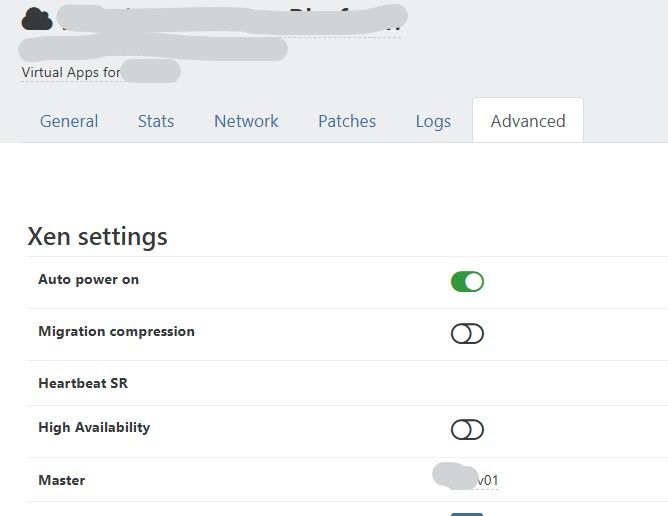
      For me it's a bit confusing XO6. For example, why are the icons so small and in such far corners, like New VM? It's like you want it to be hidden. [image: 1767904503324-174bdca5-6545-4f34-b7d4-804718aebd58-image.png] Isn't it more intuitive if they're at the top/bottom of this menu or in line with title (***-xen01)? [image: 1767905123455-80e7222e-e104-4225-b928-4d8ee3094b15-image.png] Another thing is the number of allocated processors. In my opinion it is misleading. It shows the total number of allocated processors even to VMs that are not started. It is not better to be something like: 8 vCPUs running VMs / 4 vCPUs stopped VMs - total number allocated vCPUs 12/ Total CPUs 8. And something like 8 - green / 4 -red - 12 orange/ 8 grey [image: 1767904986729-594a774d-9ea8-4db3-9b8d-b46c525b70a8-image.png] Running VM [image: 1767905081890-92387c99-40f8-4fbd-83fa-c6d32d48a72d-image.png]
    • W

      VDI not showing in XO 5 from Source.

      Watching Ignoring Scheduled Pinned Locked Moved Unsolved Management
      27
      2
      0 Votes
      27 Posts
      680 Views
      P
      @Gheppy if you can have downtime snapshot/revert works
    • A

      "NOT_SUPPORTED_DURING_UPGRADE()" error after yesterday's update

      Watching Ignoring Scheduled Pinned Locked Moved Backup
      20
      0 Votes
      20 Posts
      468 Views
      S
      As an observation ; I'm going to draw attention to @majorp93's point about rebooting the servers after ALL nodes have been upgraded. Historically we would move all VMs off master, upgrade master, restart its toolstack, then reboot master, then move VMs from Node 1 to master so we could begin the upgrade on Node1. Normally works ok but last time around it caused all sorts of problems. Previously it had felt right to upgrade master in its entirety including the reboot before moving on to the next host and rinse, repeat - but this cost us a lot of time, corruptions and pain. TLDR: Perhaps add a footnote to the docs that when upgrading a pool the reboots should take place as a final step across the pool only after all nodes have been updated.
    • A

      VM Pool To Pool Migration over VPN

      Watching Ignoring Scheduled Pinned Locked Moved Management
      20
      3
      0 Votes
      20 Posts
      185 Views
      A
      @olivierlambert thank for that. Just to be clear the vm was not runing but shut down if that makes a difference. @ph7 Both firewalls are Unifi Enterprise fortress gateways. - https://techspecs.ui.com/unifi/cloud-gateways/efg?subcategory=all-cloud-gateways Both sites are setup with Site Magic VPN. So should be full 1.1gbps if accurate. [image: 1767705099263-screenshot-2026-01-06-081123.png]
    • P

      backup mail report says INTERRUPTED but it's not ?

      Watching Ignoring Scheduled Pinned Locked Moved Backup
      17
      5
      0 Votes
      17 Posts
      363 Views
      P
      @Bastien-Nollet okay i'll do that tonight and will report back
    • H

      Unable to MIgrate VDI when host is low on free memory

      Watching Ignoring Scheduled Pinned Locked Moved Compute
      17
      0 Votes
      17 Posts
      462 Views
      nikadeN
      I just learned something new, thats awesome
    • W

      Orphan VDIs in XO show health problem

      Watching Ignoring Scheduled Pinned Locked Moved Xen Orchestra
      15
      4
      0 Votes
      15 Posts
      305 Views
      W
      @Pilow Does disk show up after you do the snapshot? If it is able to do the snapshot there is a high chance it can boot up. So try booting up (and check for disk) and shut it down and do the snapshot at that time if the disk show up. It helps to boot up on the old v5 commit and check from that side too if you have both copy before the commit update. Yep I can confirm that snapshot doesn't always work. But using the older v5 that used to work before the update does get it showing up on the newer v5 commit if I go through whole snapshot, revert, etc. one of those case work.
    • U

      XCP-ng 8.3 and Dell R660 - crash during boot, halts remainder of installer process (bnxt_en?)

      Watching Ignoring Scheduled Pinned Locked Moved Hardware
      37
      0 Votes
      37 Posts
      3k Views
      olivierlambertO
      Yes but why it works with some and not others. I suspect the firmware version in the NIC itself.
    • F

      Backup and the replication - Functioning/Scale

      Watching Ignoring Scheduled Pinned Locked Moved Backup
      13
      0 Votes
      13 Posts
      185 Views
      florentF
      @fcgo if the storage is shared : the export is done by one of the host of the pool If the storage is not the export is done by the host with the storage . Same for the host receiving the data The command channel, as you said, is always the master to the xoa (and eventually xo-proxy) So for a replication : [source SR] => source host =https export call=> xoa / xo-proxy =https import call=> target host => [target SR] if the xoa is running on the host doing an export, it does not use the physical network the network use between the host and SR is dependent on the storage used
    • A

      What is the status/roadmap of V2V (Migrating from VMware to XCPng/XO) ?

      Watching Ignoring Scheduled Pinned Locked Moved Migrate to XCP-ng
      29
      0 Votes
      29 Posts
      3k Views
      olivierlambertO
      @snk33 Excellent news!
    • P

      restore metadata for pool -> incompatible version

      Watching Ignoring Scheduled Pinned Locked Moved Solved Backup
      13
      0 Votes
      13 Posts
      428 Views
      P
      Great job, worked perfectly! Thank you very much for your fast support!
    • F

      License no longer registered after upgrade

      Watching Ignoring Scheduled Pinned Locked Moved Management
      11
      0 Votes
      11 Posts
      224 Views
      F
      Thank you guys! Problem temporarily fixed by Vates support,
    • B

      New project - XenAdminQt - a cross-platform GNU/Linux, macOS, Windows native thick client

      Watching Ignoring Scheduled Pinned Locked Moved News
      10
      1
      4 Votes
      10 Posts
      744 Views
      B
      I also added windows build so that people can help with testing also on windows. It's a static build, no need for installer, just single zipped .exe file. No dependencies.
    • A

      Intel Core Ultra iGPU passthrough

      Watching Ignoring Scheduled Pinned Locked Moved Hardware
      10
      5
      0 Votes
      10 Posts
      313 Views
      A
      @TeddyAstie Sure thing: xl_dmesg.txt Dom0_dmesg.txt DomU_dmesg.txt
    • V

      Bitten by XSA-474

      Watching Ignoring Scheduled Pinned Locked Moved Development
      10
      0 Votes
      10 Posts
      285 Views
      nikadeN
      I have no clue, I usually back it up with XO, its the one called "XO config & pool metadata backup" and only had to restore it once.
    • P

      DR error : (intermediate value) is not iterable

      Watching Ignoring Scheduled Pinned Locked Moved Backup
      10
      1
      0 Votes
      10 Posts
      182 Views
      florentF
      @Pilow error reporting is a feature in itself . Thanks
    • Y

      Test results for Dell Poweredge R770 with NVMe drives

      Watching Ignoring Scheduled Pinned Locked Moved Hardware
      26
      7
      0 Votes
      26 Posts
      2k Views
      Y
      Also works with alt driver (broadcom-bnxt-en-alt-1.10.3_231.0.162.0-1.xcpng8.2.x86_64) in 8.2.1: # yum install broadcom-bnxt-en-alt # reboot # modinfo bnxt_en filename: /lib/modules/4.19.0+1/override/bnxt_en.ko version: 1.10.3-231.0.162.0 description: Broadcom NetXtreme-C/E/S network driver license: GPL srcversion: 533BB7E5866E52F63B9ACCB alias: pci:v000014E4d0000D800sv*sd*bc*sc*i* ... alias: pci:v000014E4d00001604sv*sd*bc*sc*i* depends: devlink,ipv6 retpoline: Y name: bnxt_en vermagic: 4.19.0+1 SMP mod_unload modversions # dmesg|grep bnxt_en [ 15.047312] Broadcom NetXtreme-C/E/S driver bnxt_en v1.10.3-231.0.162.0 [ 15.048046] bnxt_en 0001:5c:00.0 (unnamed net_device) (uninitialized): Device requests max timeout of 60 seconds, may trigger hung task watchdog [ 15.215453] bnxt_en 0001:5c:00.0 eth0: Broadcom BCM57508 NetXtreme-E 10Gb/25Gb/50Gb/100Gb/200Gb Ethernet found at mem 2affff010000, node addr 40:5b:7f:6e:22:00 [ 15.215469] bnxt_en 0001:5c:00.0: 252.048 Gb/s available PCIe bandwidth (16 GT/s x16 link) [ 15.216606] bnxt_en 0001:5c:00.1 (unnamed net_device) (uninitialized): Device requests max timeout of 60 seconds, may trigger hung task watchdog [ 15.265361] bnxt_en 0001:5c:00.1 eth1: Broadcom BCM57508 NetXtreme-E 10Gb/25Gb/50Gb/100Gb/200Gb Ethernet found at mem 2affff000000, node addr 40:5b:7f:6e:22:01 [ 15.265372] bnxt_en 0001:5c:00.1: 252.048 Gb/s available PCIe bandwidth (16 GT/s x16 link) [ 15.350702] bnxt_en 0001:5c:00.1 side-5183-eth1: renamed from eth1 [ 15.385121] bnxt_en 0001:5c:00.0 side-3345-eth0: renamed from eth0 [ 17.400142] bnxt_en 0001:5c:00.0 eth0: renamed from side-3345-eth0 [ 17.493640] bnxt_en 0001:5c:00.1 eth1: renamed from side-5183-eth1 [ 20.614447] bnxt_en 0001:5c:00.1 eth1: NIC Link is Up, 100000 Mbps (NRZ) full duplex, Flow control: none [ 20.614454] bnxt_en 0001:5c:00.1 eth1: FEC autoneg off encoding: None [ 21.113687] bnxt_en 0001:5c:00.0 eth0: NIC Link is Up, 100000 Mbps (NRZ) full duplex, Flow control: ON - receive & transmit [ 21.113694] bnxt_en 0001:5c:00.0 eth0: FEC autoneg off encoding: None
    • R

      botched pool patching and now we can't change pool master

      Watching Ignoring Scheduled Pinned Locked Moved XCP-ng
      8
      0 Votes
      8 Posts
      142 Views
      R
      @Danp To answer your earlier question about the state of the patched hosts, three hosts are currently fully patched with one of them as the current pool master. I've tried to promote both of the other two with the same "Cannot restore" error. For the sake of completeness I just tried promoting one of the non-patched hosts. Same error. And I'm still unable to deploy a new VM ("NOT_SUPPORTED_DURING_UPGRADE").