Subcategories

  • VMs, hosts, pools, networks and all other usual management tasks.

    476 Topics
    4k Posts
    acebmxerA
    So if i set VMs to Best-effort or disabled for HA i get not enough memory. @pkgw Do you have Twinstore configured and/or HA enabled? If no I will continue my issues at the twinstore post. If i set to restart i get this.... host.setMaintenanceMode { "id": "35233210-4e37-4703-9bf6-9e8a9c24df9f", "maintenance": true } { "code": "HA_OPERATION_WOULD_BREAK_FAILOVER_PLAN", "params": [], "call": { "duration": 5, "method": "host.disable", "params": [ "* session id *", "OpaqueRef:d9bd976f-445c-8244-1b56-879f446efc12" ] }, "message": "HA_OPERATION_WOULD_BREAK_FAILOVER_PLAN()", "name": "XapiError", "stack": "XapiError: HA_OPERATION_WOULD_BREAK_FAILOVER_PLAN() at XapiError.wrap (file:///opt/xen-orchestra/packages/xen-api/_XapiError.mjs:16:12) at file:///opt/xen-orchestra/packages/xen-api/transports/json-rpc.mjs:38:21 at runNextTicks (node:internal/process/task_queues:65:5) at processImmediate (node:internal/timers:472:9)" }
  • ACLs, Self-service, Cloud-init, Load balancing...

    105 Topics
    864 Posts
    M
    Is a centralized XOA server "managing" two remote Proxy-fronted XCP clusters supported with the SDN Controller Plugin? We are looking to deploy an architecture similar to this blog post from 2022: https://xen-orchestra.com/blog/xo-proxy-a-concrete-guide/
  • All XO backup features: full and incremental, replication, mirrors...

    515 Topics
    5k Posts
    itservicesI
    Hi @simonp The host was restarted regularly. After every update I restart the host and consequently all VMs running on it. The XOA VM is also running on that host. Regards, Marc
  • Everything related to Xen Orchestra's REST API

    86 Topics
    645 Posts
    J
    Hello I'm pulling stats for all VMs to understand CPU usage. We're a bit behind the curve in terms of XO versions, but these questions hopefully are still relevant. If using a granularity of days, the interval is set to 86400 (understandably) but the endTimestamp varies. Running this on June 9th @ ~1740 we get timestamps for both Mon Jun 8 01:00:00 AM BST 2026 and Tues Jun 9 01:00:00 AM BST 2026. Does this average across the day? Why is the timestamp 0100? Why would there be different timestamps between VMs (all are running) and does that mean that the figures are misaligned in the results? These are retrieved via curl and a bash script, a bit hacky, but for clarity the request is: ++ curl -X GET -s -H accept:application/json -b authenticationToken=[[REDACTED]] -o [[REDACTED]] 'https://[[REDACTED]]/rest/v0/vms/[[REDACTED]]/stats?granularity=days' Really keen to know if we can control the start and endtime, as well as provide a manual interval, as well as the aggregation strategy (min, max, average). Are any of these possible? Lastly, is cpuUsage the percentage as per the dashboard, but averaged over all CPUs? Thanks so much in advance. James
  • Terraform, Packer or any tool to do IaC

    51 Topics
    471 Posts
    poddingueP
    The Kubernetes CSI driver for Xen Orchestra just hit v0.4.0, and we want it on more real clusters before it reaches a stable release candidate. If you run Kubernetes on XCP-ng VMs, this is a good time to give it a proper workout. What's new in v0.4.0: Local-storage support Automatic pool-discovery fallback Kubernetes metadata now lives in Xen Orchestra VDI tags instead of the deprecated other_config. That change also drops the old requirement for Xen Orchestra 6.4 or newer, so the driver runs on more deployments now. ️ Read this before you upgrade. v0.4.0 is a breaking change. The Kubernetes metadata moved from other_config to VDI tags, so you must migrate before upgrading from v0.3.0. Do not upgrade in place: follow the v0.3.0 to v0.4.0 migration guide in the release notes, then move to v0.4.0. What helps us most is hearing how it behaves on your own setup: what works, what breaks, which storage backend you use, and which flavour of Kubernetes you run (k3s, full k8s, or something else). Edge cases on real clusters are the ones we don't see in our own testing. Where to report: start right here in this thread. It keeps everything visible to the community and lets others on the same setup jump in. If something turns out to be a reproducible bug, we'll move it to a GitHub issue on the repo so the team can track it to a fix. Release notes and migration guide: https://github.com/vatesfr/xenorchestra-csi-driver/releases/tag/v0.4.0
  • Any updated tutorial on how to create new cloud images?

    22
    1 Votes
    22 Posts
    16k Views
    fohdeeshaF
    Also note the text at the top of your screenshot: to continue you need to select a boot device. There might be a way in that menu (or partition creation submenu) to mark that created partition as bootable, or maybe you just need to highlight/select the partition under "used devices" before hitting "done"
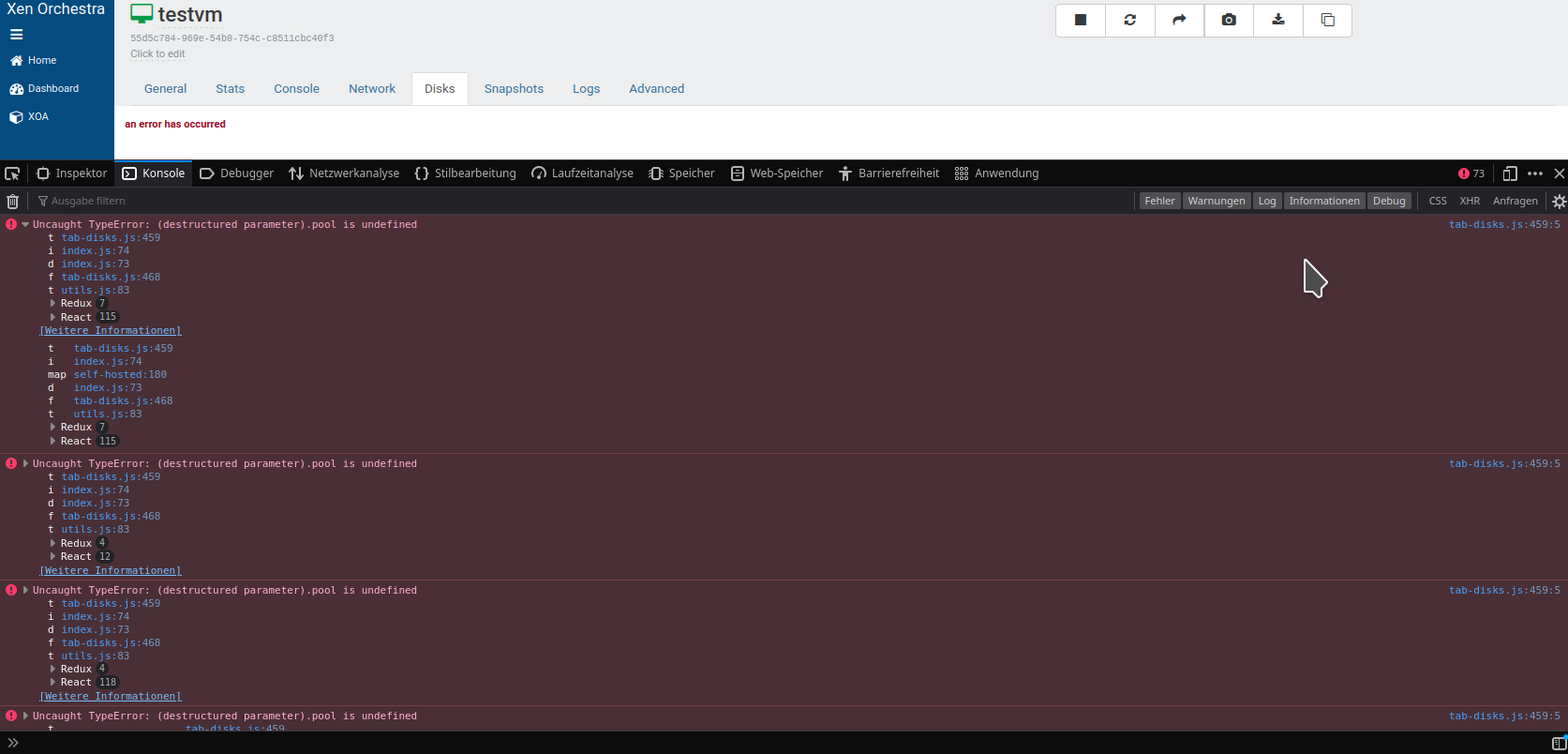
  • "an error has occurred" in disks tab for normal users

    Solved
    4
    3
    0 Votes
    4 Posts
    856 Views
    olivierlambertO
    You are welcome
  • Self service systems - how to build templates?

    9
    0 Votes
    9 Posts
    9k Views
    antoniolfdacruzA
    I would like some examples too. My latest (first) try gives me: alfcruz-adm@local.hcpa.ufrgs.br@volt-ampere:~/packer-plugin-xenserver$ packer build ./ubuntu-2004.pkr.hcl xenserver-iso.ubuntu-2004: output will be in this color. Build 'xenserver-iso.ubuntu-2004' errored after 8 seconds 155 milliseconds: API Error: SESSION_AUTHENTICATION_FAILED root Authentication failure ==> Wait completed after 8 seconds 155 milliseconds ==> Some builds didn't complete successfully and had errors: --> xenserver-iso.ubuntu-2004: API Error: SESSION_AUTHENTICATION_FAILED root Authentication failure ==> Builds finished but no artifacts were created. alfcruz-adm@local.hcpa.ufrgs.br@volt-ampere:~/packer-plugin-xenserver$ Using root user. This user/pass works over SSH.
  • can we use official ubuntu cloud images

    7
    0 Votes
    7 Posts
    2k Views
    R
    @encryptblockr hope to try the same with their even smaller "CORE" images. There is not an .OVA download but .xz downloads that when expanded have .img . https://cdimage.ubuntu.com/ubuntu-core/22/stable/current/ubuntu-core-22-amd64.img.xz and https://cdimage.ubuntu.com/ubuntu-core/22/stable/current/ubuntu-core-22-amd64+intel-iot.img.xz cloud-init seems to require experimentation and these small images boot quickly for me. Are you then following Fohdeesha's instructions?
  • Remote XCP-NG Connection Doesn't Show Console in XO

    Solved
    11
    0 Votes
    11 Posts
    7k Views
    bullerwinsB
    @olivierlambert I just saw Tom post about that. Already investigating about it. Thanks! https://infosec.exchange/@tomlawrence/109404324178466606
  • Migrate from Virtualbox to xcp-ng

    5
    2
    0 Votes
    5 Posts
    4k Views
    AlexanderKA
    @lawrencesystems thank you tom! really appreciate this! [image: 1669484980809-a5ccebe1-49cb-4d23-9279-a2fda336c80f-image.png] seems that it is running without issues!
  • 0 Votes
    12 Posts
    2k Views
    E
    nice, thanks!
  • System Load: How to read colour coding

    2
    0 Votes
    2 Posts
    495 Views
    olivierlambertO
    It is just relative no value per se
  • Terraform with cloud-init

    25
    1
    0 Votes
    25 Posts
    15k Views
    D
    @antoniolfdacruz glad to hear you were able to figure it out
  • File Restore Fails

    13
    1
    0 Votes
    13 Posts
    3k Views
    N
    @NeilGrevitt Whilst migrating my other backups to NFS, I noticed that one of the VM backups is able to perform file restores successfully. The successful VM is Ubuntu 22.04.1 LTS, but has been upgraded multiple times and was originally a flavour of 18.x LTS somewhere along it's life. The unsuccessful VM is Ubuntu 20.04.5 LTS that I believe was installed at this version. The only difference I can see is the output of lvscan, which does point to an issue with LVM! Successful VM: :~$ sudo lvscan :~$ Unsuccesful VM: :~$ sudo lvscan ACTIVE '/dev/ubuntu-vg/ubuntu-lv' [<19.00 GiB] inherit Not sure where to go now but thought it worth reporting!
  • XCP / XO and Truenas Scale or Core

    14
    0 Votes
    14 Posts
    9k Views
    lawrencesystemsL
    @mauzilla Just an FYI, I have not tested the latest Scale 22.12 RC1 for performance but the previous versions of scale under some conditions was quite a bit slower. I have a video covering this topic here with the benchmarks and methodology used for testing. https://youtu.be/BoiHHnBDg0E
  • One of the backups fail with no error

    29
    2
    0 Votes
    29 Posts
    10k Views
    olivierlambertO
    Okay so that's fine on this side.
  • Delta Backups deleting .vhd files during merge operation

    10
    1
    0 Votes
    10 Posts
    2k Views
    N
    Thanks all for your comments. I've managed to overcome the NFS errors listed, by using the new "multiple data blocks" setting! So for me, looks like backing up to .vhd won't work on either SMB or NFS.
  • more time for info

    13
    1
    0 Votes
    13 Posts
    2k Views
    olivierlambertO
    This is probably something for XO 6 then, let me ask @julien-f in the conversation
  • 0 Votes
    7 Posts
    3k Views
    DanpD
    @Andi79 Have you tried using xapi-explore-sr to examine how this VDI may be related to other disks?
  • ECONNRESET when new host added

    7
    0 Votes
    7 Posts
    3k Views
    olivierlambertO
    That's why we put that in bold in our documentation: Please always use latest Node LTS.
  • Continuous Replication Doesn't Finish

    6
    1
    0 Votes
    6 Posts
    1k Views
    GheppyG
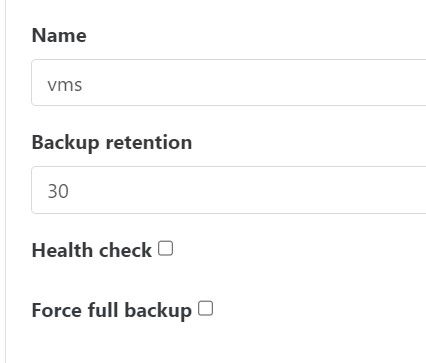
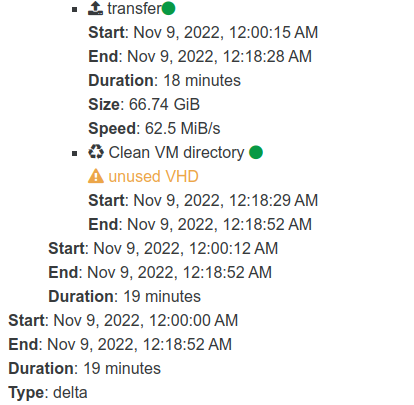
    You can "reset" delta on an CR on two methods ( I use the firs one ) : Set number of full backup interval, under Advanced settings (left down). And can be predicted as fallow Reset = full backup interval / number of delta per day. So for 4 deltas per day Reset = 21/4 = 5 rest 1, reset will be on day 6 on first backup. [image: 1668752674017-e6f37d80-9c7d-4d16-bdea-903612fc251e-image.png] [image: 1668752712035-9eb6c381-a130-4d27-9e10-cd441338c666-image.png] Or on schedule on Replication retention [image: 1668753256557-6ac7be5a-b462-4e57-89cf-f58f20e4a4b4-image.png] Force full backup is to force full backup on next run
  • Automatic Xen-Orchestra CE installation

    2
    1 Votes
    2 Posts
    6k Views
    A
    @Momi_V Thanks for providing details. New documented setups are helpful to others. I'm using this installer script on a Debian 11. (Thanks to @ronivay!). Not exactly a quick hands off deployment but it works well for me.
  • Troubleshooting backups never finishing

    2
    1
    1 Votes
    2 Posts
    563 Views
    AtaxyaNetworkA
    @elementalwindx Hi ! From what I see in the screenshot, your backup is currently running. Do you have some error in Setting -> Logs ?
  • cpu cores reported mismatched

    8
    0 Votes
    8 Posts
    2k Views
    olivierlambertO
    Indeed, that's not "usual" if you comes from a purely Linux/KVM world, where the host is the entire machine.