Subcategories

  • VMs, hosts, pools, networks and all other usual management tasks.

    490 Topics
    4k Posts
    Z
    @poddingue said: Thanks for posting the fix. The same thing came up in an older thread, https://xcp-ng.org/forum/topic/9957, where disabling IPv6 also made xoa check go green. @HamiltonWDS explained a likely reason in https://xcp-ng.org/forum/post/87831: Node tries the addresses with a short timeout and can end up on the IPv6 one. Your curl -6 test helps a lot here, because it shows IPv6 doesn't connect at all on that network, so it's more than a slow path. Turning it off in XOA seems reasonable if you don't use IPv6 there; if you do, I'd guess the router side is where it really needs fixing, though I could be wrong (still haven't migrated to IPv6 myself ). Curious whether it sorts out the Cloud Backup too. XOA is using our management network where ipv6 is not needed and not enabled. Looks like our cloud backup finally ran for the first time in while too.[image: cloudbackup.jpg]

  • ACLs, Self-service, Cloud-init, Load balancing...

    106 Topics
    870 Posts
    D
    I ran into the same problem with DR replicas. Ignoring VMs by tag would solve the problem, but so would excluding the ip address information.
  • All XO backup features: full and incremental, replication, mirrors...

    538 Topics
    6k Posts
    johnnezeroJ
    @pierrebrunet Thanks for the update. So is there any way to run the reclaimSpace function (i.e from the XO CLI or something, without having to build a whole REST API application or whatever that involves)?
  • Everything related to Xen Orchestra's REST API

    88 Topics
    654 Posts
    poddingueP
    Pretty cool, @samuelolavo, thanks for clarifying!
  • Terraform, Packer or any tool to do IaC

    52 Topics
    488 Posts
    CyrilleC
    New release ! Cloud Controller Manager v1.2.0 https://github.com/vatesfr/xenorchestra-cloud-controller-manager/releases/tag/v1.2.0 Adds a new cloud-node-out-of-service controller that applies the node.kubernetes.io/out-of-service=nodeshutdown:NoExecute taint to the nodes whose Xen Orchestra VM is halted or has been deleted. More about this feature in the documentation or #90
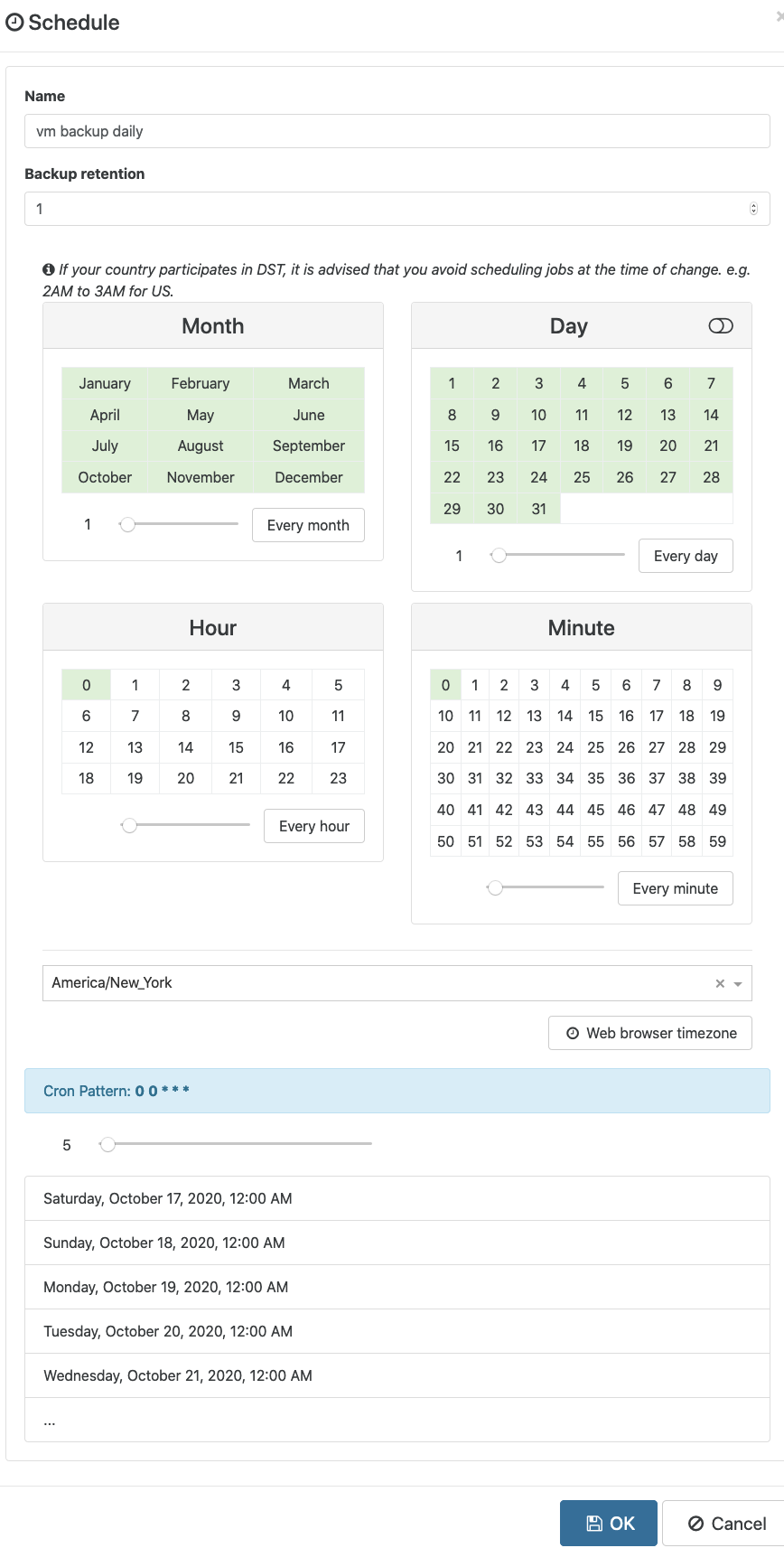
  • Help with delta backups and retention

    Solved
    4
    3
    0 Votes
    4 Posts
    1k Views
    DanpD
    @spidernin If you go to Backup > Restore, it will show you the number of existing backups for each VM.
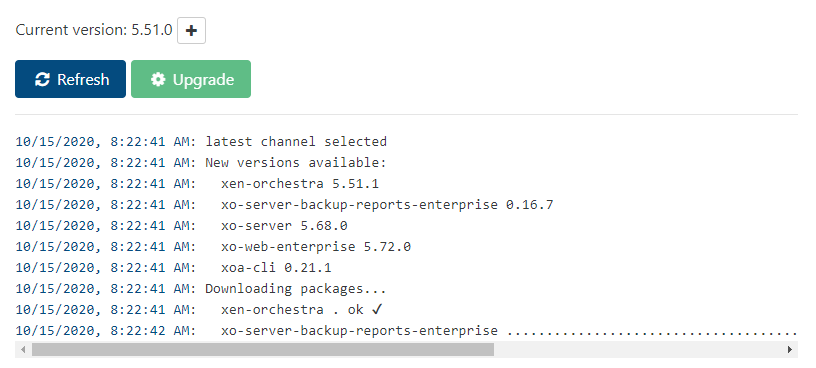
  • XOA updater, add old+new version numbers for each item

    5
    1
    0 Votes
    5 Posts
    1k Views
    rajaa-bR
    OK thanks for your answer. we'll look into that. Best regards.
  • 0 Votes
    1 Posts
    203 Views
    No one has replied
  • Importing vm to XCP-NG 8.2 fails

    5
    0 Votes
    5 Posts
    2k Views
    A
    Yep
  • Missing plugins.. ?

    plugins
    4
    0 Votes
    4 Posts
    3k Views
    olivierlambertO
    We decided to keep cloudinit available for everyone for now. So consider it as a gift
  • Modify xo-web with own Logo

    5
    0 Votes
    5 Posts
    2k Views
    rajaa-bR
    Hi, If you want to change the background color, you need to update the $side-menu-bg: #044b7f; in ~/xen-orchestra/packages/xo-web/src/index.scss . Best regards.
  • backup to s3 - backup and restore

    2
    0 Votes
    2 Posts
    475 Views
    olivierlambertO
    It's exactly the same process for any other backup.
  • Live Migration gone bad, Help!

    10
    0 Votes
    10 Posts
    3k Views
    R
    @stormi so now I have to just figure out how to delete the ghost vm before i reconnect the pool to XO. in xen center I can't delete it for some reason .. guess i'll try cli (never deleted a vm like that before)
  • cr vs delta backup

    2
    0 Votes
    2 Posts
    456 Views
    olivierlambertO
    That's precisely the difference: a delta backup is stored in a remote, a CR is stored in an SR.
  • Backup fails after upgrade 5.50.3

    13
    0 Votes
    13 Posts
    2k Views
    olivierlambertO
    Thanks for the ticket. Please continue to provide feedback in there, it won't be monitored here.
  • Backup File resotre errors

    4
    0 Votes
    4 Posts
    1k Views
    J
    @Rocky said in Backup File resotre errors: ntfs-3g Yes I have both those packages installed
  • File Restore Not working, little red triangle

    23
    0 Votes
    23 Posts
    10k Views
    R
    @Rocky special note, sometimes i get the little red triangle still, but if I click again on the partition it works.
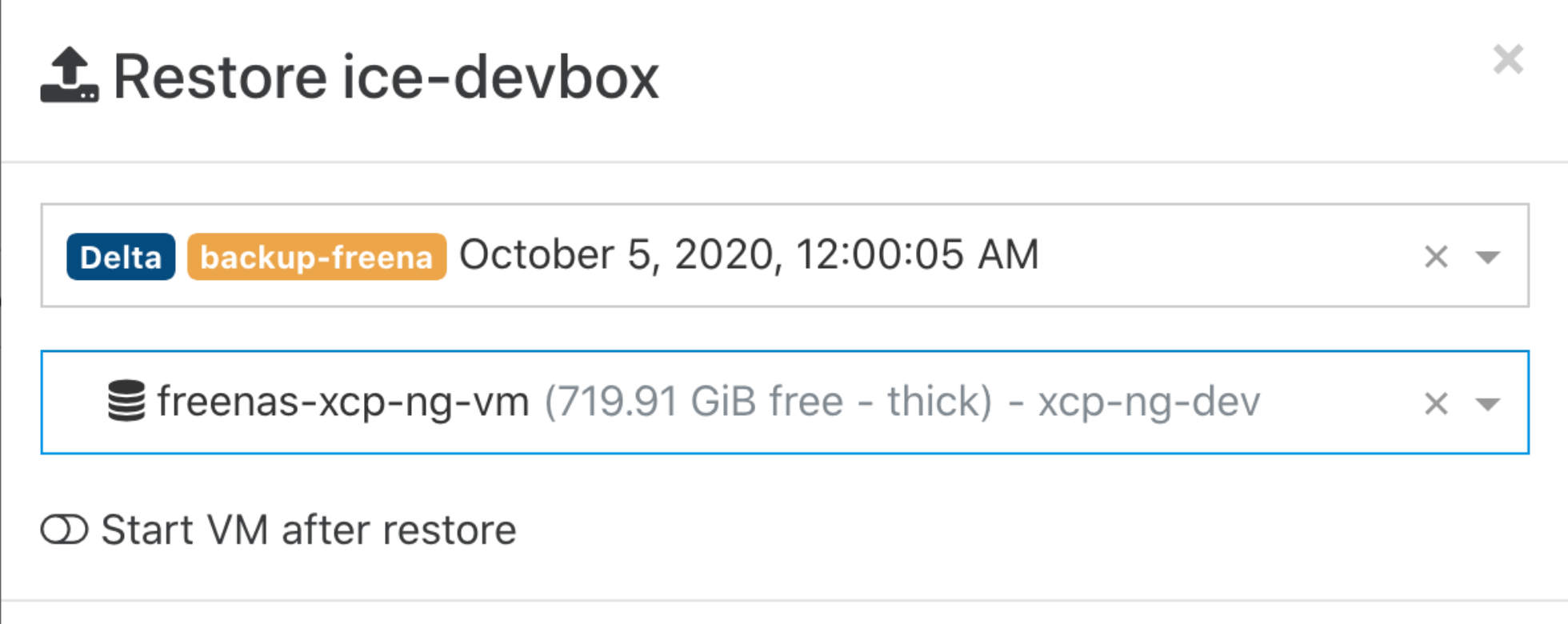
  • Backup Restore Insufficient Space

    7
    2
    0 Votes
    7 Posts
    2k Views
    M
    Not a huge deal currently, but if I had a number of VDI's spread out, it could exeed any single available space which means I cant restore at all... Can this be done in an alternative way via CLI?
  • Remotes not showing help?...

    Solved
    2
    0 Votes
    2 Posts
    240 Views
    N
    Cancel that, I found out how to save the Config and import through Settings/Remotes/Config...
  • auth-ldap error: logger is not a function.

    2
    0 Votes
    2 Posts
    699 Views
    olivierlambertO
    Do you have also the problem with an XOA?
  • kubernetes recipe fails to deploy cluster

    Unsolved
    11
    0 Votes
    11 Posts
    3k Views
    BenjiReisB
    @d1rtym0nk3y If DHCP is configured on your network then yes.
  • MTU problems with VxLAN

    22
    0 Votes
    22 Posts
    15k Views
    BenjiReisB
    The issue has been fixed on this branch, it'll be merged into master soon.
  • Can't for the life of me inject cloudinit config

    23
    0 Votes
    23 Posts
    10k Views
    p4-k4P
    What does your cloud config logs show on the guest OS after boot? Can you see if it has made any attempt to inject the config? Only thing I can think of is that your cloud config might be wrong thus the cloud init service is refusing it. Have you tried to use an ubuntu image? I used official images of both debian 10 and ubuntu 18.04 and worked fine once I got rid of the pre-populated network config or inserted a real network config. I spent too long trying to figure out what was going on so let me know if there's anything else you need to know, it's super frustrating.
  • Question: Delta backup retention vs. full backup interval

    4
    0 Votes
    4 Posts
    2k Views
    T
    @Vinylrider your understanding is correct, delta retention is just how many deltas to keep before merging the oldest delta with the full. Full backup interval is the time between each new full back up for use in case of corrupted back up. To answer your question, yes it is recommended to have more than 1 full back up to fall back to in the event of corruption espcially of delta backups since delta backups rely on previous deltas meaning if one of your delta is corrupted, you'll loose all data from that point onward until another full backup is made, or worse your full backup could be corrupted (more likely because of the file size) then you loose the whole chain. And if your corrupted delta is merged with the full, you'll probably have a corrupted chain aswell.
  • How to Hide or removed the canned Templates from XOCE/XOA

    3
    0 Votes
    3 Posts
    1k Views
    DanpD
    I opened an issue on this. Feel free to chime in with your thoughts -- https://github.com/vatesfr/xen-orchestra/issues/5284