XCP-ng
    • Categories
    • Recent
    • Tags
    • Popular
    • Users
    • Groups
    • Register
    • Login
    1. Home
    2. Popular
    Log in to post
    • All Time
    • Day
    • Week
    • Month
    • All Topics
    • New Topics
    • Watched Topics
    • Unreplied Topics

    • All categories
    • B

      Building XCP-ng from source code

      Watching Ignoring Scheduled Pinned Locked Moved Development
      6
      0 Votes
      6 Posts
      422 Views
      R
      @Greg_E said in Building XCP-ng from source code: @olivierlambert Ok, thanks. Yes I'm eagerly awaiting XCP-ng 9 for testing. Hi, check this thread: https://xcp-ng.org/forum/topic/11698/xcp-ng-9.0-demonstrator-early-preview More coming...
    • R

      xcp-ng-8.3 Upcoming behaviour changes ? eg: Usage of history

      Watching Ignoring Scheduled Pinned Locked Moved Development
      1
      0 Votes
      1 Posts
      35 Views
      No one has replied
    • K

      ISO won't show since XO6 Default

      Watching Ignoring Scheduled Pinned Locked Moved Xen Orchestra
      1
      2
      0 Votes
      1 Posts
      47 Views
      No one has replied
    • N

      Fibre Channel on Lenovo (Hardware Compatibility)?

      Watching Ignoring Scheduled Pinned Locked Moved Hardware
      1
      0 Votes
      1 Posts
      28 Views
      No one has replied
    • M

      LUKS Secured VM via Cloud Config

      Watching Ignoring Scheduled Pinned Locked Moved Xen Orchestra
      1
      0 Votes
      1 Posts
      35 Views
      No one has replied
    • ForzaF

      Retention for log files and audit logs

      Watching Ignoring Scheduled Pinned Locked Moved Xen Orchestra
      6
      0 Votes
      6 Posts
      606 Views
      E
      I would like to suggest to configure a remote syslog server. it centralizes all the log s and give you full control over the retention. It would also avoid situation where a disk full would impact your logging as well XCP-ng or XOA host operations. For your XCP-NG host go to you POOl, select Advanced tab and configure the Remote syslog host section to point to your syslog server. For XOA, you can follow the instruction here : https://docs.xen-orchestra.com/backups#send-xo-logs-to-an-external-syslog-server
    • A

      Users cannot modify topology settings for VM's

      Watching Ignoring Scheduled Pinned Locked Moved Management
      1
      0 Votes
      1 Posts
      36 Views
      No one has replied
    • P

      Xen Orchestra from Sources backups Failing.

      Watching Ignoring Scheduled Pinned Locked Moved Management
      8
      0 Votes
      8 Posts
      694 Views
      P
      If one day, some sad soul encounters these errors and nothing seems to be working or making sense you may have the same issue I did. Back story: Earlier this year, I had a Pool with 3 hosts. Through a series of unfortunate events. The Master died, I recovered as best as I could and assumed all was well as I rebuilt the environment since all of my vm's appeared to be working (except Xen Orchestra). I tried different versions (Ubuntu, Debian, XOA, XO via Docker, etc.). Error: backupNg.runJob { "id": "ea4a9d00-db35-45a9-8a15-f700891d55c6", "schedule": "0811579b-8ad3-4f29-8581-15a35c9c4597" } { "library": "SSL routines", "reason": "tlsv1 unrecognized name", "code": "ERR_SSL_TLSV1_UNRECOGNIZED_NAME", "call": { "duration": 21, "method": "session.login_with_password", "params": "* obfuscated *" } } [image: 1765346178618-a19c2386-f194-4268-af87-3c2307bb9cdd-image.png] In my case, my database was corrupted. By rejoining host to the same damaged pool, the issue remained. In was confusing since an old instance of xen orchestra running Ubuntu 18.04 was the only instance that could run backups successfully. Newer instances could do everything except run backups. Either way, hopefully this never happens to you. If it does, your servers backend database might be the issue. Thanks again to everyone that helped me figure this out throughout the year!
    • AtaxyaNetworkA

      Wazuh OVA appliance : how to make it work !

      Watching Ignoring Scheduled Pinned Locked Moved Compute
      4
      2
      6 Votes
      4 Posts
      819 Views
      X
      Thanks a lot for this In few months ago I have found your topic to try wazuh, and it is working good. After some error on my home lab, I need to install all again and remember your topic. On my installation, I just need to set /dev/xvda1 (if I just put /dev/xvda, VM not start). My home lab is on ProLiant DL360 Gen9.
    • D

      SAML Auth with Azure AD

      Watching Ignoring Scheduled Pinned Locked Moved Solved Xen Orchestra
      37
      1 Votes
      37 Posts
      6k Views
      D
      @olivierlambert Just to add another weird case of this situation I tell you my SAML-auth-adventures. I have just migrated a week ago from XOCE to XOA paid support this week and all the process was fine except the auth with the saml plugin. The commit I had in XOCE was [XO 5d92f - Master 3f604]. I compiled it the first week of this november so it wasn't very outdated. We use the MSEntraID SAML authentication and it was working fine in XOCE since at least one year ago. Mi process was like this: First, I installed XOA and imported the configuration from my old XOCE. Everything was fine and all was imported succesfully (backups, users, acls, etc.), including my plugin configurations. Note that I reused the https server certificate/private key and used the same IP and the same DNS (beacuse I turned off my XOCE before starting XOA). Everything was working fine except the saml auth plugin. I had the same "Internal server error" problem. I looked at the xo-server logs and the error was "invalid document signature" so, as Olivier said, we changed the configuration in MSEntraID to set the "Sign SAML response and assertion" on. Once we changed the configuration I thought the plugin would work again, but surprisingly not. If I try again SAML validation i still got the "Internal server error". When i checked again the xo-server logs I saw ahother exception, this time with the error "SAML assertion audience mismatch" and a reference to the issuer configuration of the plugin. The exact error I got from xo-server logs using "journalctl -u xo-server -f -n 50" was: "xoa xo-server[2370]: Error: SAML assertion audience mismatch. Expected: <id-of-MSEntraID-xo-validation> Received: spn:<id-of-MSEntraID-xo-validation>"I didn't understand this, because the configuration was exactly the same as I had in XOCE. In fact, I turned off XOA and turned on again XOCE just to test the plugin. The result was that in XOCE the plugin worked well. After many tries and some time of impostor syndrome we found the solution: I don't know why, but in XOCE compiled at the beginning of november you have to configure the issuer field of the plugin with the <id-of-MSEntraID-xo-validation> (8digit-4digit-4digit-4digit-12digit). Instead, in XOA deployed also this november, you have to set the issuer field to you XOA URL: https://<xo.company.net>/ I hope this will help, because it was a pain in the neck for us this week. BTW: @olivierlambert this "Internal server error" coming from an uncatched exception in the plugin was not very descriptive. Even a generic try-catch block just to show in the web interface the error would help... P.D.: I'm from Spain, so I do my best with my english P.D. 2: Great job with all the Vates virtualization stack! You are the best! Dani
    • D

      XCP-ng center 25.04.0 does not see guest-tools.iso

      Watching Ignoring Scheduled Pinned Locked Moved XCP-ng
      1
      1
      0 Votes
      1 Posts
      73 Views
      No one has replied
    • rhkeanR

      WiFi controller not recognized during XCP-NG install

      Watching Ignoring Scheduled Pinned Locked Moved Hardware
      10
      0 Votes
      10 Posts
      661 Views
      yannY
      @hoehnp we're aiming at sharing a very first public version before end of year, but don't hope for it to be anything complete or stable
    • J

      Every VM in a CR backup job creates an "Unhealthy VDI"

      Watching Ignoring Scheduled Pinned Locked Moved Backup
      19
      1
      0 Votes
      19 Posts
      906 Views
      J
      There are no other jobs. I've now spun up a completely separate, fresh install of XCP-ng 8.3 to test the symptoms mentioned in the OP. Steps taken Installed XCP-ng 8.3 Text console over SSH xe host-disable xe host-evacuate (not needed yet of course since it's a brand-new install) yum update Reboot Text console over SSH again Created local ISO SR xe sr-create name-label="Local ISO" type=iso device-config:location=/opt/var/iso_repository device-config:legacy_mode=true content-type=iso cd /opt/var/iso_repository wget # ISO for Ubuntu Server xe sr-scan uuid=07dcbf24-761d-1332-9cd3-d7d67de1aa22 XO Lite New VM Booted from ISO, installed Server Text console to VM over SSH apt update/upgrade installed xe-guest-utilities Installed XO from source (ronivay script) XO Import ISO for Ubuntu Mate New VM Booted from ISO, installed Mate apt update/upgrade xe-guest-utilities New CR backup job Nightly VMs: 1 (Mate) Retention: 15 Full: every 7 Exact same behaviour. After first (full) CR job run, additional (incremental) CR job runs results in one more 'unhealthy VDI'. I've engaged in no other shenanigans. Plain vanilla XCP-ng and XO. There are only two VMs on this host, the XO from source VM, and a desktop OS VM which is the only target of the CR job. There are zero exceptions in SMlog. What do you need to see?
    • ForzaF

      Xen 4.21

      Watching Ignoring Scheduled Pinned Locked Moved Compute
      2
      0 Votes
      2 Posts
      142 Views
      G
      @Forza I keep hoping to see an Alpha or Beta of XCP-ng 9 soon, but I think there is still a lot of work to be done on the host side and on the Xen Orchestra 6 side.
    • S

      cleanVm: incorrect backup size in metadata

      Watching Ignoring Scheduled Pinned Locked Moved Xen Orchestra
      16
      1
      0 Votes
      16 Posts
      3k Views
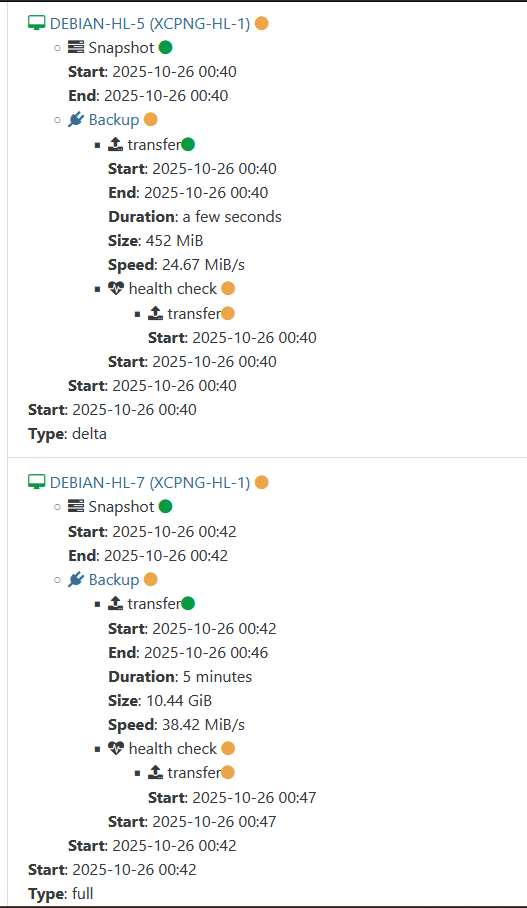
      U
      @k11maris Same on my side. Delta backup for all VMs show this message. [image: 1763710321097-bildschirmfoto-2025-11-21-um-08.30.44.png]